Mastering Generics in Flutter: The Key to Scalable and Maintainable Code
A deep dive into real-world patterns, reusable APIs, and generic widgets in Dart
Mastering Generics in Flutter: The Key to Scalable and Maintainable Code
A deep dive into real-world patterns, reusable APIs, and generic widgets in Dart

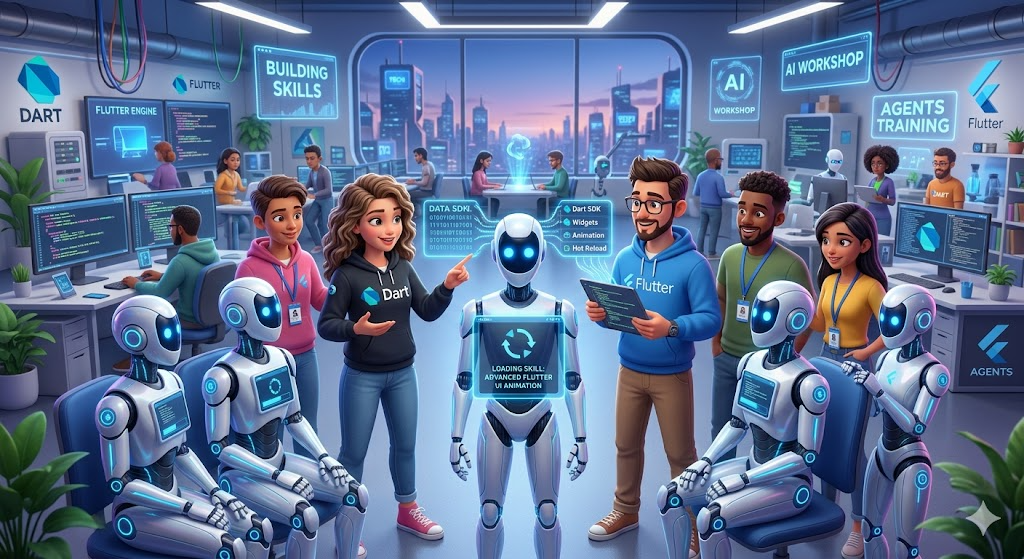
Image created using ChatGPT AI based on the author’s request
I didn’t appreciate generics… until my codebase started fighting back.
It began with something simple.
A reusable API service.
At first, everything looked clean. I had a neat ApiService class, a few models, and some JSON parsing logic. Each API call returned a different model — User, Product, Order.
So I did what most of us do.
I copied… pasted… tweaked… and moved on.
It worked.
Until it didn’t.
The Problem Nobody Notices Early
A few weeks later, things started getting messy.
Every API call looked almost identical:
- Make request
- Check status
- Parse JSON
- Map to model
But each method had its own version of the same logic.
If I wanted to change error handling? I had to update it everywhere.
If I wanted better logging? Same story.
Worse, bugs started creeping in because one function behaved slightly differently from another.
That’s when I hit the wall:
My code was reusable… but not truly reusable.
The Moment Generics Clicked
I had heard about generics before. Angle brackets. <T>. Fancy, abstract stuff.
But I never really needed them.
Until now.
So I tried something small.
Instead of writing separate methods for each model, I created one:
Future<T> fetchData<T>(
  String url,
  T Function(Map<String, dynamic>) fromJson,
) async {
  final response = await http.get(Uri.parse(url));

  if (response.statusCode == 200) {
    final json = jsonDecode(response.body);
    return fromJson(json);
  } else {
    throw Exception('Failed to load data');
  }
}
At first glance, it felt… weird.
But then I used it:
final user = await fetchData<User>(
  '/user',
  (json) => User.fromJson(json),
);

final product = await fetchData<Product>(
  '/product',
  (json) => Product.fromJson(json),
);
And suddenly —
Everything changed.
What Just Happened?
That <T> wasn’t just syntax.
It was power.
Instead of writing logic tied to a specific type, I wrote logic that works with any type.
- One function
- Infinite reuse
- Zero duplication
And most importantly:
Type safety stayed intact.
No dynamic hacks. No runtime surprises.
Real Impact on My Flutter App
This wasn’t just a clean code improvement.
It had a real, measurable impact:
1. Code Shrunk Dramatically
Dozens of repetitive API methods → one reusable function.
2. Bugs Dropped
Fix logic once → fixed everywhere.
3. Readability Improved
Each call clearly showed:
- What data does it expect
- How it’s parsed
4. Scaling Became Easy
Adding a new model didn’t require writing new infrastructure.
Going Deeper: Generic Widgets
Then I took it further.
What if UI could benefit from generics too?
So I built a reusable widget:
class AsyncBuilder<T> extends StatelessWidget {
  final Future<T> future;
  final Widget Function(BuildContext, T) builder;

  const AsyncBuilder({
    required this.future,
    required this.builder,
  });

  @override
  Widget build(BuildContext context) {
    return FutureBuilder<T>(
      future: future,
      builder: (context, snapshot) {
        if (snapshot.hasData) {
          return builder(context, snapshot.data!);
        } else if (snapshot.hasError) {
          return Text('Error');
        }
        return CircularProgressIndicator();
      },
    );
  }
}
Usage:
AsyncBuilder<User>(
  future: fetchUser(),
  builder: (context, user) {
    return Text(user.name);
  },
);
Now my UI has become reusable — not just my logic.
The Hidden Advantage Most Developers Miss
Generics don’t just reduce code.
They change how you think.
Instead of asking:
How do I handle Users?
You start asking:
*How do I handle *any data?
That shift is subtle.
But it’s what separates scalable systems from fragile ones.
When NOT to Use Generics
Let’s be real — generics aren’t magic.
If overused, they can make code harder to read.
Avoid them when:
- The logic is truly specific to one type
- Abstraction adds confusion instead of clarity
- You’re forcing reuse where it doesn’t belong
Generics should simplify your code — not turn it into a puzzle.
Final Thought
Most Flutter developers learn widgets, state management, and UI patterns.
But generics?
They quietly sit in the background — underused and underestimated.
Until one day, your app grows…
…and you realize:
The difference between scalable code and messy code is often just <T>.
If you’ve been avoiding generics, this is your sign.
Start small.
One function. One widget.
That’s all it takes to unlock a completely different way of writing Flutter apps.
메타데이터
- post_id
- 4a3bbb166f2e
- slug
- mastering-generics-in-flutter-the-key-to-scalable-and-maintainable-code-4a3bbb166f2e
- url
- https://medium.com/easy-flutter/mastering-generics-in-flutter-the-key-to-scalable-and-maintainable-code-4a3bbb166f2e
- canonical_url
- https://medium.com/easy-flutter/mastering-generics-in-flutter-the-key-to-scalable-and-maintainable-code-4a3bbb166f2e
- author_url
- https://medium.com/@savaliya.ravi.rs
- status
- ok
- fetched_at
- 2026-06-11 16:11:38