Why Claude Code Wastes Thousands of Tokens Before It Even Starts Working
When you start working with Claude Code, you likely notice one interesting behavior: no matter what task you complete with Claude Code…
Why Claude Code Wastes Thousands of Tokens Before It Even Starts Working
When you start working with Claude Code, you likely notice one interesting behavior: no matter what task you complete with Claude Code, there will always be a hidden “orientation tax” in every Claude Code session.
Claude Code can consume a large portion of its context and tokens, repeatedly rediscovering information it could have received more efficiently.
In this article, I will explain what Claude orientation really means and how to optimize this phase.
Orientation is all about creating context for AI model
Creating a context for the task is the first thing that Claude Code does when it starts working on it.
For example, if you ask Claude to design a dashboard, the first thing it will do is scan a working directory in an attempt to understand what you really want to build and why.
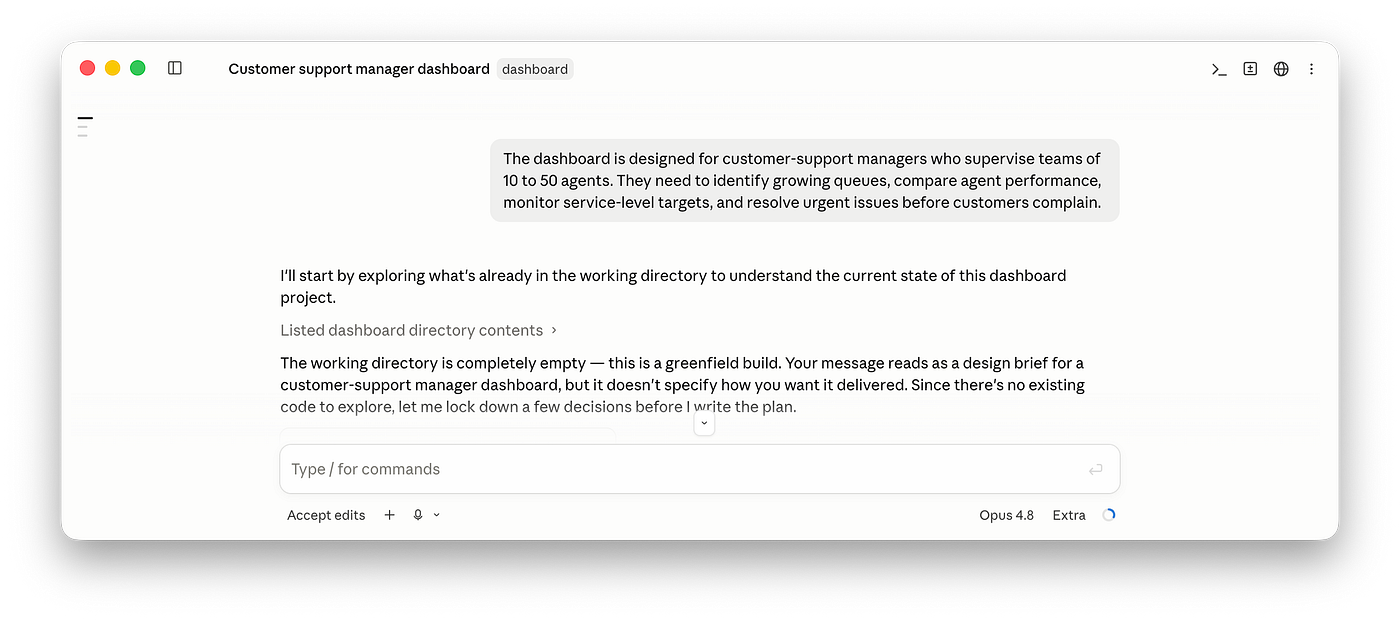
Here is how the orientation process works step-by-step:
- Claude reads a root-level
CLAUDE.mdinstructions - Auto-memory content
- MCP tool names and definitions
- Skill descriptions
- System instructions
- Output-style instructions
- Additional system-prompt content
This process is not always linear, meaning that Claude Code can re-scan some data sources it scans before in an attempt to create a better context for the AI model.
Reddit user logged file operations across 132 sessions and claimed that 71% of reads targeted files already opened during the same session.
That’s why when you open the Claude session log, you can easily spot that Claude repeatedly reads unchanged files while orienting itself. Depending on the nature and complexity of your project, Claude can do it several times during a session.
Quick note: Claude Code stores local session transcripts as JSONL files under:
~/.claude/projects/Is Claude’s orientation a bad thing?
Not at all. In fact, it’s a very valuable part of a workflow because during this phase, Claude finds the answer to what, why, and how to do something.
Not just the fact of orientation itself, but excessive orientation is bad. Initial orientation is necessary but repeated orientation can be a huge waste of resources.
And here are two reasons why repeated orientation is typically bad:
1. Context bloat
During orientation, Claude collects insights and adds them to the context window. But to make insights actionable, it can add snapshots of the files it scans. Think of it as adding an entire book, not just a quote from this book, to the knowledge base. This leads to populating the context with unused data.
And each iteration of orientation adds more and more data like that.
So at the end of the day, a lot of context is used just to store data you won’t need and won’t use. And when the context window is fully loaded, you will need to start a new session.
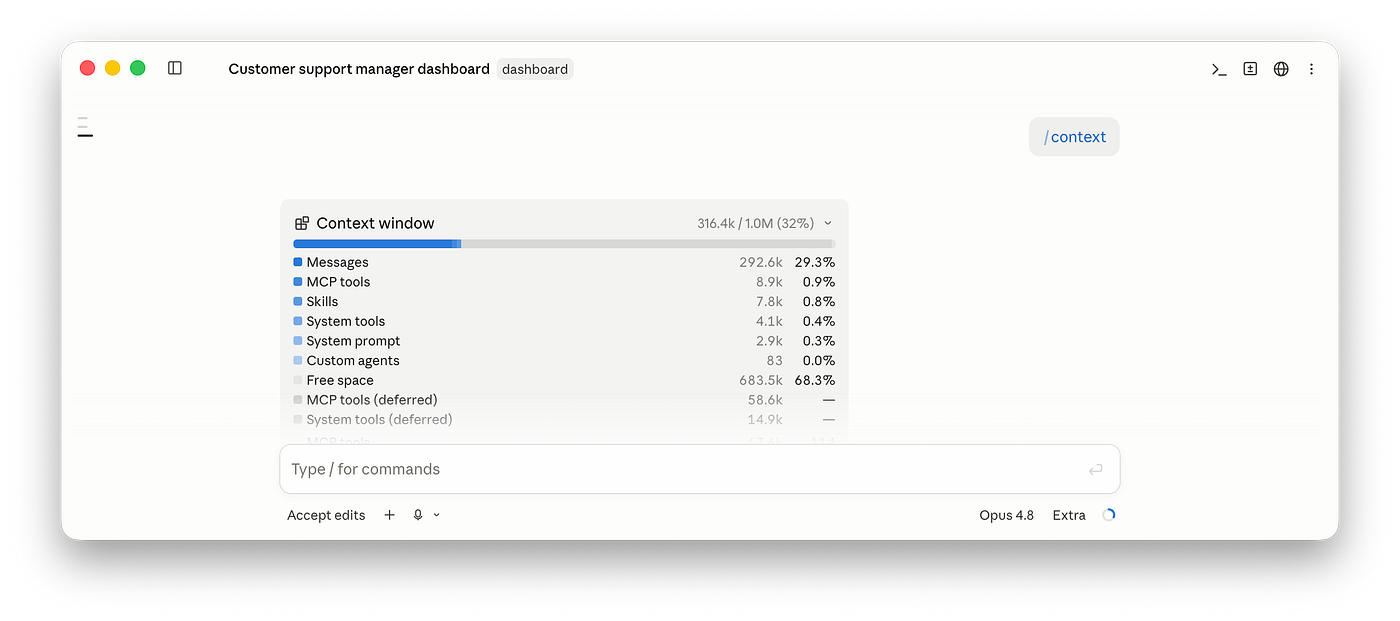
/context command shows what information you have in a context window. As you can see in my example, Messages take nearly 30% of the context window.
2. Extra token usage
Every time Claude does orientation, you will spend tokens on reconstructing project understanding for AI. The token usage can grow significantly with your project.
How to optimize Claude Code performance and prevent excessive orientation
I suggest doing 4 things:
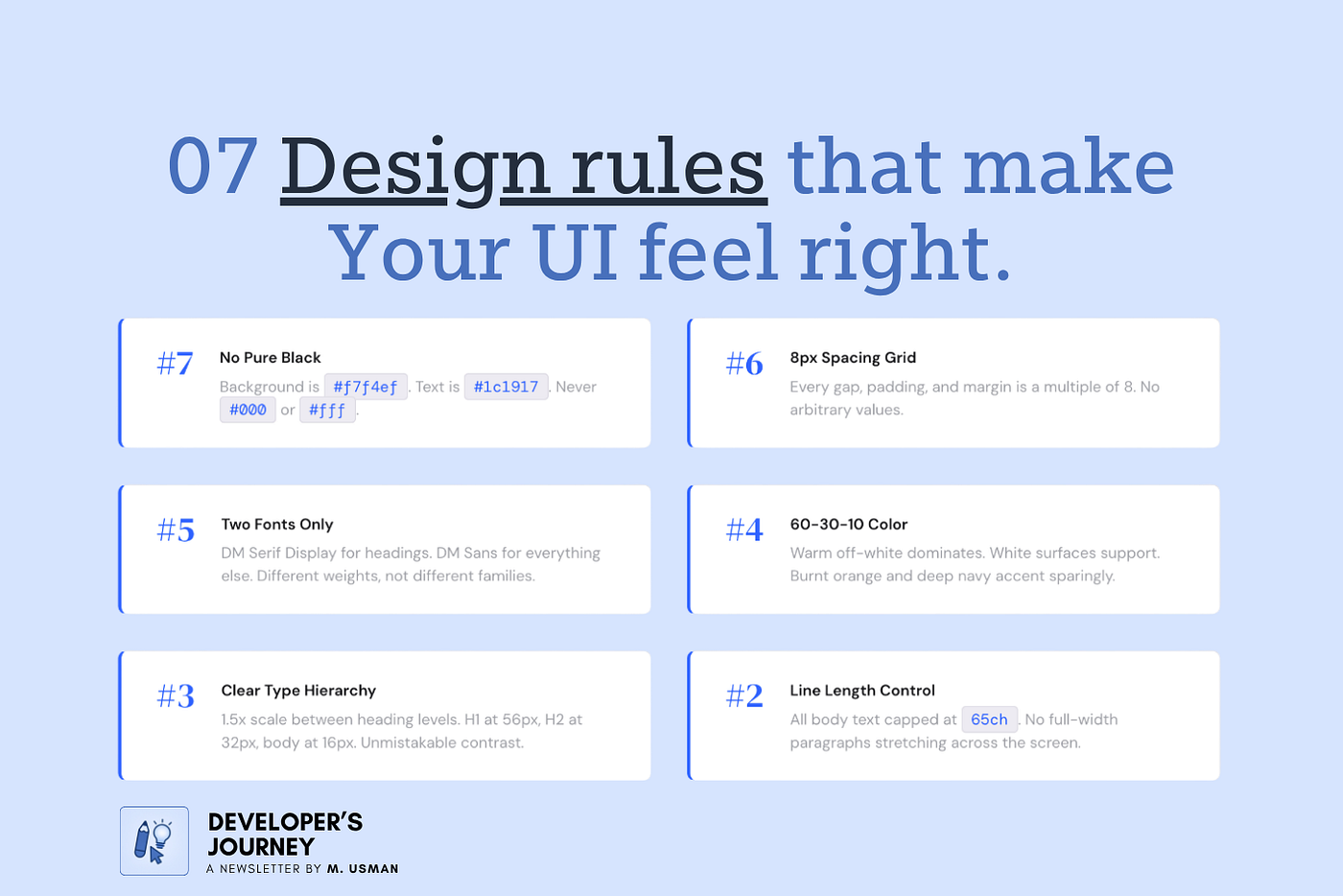
1. Invest in crafting a proper CLAUDE.md
A concise CLAUDE.md can answer questions Claude would otherwise investigate repeatedly. For example, for a complex product with a lot of modules, this file can contain a project map that will clearly outline the system architecture. This gives Claude enough information to understand where to add new code without opening every candidate directory.
## Project map

- `src/app/` — application routes and page composition
- `src/features/auth/` — authentication flows and session handling
- `src/features/billing/` — plans, checkout and subscription management
- `src/components/ui/` — shared low-level UI components
- `src/styles/tokens.css` — global design tokens
Apart from that, it’s also worth providing a verification process AI should follow when implementing something:
## Verification

- Component change: run the relevant Vitest file
- Route change: run `npm run typecheck`
- Visual change: capture desktop and mobile screenshots
But there is an important catch: root-level CLAUDE.md files are loaded in full at the beginning of the session, and Anthropic suggests keeping the file under 200 lines of text to prevent AI from consuming more context and, as a result, reducing its instruction adherence.
Therefore, do not turn CLAUDE.md into an encyclopedia.
🚫 Do not use it for:
- Complete dependency lists
- A copy of the README
- Every component name
- Information easily derived from configuration
- Long explanations of standard technologies
✅ Use it for:
- Non-obvious architecture
- File ownership
- Important constraints
- Verification commands
- Common traps
- Decisions Claude cannot reliably infer
2. Scoped prompt
Scope the task precisely.
For example, if you’re building a new feature:
- Name the feature
- Explain its location within a project arch (a project map you’ve defined in
CLAUDE.mdshould help). - Define constraints & boundaries
- Outline verification method
3. Prevent noisy output
Prevent overly detailed outputs such as outputs above a chosen size (for example, outputs exceeding 10,000 characters). A very practical way might be to use the Cavemen Skill for Claude Code, which makes the outputs more concise and focused.
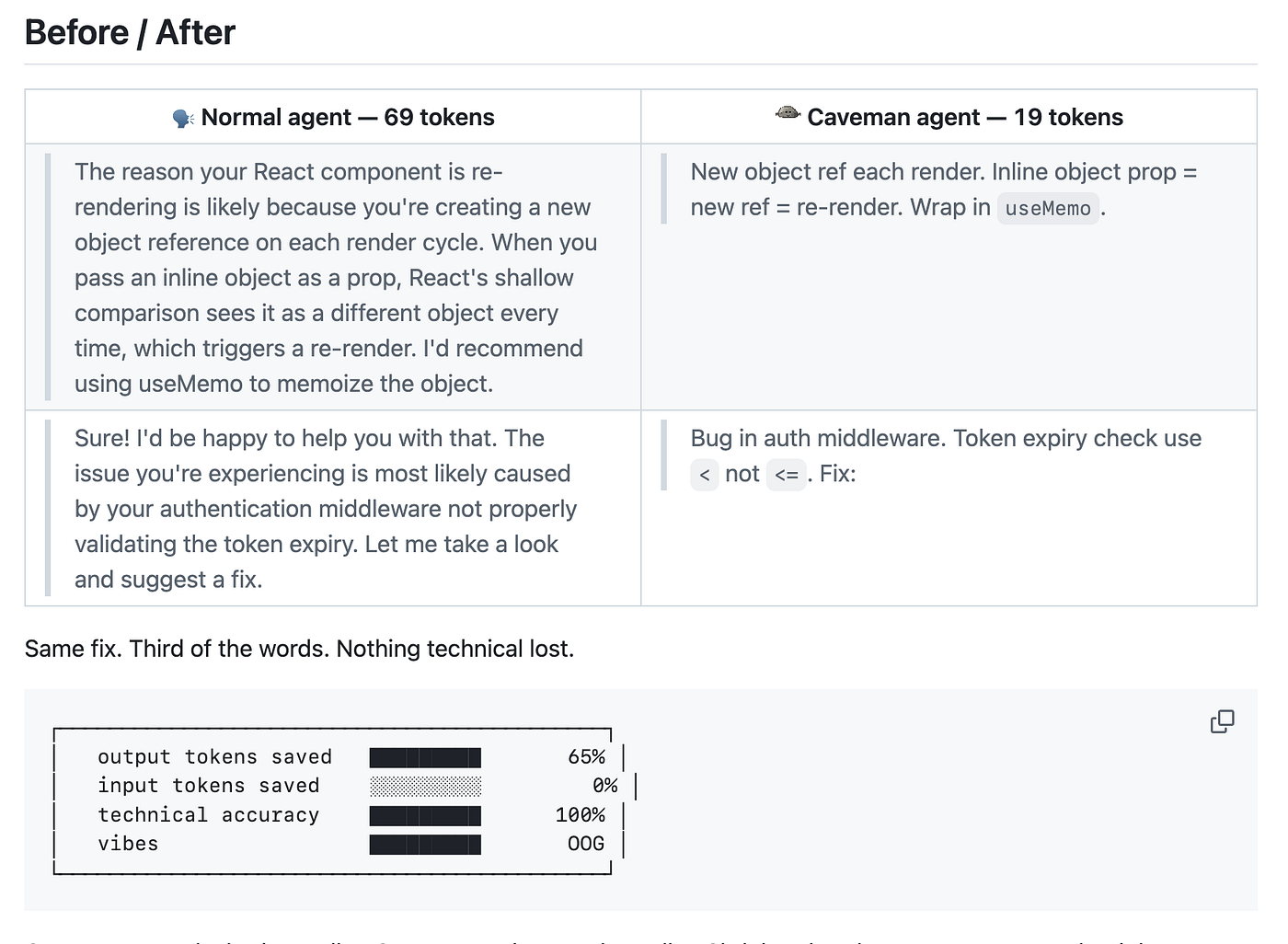
Cavemen Skill for Claude Code in action (Before/After).
[embed]Caveman for Claude Code How It Works, Why Use It, and How to Set It Upuxplanet.org
4. Clear between unrelated tasks
Anthropic recommends /clear when switching tasks and focused /compact instructions when preserving only a specific line of work
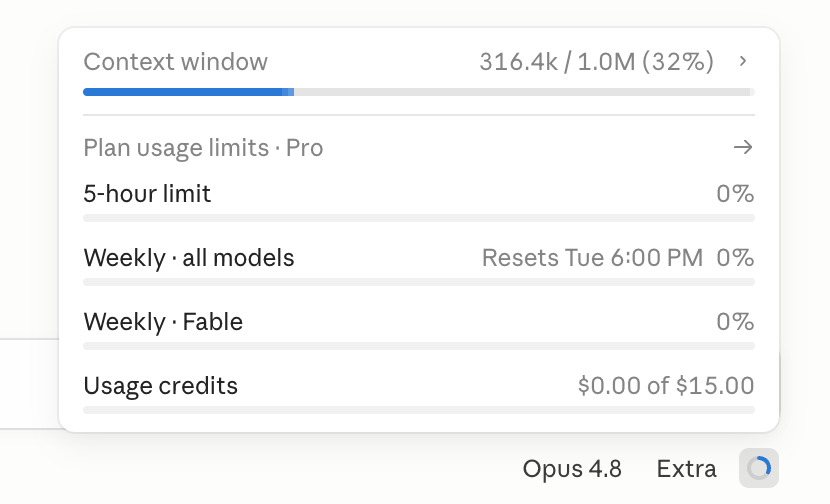
Before compacting context window was 32% populated
Claude is very good at compacting context window (in my case, it saved 300k tokens without significant quality degradation).
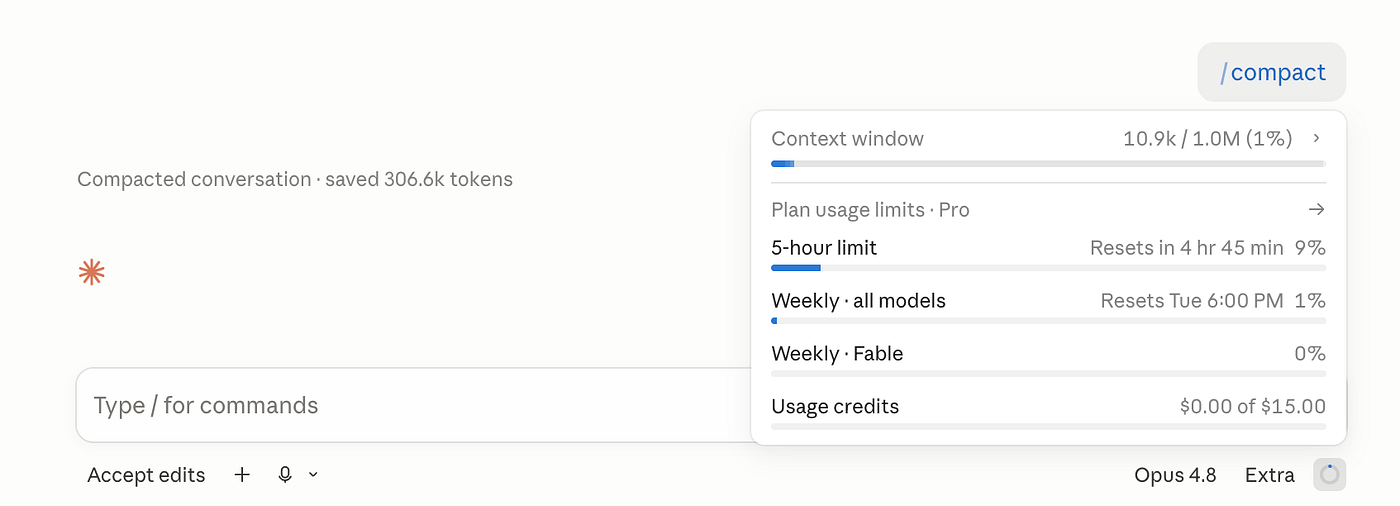
After compacting context window was only 1%.
Want to master Claude Code?
Check out my complete guide to Claude Code, packed with highly practical insights on how you can integrate it into your design process. This guide is updated on a weekly basis, so you’ll always get the latest information about Claude Code.
메타데이터
- post_id
- 61e9277cbde6
- slug
- why-claude-code-wastes-thousands-of-tokens-before-it-even-starts-working-61e9277cbde6
- url
- https://uxplanet.org/why-claude-code-wastes-thousands-of-tokens-before-it-even-starts-working-61e9277cbde6
- canonical_url
- https://uxplanet.org/why-claude-code-wastes-thousands-of-tokens-before-it-even-starts-working-61e9277cbde6
- author_url
- https://medium.com/@101
- status
- ok
- fetched_at
- 2026-07-17 19:24:55