Scrapling: AI agent can now scrape any website without getting blocked
Best web crawler framework that prevents crawlers from breaking when websites change class names or add anti-bot protection.
Scrapling: AI agent can now scrape any website without getting blocked
👨🏾💻 GitHub ⭐️ | 👔 LinkedIn | 📝 Medium | ☕️ Ko-fi | 🌐 InventaAI Blog
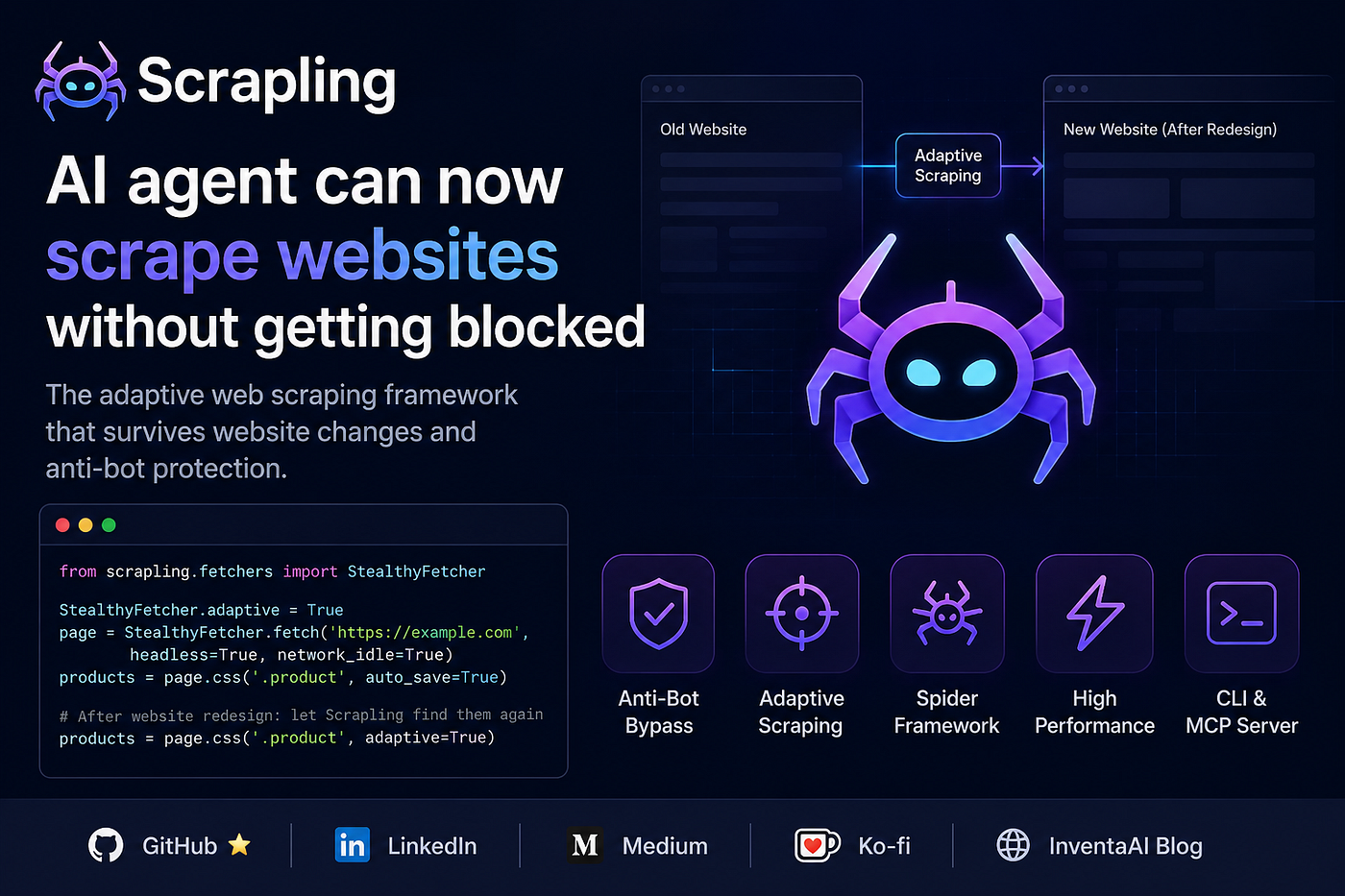
Photo by Author
Introduction
Web scraping in 2026 is not what it used to be. Sites are dynamically rendered, protected by Cloudflare, and restructured every few weeks. The tools most developers reach for, such as BeautifulSoup, requests, and even Scrapy, were not built for this reality. You end up duct-taping solutions together, maintaining fragile selectors, and fighting bot detection systems that get smarter every month.
Scrapling is a Python library that takes a completely different approach. It is an adaptive web scraping framework that handles everything from a single HTTP request to a full-scale concurrent crawl, with built-in anti-bot bypass, smart element tracking, and a Scrapy-like spider API.
This post walks through what makes Scrapling different, how to set it up, and how to use its core features.
Before we start! 🦸🏻♀️
If you like this topic and you want to support me:
- Clap my article 50 times; that will help me out.👏
- **Follow** me on Medium and subscribe to get my latest article for Free🫶
Why Scrapling is best?
Most scraping libraries solve one piece of the puzzle. Scrapling was built to solve the whole thing.
Here is the core problem with traditional scraping tools:
- BeautifulSoup is great for parsing, but cannot fetch pages or handle JavaScript rendering.
- Scrapy is powerful for crawling, but clunky to set up, and has no stealth capabilities out of the box.
- Selenium/Playwright can render JS, but are slow, heavy, and easily detected.
- requests-html or httpx handle HTTP well, but do nothing about bot detection.
- None of them adapts when a website’s DOM structure changes, and your selectors break.
Scrapling wraps all of these concerns into a single, coherent library. It is built by web scrapers, for web scrapers, and it shows in the API design.
Setup and Installation
Scrapling requires Python 3.10 or higher. Installation is straightforward via pip.
Base install (parser only, no fetchers):
pip install scraplingWith fetchers (HTTP, stealth browser, dynamic browser):
pip install "scrapling[fetchers]"
scrapling install
The scrapling install command downloads all browser binaries and their system-level dependencies. You only need to run this once.
Install everything (fetchers, MCP server, CLI shell):
pip install "scrapling[all]"
scrapling install
Docker (pre-built image with all extras and browsers):
docker pull pyd4vinci/scraplingKey installation points to keep in mind:
- Always run
scrapling installafter installing fetcher extras, browser-based fetchers will not work. - The base
pip install scraplingis enough if you only need the parser (useful when you already have your own fetching layer). - The Docker image is automatically rebuilt on every release via GitHub Actions, so it stays current.
The Four Fetchers: Choosing the Right Tool
Scrapling ships with four fetcher classes, each suited for a different scenario. Knowing which one to pick saves you a lot of headaches.
Fetcher (plain HTTP):
from scrapling.fetchers import Fetcher

page = Fetcher.get('https://quotes.toscrape.com/')
quotes = page.css('.quote .text::text').getall()- Fast and lightweight.
- Can impersonate browser TLS fingerprints and headers.
- Supports HTTP/3.
- Best for sites that do not use JavaScript or aggressive bot detection.
StealthyFetcher (headless browser with anti-bot bypass):
from scrapling.fetchers import StealthyFetcher

page = StealthyFetcher.fetch('https://nopecha.com/demo/cloudflare', headless=True, solve_cloudflare=True)
data = page.css('#padded_content a').getall()- Built specifically to bypass Cloudflare Turnstile and other interstitial challenges.
- Uses fingerprint spoofing and browser automation under the hood.
- Best for Cloudflare-protected sites.
DynamicFetcher (full Playwright browser automation):
from scrapling.fetchers import DynamicFetcher

page = DynamicFetcher.fetch('https://quotes.toscrape.com/')
data = page.css('.quote .text::text').getall()- Full Playwright/Chromium automation.
- Supports JavaScript-heavy SPAs.
- Slower than StealthyFetcher but more controllable.
Session classes (stateful, persistent sessions):
from scrapling.fetchers import FetcherSession

with FetcherSession(impersonate='chrome') as session:
    page1 = session.get('https://example.com/login')
page2 = session.get('https://example.com/dashboard')- All fetchers have a corresponding session class:
FetcherSession,StealthySession,DynamicSession. - Sessions persist cookies and browser state across requests.
FetcherSessionis context-aware and works in both sync and async patterns without changing your code.
Adaptive Scraping: The Feature That Sets It Apart
This is arguably Scrapling’s most unique capability. When you scrape elements with auto_save=TrueScrapling stores metadata about the element's position and context in the page. Later, even if the site's HTML structure changes, you can easily find those elements again automatically.
from scrapling.fetchers import StealthyFetcher

StealthyFetcher.adaptive = True
page = StealthyFetcher.fetch('https://example.com', headless=True, network_idle=True)
# First run: save element fingerprint
products = page.css('.product', auto_save=True)
# After website redesign: let Scrapling find them again
products = page.css('.product', adaptive=True)
Why this matters in practice:
- Your scrapers do not break every time a site redesigns its layout.
- You do not have to manually update selectors across dozens of scraping scripts.
- It uses similarity algorithms to locate elements even when class names or DOM depth changes.
- It is especially useful for long-running production scrapers that need to survive site updates without manual intervention.
The Spider Framework: Full-Scale Crawling
For projects that go beyond a single page, Scrapling includes a Scrapy-like spider framework. The API will feel immediately familiar if you have used Scrapy before, but it is cleaner and comes with modern features built in.
Basic spider:
from scrapling.spiders import Spider, Response

class QuotesSpider(Spider):
    name = "quotes"
    start_urls = ["https://quotes.toscrape.com/"]
    concurrent_requests = 10
    async def parse(self, response: Response):
        for quote in response.css('.quote'):
            yield {
                "text": quote.css('.text::text').get(),
                "author": quote.css('.author::text').get(),
            }
        next_page = response.css('.next a')
        if next_page:
            yield response.follow(next_page[0].attrib['href'])
result = QuotesSpider().start()
result.items.to_json("quotes.json")
Spider features worth knowing:
- Pause and resume: Pass
crawldir="./crawl_data"to the spider. Press Ctrl+C for a graceful shutdown. Restart the spider with the samecrawldirand it picks up exactly where it stopped. - Multi-session support: Route some requests through a plain HTTP session and others through a stealth browser session, all within a single spider.
- Streaming mode: Use
async for item in spider.stream()to process items as they arrive instead of waiting for the full crawl to complete. - Blocked request detection: Automatically detects and retries blocked requests with customizable logic.
- Built-in export:
result.items.to_json()andresult.items.to_jsonl()work out of the box.
Parsing and Selection: A Familiar but More Powerful API
Scrapling’s parser is compatible with both Scrapy/Parsel and BeautifulSoup selection patterns. If you are migrating from either, the transition is minimal.
from scrapling.fetchers import Fetcher

page = Fetcher.get('https://quotes.toscrape.com/')
# CSS selectors (Scrapy/Parsel style)
quotes = page.css('.quote')
# XPath
quotes = page.xpath('//div[@class="quote"]')
# BeautifulSoup style
quotes = page.find_all('div', class_='quote')
# Text search
quotes = page.find_by_text('quote', tag='div')
# Chained selectors
texts = page.css('.quote').css('.text::text').getall()
# DOM navigation
first_quote = page.css('.quote')[0]
sibling = first_quote.next_sibling
parent = first_quote.parent
# Find similar elements automatically
similar = first_quote.find_similar()
Parser-only usage (no fetching needed):
from scrapling.parser import Selector

page = Selector("<html>...</html>")
quotes = page.css('.quote')
Useful for cases where you are getting HTML from an external source and just need the parsing layer.
Performance of Scrapling
Scrapling is not just feature-rich — it is also one of the fastest Python parsing libraries available. In a text extraction benchmark across 5,000 nested elements:
Library Time (ms) vs Scrapling Scrapling 2.02 1.0x Parsel/Scrapy 2.04 1.01x Raw Lxml 2.54 1.26x PyQuery 24.17 ~12x Selectolax 82.63 ~41x BeautifulSoup4 (lxml) 1584.31 ~784x BeautifulSoup4 (html5lib) 3391.91 ~1679x
A few things to note about these numbers:
- Benchmarks are averages of 100+ runs (methodology is in
benchmarks.pyin the repo). - Scrapling’s adaptive element finding is also benchmarked at 2.39ms versus AutoScraper’s 12.45ms for the same task.
- The JSON serialization layer is 10x faster than Python’s standard library.
- Memory usage is kept low through lazy loading and optimized internal data structures.
Scrapling CLI and Interactive Shell
Scrapling includes a command-line interface that is genuinely useful, not just a wrapper.
Launch the interactive scraping shell:
scrapling shellThis opens an IPython shell with Scrapling pre-loaded, shortcuts ready, and tools like curl-to-Scrapling request conversion available.
Extract content directly from the terminal without writing code:
# Extract as Markdown
scrapling extract get 'https://example.com' content.md

# Extract specific CSS selector as plain text
scrapling extract get 'https://example.com' content.txt --css-selector '#main' --impersonate 'chrome'
# Use StealthyFetcher to bypass Cloudflare and extract
scrapling extract stealthy-fetch 'https://nopecha.com/demo/cloudflare' captchas.html --solve-cloudflare
The output format is determined by the file extension you provide: .txt for plain text, .md for Markdown, .html for raw HTML. This is genuinely handy for quick one-off scraping tasks or prototyping before writing a full script.
Scrapling MCP Server Integration
Scrapling ships with a built-in MCP (Model Context Protocol) server, which lets AI tools like Claude or Cursor use Scrapling as a web data source.
pip install "scrapling[ai]"What this means practically:
- Claude or other MCP-compatible tools can call Scrapling to fetch and extract web content.
- Scrapling pre-processes the content before handing it to the AI, so the model sees only the relevant data, not the entire raw HTML.
- This reduces token usage significantly compared to feeding raw HTML into an LLM.
- Works well for building AI pipelines that need real-time web data.
Limitaion of Scrapling
Scrapling is mature and well-tested (92% test coverage, full type hints, PyRight, and MyPy scanned on every commit), but there are a few practical things to be aware of before you build on it:
- The full install with browsers is not small. Factor this into Docker image sizes and CI build times.
- StealthyFetcher’s anti-bot capabilities are strong but not magic. Enterprise-grade bot protection systems like Akamai or DataDome may still require additional API-based solutions.
- The adaptive element tracking requires a storage layer to persist element fingerprints between runs. Make sure you understand how that fits into your project architecture.
- Like all scraping tools, you are responsible for respecting
robots.txtthe terms of service and applicable data privacy laws. The library is licensed under BSD-3-Clause and is provided for research and educational use.
More details:
Conclusion
Scrapling fills a real gap in the Python scraping ecosystem. It is the rare library that is actually production-ready out of the box for the modern web: fast parsing, anti-bot bypass, adaptive element tracking, a full crawling framework, and a clean API that does not require fighting the library to do what you need.
If you are building anything serious with web data in Python right now, it is worth spending an afternoon with it.
Enjoyed this article? Check out more of my work:
- Unlock the Future of Document Retrieval: Explore the innovative fusion of Hypothetical Document Embedding (HyDE) and Retrieval-Augmented Generation (RAG) to transform how queries and documents align. Read more here.
- Piper TTS: 10x Faster, lightweight, Real-Time, offline, Human-Like Voice Text-to-Speech: A Google Colab Tutorial. Read more here
- Build Your Own AI Assistant: Discover a step-by-step guide to creating an AI assistant using GPT4All and Langchain, along with a performance comparison of Mixtral vs. Llama3. Check out the guide.
- Run LLaMA3.1 and Gemma2 with Ollama: Learn how to run LLaMA3.1 and Gemma2 models locally or on Google Colab using Ollama. Find out how here.
메타데이터
- post_id
- aa427ede75ea
- slug
- scrapling-ai-agent-can-now-scrape-any-website-without-getting-blocked-aa427ede75ea
- url
- https://levelup.gitconnected.com/scrapling-ai-agent-can-now-scrape-any-website-without-getting-blocked-aa427ede75ea
- canonical_url
- https://levelup.gitconnected.com/scrapling-ai-agent-can-now-scrape-any-website-without-getting-blocked-aa427ede75ea
- author_url
- https://medium.com/@monsuralirana
- status
- ok
- fetched_at
- 2026-06-14 11:28:49