I Stopped Treating Video as a Timeline and Started Treating It Like Data
A first-person look at why VideoFlow made browser export, server render, and editor workflows feel like one system instead of three…
I Stopped Treating Video as a Timeline and Started Treating It Like Data
A first-person look at why VideoFlow made browser export, server render, and editor workflows feel like one system instead of three separate projects.

I kept running into the same friction with video projects: the same scene needed to work in a browser preview, a server render, and a live editor, but I was still treating it like one-off timeline work. Every small change meant I was touching three places, and every touch introduced a little more drift.
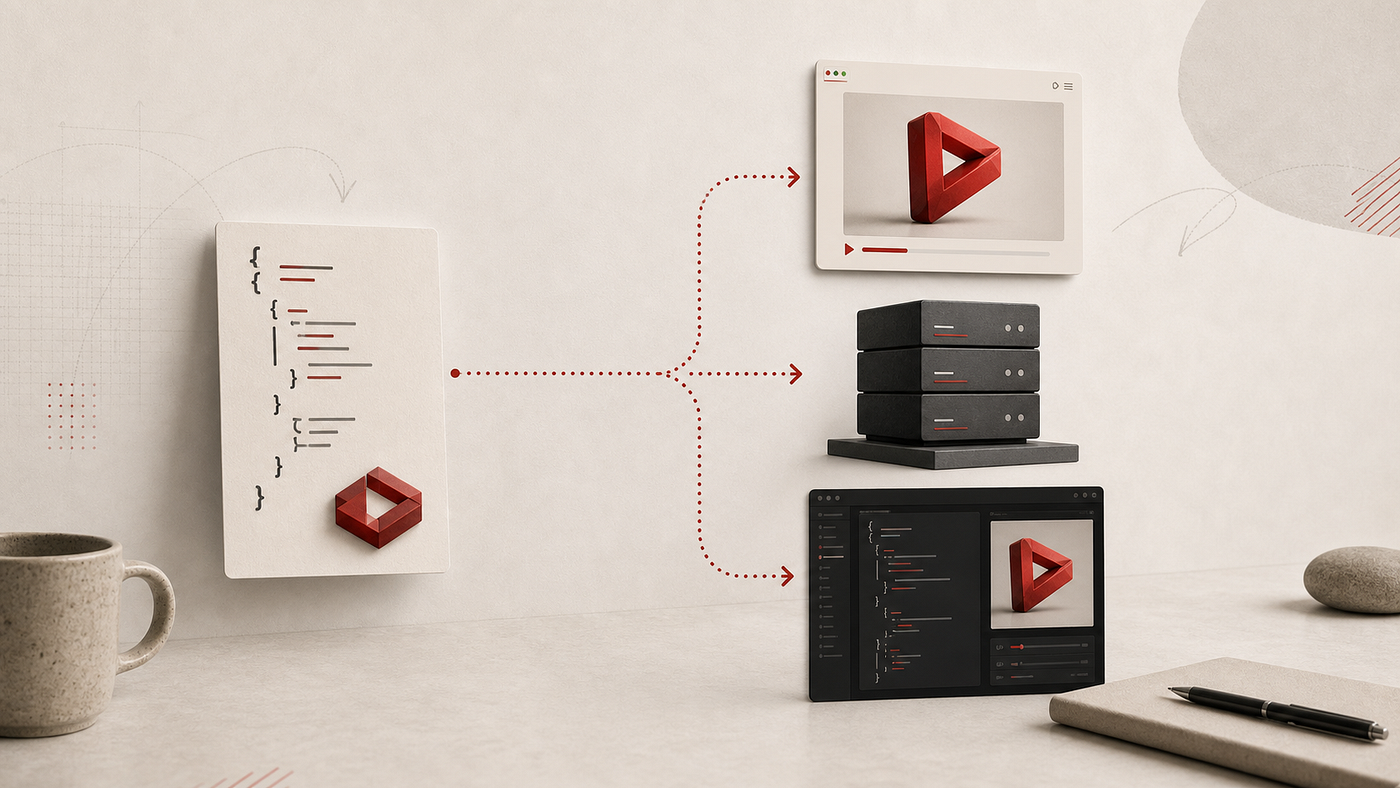
That was the point where I stopped thinking about video as a timeline first and started thinking about it as data first. With VideoFlow, the useful part is not just that I can generate video programmatically. It is that I can describe the video as portable JSON, then render the same structure in different environments without rewriting the project each time. If you want the full surface area, the docs, core, renderers, React video editor, and playground are the places I’d start.
The result is simple but surprisingly important: one source of truth instead of a handful of almost-identical variants.
The Part That Kept Breaking
Before I had a data-first workflow, I kept seeing the same pattern. A scene looked right in the browser, but the exported MP4 was slightly off. Or the server render matched the spec, but the live preview in the editor no longer felt trustworthy. Or I fixed the editor, and then the automation path drifted.
The real problem was not rendering. It was duplication.
Once the scene existed in more than one format, I was maintaining behavior instead of defining it. That is a bad trade for any developer tool, but it is especially bad for video because the details are subtle. A tiny timing change, a different asset URL, or one adjusted animation curve can make the whole piece feel inconsistent.
That is the reason the JSON-first model clicked for me. VideoFlow’s core builder is fluent TypeScript, but the value is that it compiles to VideoJSON. That means I can store it, diff it, regenerate it, and hand it to another renderer without changing the meaning of the scene.
Why Browser Export Mattered
One of the first articles I wrote around this workflow was How to Build a Browser-Based MP4 Exporter Without a Rendering Server. I still like that angle because it gets at the user experience side of the problem.
If export happens in the browser, the product feels immediate. The user does not have to wait for a round trip just to get a video file. They click export, and the app can stay responsive while the renderer does its job locally. That is especially useful when the workflow is interactive and the person is already inside the editor.
The related post How to Turn Video JSON Into Browser Preview and MP4 Export got me thinking about this more broadly. Preview and export should not feel like two separate pipelines. They should feel like two views over the same project.

That is what VideoFlow gives me: a browser renderer for zero-server or low-cost export paths, and a portable structure that does not collapse when I move it elsewhere later.
Why I Still Wanted A Server Renderer
The browser is not enough if you are shipping queues, API jobs, scheduled renders, or bulk generation. I learned that pretty quickly. You still want the server side when the work needs to happen at scale, or when the app should trigger renders on behalf of many users.
That is why the article How to Build a Three-Renderer Video Workflow With VideoFlow mattered to me. The point was not that one renderer wins. The point was that the same VideoJSON can serve the browser, the server, and the live DOM preview without me creating a new project shape for each one.
I kept coming back to that idea in How to Keep One Video JSON Source of Truth for Preview, Edit, and Export. If preview, edit, and export all read from the same structure, I stop solving the same problem three different ways.
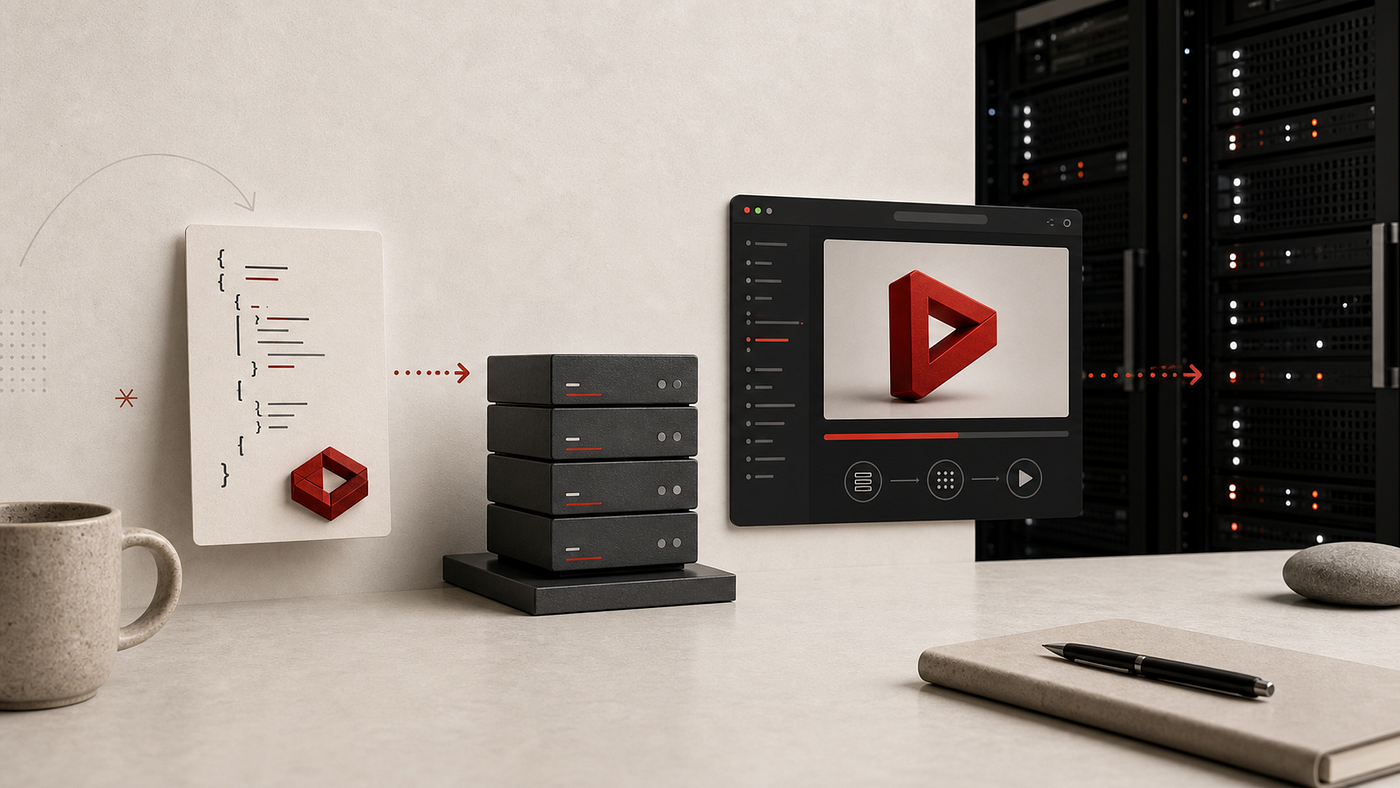
That is also the practical reason I appreciate that VideoFlow keeps core and renderers open source under Apache-2.0. I do not have to treat the render layer like a black box when the product needs to evolve.
The Editor Was The Other Half
The editor story is where this stops being just a rendering toolkit and starts looking like a product platform. VideoFlow’s React video editor is the part that makes the data model feel usable to humans, not just to code.
The post How to Add a Multi-Track React Video Editor to Your SaaS App was the first time I really thought through the implications. If the editor is a view over the same JSON, then the timeline, the inspector, the keyframes, the transitions, and the export button can all stay aligned with the automated pipeline.
That matters because I do not want a separate proprietary editing format hiding underneath the UI. I want the same scene data to drive the entire system:
• the generated scene
• the browser preview
• the server export
• the user-facing editor
Once that clicks, the editor becomes a control surface instead of a parallel product.
What I Would Start With Now
If I were starting over, I would keep the first version small and boring:
• define scenes as data, not as manual timeline state
• keep assets remote and stable
• give transitions and effects clear names
• separate the render target from the source model
• make the editor a view over the same project, not a second format
That is the part that makes AI-agent workflows more interesting too. When the model can generate structured video data instead of manipulating a timeline by hand, the whole pipeline becomes easier to reason about. The agent writes JSON, the renderer turns it into output, and the editor can still step in when a human needs to change something.
The Takeaway
The real shift for me was not “video in JSON” as a slogan. It was the operational benefit of having one portable project shape that can survive browser preview, server render, and human editing without drifting apart.
That is why I keep returning to VideoFlow. It made the workflow feel like one system again.
메타데이터
- post_id
- f92e4f9a983a
- slug
- i-stopped-treating-video-as-a-timeline-and-started-treating-it-like-data-f92e4f9a983a
- url
- https://medium.com/@leanecommerce/i-stopped-treating-video-as-a-timeline-and-started-treating-it-like-data-f92e4f9a983a
- canonical_url
- https://medium.com/@leanecommerce/i-stopped-treating-video-as-a-timeline-and-started-treating-it-like-data-f92e4f9a983a
- author_url
- https://medium.com/@leanecommerce
- status
- ok
- fetched_at
- 2026-06-09 15:37:30




