Stop Losing User Context: Designing State Continuity Across Sessions, Browsers, and Devices
Modern software engineering has largely solved the problem of identity. Today, organizations can implement sophisticated authentication and…
Stop Losing User Context: Designing State Continuity Across Sessions, Browsers, and Devices
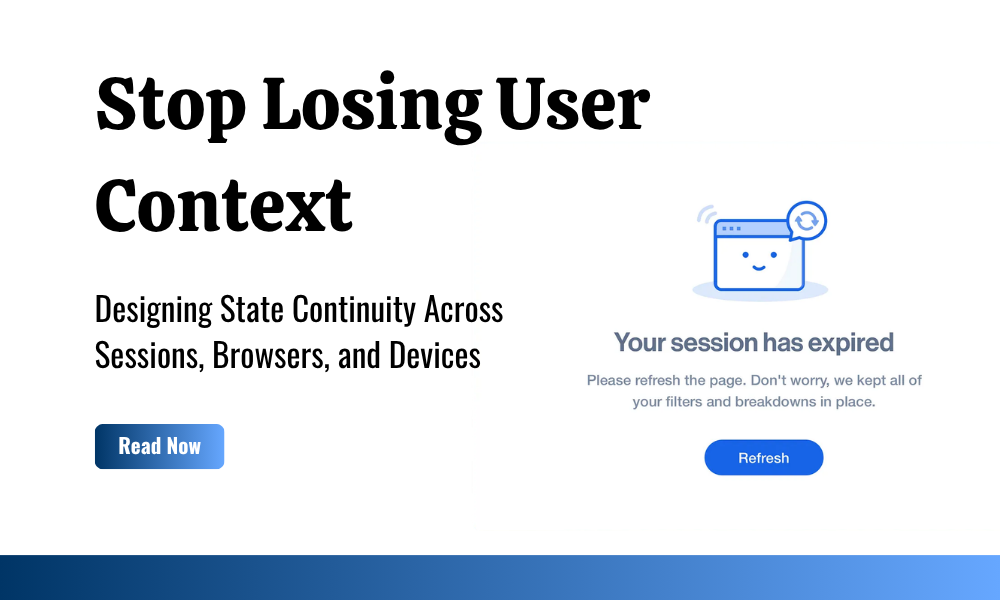
Designed using Canva. Image assets sourced from Tail Teper at Dribble.
Modern software engineering has largely solved the problem of identity. Today, organizations can implement sophisticated authentication and authorization mechanisms using technologies such as OAuth 2.0, OpenID Connect (OIDC), SAML, Cloudflare Access, Azure Active Directory, Okta, Auth0, and countless other identity platforms. These solutions ensure that users are authenticated securely, access is controlled appropriately, and organizational security policies are enforced consistently.
Yet despite these advances, many applications continue to fail at something far more visible to end users: preserving context.
Consider a common enterprise scenario. A user logs into a reporting platform and spends twenty minutes building a highly customized view. They apply multiple filters, select business units, define date ranges, choose sorting criteria, configure dashboards, and drill into specific datasets. The resulting workspace reflects not only data selections but also the user’s thought process and analytical intent.
Now imagine that the user’s session expires. Perhaps the organization enforces a strict security policy. Perhaps the user switches devices. Perhaps their browser crashes or their VPN disconnects. After re-authentication, the user regains access to the application, but every filter, selection, and workspace configuration has vanished.
The user has not lost access.
The user has lost context.
This distinction is becoming increasingly important as applications evolve beyond single-device, single-session workflows. Users now expect continuity. They expect applications to remember what they were doing regardless of browser restarts, authentication renewals, device switches, or temporary interruptions.
The challenge therefore extends beyond session management. It becomes an architectural problem centered around preserving user intent.
This article explores the concept of state continuity, the different categories of application state, and the architectural approaches available for preserving user context across sessions, browsers, and devices. We will examine client-side persistence, Angular state management, Cloudflare sessions, backend persistence models, Redis-based architectures, hybrid approaches, and the trade-offs associated with each strategy.
The Real Problem: Applications Remember Users but Forget Intent
Many organizations assume that session management and state continuity are the same thing.
They are not.
Authentication systems answer a simple question:
Who is this user?
State continuity systems answer a completely different question:
What was this user doing?
Most enterprise applications are designed to preserve identity but not intent.
This creates a situation where a user can successfully authenticate, regain access to the platform, and still lose significant amounts of work.
Examples include:
- Losing applied filters on a dashboard
- Losing search criteria
- Losing selected records
- Losing report configurations
- Losing open tabs
- Losing workspace layouts
- Losing draft configurations
- Losing partially completed workflows
From a technical perspective, these may appear to be minor inconveniences. From a user experience perspective, however, they often represent significant interruptions.
The issue becomes even more pronounced in applications involving:
- Business intelligence
- Data analytics
- CRM systems
- Customer support platforms
- ERP systems
- Monitoring dashboards
- Case management systems
- Workflow automation platforms
In such systems, users spend considerable time constructing context before they can perform meaningful work.
Losing that context directly impacts productivity.
Understanding Application State
Before discussing solutions, it is important to understand that not all state is equal.
Applications typically manage several distinct categories of state.
Authentication State
Authentication state determines whether a user has been successfully authenticated.
Examples include:
- Access tokens
- Refresh tokens
- Session identifiers
- Identity claims
- Authentication timestamps
This state is usually temporary and governed by security policies.
Authorization State
Authorization state determines what a user can access.
Examples include:
- Roles
- Permissions
- Group memberships
- Access policies
This state is generally derived from identity systems and often recalculated during authentication.
Application State
Application state represents the current state of the user interface.
Examples include:
- Active page
- Open menus
- Current route
- Selected tab
This state often changes rapidly during user interaction.
User Context State
User context state represents user intent.
Examples include:
- Dashboard filters
- Search criteria
- Sorting preferences
- Selected dimensions
- Report configurations
- Workspace layouts
This category is the primary focus of state continuity architectures.
Business State
Business state represents permanent application data.
Examples include:
- Customer records
- Transactions
- Orders
- Tickets
- Documents
This state belongs within persistent databases and is not typically part of continuity discussions.
What Is State Continuity?
State continuity refers to an application’s ability to preserve and restore user context following an interruption.
Interruptions may occur due to:
- Session expiration
- Browser refresh
- Browser crash
- Device switching
- Network failures
- Application upgrades
- Authentication renewal
A successful continuity strategy enables users to resume work without reconstructing their previous context.
This concept becomes particularly important in distributed work environments where users frequently switch between:
- Laptops
- Mobile devices
- Tablets
- Virtual desktops
- Different browsers
The objective is not merely preserving data.
The objective is preserving intent.
Approach 1: Browser-Based Persistence
The simplest approach involves storing user context directly within the browser.
Modern browsers provide several storage mechanisms:
- localStorage
- sessionStorage
- IndexedDB
These mechanisms allow applications to persist state without requiring backend infrastructure.
localStorage
localStorage provides persistent key-value storage within a browser.
Advantages
- Extremely simple implementation
- Fast access
- No backend dependencies
- Minimal operational cost
- Works offline
Disadvantages
- Browser-specific
- Device-specific
- Limited storage capacity
- Users can clear stored data
- No centralized management
Best Use Cases
- Theme preferences
- Dashboard filters
- User interface settings
- Personal workspace layouts
Example Architecture
Angular
   ↓
localStorage
This approach works well when continuity requirements are limited to a single browser on a single device.
sessionStorage
sessionStorage behaves similarly to localStorage but is scoped to a browser session.
Advantages
- Simple implementation
- Automatic cleanup
- Reduced long-term storage concerns
Disadvantages
- Lost when session ends
- No cross-device support
- No long-term continuity
Best Use Cases
- Temporary forms
- Multi-step workflows
- Session-specific state
IndexedDB
IndexedDB provides a browser-based database capable of storing complex data structures.
Advantages
- Large storage capacity
- Structured data storage
- Better support for complex applications
Disadvantages
- Increased complexity
- Browser-specific limitations
- No native cross-device synchronization
Best Use Cases
- Offline-first applications
- Progressive Web Applications (PWAs)
- Large client-side datasets
Approach 2: Angular State Management Persistence
Angular applications frequently use state management solutions to centralize application state.
Common approaches include:
- Angular Services
- Signals
- NgRx
- Component Store
- Akita
Many developers mistakenly assume that state management automatically provides persistence.
It does not.
State management determines how state is organized while an application is running. Persistence determines whether that state survives interruptions.
Architecture
Components
      ↓
State Layer
      ↓
Persistence Layer
Advantages
- Centralized state management
- Improved maintainability
- Easier debugging
- Consistent state across components
- Better separation of concerns
Disadvantages
- Additional complexity
- Learning curve
- Requires integration with storage mechanisms
- Does not naturally support cross-device continuity
Best Use Cases
- Enterprise Angular applications
- Complex dashboards
- Multi-step workflows
- Applications with extensive UI state
When to Choose This Approach
Choose Angular state persistence when the application already maintains significant client-side state and requires predictable state restoration.
Approach 3: Cloudflare Sessions and Identity Platforms
Many teams initially consider Cloudflare Access, Okta, Azure AD, or Auth0 as solutions to continuity challenges.
This is generally a misunderstanding of their intended purpose.
Identity platforms are designed to manage:
- Authentication
- Authorization
- Access policies
- Session duration
- Security controls
They are not designed to manage complex application-specific state.
Advantages
- Strong security controls
- Centralized identity management
- Session governance
- Enterprise-grade authentication
Disadvantages
- Not intended for workspace persistence
- Limited flexibility for UI state
- Creates architectural coupling
Best Use Cases
- Identity management
- Session control
- Access enforcement
Recommendation
Use Cloudflare and similar platforms to manage identity.
Use dedicated persistence mechanisms to manage user context.
Approach 4: Backend Persistence
When continuity must extend across browsers and devices, frontend storage becomes insufficient.
Backend persistence stores context centrally and associates it with a user account.
Architecture
Frontend
    ↓
API
    ↓
Backend Storage
Advantages
- Cross-browser support
- Cross-device continuity
- Centralized management
- Organizational control
- Improved reliability
Disadvantages
- Additional infrastructure
- Increased implementation effort
- More complex architecture
Best Use Cases
- SaaS platforms
- Enterprise applications
- Customer portals
- Multi-device workflows
Approach 5: Database-Based Persistence
One option for backend persistence is storing user context within a traditional database.
Examples include:
- PostgreSQL
- MySQL
- SQL Server
- MongoDB
Advantages
- Durable storage
- Long-term persistence
- Auditable records
- Strong consistency
Disadvantages
- Requires cleanup strategies
- Higher storage costs
- May store unnecessary historical context
Best Use Cases
- Saved workspaces
- Persistent preferences
- Long-term personalization
Approach 6: Redis-Based State Continuity
Redis is often one of the most effective technologies for preserving temporary user context.
Unlike databases, Redis is optimized for fast access and temporary storage.
Why Redis Is Different
Most user context has a short useful lifespan.
Users typically care about:
- Yesterday’s filters
- Last week’s workspace
- Recently configured reports
They rarely need a dashboard state from six months ago.
Redis aligns naturally with this behavior.
Architecture
Frontend
    ↓
API
    ↓
Redis
Advantages
- Extremely fast
- Built-in TTL support
- Automatic expiration
- Scalable
- Ideal for temporary state
Disadvantages
- Not intended for permanent storage
- Requires Redis infrastructure
- Memory costs may increase at scale
The Importance of TTL
TTL (Time-To-Live) is one of Redis’ most valuable capabilities.
Without TTL, organizations must determine:
- How long should context be stored?
- When should old state be deleted?
- How should cleanup occur?
TTL automates these decisions.
Example:
user:123:dashboard-state
TTL = 30 Days
After thirty days, Redis automatically removes the state.
Benefits include:
- Reduced maintenance
- Controlled storage growth
- Simplified lifecycle management
Hybrid Architectures
For most enterprise applications, a hybrid architecture provides the best balance.
Architecture
Angular
     ↓
State Management Layer
     ↓
Browser Cache
     ↓
Backend API
     ↓
Redis
     ↓
Database
This model combines:
- Fast local access
- Cross-device synchronization
- Automatic expiration
- Long-term persistence where necessary
Advantages
- Maximum flexibility
- Excellent user experience
- Enterprise scalability
- Supports multiple continuity requirements
Disadvantages
- Increased complexity
- Multiple systems to maintain
Designing the Restore Experience
Persistence alone does not create a good experience.
Applications must decide how restoration occurs.
Automatic Restoration
State is restored immediately.
Pros
- Seamless experience
- Minimal user effort
Cons
- Can surprise users
- May restore outdated context
User-Controlled Restoration
The application asks users whether they want to restore previous context.
Pros
- Transparent
- Predictable
- User-friendly
Cons
- Additional interaction step
Hybrid Restoration
The application restores state automatically when confidence is high and requests confirmation when ambiguity exists.
For most enterprise applications, this approach provides the best balance.
Choosing the Right Approach
RequirementRecommended SolutionSame browser continuitylocalStorageSame-session continuitysessionStorageOffline-first applicationsIndexedDBAngular enterprise applicationsState Management + PersistenceIdentity managementCloudflare AccessCross-browser continuityBackend PersistenceCross-device continuityBackend + RedisLong-term preferencesDatabaseEnterprise SaaSHybrid Architecture
Conclusion
As modern applications become increasingly distributed, preserving user context is no longer a luxury feature. It is becoming an essential aspect of user experience and enterprise productivity.
Authentication systems such as Cloudflare Access, Azure AD, Okta, and Auth0 have largely solved the challenge of identity. However, preserving user intent requires a different architectural mindset. Organizations must think beyond sessions and begin treating context continuity as a first-class concern.
Whether implemented through browser storage, Angular state persistence, backend databases, Redis-based caches, or hybrid architectures, the goal remains the same: enabling users to continue their work without unnecessary interruption.
There is no single solution that fits every application. The right choice depends on business requirements, user expectations, security constraints, scalability considerations, and operational complexity. Understanding the strengths and limitations of each approach allows architects and engineering teams to make informed decisions that balance usability, maintainability, and performance.
In this article, I focused on the broader architectural landscape of state continuity. Each approach discussed here deserves a deeper technical exploration, including implementation patterns, architectural diagrams, code examples, scalability considerations, and real-world deployment strategies.
In future articles, I will explore each of these approaches individually, covering browser-based persistence, Angular state management strategies, Cloudflare session considerations, backend persistence patterns, Redis-based continuity architectures, and hybrid enterprise solutions in much greater depth.
메타데이터
- post_id
- 221a062d81e7
- slug
- stop-losing-user-context-designing-state-continuity-across-sessions-browsers-and-devices-221a062d81e7
- url
- https://medium.com/emojot-engineering/stop-losing-user-context-designing-state-continuity-across-sessions-browsers-and-devices-221a062d81e7
- canonical_url
- https://medium.com/emojot-engineering/stop-losing-user-context-designing-state-continuity-across-sessions-browsers-and-devices-221a062d81e7
- author_url
- https://medium.com/@lankeshhalangoda
- status
- ok
- fetched_at
- 2026-06-14 11:28:49