Multi-Account Site-to-Site VPN Sharing with AWS Transit Gateway
In a well-structured multi-account AWS environment, duplicating Site-to-Site VPN connections across accounts is rarely the right long-term…
Multi-Account Site-to-Site VPN Sharing with AWS Transit Gateway
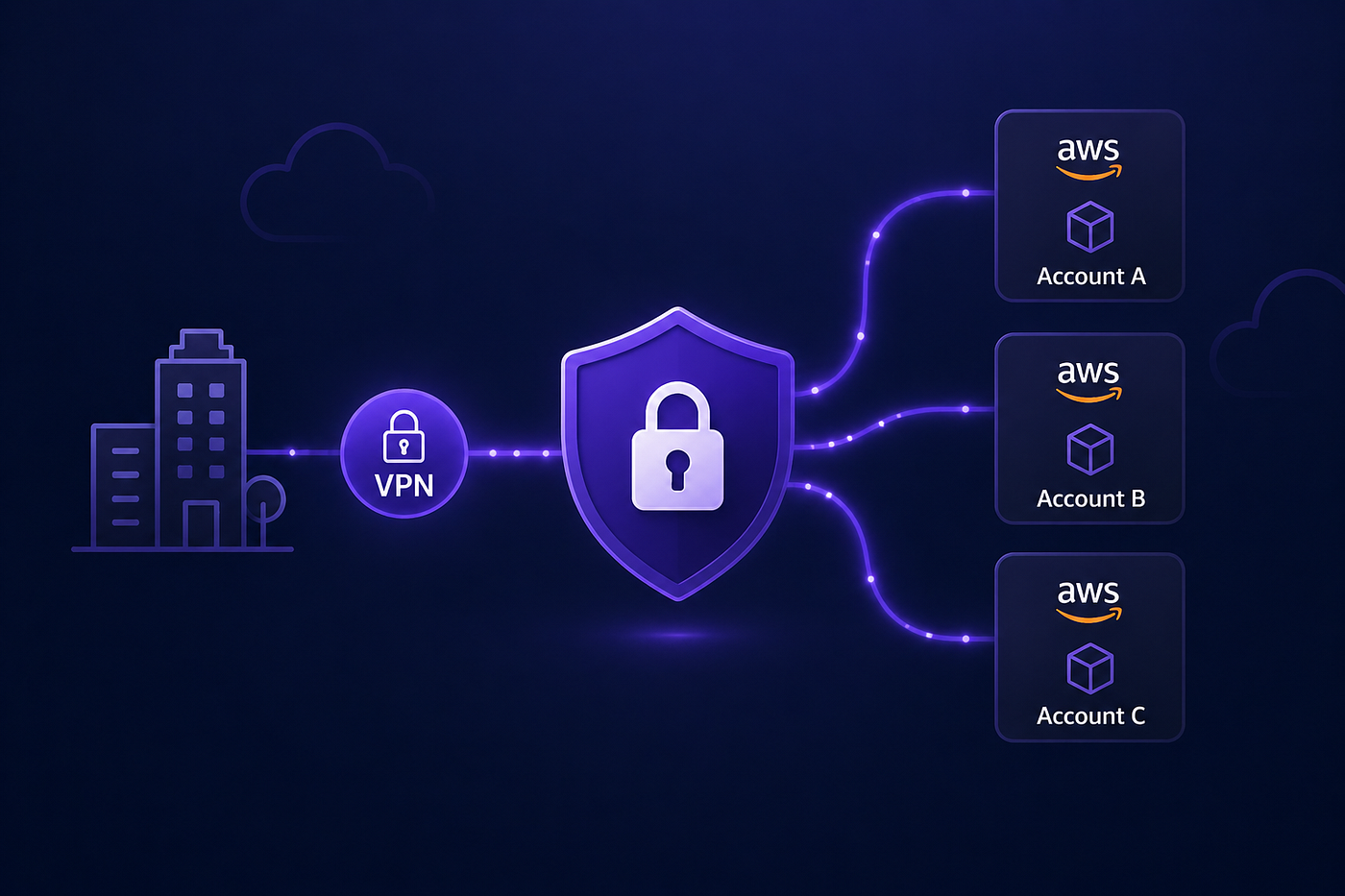
In a well-structured multi-account AWS environment, duplicating Site-to-Site VPN connections across accounts is rarely the right long-term design. It introduces unnecessary cost, operational overhead, and complexity.
A more scalable approach is to centralize connectivity using AWS Transit Gateway, in a dedicated networking account and share VPN access across accounts.
In this post, I’ll break down how to implement this, what trade-offs to consider, and how to avoid the common mistakes that show up in real-world deployments.
Scalability
At first, doing a per account VPN setup might seem like the easiest solution. But as soon as you scale to a couple of peers and AWS accounts you will quickly realize this will not scale. As illustrated below, 4 peers, 4 AWS accounts, and you might end up with 20 tunnels.
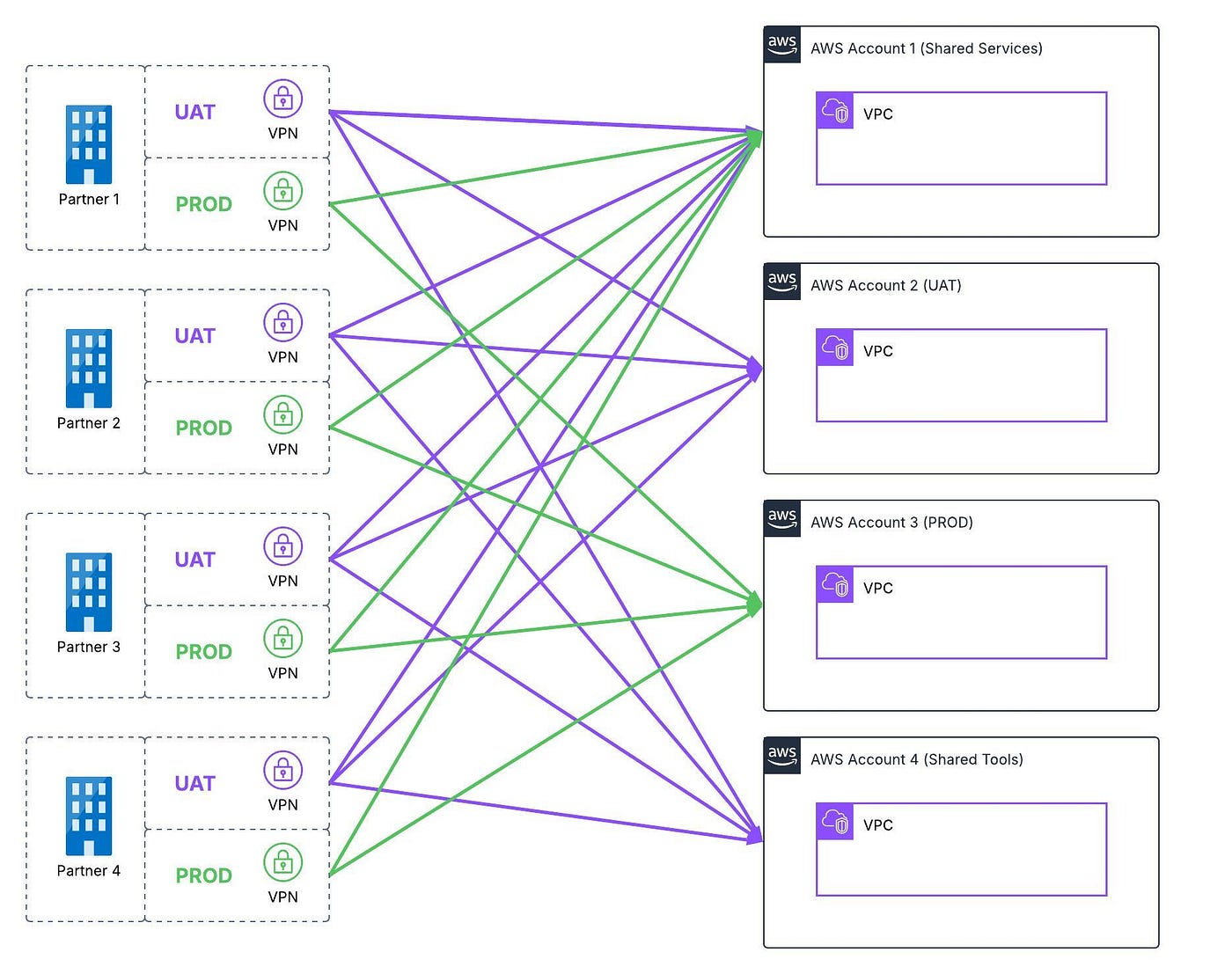
If you add a new AWS account, you would have to reach out to all peers requesting new VPN tunnels. This will be time consuming, waiting for peers could take weeks, new resources in AWS will have to be deployed.
Transit Gateway
The preferred design would be to centralize the connectivity in to a networking account in AWS where all VPN tunnels are terminated. Using a transit gateway to share connectivity between accounts.
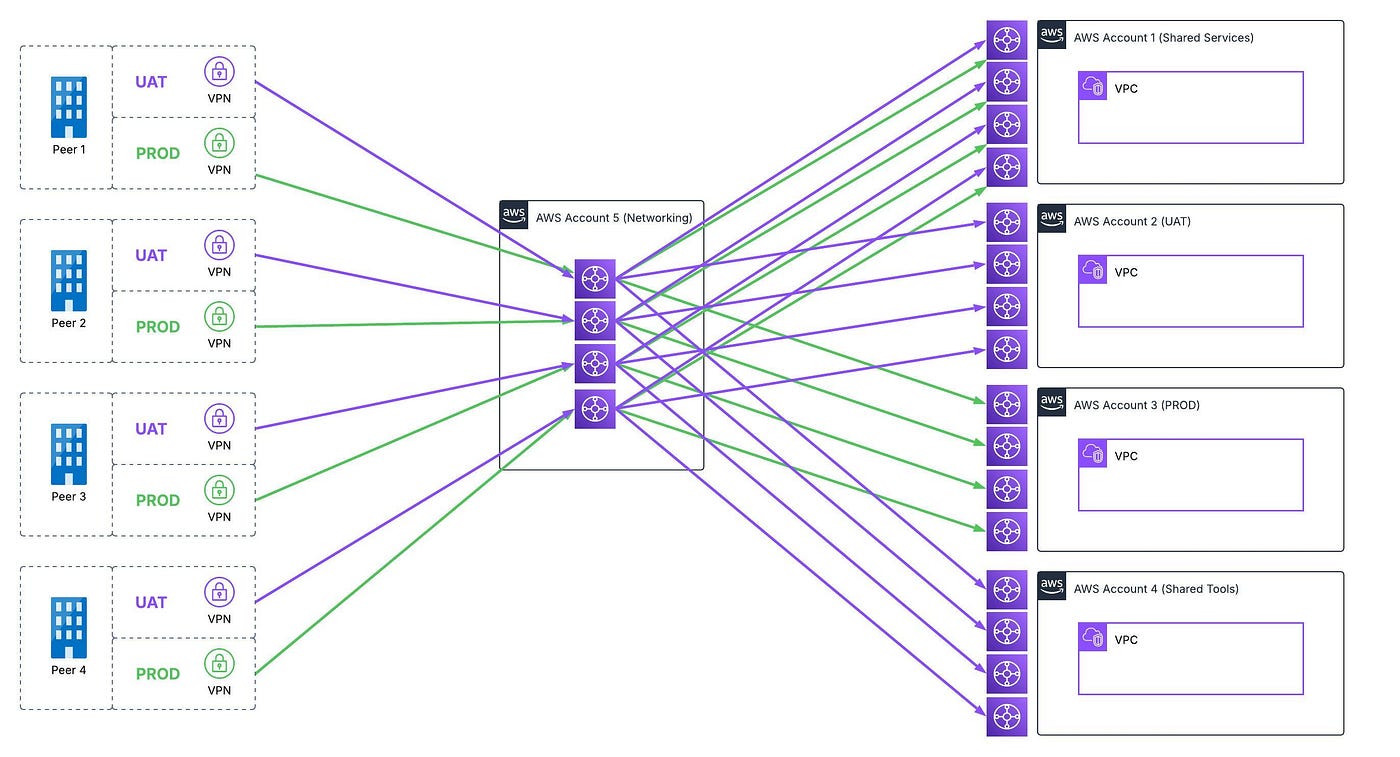
In this picture you can see the idea. One transit gateway per peer, that is shared with different AWS accounts using AWS RAM (Resource Access Manager). Resulting in 8 VPN tunnels instead of 20.
Routing
One important aspect when using Transit Gateway is the routing and that it could be transitive routing (routing between all connected VPCs, VPNs etc.) depending on how you setup the Transit Gateway route tables.
The suggested design for this setup would be one Transit Gateway route table per attachment. For Peer 1:
peer1-uat
  * (associate uat vpn-tunnel)
  * (propagate routes from all attachments)

peer1-uat-aws-account1
  * (associate account1 VPC)
  * (propagate routes from UAT VPN and account1 VPC)

peer1-uat-aws-account2
  * (associate account2 VPC)
  * (propagate routes from UAT VPN and account2 VPC)

peer1-uat-aws-account4
  * (associate account4 VPC)
  * (propagate routes from UAT VPN and account4 VPC)

peer1-prod
  * (associcate prod vpn-tunnel)
  * (propagate routes from all attachments)

peer1-prod-aws-account1
  * (associcate account1 VPC)
  * (propagate routes from UAT VPN and account1 VPC)

peer1-prod-aws-account3
  * (associcate account3 VPC)
  * (propagate routes from UAT VPN and account3 VPC)
Overlapping CIDR ranges
One common problem in networking between different parties is overlapping CIDR ranges. For example peer 1 can’t use 10.20.30.40 /24 if AWS account 1 is using the same.
How can you resolve this? You have more or less only two options, change local subnet on one side or use NAT (Network Address Translation).
Unfortunate NAT is not a supported feature in AWS site-to-site VPN connections. But with some advanced routing and a transit VPC we can make it work with AWS NAT gateway in private mode.
The transit VPC will need to use a CIDR range that is not overlapping and it needs to be at least a /26 (we need to subnet this to four /28).
In this example there will only be a one way NAT, the AWS accounts will connect to peer1. No traffic will be initiated from peer1.
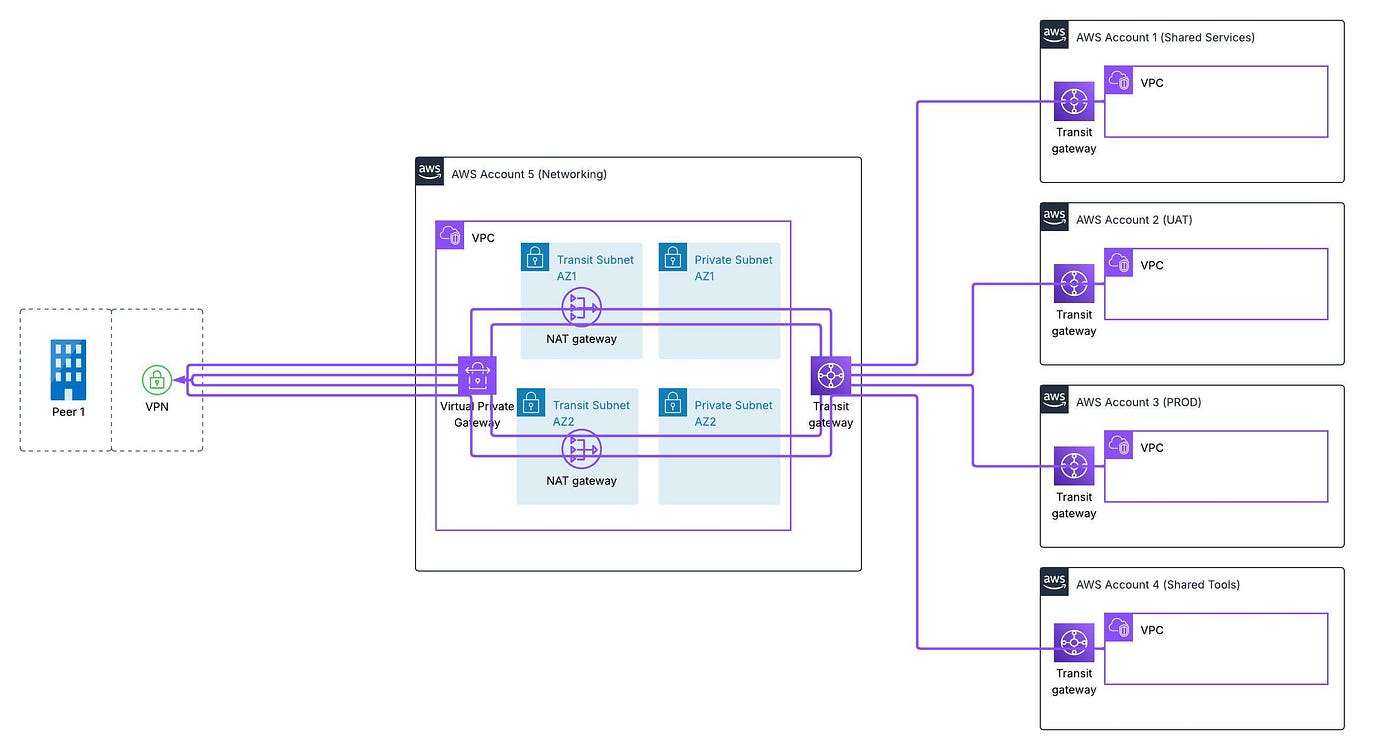
The important part for this to work is to have separate route tables for the private subnets and transit subnets.
In the private subnet route tables you need to route the peer1 CIDR ranges to the NAT gateways.
In the transit subnet route tables you need to route the peer1 CIDR ranges to the Virtual Private Gateway.
Virtual Firewalls
To get around the complex setup with AWS site-to-site VPN connections and using AWS NAT gateway with transit VPC, you can use a virtual firewall of choice. With this you will have a firewall to handle both the VPN connection and NAT. Traffic to peers would look like it’s coming from the firewalls IP.
But the downside is that you need to maintain ec2 instances running your firewall appliance. Also cost will most likley be higher as you both have to pay for the ec2 instances including paying for the AMI.
Conclusion
You can overcome most of the limitations in AWS by using managed services with a proper design. Using Transit Gateway gives you the flexibility to share VPN connections between accounts. Be careful when doing the routing to make sure you don’t end up with transitive routing.
I hope this will help, it made our networking setup flexible and easier to expanding to new AWS accounts.
Feel free to ask if you have any questions! Happy to help if there is anything unclear.
메타데이터
- post_id
- a1d911dbb202
- slug
- multi-account-site-to-site-vpn-sharing-with-aws-transit-gateway-a1d911dbb202
- url
- https://medium.com/@jandersson89/multi-account-site-to-site-vpn-sharing-with-aws-transit-gateway-a1d911dbb202
- canonical_url
- https://medium.com/@jandersson89/multi-account-site-to-site-vpn-sharing-with-aws-transit-gateway-a1d911dbb202
- author_url
- https://medium.com/@jandersson89
- status
- ok
- fetched_at
- 2026-07-29 11:15:25


