10 Things You Can Make and Sell with Canva
(and how AI just made it a lot easier)
10 Things You Can Make and Sell with Canva
(and how AI just made it a lot easier)
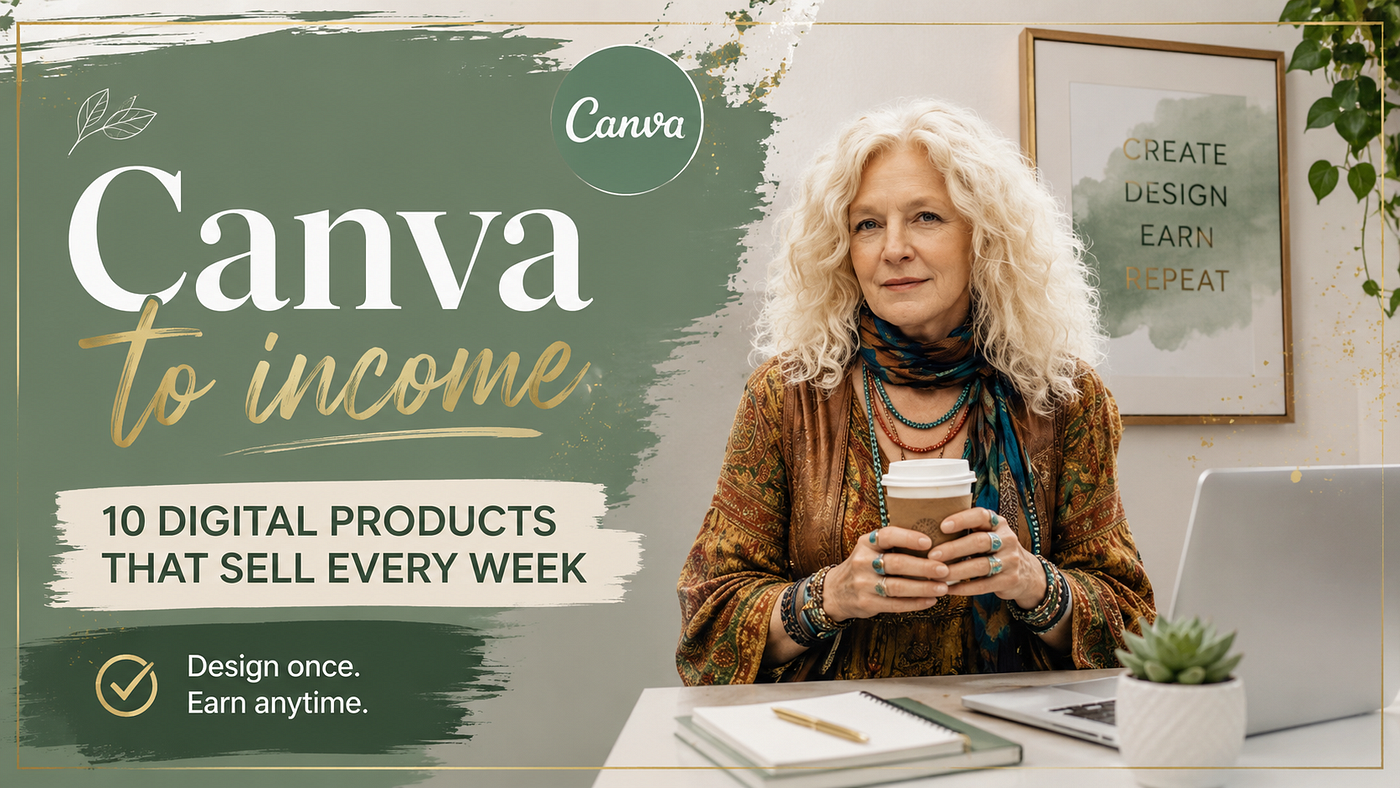
Image created by author (pictured) in Nano Banana
You have probably spent time inside Canva making something you were genuinely proud of, a birthday invitation, a branded quote card, a mood board for a project that never launched. Then you saved it, maybe posted it somewhere, and moved on.
That’s the part most creators never get past: making things and not selling them.
The gap isn’t talent. It isn’t even time. It’s knowing which products people are already buying, how to make them fast enough for it to be worth your while, and where to put them so someone finds them at two in the morning when they need exactly what you made.
Canva used to be a design shortcut. It’s turned into something closer to a business engine. The AI tools inside it now handle things that used to require either a designer or hours of your time: background removal, brand consistency, layout generation, copy suggestions. If you’ve been using it just to make pretty things, you’re leaving real money in a folder you forgot to open.
Digital marketplaces are full of Canva-made products that sell every week. Etsy sellers move printable planners, wall art, journal templates, and party packs to buyers who want instant downloads and don’t care whether you used Illustrator or a browser-based app. The product either solves a problem or satisfies something aesthetic. That’s the whole criterion.
What this article gives you is a practical look at ten product types you can build with Canva, what makes each one sell, and how to stop designing like a hobbyist and start thinking like someone building a small catalog of passive income.
What’s the mindset difference between a design hobby and a design business?
A hobbyist designs what they feel like making. A digital product seller designs what a specific buyer is already searching for. The difference is direction: one starts with inspiration, the other starts with demand. Successful Canva sellers spend time on Etsy and Creative Market before they open a design, looking at what’s selling, reading reviews, noting what buyers wish the product did differently. Design comes after research, not before.
If you enjoy making things in Canva, that’s a real advantage: you’re faster, you care more about quality, and the process doesn’t drain you. That matters. But the enjoyment has to be paired with a market orientation, or you end up with a beautiful portfolio and zero sales.
The mental shift is actually pretty simple: instead of “what do I want to make today,” the question becomes “what does someone want to buy today, and can I make a version of it that’s better or more specific than what’s out there?”
A creator who figured this out early was journaling. They’d been making personal journal templates for themselves, mood trackers, gratitude pages, weekly spreads. Nothing fancy. Then they looked at Etsy and found that self-care bundles were pulling in consistent sales, and their templates already fit that category. They packaged eight pages into a printable PDF, wrote a product description that spoke to the buyer’s actual problem (“I want to feel calmer and more organized”), and listed it. The designs hadn’t changed. The framing had.
How do Canva’s AI features shorten creation time?
Canva’s AI tools reduce the production time for a digital product from hours to under an hour for most formats. Magic Design generates layout options from a text prompt. Background Remover handles image editing without software. Magic Write drafts copy for listing descriptions, product titles, and text overlays. Brand Kit keeps colors and fonts consistent across an entire product range without manual setup. Together, these tools let a solo creator produce at a volume that used to require a small team.
The features worth knowing are:
Magic Design: you describe what you want, and it generates multiple layout options. Not all of them are good, but usually one is 80% of the way there and needs only minor adjustments. That’s far faster than starting from a blank canvas.
Magic Write: built-in AI copywriting. Useful for generating the text overlay copy on infographic products, or drafting the description for your Etsy listing without staring at a blank text field.
Background Remover: makes product mockup creation much faster, especially if you’re working with photos.
Brand Kit: if you sell products under a consistent visual identity, this keeps everything consistent without you manually checking hex codes every time.
None of these are magic in the sense of thinking for you. The market research still happens in your head. But they remove enough friction that the production part stops being the bottleneck.
What makes a digital product profitable?
A profitable digital product meets three conditions: people are searching for it, it can be delivered instantly with no ongoing cost, and the creator can make it once and sell it many times. Demand is validated through marketplace search volume and bestseller data on Etsy, Creative Market, and Gumroad. Design quality determines conversion once someone finds the listing. Delivery is automated through the platform. The business model works because the product earns while the creator is doing something else.
The anatomy of a good Canva product looks like this:
Demand: verified before you design. Look at what’s in the bestseller section of your target category on Etsy. Read the reviews on competing products. The gaps buyers mention in reviews are your product brief.
Design: good enough to stand out in thumbnail form. On Etsy, buyers make a decision based on the listing image before they read anything. Your product needs to look like something worth clicking.
Delivery: instant download. No shipping, no inventory, no customer service beyond the occasional email. The platform handles the file delivery.
The economics are straightforward. A $7 printable bundle that sells twice a week is generating around $700 a year with zero ongoing effort after listing. Build ten products, and the math changes considerably.
How do you validate a product idea before you build it?
Validate demand using three data sources before spending time on design: Etsy search autocomplete shows what buyers type when they’re ready to buy; bestseller badges show which listings are already converting; and review text on competing products reveals what buyers want that the current products don’t deliver. Spend 30 minutes on this research before any design session. A product built around a real gap in a proven category will almost always outperform one built around a design you loved making.
The process takes less than an hour:
Start on Etsy. Type your product category into the search bar and watch what autocomplete suggests. Those completions are drawn from actual searches. If “printable daily planner 2026/2027” appears as a suggestion, that’s a real search volume signal.
Click into the bestsellers. Look at their thumbnails, their prices, their review counts. You’re not copying them; you’re learning what the market looks like when it’s working.
Read the negative reviews on the top sellers. This is the most valuable step and the one most people skip. Buyers who leave three-star reviews usually explain exactly what was missing. Those missing features are your product differentiation.
Once you’ve done that research, you can hand your notes to an AI and let it do the gap analysis for you. Here’s a prompt that works well:
Prompt: Canva product gap finder
“I’m researching [product category, e.g. ‘printable daily planners’] on Etsy. Here are the top 5 bestsellers in this niche: [paste titles and review counts]. Here are common complaints from 3-star reviews I found: [paste review excerpts]. Based on this, identify: (1) what buyers clearly want that existing products aren’t delivering, (2) a specific niche angle that isn’t well covered yet, and (3) a product concept I could create in Canva that would address the gap. Be specific — give me a product title, a target buyer description, and 3 features to include.”
Paste in whatever you’ve gathered from your Etsy research session, and the response usually surfaces two or three angles worth pursuing. It won’t research for you, but it’s good at pattern recognition once you’ve given it the raw material.
10 things you can make and sell with Canva
1. Printable planners and trackers
Daily planners, weekly layouts, habit trackers, budget sheets, meal planners. These sell in volume because they serve an immediate and recurring need. The buyer isn’t looking for art; they’re looking for structure. Clean design, clear layout, correct sizing (standard US Letter or A4), and a well-written Etsy listing are all that’s needed.
Canva has dozens of planner templates. The AI layout tools can generate starting points quickly. The real work is in choosing a niche (productivity? ADHD planning? student schedules?) and designing for that specific person rather than everyone.
2. Social media templates
Businesses, coaches, and creators need consistent visual content and don’t all have design skills. Selling a set of 30 Instagram post templates, a month’s worth of story designs, or a full brand kit is a product category with real commercial demand.
Price these higher than static printables because the buyer is saving time, not just getting a file. A set of 30 branded Canva templates can sell for $25-$60, depending on niche and quality.
3. Canva brand kits and presentations
Pitch decks, media kits, client-facing presentations. These sell well to freelancers and small business owners who want something that looks polished without hiring a designer.
The key is specificity. A generic “business presentation template” competes with thousands of listings. A “photography client welcome packet” or “interior design proposal deck” reaches a much more specific buyer who is actively looking for that exact thing.
4. Printable wall art
Quotes, botanical prints, abstract art, maps, kids’ room prints. This is one of the most saturated Canva product categories, which means you need either a strong visual style or a very specific niche.
What tends to work: seasonally relevant designs, designs tied to specific interests (dog breeds, national parks, specific cities), and minimalist quote prints for professional spaces. Buyers in this category are often purchasing on impulse for a room refresh or a gift.
5. Party and event printables
Birthday banners, shower decorations, welcome signs, table centerpieces, gift tags. This category has a built-in urgency; the buyer has an event coming up and needs something now.
Bundle these rather than selling individual items. A “safari birthday party kit” that includes the banner, the tags, the favor bag label, the table number cards, and the welcome sign is worth more than any single element and takes similar effort to produce.
6. Educational and kids’ printables
Flashcards, activity sheets, homeschool packs, learning games, seasonal worksheets. Teachers and parents are reliable buyers in this niche, and Teachers Pay Teachers is a dedicated marketplace for educational content alongside Etsy.
Canva’s education templates are a starting point, but the products that sell well in this space are built around specific curriculum gaps or age groups. “Kindergarten alphabet activity pages” will convert better than “kids learning sheets.”
7. Digital journal templates
Undated journal pages, prompted journaling sheets, gratitude logs, therapy worksheets. These sell well in the mental health and self-care space and have consistent year-round demand.
Buyers in this category are often emotionally invested in what they’re looking for. The product description matters as much as the design. Speak to the feeling the buyer is trying to create, not just the contents of the file.
8. Resume and cover letter templates
A perennially searched product category. Job seekers buy these during transitions, and the market doesn’t slow down with seasons.
The best-selling resume templates on Etsy tend to be clean, ATS-friendly, and either very minimalist or industry-specific (creative fields, tech, finance). If you design for a specific industry, say so in your title and tags.
9. Pinterest pin templates
Bloggers and content creators need consistent pin designs and often don’t have time to start from scratch each week. Selling a set of 30–50 customizable Canva pin templates is a strong b2b product that targets an audience that already understands digital products and is willing to pay for time-saving tools.
10. eBook and lead magnet templates
Course creators, coaches, and newsletter writers need professional-looking eBooks, guides, and PDF opt-in freebies. A well-designed 20-page Canva eBook template with flexible layouts, consistent font pairing, and editable cover designs can sell for $15-$40 and fill a real gap in that market.
The key with these is making the templates genuinely easy to edit. Buyers are usually not designers, so every element needs to be clearly labeled and intuitively structured.
How do you turn Canva products into passive income?
Passive income from Canva products comes from building a small catalog, not a single listing. The process has four stages: research a category with proven demand, produce a product using Canva’s AI tools to shorten the creation time, list on at least two platforms (Etsy and Gumroad are the standard starting pair), then repeat with variations that serve the same buyer. A seller with 20 targeted listings typically earns more than one with 100 generic products, because the catalog has internal coherence and attracts a repeat buyer.
The income isn’t instant. The first sale on a new listing often takes two to six weeks, depending on the platform, category, and listing quality. The people who quit call it passive income that doesn’t work. The people who stick with it for six months figure out what sells in their niche and build from there.
One thing worth being honest about: “passive” income still requires upfront work. The passivity comes later, once the listing is live and converting. The creation, the photography-quality listing images, the SEO-optimized title and tags, that’s active work. It’s just work you do once.
My Final Thoughts
Canva isn’t a shortcut to a design career. It’s a shortcut to a digital product business, which is a different thing entirely. The skill set isn’t drawing or typography; it’s research, positioning, and production volume.
The ten product types above all sell. They sell on Etsy every day, made by people who started with no audience and no prior business experience. The common thread isn’t talent. It’s that they spent time figuring out what buyers actually want before they made anything.
If you want to stop designing for fun and start designing for income, that’s where to start: on the buyer’s side of the marketplace, reading reviews, watching what moves.
*The Intentional Prompt Studio covers practical AI workflows for creators and solopreneurs. If this kind of strategic, no-fluff approach is useful to you, the newsletter is the place for more.*
메타데이터
- post_id
- c0e596ee1c2e
- slug
- 10-things-you-can-make-and-sell-with-canva-c0e596ee1c2e
- url
- https://medium.com/small-wonders-daily/10-things-you-can-make-and-sell-with-canva-c0e596ee1c2e
- canonical_url
- https://medium.com/small-wonders-daily/10-things-you-can-make-and-sell-with-canva-c0e596ee1c2e
- author_url
- https://medium.com/@piratequeen830
- status
- ok
- fetched_at
- 2026-07-09 13:13:48