Codex Skills Are Just Markdown, and That’s the Point (A Jira Ticket Example)
Get rid of AGENTS.md bloat and speed up iteration by leveraging Codex CLI “skills”
Codex Skills Are Just Markdown, and That’s the Point (A Jira Ticket Example)
Get rid of AGENTS.md bloat and speed up iteration by leveraging Codex CLI “skills”
Skills for me and thee
Codex “skills” (thank you Claude Code for setting the scene) are a tiny idea with big leverage: you drop a folder on disk with a SKILL.md, and Codex can discover it and load it only when needed instead of carrying around a bloated, always-on instruction AGENTS.md file.
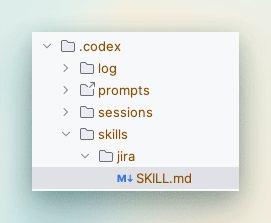
Too easy
This post walks through a practical skill: when someone mentions a Jira-style ticket key like ACME-123, Codex should automatically pull the ticket details via an Atlassian or Jira MCP server (when one is available) and summarise them inline.
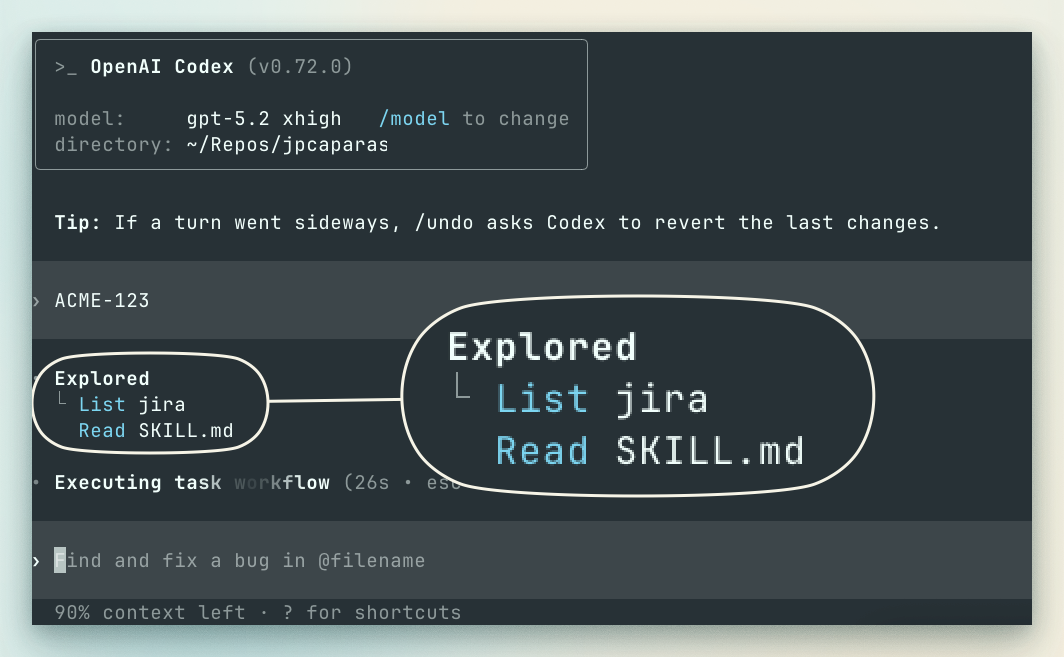
Skills get triggered through context clues
The mental model: progressive disclosure, but for agent context
A skill is a directory that contains a SKILL.md. That file starts with YAML frontmatter (name and description). Codex loads just that metadata at startup so it can decide when to use the skill, and it only reads the full file body when it’s relevant.
That is the whole trick. Tiny index always loaded. Big instructions loaded on demand. Extra files (scripts, docs) can sit beside it and be referenced when needed.
Also, in Codex, skills are behind a feature flag. In ~/.codex/config.toml, [features].skills defaults to false, so you need to enable it.
Prereqs: enable skills and connect an Atlassian/Jira MCP server
1) Enable skills in Codex
Edit ~/.codex/config.toml:
[features]
skills = true
Codex documents skills as an experimental feature flag in config… for now.
2) Add an MCP server that can talk to Jira
Codex supports MCP servers and stores MCP config in the same ~/.codex/config.toml. You can add servers via codex mcp add … or by editing the file directly.
You have two common routes:
- Atlassian Rovo Remote MCP Server (cloud, OAuth 2.1, Beta). It is explicitly designed as a secure bridge to Jira and Confluence Cloud with OAuth 2.1 and respects existing access controls.
- A local STDIO MCP server (for example mcp-atlassian via Docker). This typically uses API tokens and exposes tools like jira_get_issue.
If you use an OAuth-based “streamable HTTP” MCP server, Codex notes you may need to enable the RMCP client feature ([features].rmcp_client = true).
I currently use the Rovo MCP:
# Official Atlassian MCP server
# See guide here: https://github.com/openai/codex/issues/5634#issuecomment-3608793496
[mcp_servers.atlassian]
url = "https://mcp.atlassian.com/v1/mcp"
The example: a Jira ticket “auto-context” skill
Create this file:
~/.codex/skills/jira-ticket-context/SKILL.md
---
name: jira-ticket-lookup
description: When Jira ticket keys like ACME-123 appear, use the Atlassian/Jira MCP server (if available) to fetch issue details and summarise them for the user. Never guess ticket content if lookup fails.
---

# Jira ticket lookup via Atlassian/Jira MCP

## What this skill does
When a Jira-style ticket key appears (e.g. `ACME-123`), fetch the ticket’s details via an Atlassian/Jira MCP server **if one is available**. Summarise the ticket and use it to answer the user’s question.

## When to use it
Use this skill when:
- The user mentions one or more ticket keys matching the pattern below.
- The user asks about status, scope, AC, assignee, priority, due date, blockers, comments, or links for a ticket.

### Ticket key pattern
Treat these as ticket keys (case-insensitive), normalise to uppercase:

- Regex: `\b[A-Z][A-Z0-9]+-\d+\b`
- Examples: `ACME-123`, `PLAT-7`, `OPS42-9001`

## Preconditions
- An Atlassian/Jira MCP server is configured and reachable.
- The server exposes tools that can retrieve an issue by key.

If the MCP server is not available or the lookup fails, **do not invent details**. Ask the user to paste the ticket URL or the relevant fields.

## How to use the MCP server safely
### Tool discovery (do not guess)
Jira MCP servers vary. Before calling anything:
1. List available MCP tools for the configured server(s).
2. Identify a tool that can fetch an issue by key (names vary: `getIssue`, `jira.getIssue`, `issue`, `get_issue`, etc.).
3. Read the tool schema and call it with the **exact** required arguments.

If multiple Atlassian/Jira servers exist:
- Prefer the one whose tool schema clearly includes “jira”, “issue”, or “JQL”.

### Minimum data to fetch (default)
Fetch only what you need. By default, retrieve:
- Key
- Summary/title
- Status
- Issue type
- Priority
- Assignee (and reporter if useful)
- Labels/components (if present)
- Sprint/iteration (if present)
- Due date (if present)
- Updated/created timestamps
- Browse URL (if provided)

Only fetch description/comments/changelog if the user asks or it’s necessary to answer.

### Multiple tickets
If multiple keys are mentioned:
- Fetch them all.
- Prefer batch tools if provided.
- Summarise each separately, then synthesise.

## Output format
For each ticket, output:

- **ACME-123**: <summary>
  - Status: <status> | Type: <type> | Priority: <priority>
  - Assignee: <assignee or “Unassigned”> | Due: <date or “—”>
  - Updated: <date/time> | Sprint: <sprint or “—”>
  - Link: <url if available>

Then answer the user’s question using those facts.

## Failure handling
If lookup fails:
- State it plainly (“I can’t fetch ACME-123 from Jira here.”).
- Ask for the ticket link or pasted fields (status/assignee/AC/etc.).
Why this structure works:
- The frontmatter gives Codex the “index card” it needs to decide when to load the skill.
- The body is the workflow Codex follows once it decides the skill is relevant.
Testing it quickly
- Restart Codex (skills load on startup). The changelog also notes skills load once per session, so a restart is the simplest sanity check.
- In a prompt, mention a ticket key:
“Can you pull details for ACME-123 and ACME-124 and tell me what’s blocked?”
If the MCP server is connected and exposes Jira tools, Codex should call them and summarise.
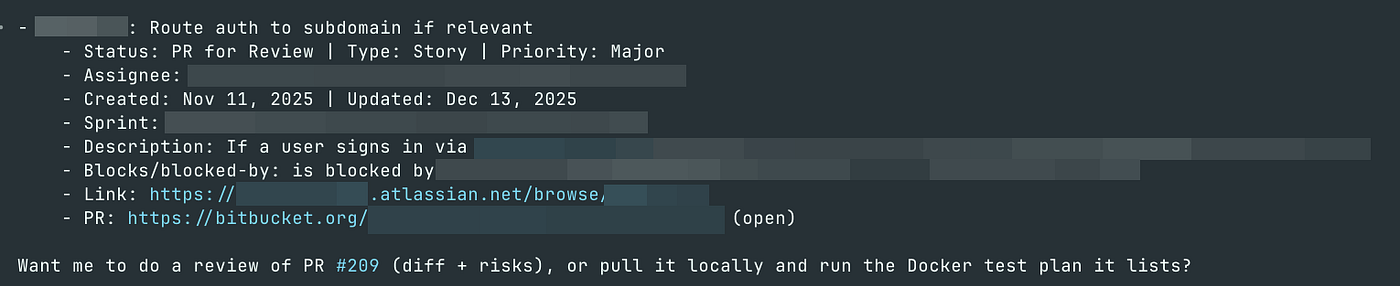
Context now loaded onto the active Codex session
Why MCP fits this like a glove
MCP is the “plug socket” for external systems. Codex supports both local STDIO servers and remote servers, and you can configure them via codex mcp commands or config.toml.
Atlassian’s Rovo MCP approach is specifically aiming at “bring Jira and Confluence into your workflow without switching context”, which is exactly what this skill does.
Common pitfalls (the ones that actually bite)
- Frontmatter not at the top: even a blank line before the delimiterscan break some parsers. Put it first; otherwise, you’ll get something like this:
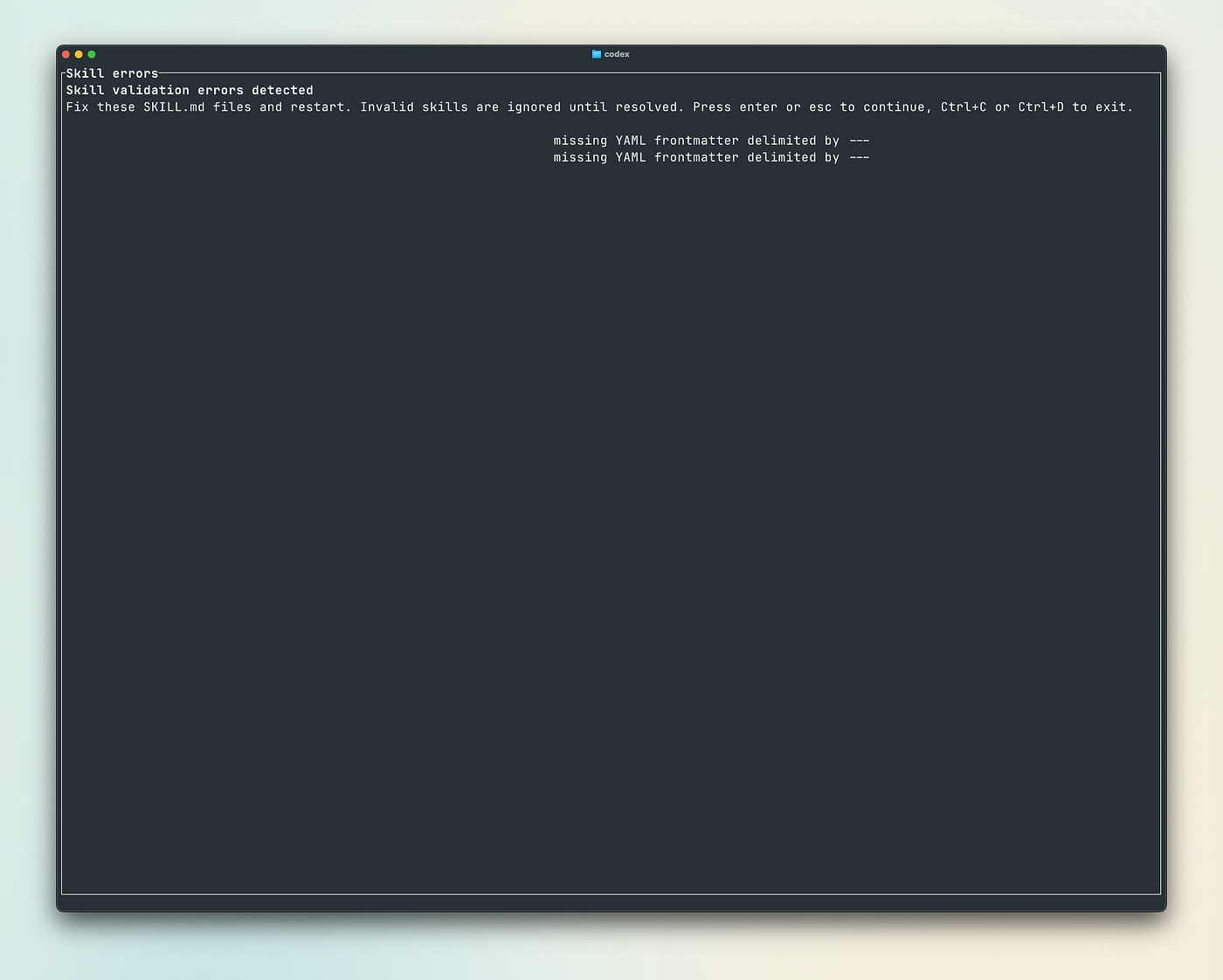
You need to use proper frontmatter syntax.
- Skills flag still off:
[features].skillsdefaults tofalse. - MCP server connected but no Jira tools enabled: some servers let you whitelist tools (for example, enabling jira_get_issue).
- OAuth remote MCP without RMCP enabled: enable
[features].rmcp_clientif you are using OAuth streamable HTTP servers.
Easy eh?
The most subversive part of skills is how boring they are. A folder. A Markdown file. A bit of YAML. Then suddenly your agent stops being a polite amnesiac and starts acting like it has a workstation with habits.
My only gripe though is that there isn’t any official skills registry yet at the time of writing.
메타데이터
- post_id
- c5d4de9ad667
- slug
- codex-skills-are-just-markdown-and-thats-the-point-a-jira-ticket-example-c5d4de9ad667
- url
- https://ai.sulat.com/codex-skills-are-just-markdown-and-thats-the-point-a-jira-ticket-example-c5d4de9ad667
- canonical_url
- https://ai.sulat.com/codex-skills-are-just-markdown-and-thats-the-point-a-jira-ticket-example-c5d4de9ad667
- author_url
- https://medium.com/@jpcaparas
- status
- ok
- fetched_at
- 2026-06-11 05:11:55