Why Your AI Keeps Breaking Your Code (And How to Fix It) ?
AI generates code, but workflows generate outcomes. Discover the 4-mode operating system that finally stops LLM hallucinations and massive…
Why Your AI Keeps Breaking Your Code (And How to Fix It) ?
AI generates code, but workflows generate outcomes. Discover the 4-mode operating system that finally stops LLM hallucinations and massive scope creep.
You are working on a massive codebase. You spot a tiny, one-line CSS bug or a slight logic error in a controller. You open up your AI assistant — whether that’s Cursor, GitHub Copilot, or Claude — and you type: “Fix the alignment on the submit button.”
You hit enter. You wait 15 seconds.
Suddenly, your file tree lights up like a Christmas tree. The AI didn’t just fix the button. It confidently refactored other three unrelated files, updated your routing logic, hallucinated a deprecated React hook, and completely broke your production build.
You didn’t give it context. So it filled in the gap. Badly.
The “One-Size-Fits-All” Prompting Disaster
The problem isn’t that modern LLMs are bad at writing code. The problem is that developers are asking them the wrong way.
Most developers use the exact same prompting style for every single task. Whether they are scaffolding a brand new microservice from scratch or debugging a highly fragile, legacy database migration, they just throw instructions at the AI and hope for the best.
You cannot use the same workflow for rapid prototyping that you use for surgical bug fixes. If you do, the AI will naturally trend toward “scope creep.” It wants to be helpful, so it rewrites things it shouldn’t touch.
You don’t need better prompts. You need an operating system.

Helping Hand: Vibe Coding Essentials
To solve this exact problem, I built and open-sourced **Vibe Coding Essentials**.
It is not a plugin you have to install. It is a workflow layer — a set of strict markdown rules and methodologies that sits between you and your AI. It forces the model into one of four distinct “Operating Modes” before it is allowed to write a single line of code.
By declaring a mode upfront, you give the AI hard boundaries.
1. 🚀 Builder Mode
This is for when you are starting fresh. In Builder Mode, the AI is allowed to move incredibly fast. It is permitted to scaffold large file structures, make architectural assumptions, and accept minor tech debt in the name of speed.
2. 🛠 Maintainer Mode
This is the antidote to the 12-file refactor. In Maintainer Mode, the AI is explicitly forbidden from touching anything outside the immediate scope of the prompt. Zero scope creep. Zero unapproved refactoring. If it sees a messy function nearby, it is instructed to ignore it.
3. 🏛 Architect Mode
In this mode, the AI is forbidden from writing production code. Instead, its only job is to produce system plans, analyze dependencies, and write documentation. You use this before you switch to Builder Mode.
4. ⚡ Economy Mode
LLMs have a context window problem. If you feed them too much irrelevant code, they start hallucinating. Economy Mode severely constrains the AI’s output. It forces it to use low token counts, skip pleasantries, and only output the exact lines that changed.
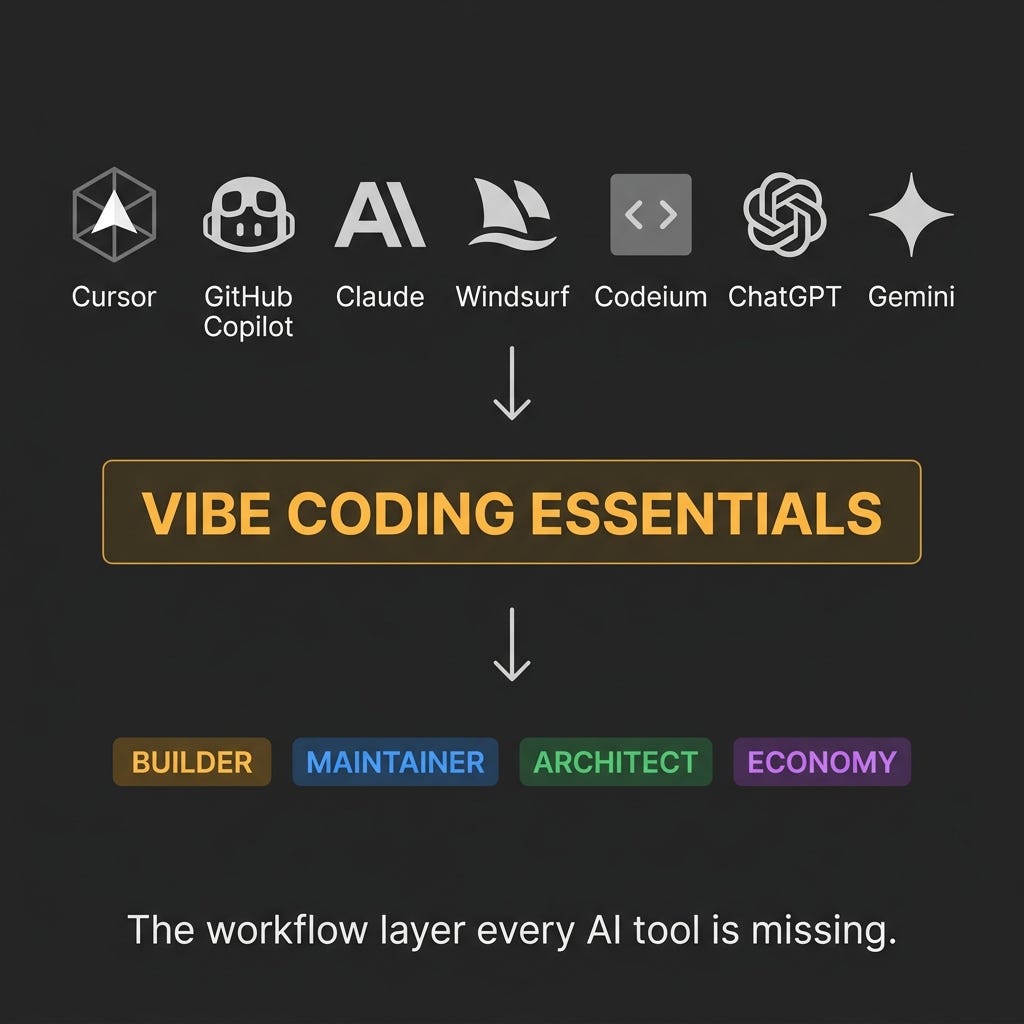
The “Missing Workflow Layer”
Killing Hallucinations with Hard Guardrails
If you use frameworks like Next.js (specifically the App Router) or FastAPI, you know that AI models love to hallucinate deprecated APIs. They were trained on outdated StackOverflow answers, so they constantly suggest old routing methods.
Vibe Coding Essentials ships with hard, version-specific anti-hallucination guardrails for 9 major frameworks (React, Vue, Laravel, Django, Node, etc.). You drop these rules into your .cursorrules or .windsurfrules file, and the AI is physically blocked from using deprecated methods.
The 25 Golden Rules
Finally, driving an AI agent is a completely different skill set than typing syntax. It requires a mindset shift from being a “typist” to being a “director.”
To help teams adapt, the framework includes the 25 Golden Rules for AI-Assisted Development.
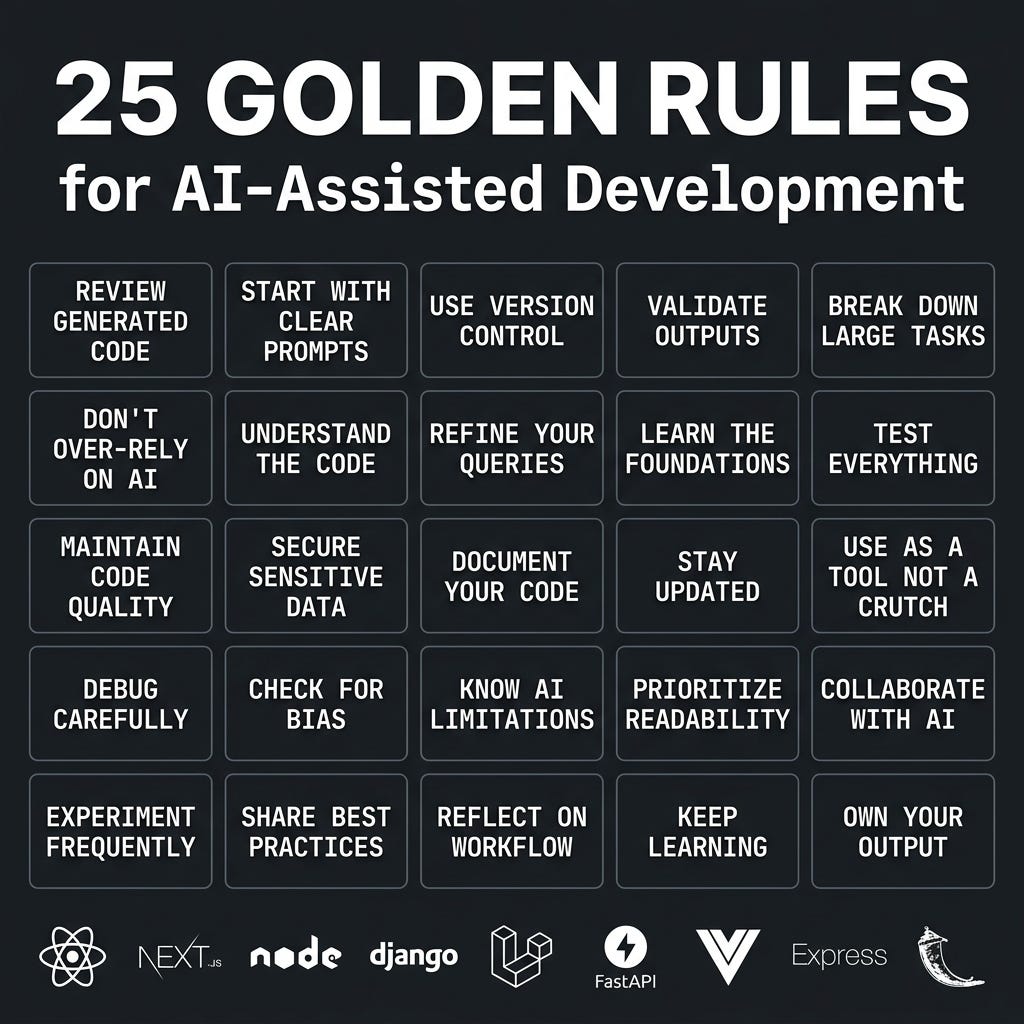
The “25 Golden Rules”
These rules focus on the human element of AI coding: maintaining code quality, securing sensitive data, and understanding that you must always own your output.
Start Controlling Your AI
Stop wasting your context window. Stop letting the AI dictate your architecture.
Treat your AI assistant exactly like you would treat a brilliant, but highly chaotic, junior developer. Give it strict boundaries, tell it exactly what mode it is operating in, and watch the quality of your output skyrocket.
You can grab the full framework, all 4 operating modes, and the anti-hallucination guardrails for free on GitHub:
If this framework saves you from a massive AI-induced refactor headache, drop a Star on the repo!
메타데이터
- post_id
- db70f3833904
- slug
- why-your-ai-keeps-breaking-your-code-and-how-to-fix-it-db70f3833904
- url
- https://medium.com/@ashishtp2005/why-your-ai-keeps-breaking-your-code-and-how-to-fix-it-db70f3833904
- canonical_url
- https://medium.com/@ashishtp2005/why-your-ai-keeps-breaking-your-code-and-how-to-fix-it-db70f3833904
- author_url
- https://medium.com/@ashishtp2005
- status
- ok
- fetched_at
- 2026-06-26 12:24:55