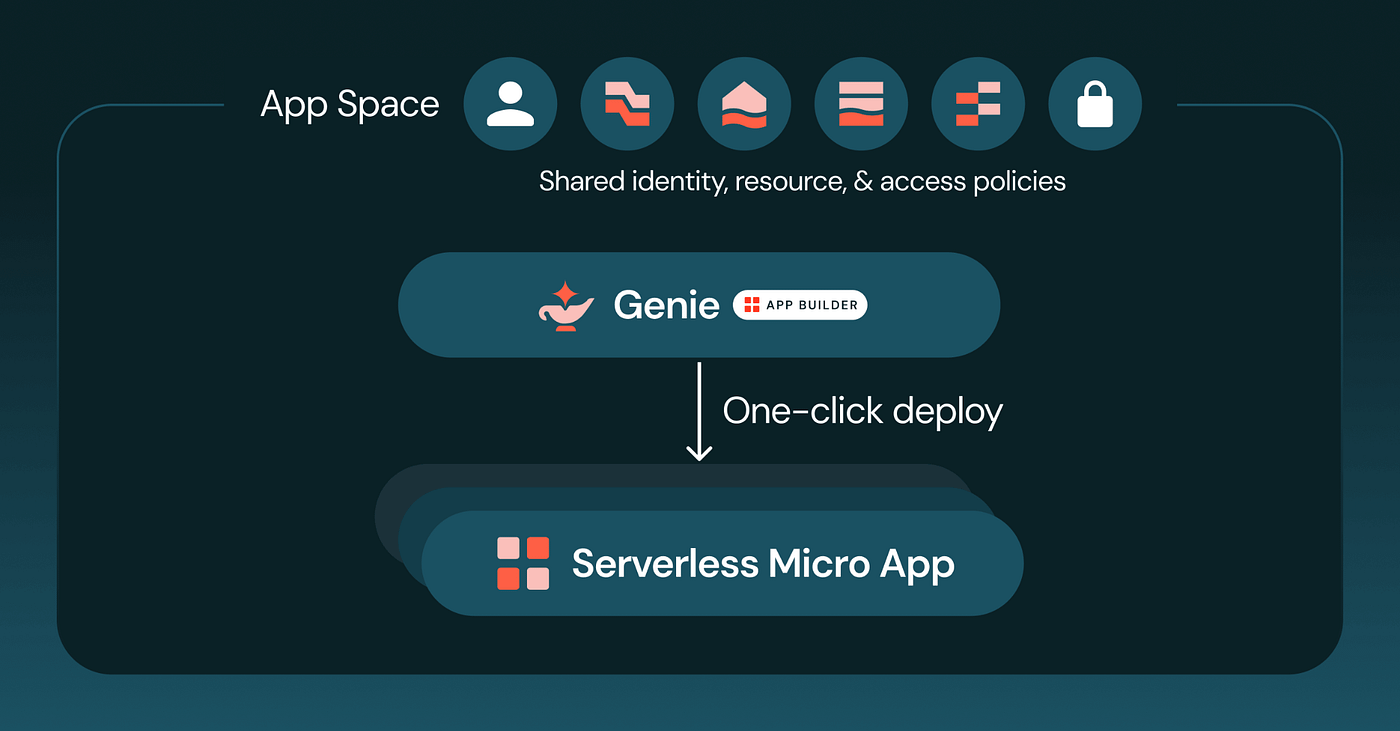
Managing Network Security on Databricks SQL Serverless
What Regulated Industries Need to Know and Implement
Managing Network Security on Databricks SQL Serverless
What Regulated Industries Need to Know and Implement
Introduction
Where we start from?
- Databricks SQL Serverless runs compute in a Databricks-managed network, not inside the customer’s cloud account, and customer-managed VPCs do not apply to it.
- Three separate controls govern this environment: Network Connectivity Configuration for private transport, egress network policy for what serverless can reach, and context-based ingress control for who can reach it.
- Dry run mode lets a team observe real traffic and build an evidence trail before switching to enforced mode, which is the safer path to a deny-by-default posture.
Serverless compute removes a real operational burden. There is no cluster to size, no infrastructure to patch, no idle capacity to pay for. A SQL warehouse starts in seconds and scales on its own. For most workloads, this is a clear win.
For regulated industries, financial services, healthcare, insurance, and the public sector, it raises a different question first:
Where does the traffic actually go once it leaves the environment, and who decided that?
That is not a hypothetical concern. It is an architectural fact about how Databricks SQL Serverless is built, and it comes with a specific set of controls that many teams have not fully configured. This article explains the architecture, the controls available today, how enforcement actually works, and a test that shows the practical difference between a default configuration and a locked-down one.
Where serverless compute actually runs
With classic Databricks compute, clusters run inside your own cloud account, typically in a VPC or VNet you control. You can peer it, firewall it, and route it however your network team requires.
Serverless SQL warehouses work differently. Compute runs in a network managed by Databricks, referred to as the serverless compute plane. Customer-managed VPCs do not apply to serverless SQL warehouse compute.
Connectivity between the Databricks control plane and the serverless compute plane runs over the cloud provider’s private backbone rather than the public internet, and serverless SQL warehouses do not have public IP addresses.
So the starting position is this: the compute is private in transit, but it does not live inside your network boundary.
That single fact is why this topic matters, and it is also why Databricks has built a specific set of controls to let customers manage it.
Three controls, three different questions
Teams researching this topic often put everything under one label, network security. In practice, Databricks provides three separate controls that answer three separate questions.
Network Connectivity Configuration (NCC) answers how you reach your own resources privately. It is an account-level construct that lets you set up private endpoints, typically AWS or Azure PrivateLink, so that when serverless compute needs to reach your storage account, database, or API, the traffic never touches the public internet. NCCs also expose stable outbound IP ranges for firewall allowlisting when private endpoints are not an option. On Google Cloud, private connectivity for serverless works differently: Private Service Connect for serverless does not currently extend to Google-managed services such as Cloud Storage or BigQuery, so those specific paths still rely on classic compute.
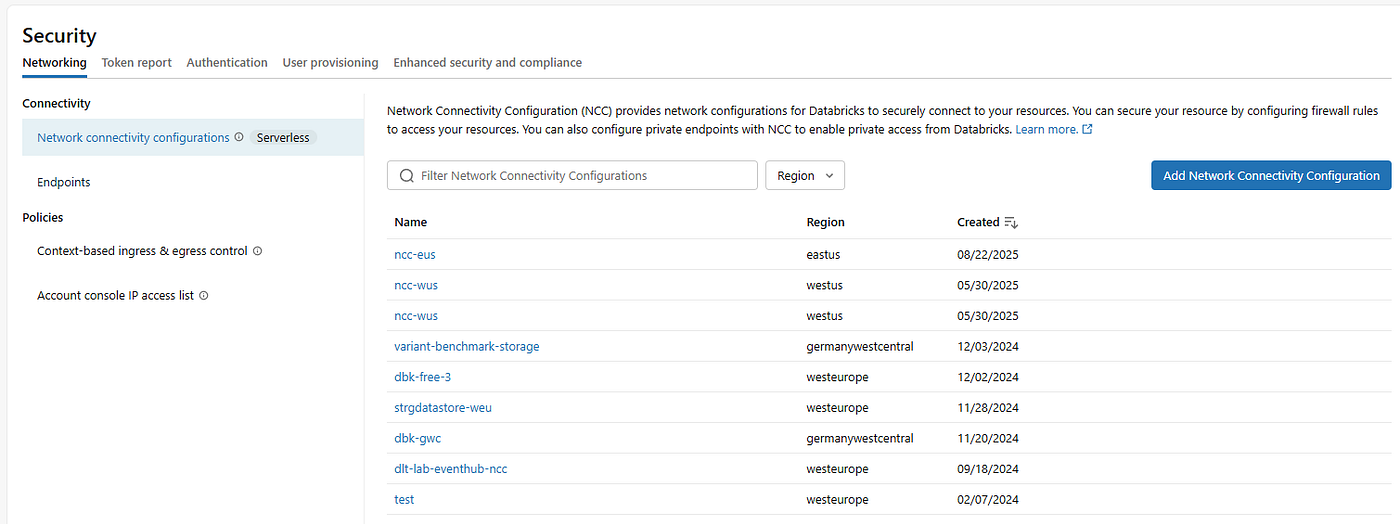
NCC — Network Connectivity Configurations
Egress network policy answers what serverless is allowed to reach. This is the control most relevant to data exfiltration risk. In full access mode, outbound access is unrestricted. In restricted mode, only three categories are reachable: Unity Catalog external locations, storage destinations added explicitly, and internet domains added explicitly by fully qualified domain name. Everything else is denied.
Context-based ingress control answers who is allowed to reach the workspace at all. It governs inbound access based on identity, network source, and what is being requested, such as the workspace UI, general API access, or SQL endpoints over JDBC and ODBC. It works alongside IP access lists, which are evaluated first and can narrow access further but never widen it. This is now in Public Preview.
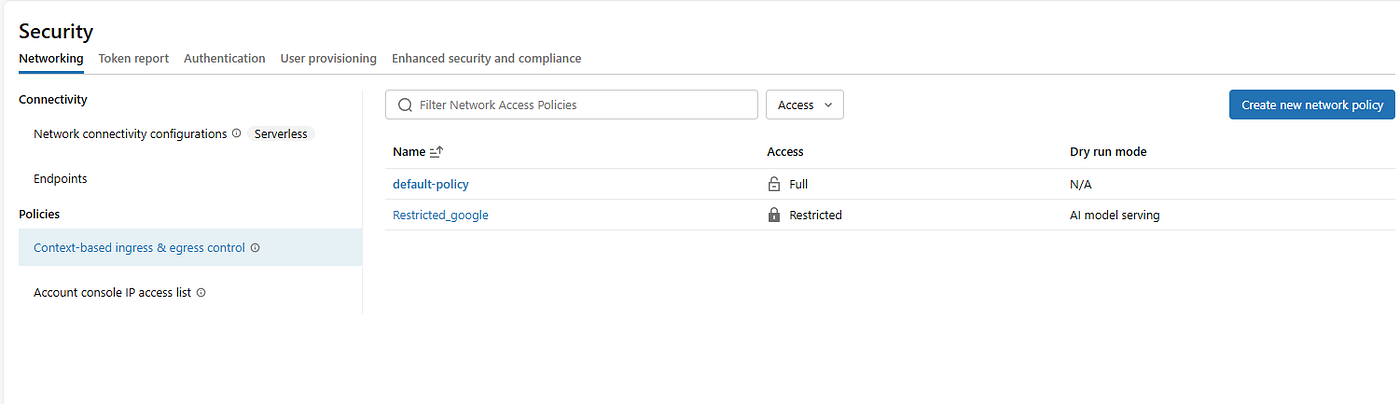
Context-based ingress & egress control
These three controls are configured separately, owned by account admins, and typically audited separately. A common gap is treating NCC as the whole story. NCC secures how traffic moves. It does not, by itself, restrict what serverless can reach or who can reach serverless. Both of the other controls have to be configured on purpose.
Enforced versus dry run
Every network policy, whether it governs ingress or egress, carries an enforcement setting, and understanding it matters as much as understanding the rules themselves.
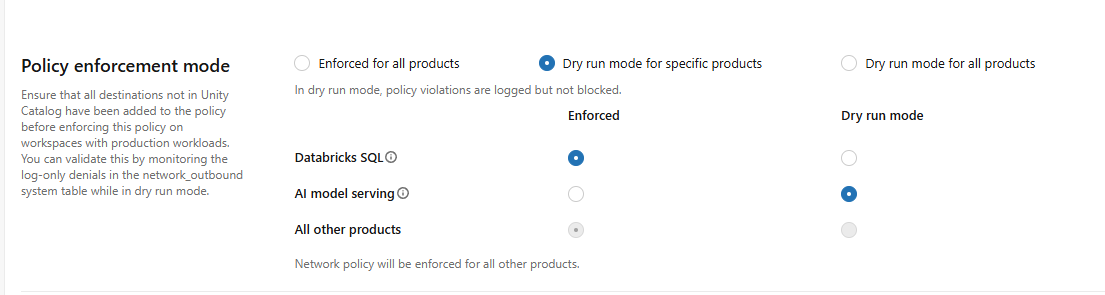
Enforced vs. Dry Run
Enforced mode blocks any request that violates the policy. If a destination is not on the allowed list, the connection fails.
Dry run mode does the opposite on purpose. Requests that would have violated the policy are logged, not blocked. Nothing breaks. This gives a team visibility into what workloads are actually trying to reach before committing to blocking anything.
This setting can be scoped per product rather than applied as one blanket toggle. A policy can enforce for Databricks SQL while leaving AI model serving in dry run, for example, if validation on one workload is further along than another.
Tip for a safer rollout sequence: build the restricted policy, leave it in dry run, review what gets logged, then switch to enforced once nothing legitimate is being blocked.
Every denied and dry-run event is written to a Unity Catalog system table, system.access.outbound_network for egress and system.access.inbound_network for ingress, and each entry is tagged so a real denial can be distinguished from a dry-run log line. That table is also the artifact an auditor will actually want: a timestamped record of what was allowed, what was denied, and when enforcement began.
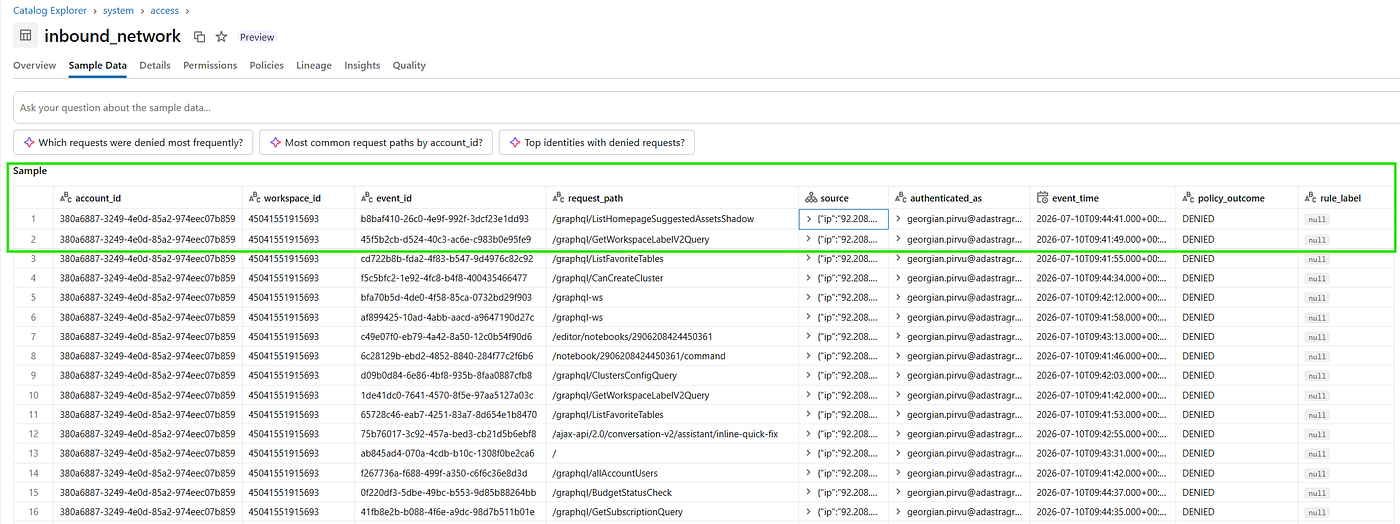
Inbound log — DENIED
One operational detail worth planning around: changes to allowed destinations typically take effect within about ten minutes, but switching between full access and restricted mode, or turning dry run on or off, requires restarting the affected compute. For long-running notebooks attached to Spark, a change like this can take up to 24 hours to fully refresh unless the notebook is restarted manually. Plan a rollout window rather than expecting an instant cutover.
A live test: default access versus an enforced policy
The clearest way to see this behavior is to run identical code against two different configurations. This test tries to reach the internet, once with network access open, once with it restricted and see that it works in the first case and gets blocked in the second, proving the network setting is what controls it.
CREATE OR REPLACE TEMPORARY FUNCTION ping_google(value DOUBLE)
RETURNS STRING
LANGUAGE python
AS $$
import requests

url = "https://www.google.com"
response = requests.get(url, timeout=5)

if response.status_code == 200:
   return "UDF has network!"
else:
   return "UDF has no network!"
$$;

SELECT ping_google(1.0);
Step one, default policy
On a workspace still running the account’s default network policy with no egress restriction configured, the function ran cleanly and returned UDF has network!. Outbound access was unrestricted, exactly as full access mode is designed to behave.
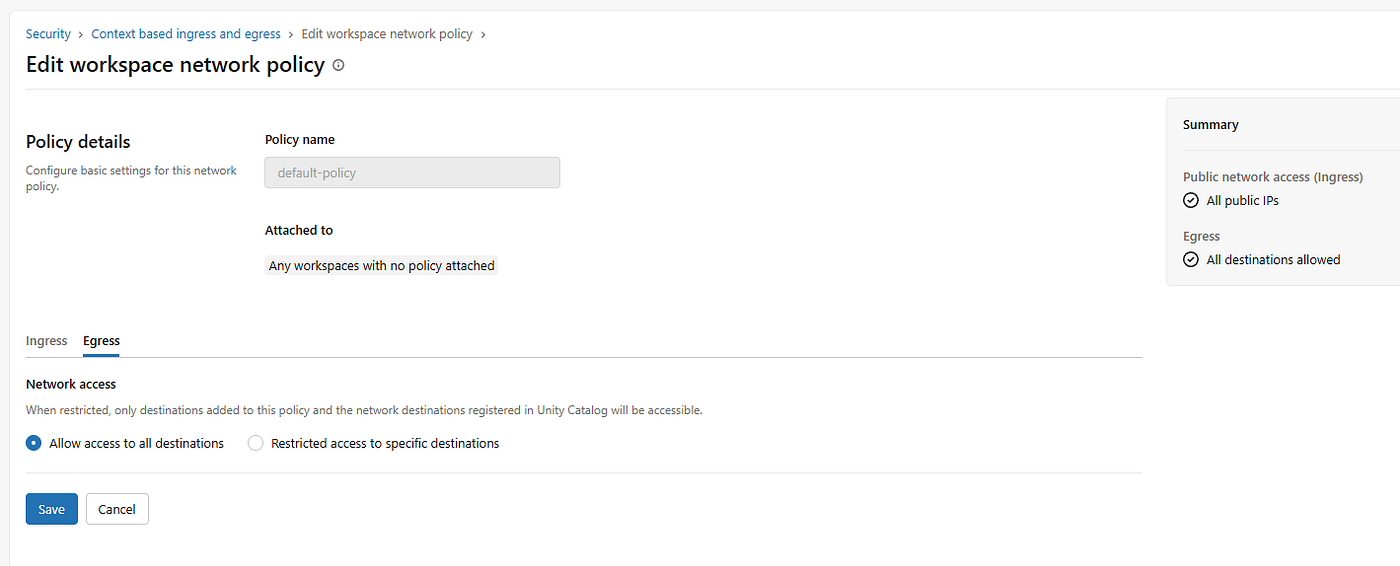
Default Policy — Allow all
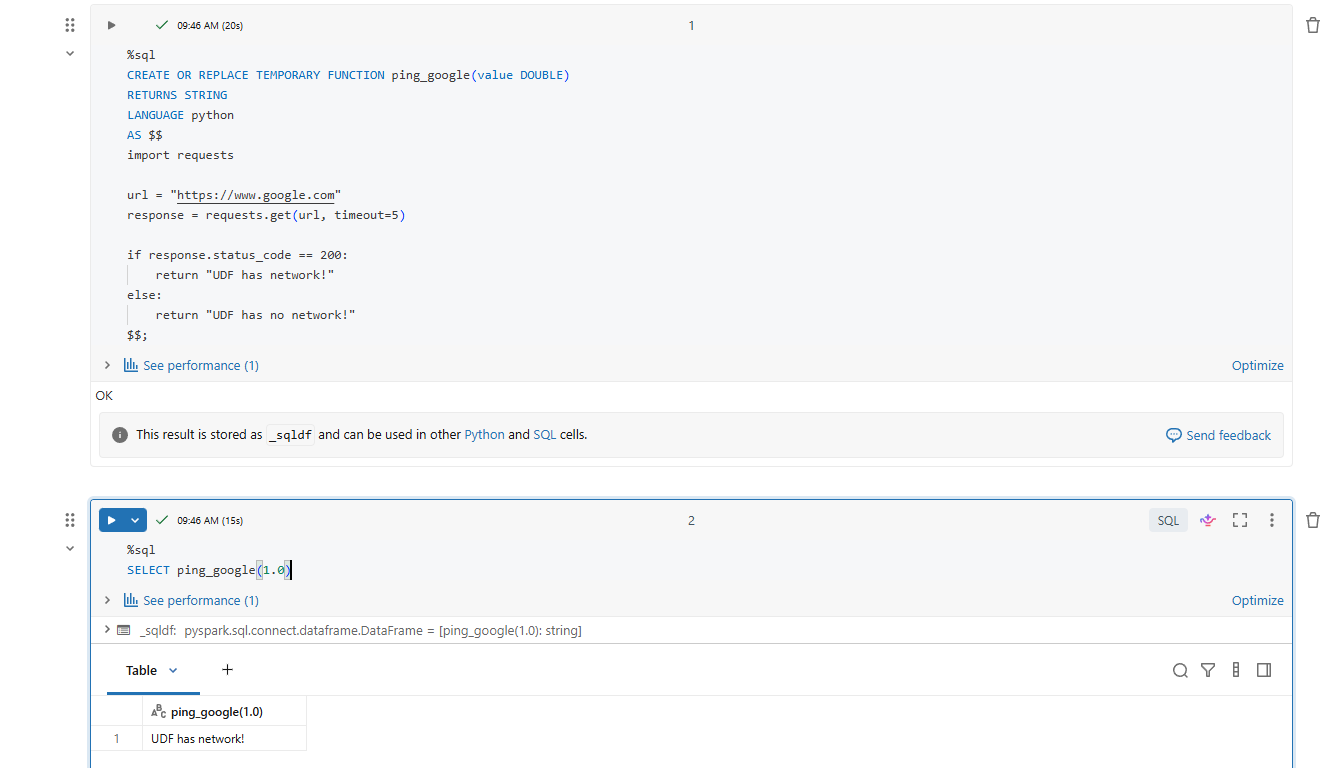
Has Network!
Step two, restricted policy attached
A new policy, named Restricted_google for this test, was attached to the workspace with egress set to restricted access and no internet destinations added yet. Enforcement was set so Databricks SQL runs in enforced mode while AI model serving stayed in dry run, showing the per-product granularity in practice. No allowed domains.
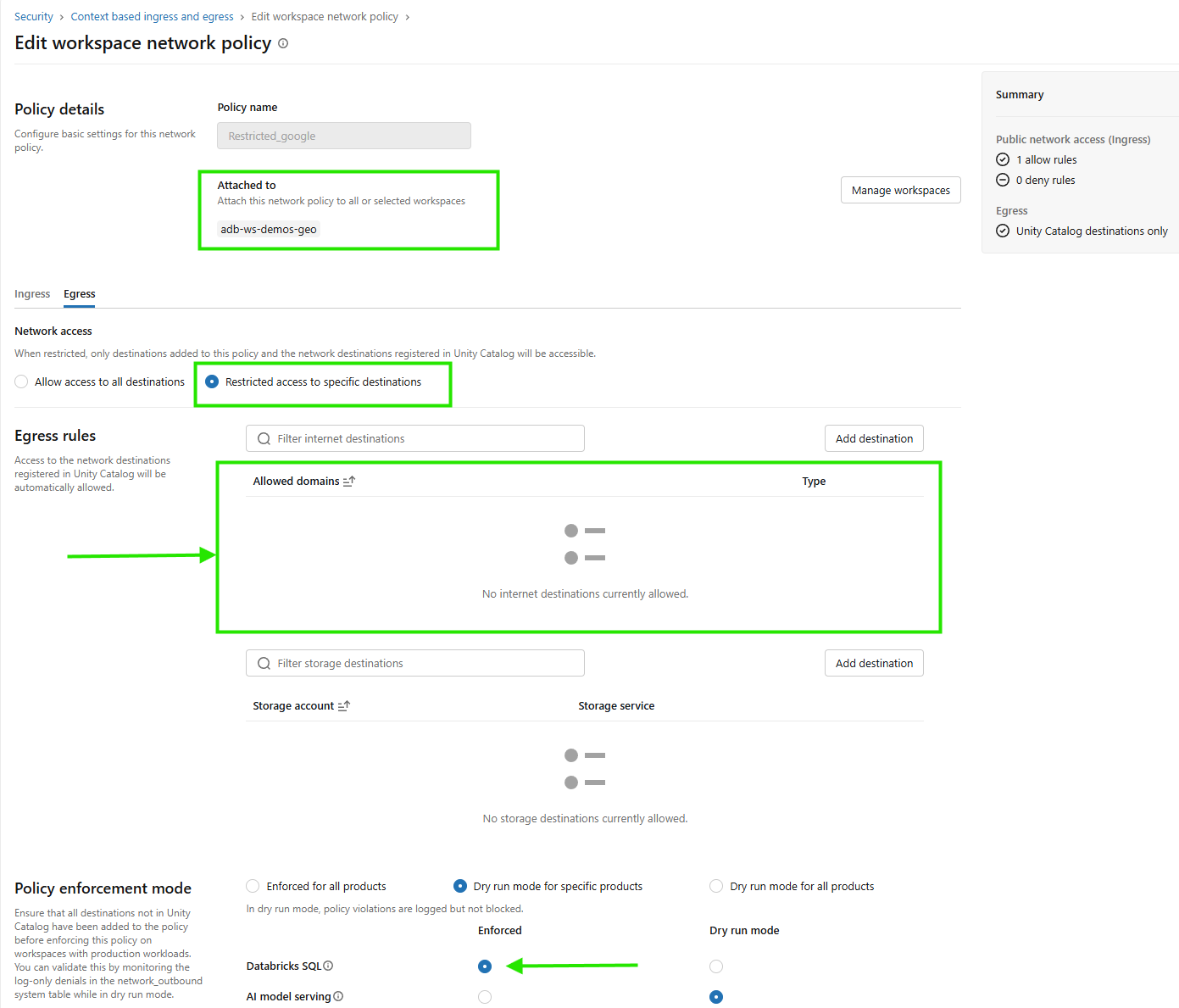
Setup Policy Enforced
Running the identical function against the same warehouse now failed, not with a timeout, but with a name resolution error:
requests.exceptions.ConnectionError: HTTPSConnectionPool(host='www.google.com', port=443):
Max retries exceeded with url: / (Caused by NameResolutionError(
"Failed to resolve 'www.google.com' ([Errno -3] Temporary failure in name resolution)"))
That detail is worth remembering for troubleshooting later. The failure shows up as a DNS resolution error rather than a connection timeout, since the destination was never on an allowed list. Anyone who sees a NameResolutionError from serverless code that used to work should treat a network policy as the first suspect, ahead of a DNS or connectivity fault elsewhere.
Step three, explicit allow
Adding google.com as an allowed domain, using the DNS_NAME destination type, currently the only supported internet destination type, and rerunning the same query succeeded again, back to UDF has network!. No restart was required for this specific change, since adding a destination is different from switching restriction mode.
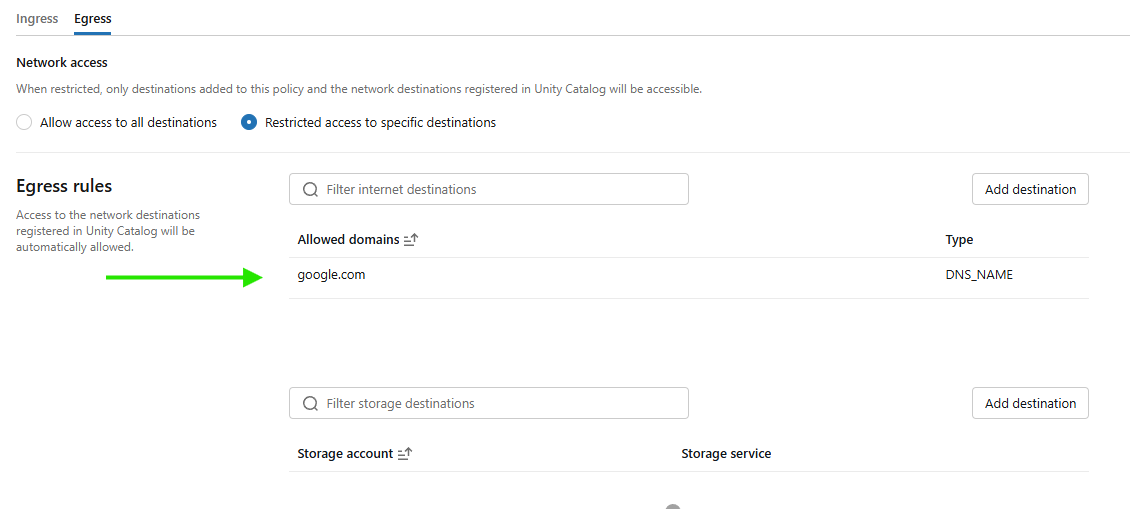
Allowed Domain
That sequence is the whole model in miniature: nothing reaches serverless compute from the outside, and nothing leaves it, unless it is on a list someone deliberately built.
Why this matters beyond the demo
For an unregulated workload, this level of control is often optional. For a regulated one, it tends to map directly onto existing obligations.
Data exfiltration risk is the most direct concern. Serverless compute executes arbitrary code, UDFs, notebooks, and jobs, and an unrestricted egress path out of that environment is a realistic route for both an accidental leak and a deliberate one if credentials or a workspace are ever compromised. Restricted egress with an explicit allowlist closes that path down to what the business actually needs.
Audit evidence is the second concern, and it tends to be underestimated. Security and compliance reviews increasingly ask not just whether a control exists, but for proof it is enforced and evidence it was tested before enforcement began. The dry-run-then-enforce workflow, backed by the system tables, produces exactly that evidence trail without additional tooling.
Access boundaries are the third. Ingress control restricts who can even open a session against a SQL endpoint, by identity and by network source, independent of the egress question. Many regulated deployments need both controls in scope, not just one.
What leaders should do now
Start with an inventory, not a policy. Most organizations running Databricks SQL Serverless have never deliberately decided their network posture, they are simply running on whatever the account’s default policy happens to be.
-
Find out what that default actually allows before writing anything new.
-
Build the restrictive policy in dry run first. Let it run against real workloads long enough to see genuine traffic patterns in the system tables, then enforce.
-
Treat NCC and network policy as complementary, not interchangeable. Private connectivity gets traffic to its destination securely. A network policy decides whether that traffic is permitted to leave at all. A defensible posture generally needs both.
-
Assign clear ownership for ingress and egress separately, since they are configured, enforced, and logged independently, and revisit the configuration on a regular cycle.
The controls exist. Whether they are configured is a separate question and is in your control. For regulated workloads this is a must.
메타데이터
- post_id
- ed9f227643a1
- slug
- managing-network-security-on-databricks-sql-serverless-ed9f227643a1
- url
- https://medium.com/towards-data-engineering/managing-network-security-on-databricks-sql-serverless-ed9f227643a1
- canonical_url
- https://medium.com/towards-data-engineering/managing-network-security-on-databricks-sql-serverless-ed9f227643a1
- author_url
- https://medium.com/@techgeorge
- status
- ok
- fetched_at
- 2026-07-13 06:23:13