MySQL Shutdown unexpectedly with XAMPP server!!!
If you have faced this issue sometimes when using xampp’s msql server, then the method I’m going to let you know might be helpful.
MySQL Shutdown unexpectedly with XAMPP server!!!
If you have faced this issue sometimes when using xampp’s msql server, then the method I’m going to let you know might be helpful.
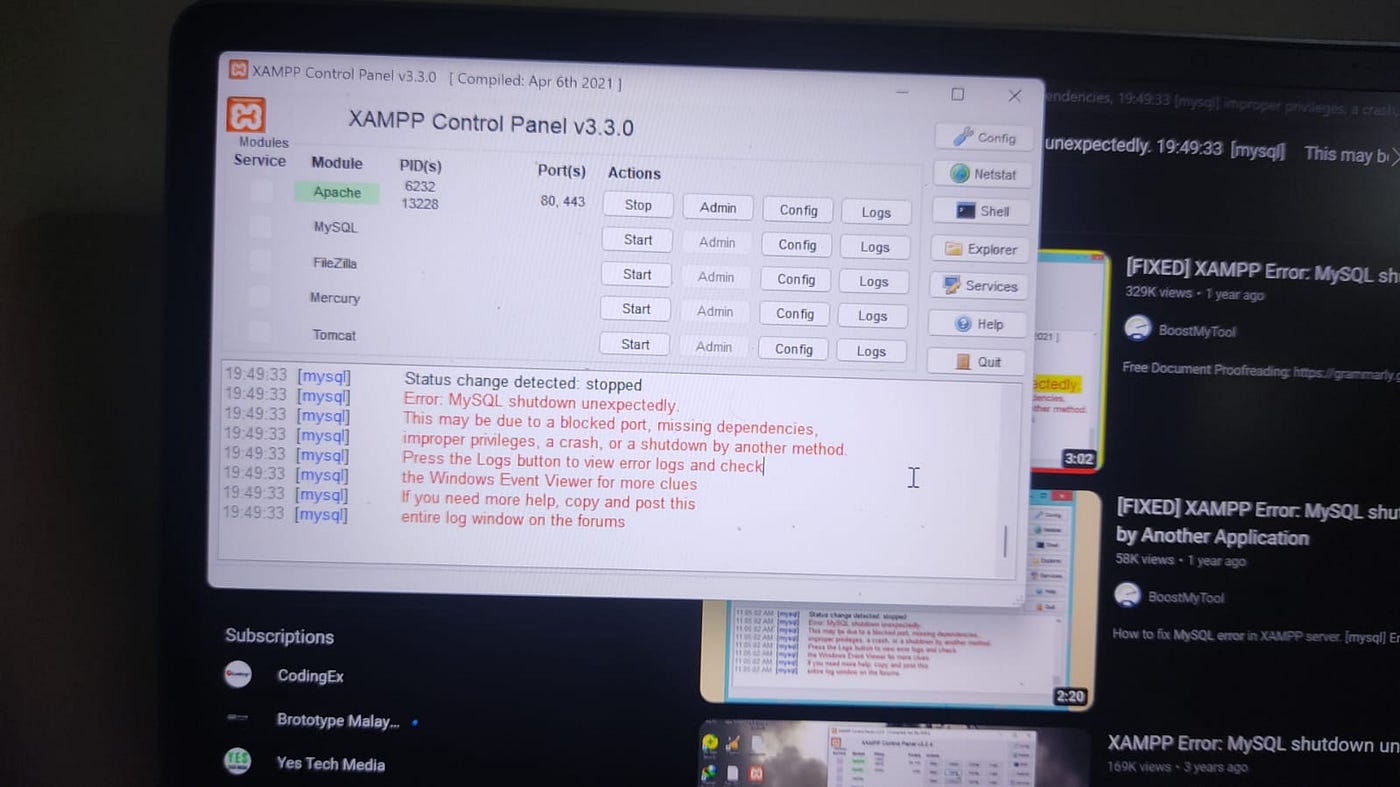
this might br the error you are seeing right? then you should resolve it by doing the following method.
Step 1
Go to the xampp folder and open it
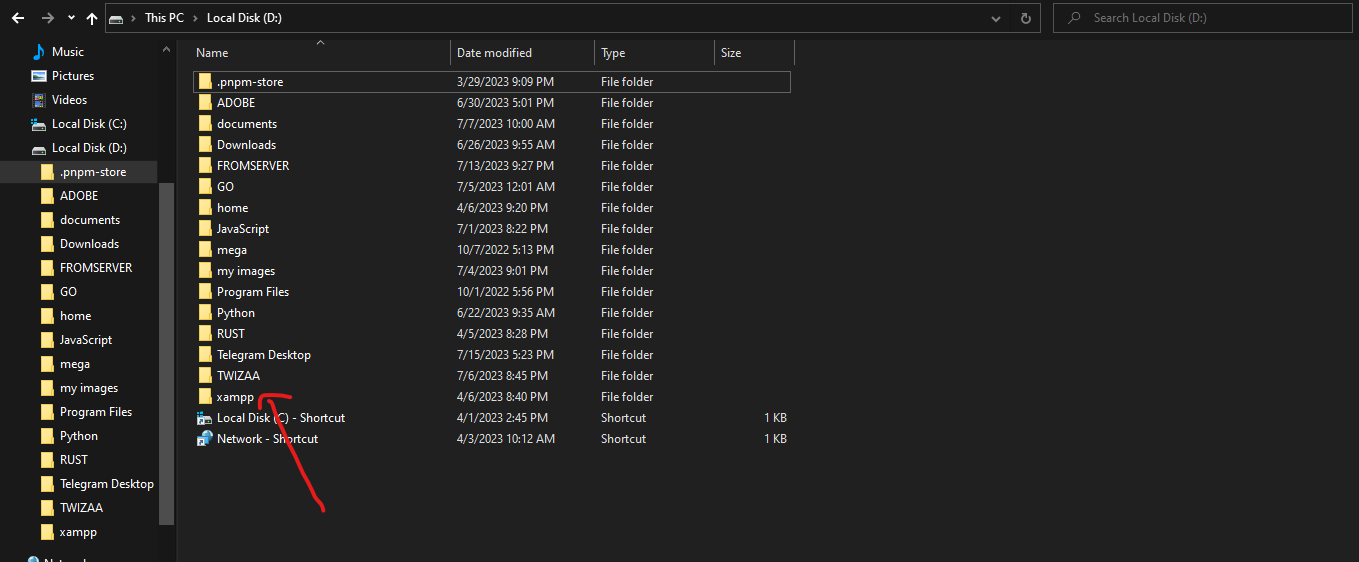
Step 2
open the mysql folder
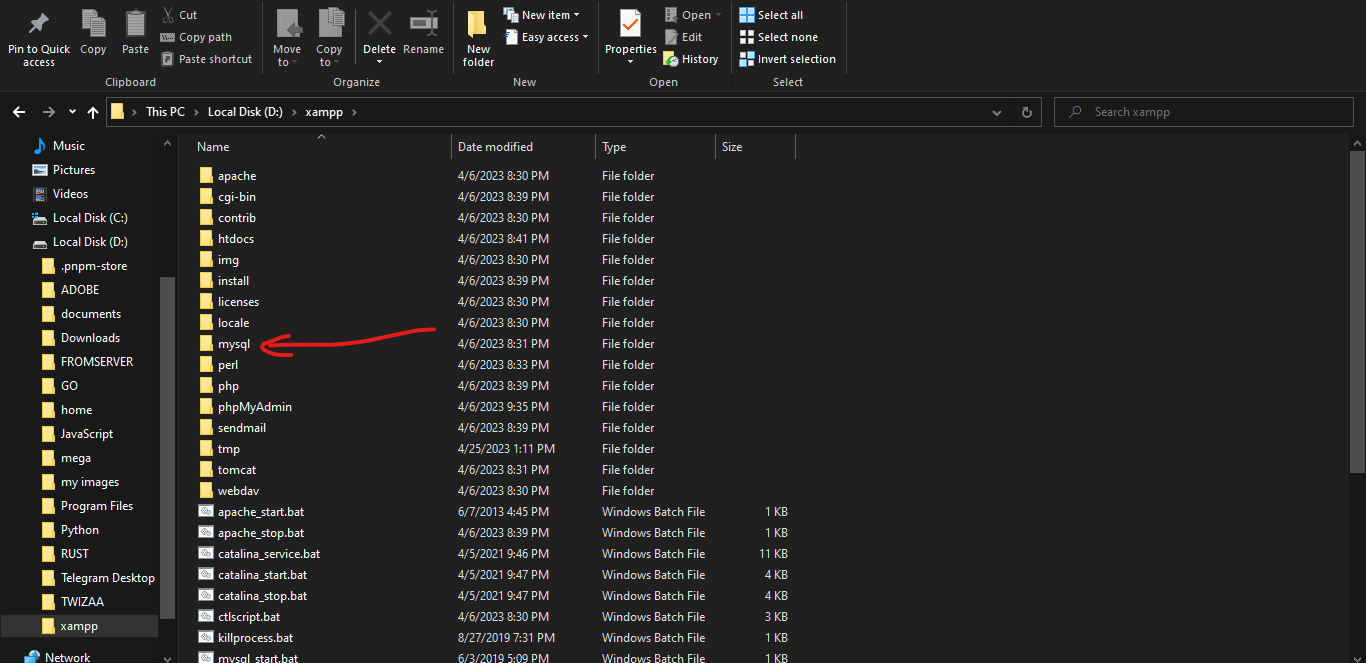
Step 3
copy and paste the backup folder and it should paste it as ‘backup — Copy’
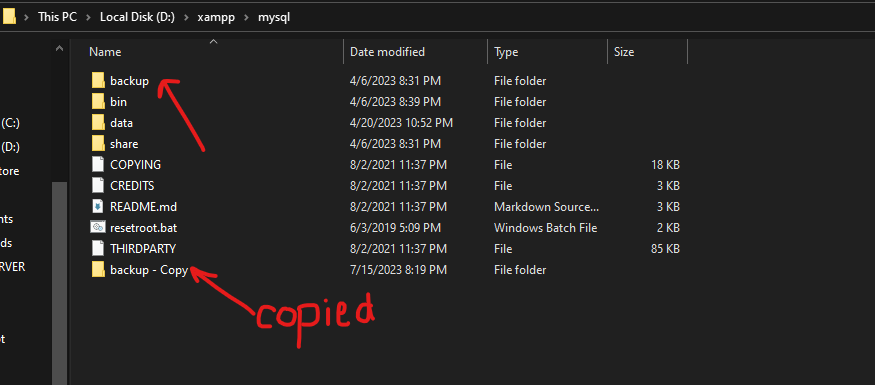
Step 4
then go to the data folder and copy only the databases (folder’s in the name of your databases) you have created and one file named ibdata1
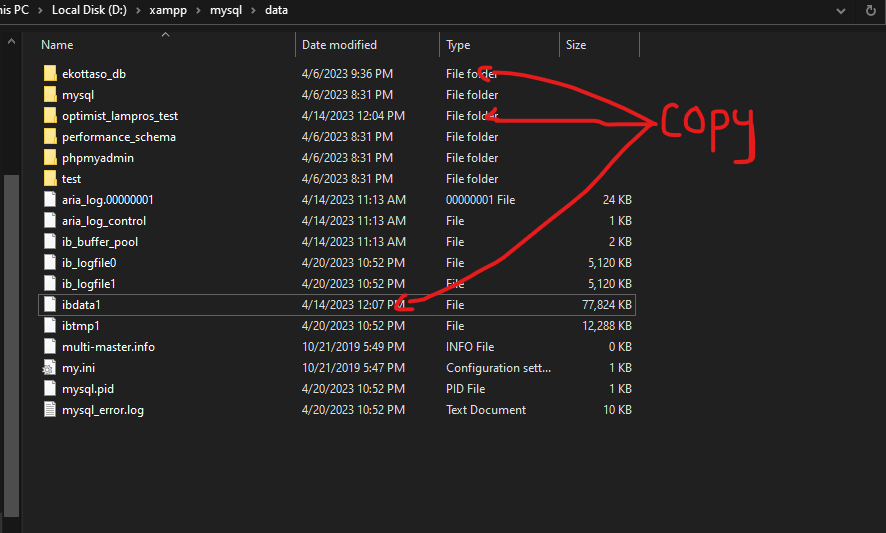
Step 5
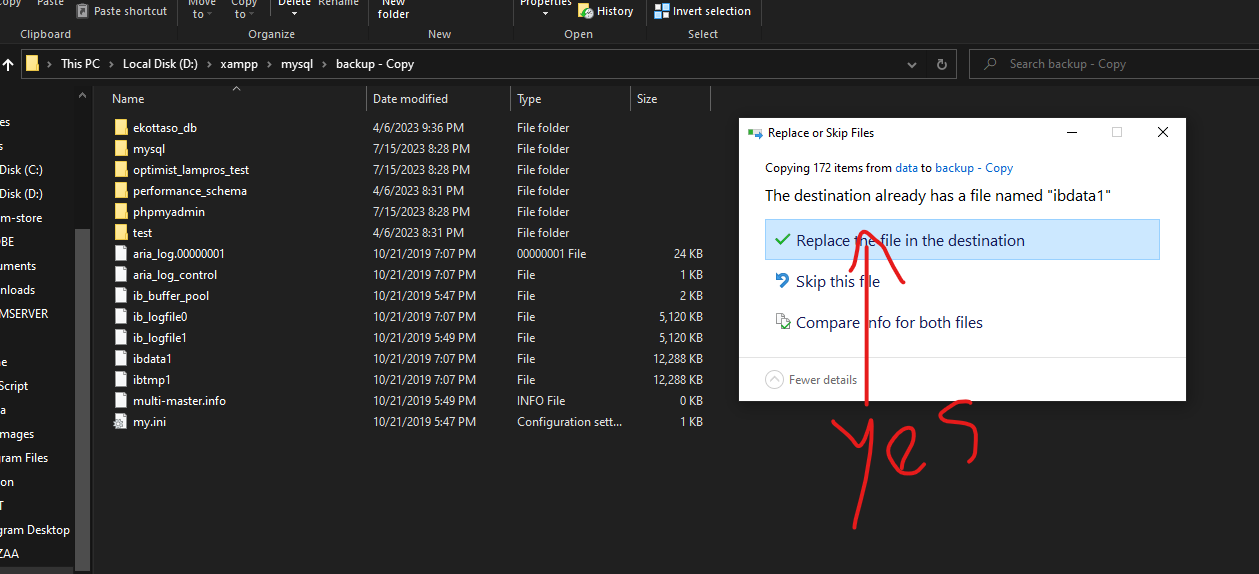
now go to the newly created backup — Copy folder and paste the copied and tap yes if asked to replace files
Step 6
now get back to the myql folder and rename or delete(if you think so) the data folder to something and rename the backup — Copy to data and restart the xampp server and mysql
These methods should resolve the issues.. If it didn’t resolve it!, then contact me😁.
Hope this helps you. Thanks for reading.
메타데이터
- post_id
- f0c021a2ccd6
- slug
- mysql-shutdown-unexpectedly-with-xampp-server-f0c021a2ccd6
- url
- https://medium.com/@alidcoded/mysql-shutdown-unexpectedly-with-xampp-server-f0c021a2ccd6
- canonical_url
- https://medium.com/@alidcoded/mysql-shutdown-unexpectedly-with-xampp-server-f0c021a2ccd6
- author_url
- https://medium.com/@alidcoded
- status
- ok
- fetched_at
- 2026-08-05 05:10:31