StoryServer 2.0.0.0
It’s been some time. I have been busy and pleased to show a teaser for what is coming.
StoryServer 2.0.0.0
It’s been some time. I have been busy and pleased to show a teaser for what is coming.
Parts of StoryServer’s source-code will be open-sourced in future articles.
New Beginnings
StoryServer 2.0 is a complete reimagining of the legendary Ecco Pro personal information manager, rebuilt from the ground up in Qt/C++ with modern features, a powerful scripting engine, and a familiar interface that long-time Ecco users will feel right at home with.
Calendar
StoryServer’s calendar system is a huge improvement, with multi-line day view and ticklers.
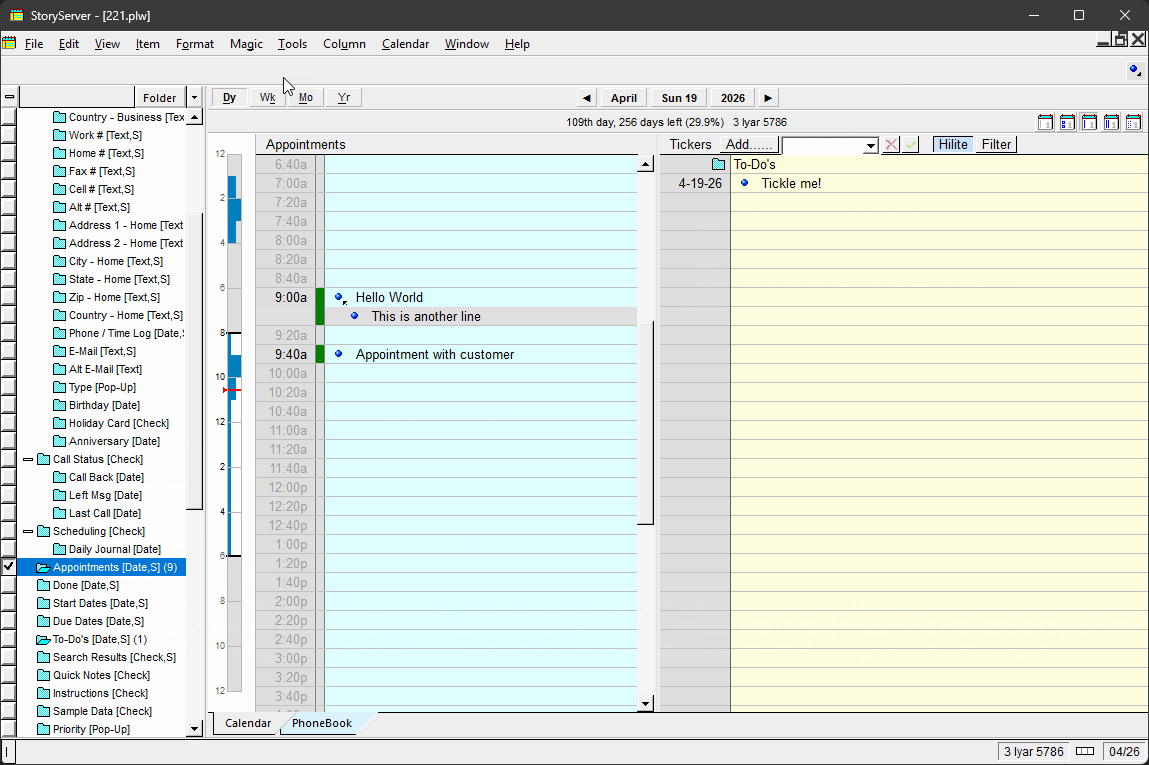
Story Server v2.0 — Calendar View
New calendar features include natural language date entry (“next Friday”, “3 weeks from today”).
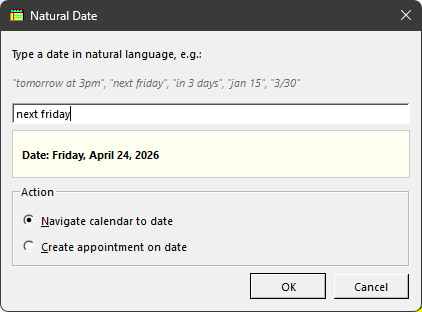
Natural Date selector
Custom holidays can be defined per country, and zodiac signs are optionally displayed.
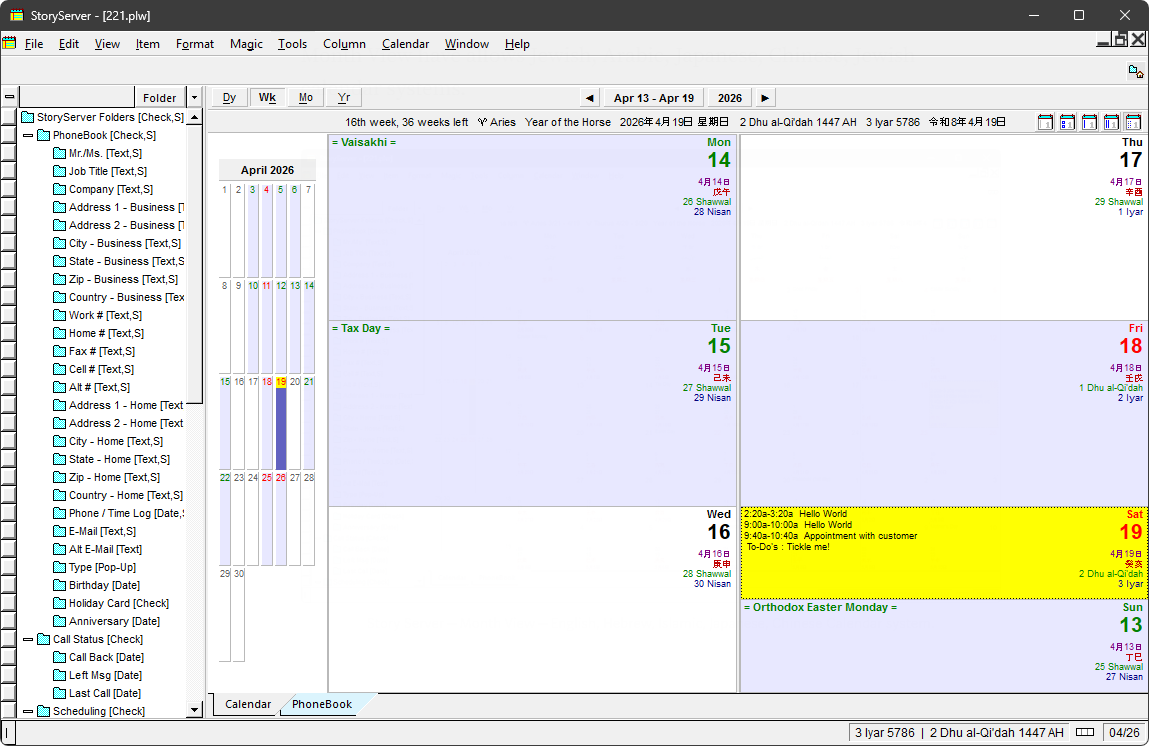
StoryServer — Week View — multiple calendar, multiple holidays
Month View have allows Jewish, Arabic, Japanese, Chinese, Jewish calendar systems in a single calendar view.
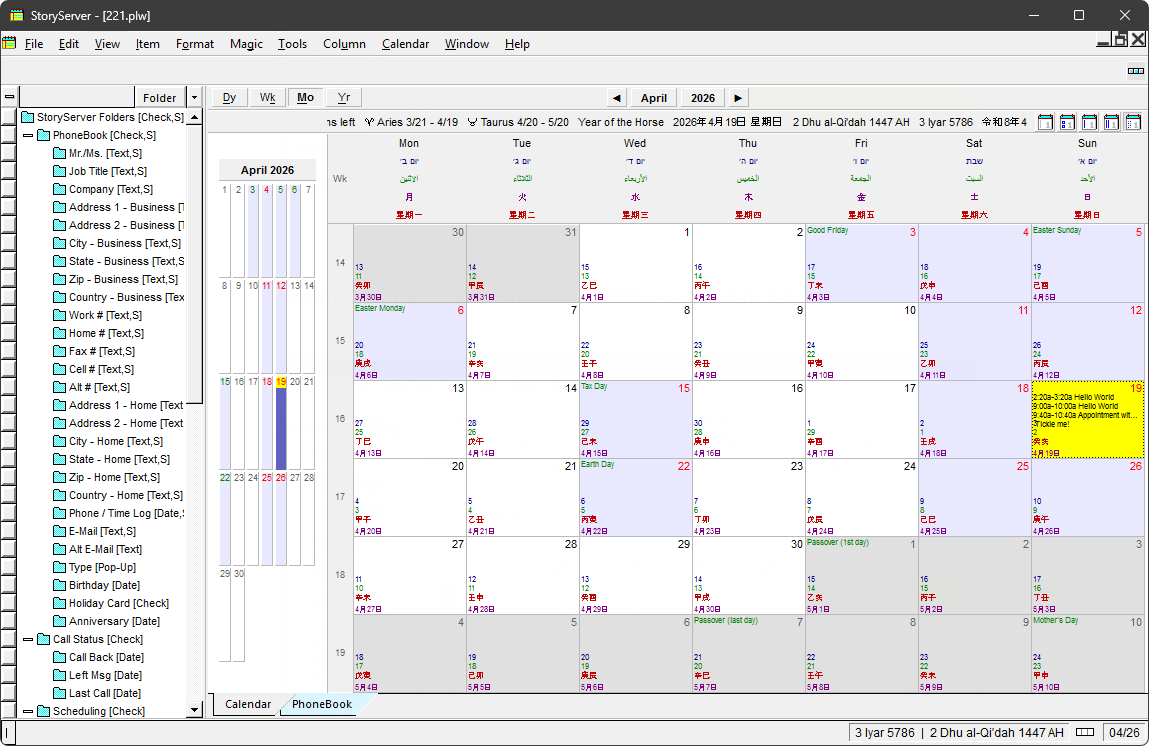
Story Server — Month View — English, Hebrew, Islamic, Japanese, Chinese Calendar system.
You can select per country specific (190+ country holidays included) and overlay with multiple religious holidays.
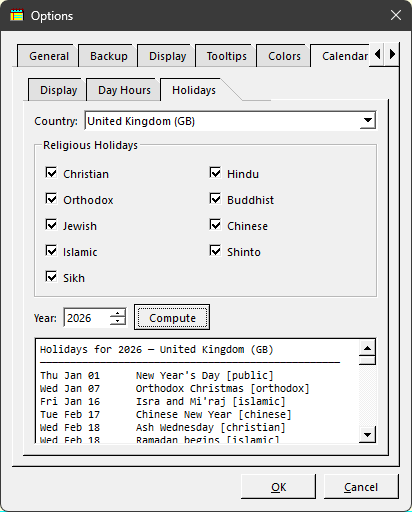
PhoneBook
The PhoneBook view combines a rolodex-style A-Z navigator with a customizable form editor:
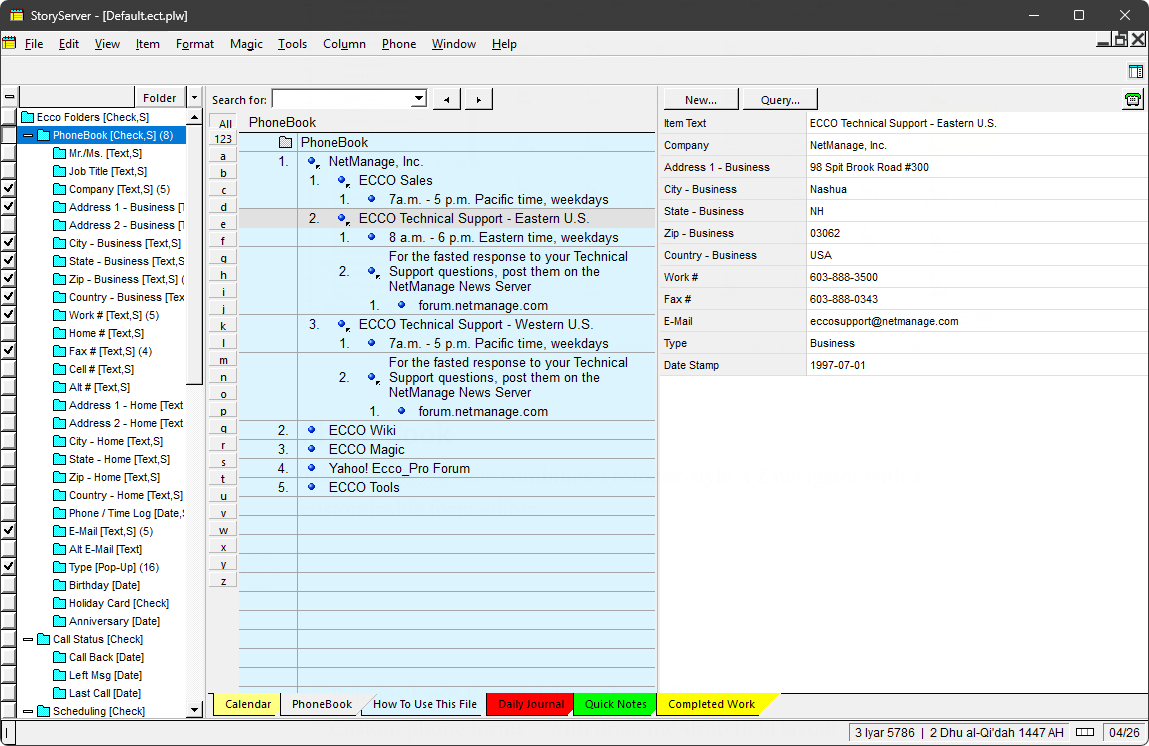
StoryServer — Phonebook View
Outline & Formatting
The core outline editor supports rich text formatting with per-character styling.
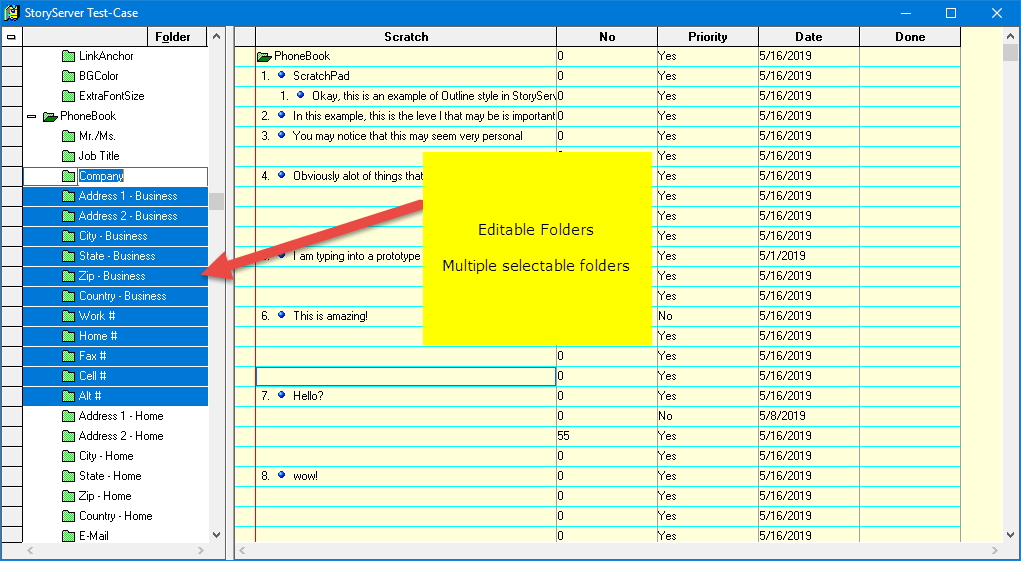
Notice the left folder view ticks, open folder to denote columns and folder selected.
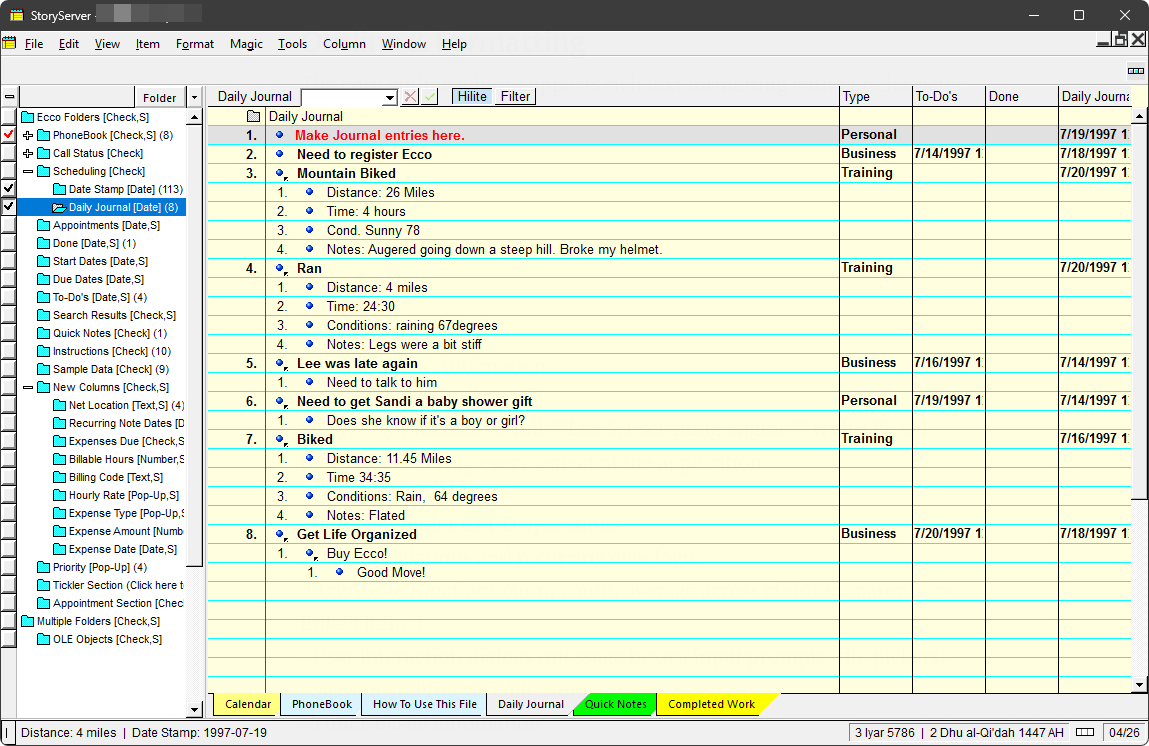
StoryServer — notepad view
Scripting & Automation
StoryServer includes a full Lua 5.1 scripting engine with 179 API functions covering every aspect of the application:
- Item and folder CRUD operations
- Date calculations and recurring date logic
- Aggregate functions (sum, count, average across children, parents, or linked items)
- User interaction dialogs (message boxes, input prompts, file pickers)
- Session and file variable storage
- Timer-based automation
Although StoryServer does not support DDE, the Lua scripting achieves full EccoExt COM/DDE API parity.
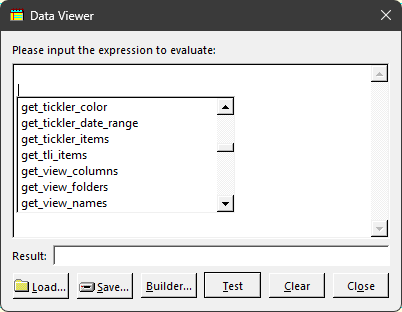
Data Viewer with Intellisense support
The Visual Rule Builder provides a no-code alternative with 236 operations organized into categories: Flow, Condition, Loop, Action, Variable, Aggregate, String, Date, Search, and more. Rules can be attached to folders (trigger on value change) or run globally.
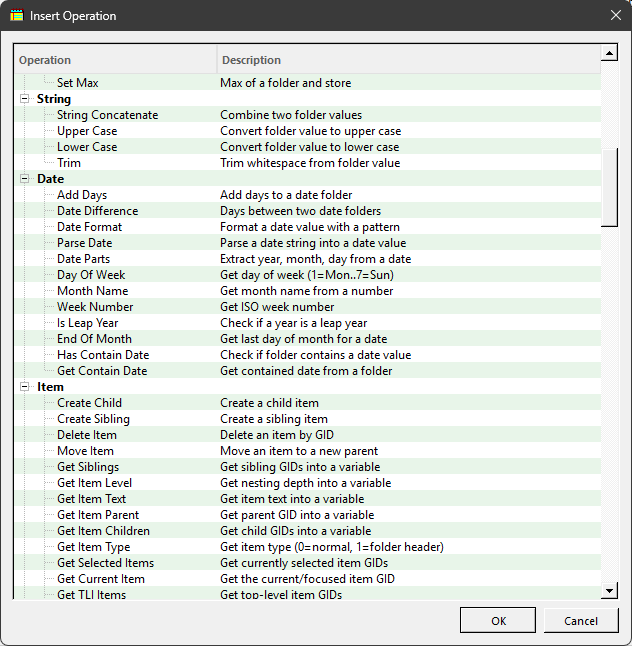
List of operations in an easy-to-use builder
Import & Export
StoryServer reads and writes in multiple formats:
- Ecco Pro .eco format binary import (full data preservation)
- OPML import/export (standard outline format)
- CSV import/export with hierarchy preservation
- RTF, HTML, Markdown copy/paste with outline structure
- Synchronized copies with delta export/import for offline collaboration
Columns & Data Types
Six folder (column) types provide structured data:
- Checkmark (yes/no toggle)
- Date (with recurring dates, advance warnings, and carry-forward)
- Number (with 13 format options)
- Text (free-form)
- Pop-Up (dropdown choice lists)
- Gantt column.
- Lookup/Relation (cross-item references with back-links)
Columns support per-folder alignment, formatting, and custom colors. The column grid displays folder values inline with the outline, and values can be edited with click-to-edit or popup pickers.
Customizations
StoryServer’s color system is fully exposed in Tools | Options.
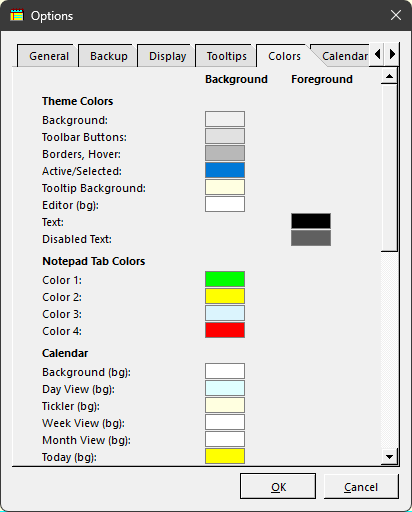
Color options
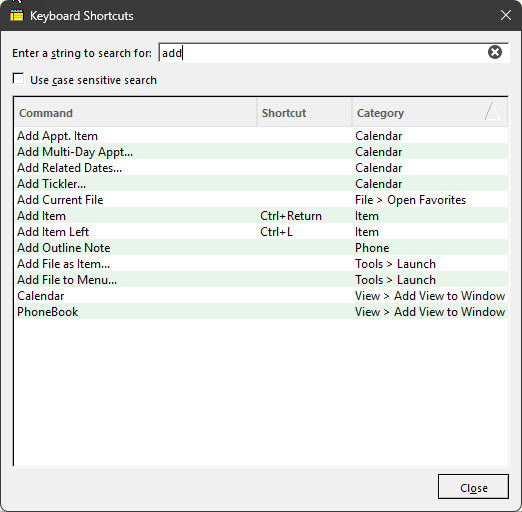
Stumped or do not know what to search for? There’s a Keyboard Shortcut finder with category-based matching.
Notepad System
StoryServer’s notepad tabs provide multiple workspaces within a single file:
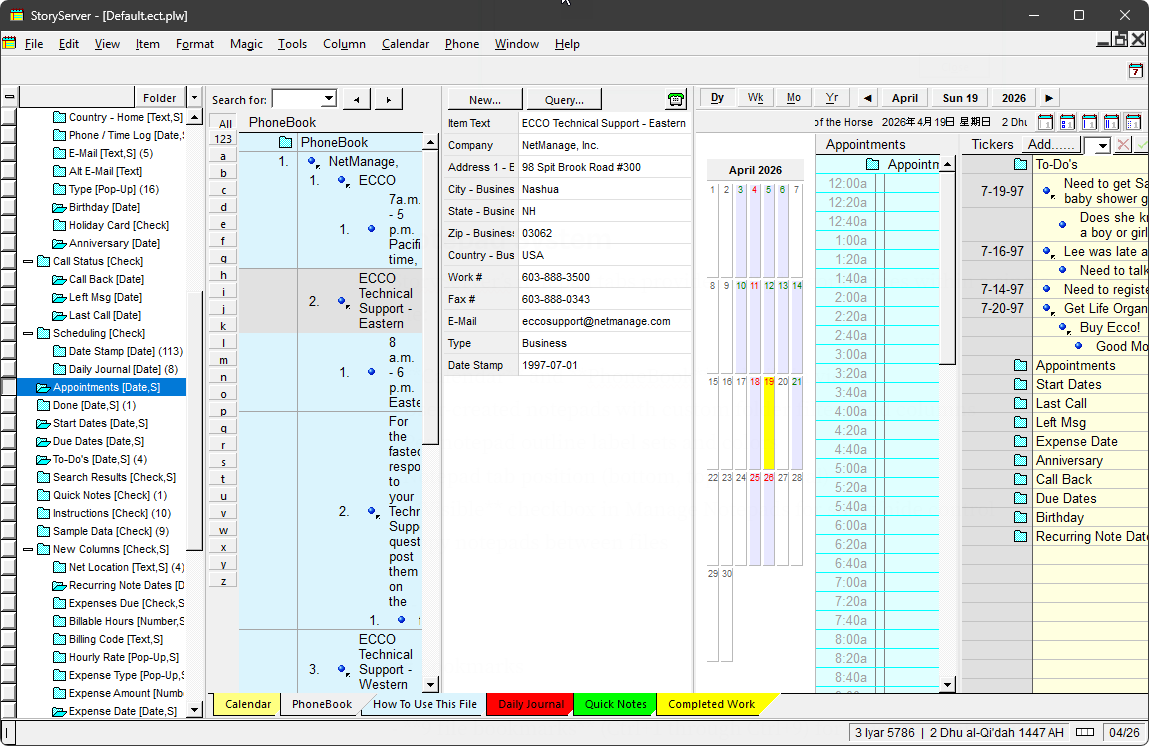
Phonebook and Calendar View
Platform & Localization
StoryServer works on both Windows and native Arm Apple MacOS application, with full unicode support - Right-to-left support (Hebrew, Arabic), Unicode throughout (CJK, Arabic, Cyrillic, Greek) and supports portable mode (INI next to executable, no registry).
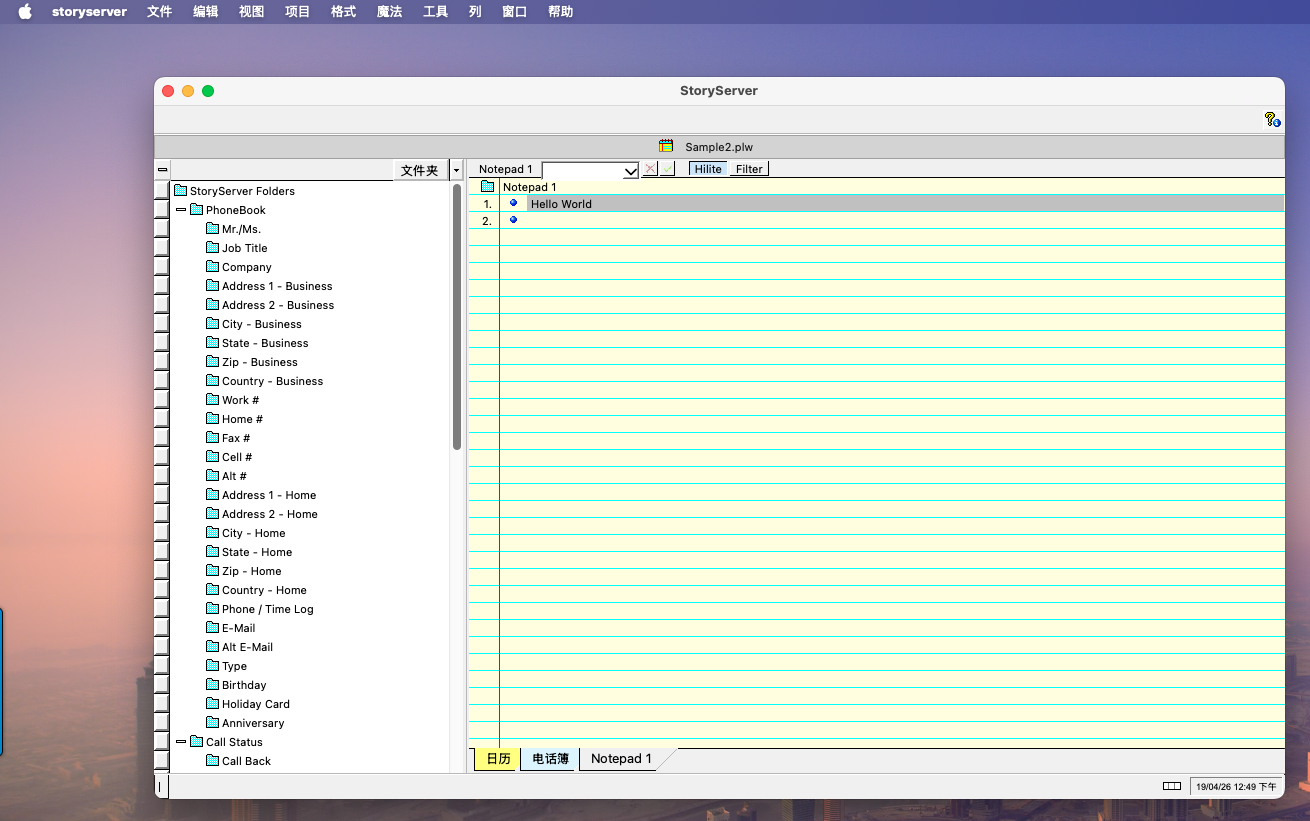
StoryServer — OSX early version.
I welcome your views. Please use the comment box below.
메타데이터
- post_id
- fcfab8d50b32
- slug
- storyserver-2-0-fcfab8d50b32
- url
- https://medium.com/@polywickstudio/storyserver-2-0-fcfab8d50b32
- canonical_url
- https://medium.com/@polywickstudio/storyserver-2-0-fcfab8d50b32
- author_url
- https://medium.com/@polywickstudio
- status
- ok
- fetched_at
- 2026-07-11 03:47:11