Never Lose Your Screenshots Again — Organize Them Easily with Pixtel
Introduction
Never Lose Your Screenshots Again — Organize Them Easily with Pixtel
Introduction
We capture screenshots every day. Sometimes it’s a bug report, an important piece of information, a screen recording, or an image that we want to refer to later.
But after a few days, finding that one file can become a real headache.
“Where did I save it?” “Was it captured last week?” “Did I bookmark it?”
If this sounds familiar, Pixtel has got you covered.
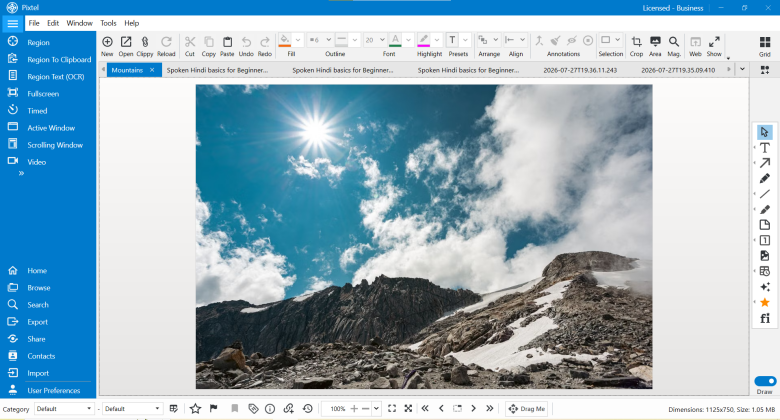
Pixtel doesn’t just help you capture screenshots — it helps you organize and find them quickly whenever you need them. Whether it’s an image, audio recording, video, or screenshot, everything can be managed easily.
Capture Your Files with Pixtel
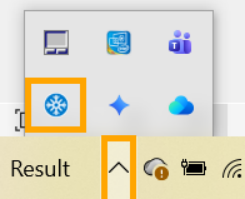
Using Pixtel, you can capture:
- Screenshots
- Images
- Screen recordings
- Audio recordings
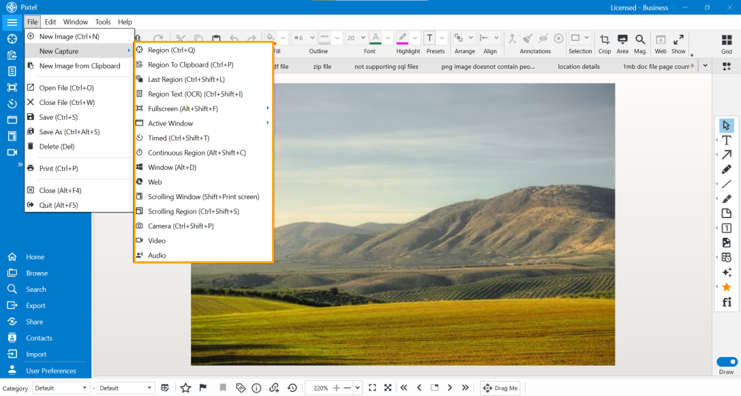
Once captured, you can organize them from status bar.
Mark Your Important Files
Found an important screenshot? You don’t have to remember its name anymore.
Pixtel lets you:
- Add Ratings
- Add Flags
- Bookmark files
You can simply rate your important files using stars, flag files that need your attention, or bookmark files that you access frequently from the status bar.

This makes managing your captures much easier.
Search Your Files in Seconds
Pixtel’s search feature makes finding your files incredibly simple.
You can search files based on:
- Duration
- Categories and Subcategories
- Tags
- File Name
- File Size
- File ID
- Ratings
- Flags
- Bookmarks

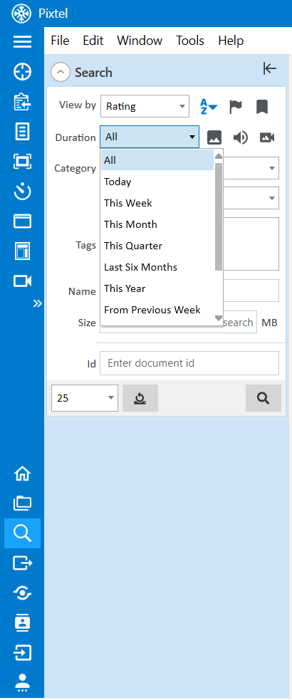
Search by Duration
Don’t remember the file name? That’s okay.
You can search files captured:
- Today
- This Week
- This Month
- This Quarter
- Last Six Months
- This Year
- Previous Week
- Previous Month
- Previous Quarter
- Previous Year
Just select the duration and Pixtel will do the rest.
Filter by File Type
Looking for a screen recording instead of an image?
Pixtel allows you to filter your search results by file type.
You can quickly view:
- Images
- Audio files
- Video files

Search Using Ratings, Flags, and Bookmarks
This is one of the easiest ways to organize your captures.
For example:
- Rated all your important screenshots with 5 stars? Search them instantly.
- Flagged files that need review? Find them in seconds.
- Bookmarked your frequently used files? Access them anytime.

Search Using File Details
You can also search files using:
- Name
- Size
- ID

View Detailed File Information
Need more information about a file?
Pixtel provides detailed file information, including:
- File Name
- Application Name
- URL
- Created Date
- Modified Date
- File Size
- Resolution
- Dimensions
- Annotation Details
- And more!

Keep Your Files Organized with Pixtel
With Pixtel, organizing your files is simple and efficient.
You can:
- Capture files easily.
- Mark important files.
- Organize them using ratings, flags, and bookmarks.
- Search files using multiple filters.
- View detailed file information.
- Find your captures whenever you need them.

No more wasting time searching through endless folders and screenshots.
Conclusion
Capturing screenshots is easy. Finding them later shouldn’t be difficult.
Pixtel gives you everything you need to organize and search your screenshots, images, videos, and audio files in one place.
The next time you capture something important, don’t just save it — organize it with Pixtel and find it in seconds whenever you need it.
Call-to-Action
Capture once and use it forever. It isn’t just a tool — it’s Pixtel.
메타데이터
- post_id
- 00264b3f8ca7
- slug
- never-lose-your-screenshots-again-organize-them-easily-with-pixtel-00264b3f8ca7
- url
- https://medium.com/@pixtelmarketing2/never-lose-your-screenshots-again-organize-them-easily-with-pixtel-00264b3f8ca7
- canonical_url
- https://medium.com/@pixtelmarketing2/never-lose-your-screenshots-again-organize-them-easily-with-pixtel-00264b3f8ca7
- author_url
- https://medium.com/@pixtelmarketing2
- status
- ok
- fetched_at
- 2026-07-24 04:20:45