🎥 Building a Sticky Mini Player in React Native: Lessons from a 4-Second Delay
One of my favorite video experiences in modern applications is the sticky mini player.
🎥 Building a Sticky Mini Player in React Native: Lessons from a 4-Second Delay
One of my favorite video experiences in modern applications is the sticky mini player.
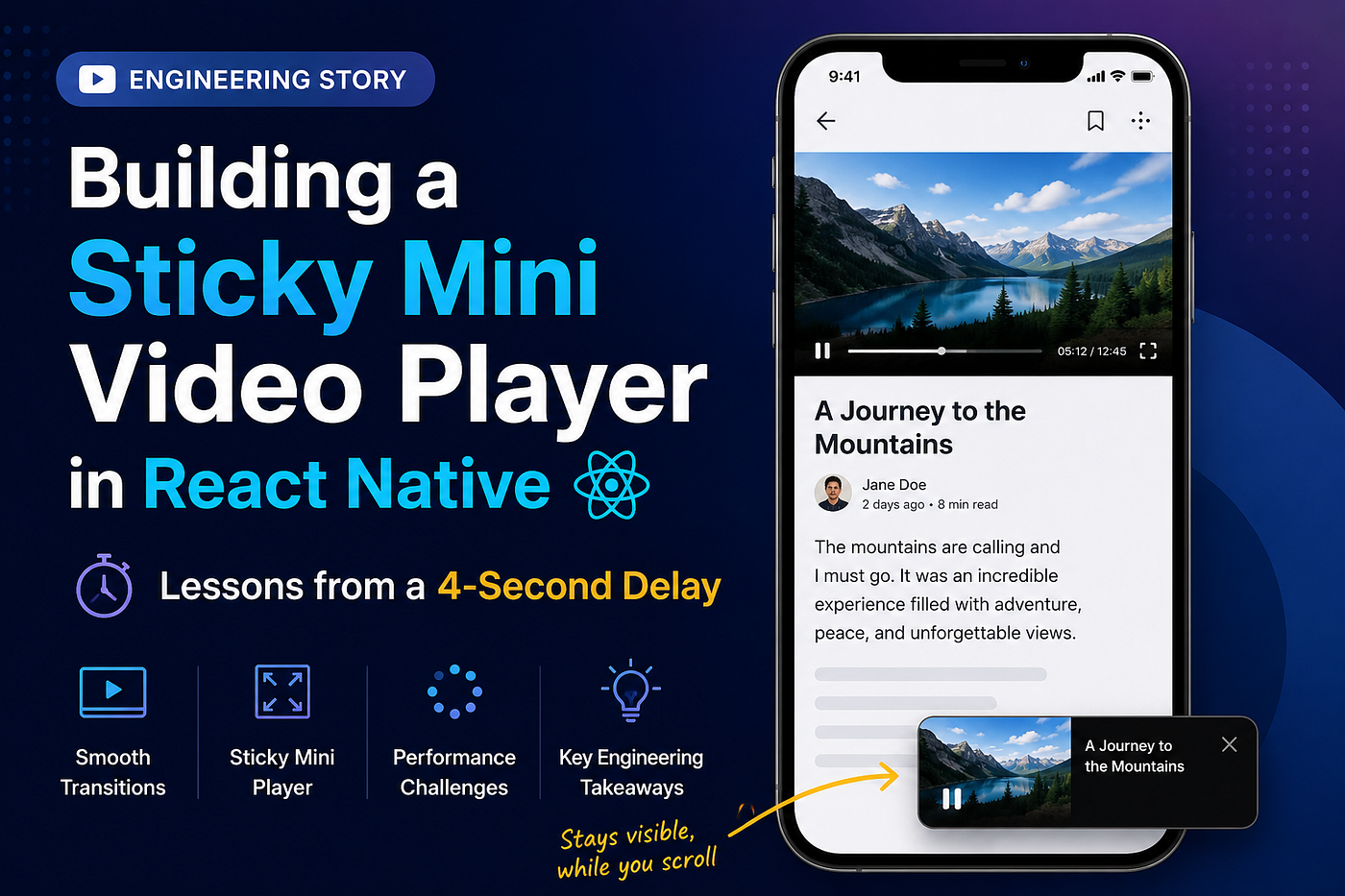
As you scroll down the page, the video doesn’t disappear. Instead, it shrinks into a mini player that sticks to the bottom-right corner of the screen, allowing you to continue watching while browsing the rest of the content.
It’s such a smooth experience that most users never think about how much engineering goes into making it work.
While working on a React Native application, we wanted to provide the same experience.
There was just one problem.
Our custom video player didn’t support a sticky mini player out of the box.
So, we decided to build one ourselves.
The feature worked, but during development we ran into an unexpected challenge that taught me one of the most valuable lessons in software engineering:
💡 Not every performance problem has a perfect solution. Sometimes the biggest achievement is understanding why the limitation exists.
🎯 The Goal
The idea was simple.
When the user was watching a video and started scrolling down the page, the video player should automatically shrink into a mini player and stick to the bottom-right corner of the screen.
This would allow users to continue watching the video while reading the rest of the page.
When the user scrolled back to the top, the mini player should disappear and the original inline video player should take over again.
From the user’s perspective, it should feel like one continuous video experience, regardless of where they were on the page.
🚀 Building the Sticky Player
Since our video SDK didn’t provide this functionality, we had to build it ourselves.
The high-level flow looked like this:
User scrolls past the video
          │
          ▼
Save current playback position
          │
          ▼
Hide inline player
          │
          ▼
Create sticky mini player
          │
          ▼
Load the same video
          │
          ▼
Seek to previous playback position
          │
          ▼
Resume playback
Likewise, when the user scrolled back to the top, the process happened in reverse.
Functionally, everything worked.
The video resumed from exactly where the user left off.
The sticky player appeared exactly when it should.
The inline player returned at the right time.
Everything looked perfect.
Until we noticed one issue.
⏳ The 4-Second Delay
Every time the player switched between the inline player and the sticky mini player, the video paused for around 4 seconds before resuming.
Four seconds might not sound like much.
But during video playback, it feels surprisingly long.
Users expect the transition to feel almost instant.
Instead, they would briefly see a loading state before playback continued.
That wasn’t the experience we wanted.
🔍 Investigating the Problem
Like most developers, my first instinct was to assume the problem was in our implementation.
Maybe React Native was re-rendering too much.
Maybe our state management wasn’t efficient.
Maybe we were accidentally making unnecessary network requests.
To understand what was actually happening, I started logging every stage of the transition.
- 📌 Player initialization
- 📌 Video loading
- 📌 Buffering
- 📌 Playback state changes
- 📌 Seek completion
- 📌 Playback resumed
I also experimented with different approaches, hoping to make the transition smoother.
The more I investigated, the clearer the picture became.
The issue wasn’t caused by React Native.
It wasn’t caused by unnecessary re-renders.
It wasn’t caused by our state management.
The real bottleneck was somewhere else.
🧩 Understanding the Root Cause
The sticky mini player and the inline player were two different player instances.
Whenever the user scrolled, the existing player couldn’t simply transform into the sticky player.
Instead, the SDK had to:
- 🎬 Create a new player instance.
- 📥 Load the video again.
- ⏳ Buffer enough data.
- ⏩ Seek to the previously saved playback position.
- ▶️ Resume playback.
Although users continued watching from the same timestamp, the SDK treated it as an entirely new playback session.
And that’s where the delay came from.
🤔 Chasing an Optimization That Didn’t Exist
I spent quite a bit of time trying to reduce those four seconds.
I explored different implementation approaches, experimented with player state, and tried to identify anything that could be optimized.
Eventually, I realized something important.
The delay wasn’t caused by React Native.
It wasn’t caused by our implementation.
It came from how the underlying video player SDK managed player instances.
Since the SDK recreated the player every time we switched between the inline player and the sticky player, loading and buffering were unavoidable.
After exploring multiple approaches, I couldn’t find a way to eliminate that delay entirely.
At first, that felt frustrating.
Later, I realized it was one of the most valuable lessons from the project.
📚 What This Project Taught Me
This feature taught me much more than how to build a sticky video player.
✅ Measure before optimizing.
I initially assumed I knew where the bottleneck was.
The logs proved otherwise.
✅ Understand the tools you’re building on.
Sometimes the biggest performance limitations don’t come from your application code.
They come from the SDKs and platforms you’re integrating with.
✅ A working feature doesn’t always mean a perfect feature.
The sticky player delivered exactly what users needed.
Even though the transition involved a short loading delay, it was still a meaningful improvement to the overall user experience.
✅ Some engineering problems don’t have a perfect solution.
One of the hardest lessons as a developer is accepting that not every limitation can be solved with better code.
Sometimes understanding the limitation is the real solution.
💭 Final Thoughts
Building this sticky mini player was one of the most rewarding features I’ve worked on.
It challenged me to think beyond UI implementation and dive deeper into player lifecycle, SDK behavior, and performance analysis.
Although I couldn’t completely eliminate the transition delay, the experience changed the way I approach debugging.
Now, before trying to optimize anything, I first ask myself:
“Is this really my code — or is this a limitation of the platform I’m building on?”
That single question has already saved me countless hours on later projects.
💬 Have You Faced Something Similar?
Have you ever spent hours — or even days — trying to optimize a feature, only to discover the real limitation was the SDK or platform itself?
I’d love to hear your experience.
And if you’ve built a sticky mini player in React Native using a different approach, I’d be genuinely interested in learning how you tackled it.
메타데이터
- post_id
- 010ef1de647e
- slug
- building-a-youtube-style-sticky-mini-player-in-react-native-lessons-from-a-4-second-delay-010ef1de647e
- url
- https://medium.com/@SejalSrivastava/building-a-youtube-style-sticky-mini-player-in-react-native-lessons-from-a-4-second-delay-010ef1de647e
- canonical_url
- https://medium.com/@SejalSrivastava/building-a-youtube-style-sticky-mini-player-in-react-native-lessons-from-a-4-second-delay-010ef1de647e
- author_url
- https://medium.com/@SejalSrivastava
- status
- ok
- fetched_at
- 2026-07-28 20:20:15




