How AI became part of my UX design workflow
And what it looked like to work on a design team that intentionally experimented with AI for several months
How AI became part of my UX design workflow
And what it looked like to work on a design team that intentionally experimented with AI for several months
It’s been a while since I posted here. I was honestly getting a little tired of the “AI is replacing designers” or “the design process is dead” headlines.
When I opened Medium to write this article, I found a draft I’d started back in 2023 about how I was using ChatGPT in my day-to-day as a product designer. I never published it. Looking back, I think I was afraid of how the UX community would react, so I eventually gave up on it.

Draft of an article I started in 2023 (in Portuguese) about using ChatGPT in my day-to-day as a product designer. I never published it.
Finding that draft reminded me how much my workflow has changed since then. So, here’s my second attempt at writing this article. If you’re reading this… I finally hit Publish. 😅
This article isn’t about the “right” way to use AI. It’s simply a summary of what became part of my workflow over the past few months while working at Cobalt, a B2B cybersecurity company. Some things worked really well. Others, not so much, and we had to adapt.
Please keep in mind that this is just a snapshot of my workflow as of July 2026. Things are evolving so fast that this article will probably be outdated in a few months.

A quick overview of how our design process evolved in less than a year at Cobalt. Diagram by Keith Heustis, our UX Team Lead.
Learning a new domain, research and concepts
✅ Tools I’m using:
When I joined Cobalt, cybersecurity was a completely new domain for me. As you can imagine, a cybersecurity product is full of data and technical concepts. I was eager to learn, but definitely outside of my comfort zone.
[embed]
NotebookLM became part of my onboarding. Our team had uploaded documentation about ongoing and upcoming projects, and instead of reading everything linearly, I’d ask follow-up questions, generate visual maps, summarize concepts, and even create podcasts.
At some point, I customized the prompt so the hosts would explain everything as if they were talking to a UX designer. It was actually pretty good.

Screenshot of my NotebookLM with some internal project documentation shared with me (blurred for confidentiality).
I also found myself asking Claude or Gemini many of the questions I would’ve normally asked a teammate first. Not because I wanted to avoid talking to people, but because I’d rather spend our time discussing things I couldn’t figure out on my own.
NotebookLM also became part of our research workflow. We’d use it to summarize insights, find supporting quotes, and compare interviews. I also found myself going back to transcripts from user interviews and stakeholder conversations in Google Docs and using Gemini to ask follow-up questions.

Transcript from a project discussion in Google Meet, with the built-in Gemini chat used to ask follow-up questions.
It made it much easier to revisit a conversation without rereading the entire transcript or relying on other tools.
Understanding the logic of the product
✅ Tools I'm using:
- Claude Code (desktop app)
Once our design team got access to the company’s GitHub repository, I started asking Claude Code questions I would’ve otherwise asked an engineer or tech lead (or answered myself by digging through dozens of files.)
For example, I'd ask:
How do we show users they don’t have access to a pentest? Where else is this permission checked? Is this pattern used anywhere else?

ASCII art generated to help visualize part of the product’s logic.
Instead of giving me code I didn’t understand, Claude would usually explain the logic in plain English and point me to the relevant files.
I’d then validate my understanding with engineering before making design decisions.
I don’t remember a time when Claude sent me in the wrong direction, but I still treated it as a starting point, not the source of truth.
Exploring the problem before designing
✅ Tools I’m using:
One thing that became part of my workflow was talking through the problem with Claude before designing. In some complex project I'd ask it to create visuals, like diagrams, ASCII art or simple visual representations of workflows.

Visual representation of a complex workflow I was trying to explore alternatives before going to the UI
After sharing enough context and being really specific about the project, I'd ask things like:
What assumptions am I making? What edge cases am I ignoring? Is there another way to frame this problem? What questions would you ask before designing this?
Around that time, Chris introduced us to the BMAD Method. It’s an open-source framework that organizes AI into a structured workflow with more than 12 specialized agents, each with a different role (e.g. UX, Product Manager, Architect, etc). I only used the agents themselves, without following the structured workflow. Depending on what I was working on I'd call the UX agent or a PM agent.

Example of a conversation with Sally, the UX Designer agent from the BMAD Method.
Many times, this gave me different perspectives on complex projects, which I would then bring back to the team so we could discuss them further if anything was still unclear.
Prototyping earlier
✅ Tools I’m using:
🗃 Tools I tested:
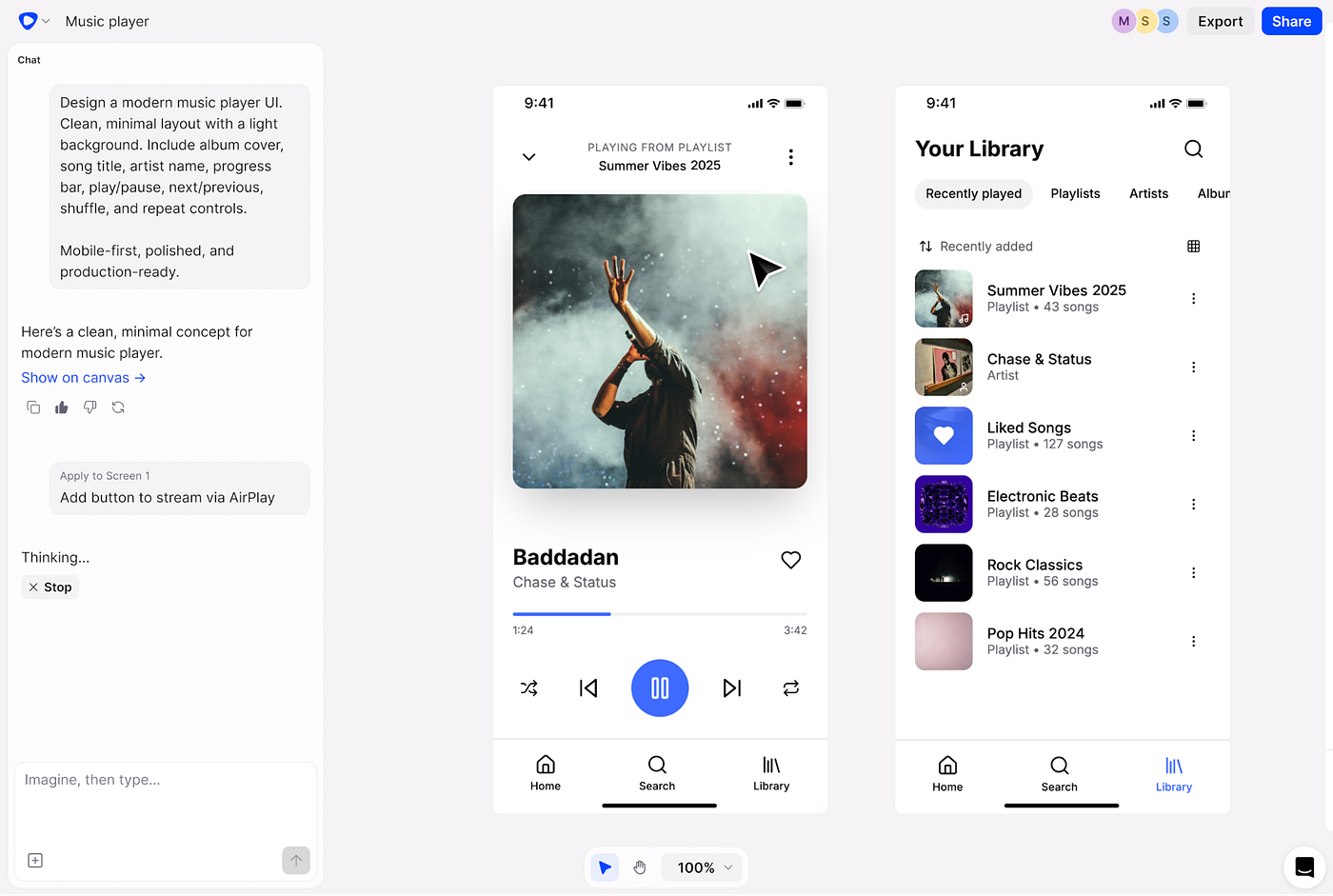
Instead of creating static wireframes, we started generating clickable prototypes much earlier in the process.
These weren’t polished prototypes. They were realistic enough to validate ideas, explore different directions, and have better conversations with stakeholders and users.
Using tools like Claude Code, Subframe, or AI Studio saved us hours of repetitive work and made it much easier to explore multiple variations instead of committing too early to the first idea.
It is never just “one prompt and done.” There is a lot of back-and-forth. I’d refine prompts, edit the UI, question the interactions, and sometimes start over completely.
I feel less like someone drawing every screen manually and more like someone directing the experience while AI handled part of the execution.
And creating those prototypes became especially useful whenever requirements were still fuzzy. Instead of discussing abstract ideas, we’d turn assumptions into something visible that the team could react to.
Many times those prototypes exposed missing requirements, questionable assumptions, or gaps in the workflow long before engineering started building the feature.
Teaching AI our design system
Resources that helped me:
- 2 prompts I shared at the end of this article
One challenge we kept running into was that AI-generated interfaces didn't match our product. The interactions were interesting, but the UI ignored our design system.
So I started experimenting with a DESIGN.md file. I used the company’s GitHub repository together with Claude Code to generate an initial version, based on our existing components and design patterns.
From there, it became an iterative process. I’d test it, see where it failed, refine the instructions, and try again.
Looking back at my Slack conversations with Cristian I could see my frustrated process while trying to make it work. 😅

A slack conversation with Cristian while I was trying (and failing) to make the same workflow work consistently across different models.
I even used a prompt (shared at the end of this article) to evaluate the quality of the DESIGN.md itself, scoring things like design system accuracy and consistency, and kept refining it based on those results.


Screenshots of my documentation around the results of evaluating our DESIGN.md
Eventually, the prototype became much closer to our actual product. They still weren’t production-ready, but they were realistic enough for concept exploration, and design discussions.

Sneak peek at part of our DESIGN.md.
What didn’t work
Creating the DESIGN.md worked well. Using it every day didn’t.
Every time I loaded it into Claude Code, it took several minutes to process and I burned through credits surprisingly fast. I also experimented with Antigravity, but the results weren’t as good.

Slack thread where I shared the limitations with the team while trying to make this workflow practical.
There were other limitations too.
Remember how I said we’d use these prototypes to get feedback from stakeholders?
Claude Code didn’t have an easy way to share prototypes or collect comments asynchronously. AI Studio at least generated a shareable link, but it still wasn’t enough when people wanted to leave contextual feedback directly on the designs.
Most of the time, we’d end up taking screenshots, moving everything into Figma, and collecting comments there.
It worked, but it was time consuming and there was a lot of back and forth between tools.
The missing piece: design and code
By this point, we were already using AI throughout research, concepting and prototyping. But we still hadn’t found a workflow that combined design system adherence, collaboration, and implementation.
Our prototypes were much closer to the real product, but getting feedback still meant screenshots, Figma files, comments, and jumping back into AI to make changes.
We were also experimenting with several AI tools in parallel. Some looked impressive during demos (Builder.io, Figma Make, Stitch), but once we started using them in real projects, we usually ran into some limitation.
Around that time, my husband casually mentioned a tool called Subframe during one of our conversations. I gave it a try, it blew my mind, and I shared it with the team.
Subframe is an AI-native design tool that reminded me of Figma, especially because of the canvas. But what caught our attention was that the generated UI stayed constrained to a design system, which made the results much closer to our product.
None of us had heard about it before, but we were all impressed by it and naturally kept using it.
(If you’re curious, I’d recommend trying it yourself or watching this video. I’m not affiliated with them. I just genuinely enjoyed using it.)
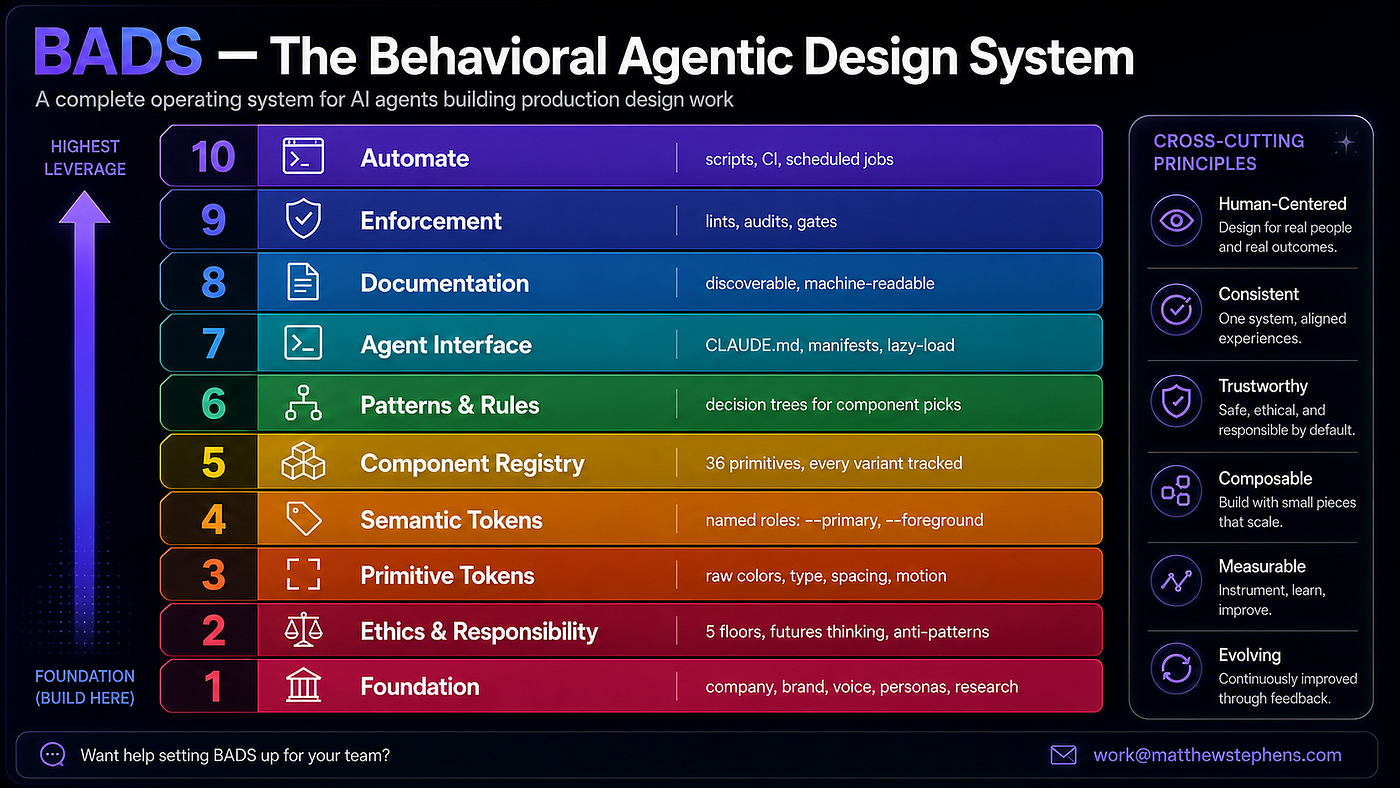
Around the same time, our UX team was already working on something much bigger: design a new design language for the product and rebuild our design system from scratch. It was also a good opportunity to rethink it for this new AI workflow too, where agents are often the ones reading components.
So instead of rebuilding it in Figma, we started building it in Subframe. Their AI makes helped in this process as well.
Then Keith, our UX Team Lead (and not a developer), opened the first pull request using UI built entirely in Subframe. That was really exciting.

We still had visual interface to design, and we also had the last layer of our workflow: design and code.
We were still in a transition between using our previous design system in Figma and the one in Subframe, but we knew it would be temporary.

Representation of the final layer of our design workflow, created by Keith.
Experimentation as part of the workflow
What made this workflow sustainable wasn’t just access to new tools, but having a team process around experimentation.
We had frequent conversations about what we were testing. Keith encouraged us to share what we were trying, whether it was a new prompt, workflow, tool, Claude Skill, or something that didn’t work as expected. We had recurring meetings, some with engineering, where we would help each other, share experiments and learnings.
Some experiments even became Jira tickets, which helped us treat exploration as part of the workflow instead of something we did only when we had extra time.

Jira ticket around some experimentations with Claude Code
I know everyone on the team had their own way of exploring, and I’m sure this workflow will look different a few months from now. The tools are changing too quickly for any specific setup to stay the same.
Looking back, those are the moments where I usually reach for AI: when I’m trying to understand something unfamiliar, think through an idea, explore different directions before committing to one, and quickly turn ideas and workflows into something visual that I can discuss and refine.
One thing I’ll take from this experience is that design handoffs can be much simpler when we prototype in tools that generate code. It gives us more ownership over what we design and brings design much closer to implementation.
Some big thank yous

One of my favorite memories from Cobalt: our UX Design team together during an offsite in Atlanta ❤️ From left to right: Cristian (Paraguay), Keith (USA), me (Brazil), and Chris (USA). (Turns out everyone was much taller than I expected 😄)
Keith, our UX Lead, intentionally created space for us to learn and experiment with AI. He partnered with our CTO, advocated for tools we could actually use, and encouraged us to share what was working (and what wasn’t).
Chris, Staff UX Designer, introduced us to the BMAD Method. It changed how I approached AI for documentation and planning, making it feel much more like collaborating with teammates than chatting with a single assistant.
Cristian, Senior UX Designer, introduced us to Impeccable, a collection of design skills and prompts that became part of some of my experiments.
Gerald, Senior Engineering Manager, patiently helped us validate tools, set up GitHub access, and somehow survived all of our complaints about the UX of terminals. 😅
And finally, thank you to Cali, my partner. He casually mentioned Subframe during one of our conversations, and that recommendation ended up becoming one of the tools our team used.
It felt great to be surrounded by people who were curious enough to keep experimenting and sharing.
Designers I follow for AI and design:
- **AI Goodies **(from the former Lead Designer for AI at Miro): I started following her after watching this interview. I like how she talks about this AI era in a more grounded way.
- Tina Huang (former Data Scientist at Meta): I really like that she learns in public and shares detailed videos of her AI experiments.
- **Pablo Stanley **(current staff product designer at Vercel, v0) I’ve been following him since he worked at Invision. These days he mostly shares his journey with AI, building products, and agents. I like how open and vulnerable he is about the process.
- **Xinran Ma** he writes very practical articles comparing AI tools and documenting what she learns while testing them.
Other resources
Prompt to create DESIGN.md based on repos:
I need you to check this out: https://github.com/VoltAgent/awesome-design-md Understand the patterns of an effective design.md file, and based on {repo-x} real use cases of components, and on {repo-y} , create a design.md that can be used for developers and designers when designing and developing a page, so it matches our patterns and follow ux best practices
Prompt for evaluating DESIGN.md
Act as a Senior Design Systems Engineer and UI Automator. I will provide you with a DESIGN.md file that describes my Design System. Your goal is to evaluate if this document contains enough technical rigor for an LLM to generate pixel-perfect UI code without any additional reference files. Please analyze the document based on the following Critical Success Criteria: Token Definition: Does it define specific values (hex codes, rem/px, border-radius) for all UI states, or does it use vague terms like ‘rounded’ or ‘light blue’? Layout & Grid Logic: Does it specify the box model (padding, margins, gap values) and responsiveness (breakpoints, container max-widths)? Typography Scale: Are font sizes, line-heights, and letter-spacing explicitly mapped to hierarchy (H1, Body, Caption)? Component Anatomy: For complex elements (Inputs, Cards, Buttons), does it describe internal spacing and the relationship between child elements? Interaction States: Does it cover Hover, Active, Disabled, and Focus states with specific token changes? Accessibility (a11y): Does it define contrast ratios or ARIA requirements? Output Format: Score (0–10): How ‘Pixel-Perfect Ready’ is this document? Gap Analysis: List exactly what is missing or too vague to be coded accurately. Actionable Recommendations: Provide snippets of how to rewrite the weakest sections to ensure zero ambiguity.
Pay special attention to Tags, Pills, Table, Cards and other components.
Evaluate if the document defines: Internal Padding (horizontal vs vertical) for small components. Icon-to-text gap within Pills. Border-radius strategy (Fixed px vs. Full-rounded/Pill shape). Card Anatomy: specific spacing between image, title, and action buttons.
메타데이터
- post_id
- 0146006acf45
- slug
- how-ai-became-part-of-my-ux-design-workflow-0146006acf45
- url
- https://medium.com/design-bootcamp/how-ai-became-part-of-my-ux-design-workflow-0146006acf45
- canonical_url
- https://medium.com/design-bootcamp/how-ai-became-part-of-my-ux-design-workflow-0146006acf45
- author_url
- https://medium.com/@laislara
- status
- ok
- fetched_at
- 2026-07-16 05:23:09