Swift: Running Terminal Command With Subprocess
Basic to advance! Running command using program name, path, adding arguments, setting environments, custom output handler, and more!
Swift: Running Terminal Command With Subprocess
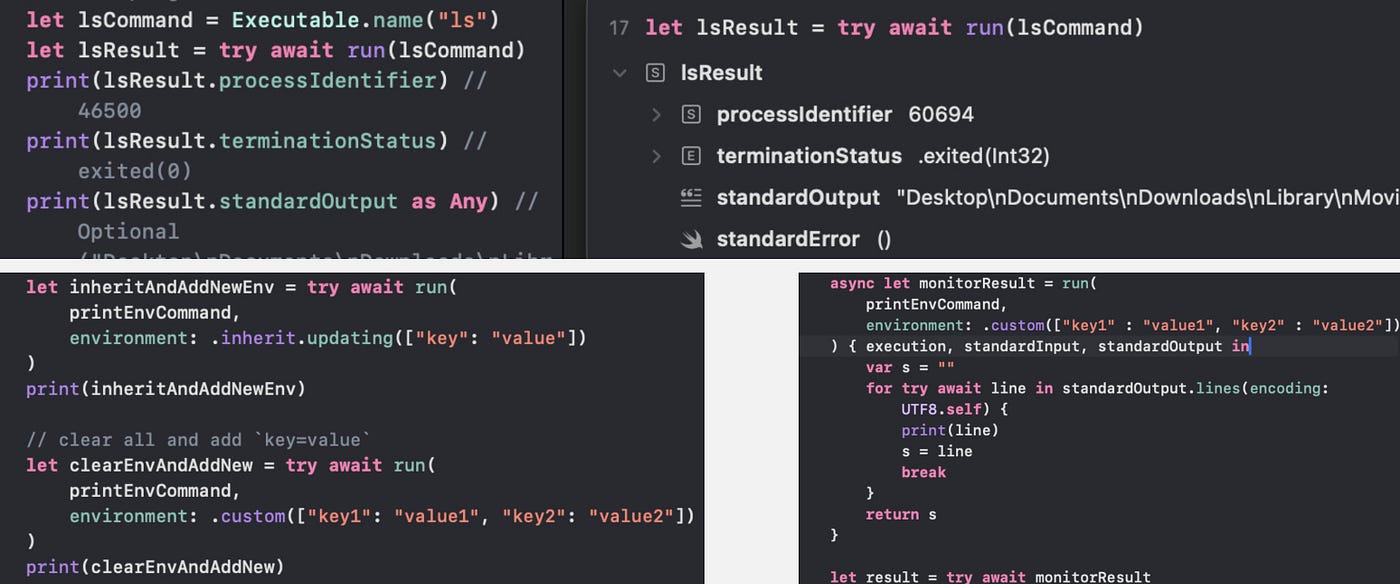
Here we go!
The Swift version of this ***Rust: Running Terminal Commands*** I have shared with you previously!
I know, running terminal command is just one of those super useful little things that we need regardless of what language we are using!
The NodeJs Child process, Rust Command, and here we go, Swift [Subprocess](https://github.com/swiftlang/swift-subprocess)!
We will going from basic to advance! Running command using program name, path, adding arguments, setting environments, custom output handler, and more!
Set Up
Let’s first add the [Subprocess](https://github.com/swiftlang/swift-subprocess) package to our Package dependencies!
I know, this video from ***WWDC*** mentions nothing about adding it manually nor any of the other online articles, but if I don’t and I try to import Subprocess, I will just get an No such module ‘Subprocess’ error!

PS: If you are one of those writing those articles without sharing this step, and know what I am missing, would be more than happy to know! However, if you are just copy and pasting code from WWDC without even trying out yourself, or don’t want to share this important step, I am sorry, get out!
Basic
To run a command and get the output, it is as simple as call the [run](https://github.com/swiftlang/swift-subprocess/blob/main/Sources/Subprocess/API.swift#L33) function with an [Executable](https://github.com/swiftlang/swift-subprocess/blob/main/Sources/Subprocess/Configuration.swift#L192), and await for the [CollectedResult](https://github.com/swiftlang/swift-subprocess/blob/main/Sources/Subprocess/Result.swift#L37).
import Subprocess
import Playgrounds

#Playground {
    let lsCommand = Executable.name("ls")
    let result = try await run(lsCommand)
}
The [CollectedResult](https://github.com/swiftlang/swift-subprocess/blob/main/Sources/Subprocess/Result.swift#L37) contains
- a platform independent
ProcessIdentifierfor the subprocess. [TerminationStatus](https://github.com/swiftlang/swift-subprocess/blob/main/Sources/Subprocess/Configuration.swift#L452): An exit status of a subprocessstandardOutputwith the output of the commandstandardErrorif there is any error
print(result.processIdentifier) // 46500
print(result.terminationStatus) // exited(0)
print(result.standardOutput as Any) // Optional("Desktop\nDocuments\nDownloads\nLibrary\nMovies\nMusic\nPictures\nSystemData\ntmp\n")
print(result.standardError) // ()
A little note!
If you are like me running using the Playground macro within a project, the chances are the working directory, as you might realize from above, is that of the simulator, ie: /Users/<userName>/Library/Containers/<BundleId>/Data.
Default Configurations
Here are what the [run](https://github.com/swiftlang/swift-subprocess/blob/main/Sources/Subprocess/API.swift#L33) function has by default.
- No arguments are passed in
- Inherit the current process’s environment
- Inherit the current process’s working directory
- Doesn’t send any input to the child process’s standard input
- Captures the child process’s standard output as a
String, up to 128kB - Ignores the child process’s standard error
We will see how we can configure all of those shortly!
Run Program with Path
Above, we have created our Executable with name. This will have the Subprocess to use environment PATH to determine the full path to the executable.
We can also provide the full path by our self by using path instead.
To create a FilePath from a String literal, we will also need to import System.
import Subprocess
import System
import Playgrounds

#Playground {
    let printEnvCommand = Executable.path("/usr/bin/printenv")
    let printEnvResult = try await run(printEnvCommand)
}
Command Customization
To customize a command, we can either create a new [Configuration](https://github.com/swiftlang/swift-subprocess/blob/main/Sources/Subprocess/Configuration.swift#L34) object and call [run](https://github.com/swiftlang/swift-subprocess/blob/main/Sources/Subprocess/API.swift#L469) on it, or we can just pass in those parameters directly to the [run](https://github.com/swiftlang/swift-subprocess/blob/main/Sources/Subprocess/API.swift#L33) function.
Add Arguments
Let’s start with adding some arguments to our command here.
let lsResultWithArg = try await run(lsCommand, arguments: ["-a", "-t"])This is equivalent to the following.
let config: Configuration = .init(executable: lsCommand, arguments: ["-a", "-t"])
let lsResultWithArg = try await run(config)
Important!
One argument per Item!
That is we should NOT pass in our arguments as ["-a -t"].
Set Environment
By default the [Environment](https://github.com/swiftlang/swift-subprocess/blob/main/Sources/Subprocess/Configuration.swift#L354) is set to [inherit](https://github.com/swiftlang/swift-subprocess/blob/main/Sources/Subprocess/Configuration.swift#L370), inheriting the same environment values from the parent process.
If we want to add new environments while inheriting the current ones, we can call the [updating](https://github.com/swiftlang/swift-subprocess/blob/main/Sources/Subprocess/Configuration.swift#L374) function on an [Environment](https://github.com/swiftlang/swift-subprocess/blob/main/Sources/Subprocess/Configuration.swift#L354) object.
let inheritAndAddNewEnv = try await run(
    printEnvCommand,
    environment: .inherit.updating(["key": "value"])
)
This will inherit the environment values from parent process and add the new key=value to it. If the key: key already exists, the value of it will be override with value.
We can also clear all the existing ones to prevent inheriting any parent process environment variables and optionally add other custom ones using the [custom](https://github.com/swiftlang/swift-subprocess/blob/main/Sources/Subprocess/Configuration.swift#L378) function.
let clearEnvAndAddNew = try await run(
    printEnvCommand,
    environment: .custom(["key1": "value1", "key2": "value2"])
)
Unfortunately, I cannot find a way to actually remove a specific existing environment value, so I guess the best we can do is to set the key to some other value.
Set Working Directory
Setting the directory in which to run the executable is as simple as passing in the path to the workingDirectory parameter.
// set working directory
let setWorkingDirectory = try await run(
    .name("pwd"),
    workingDirectory: "/Users/"
)
Note that relative paths such as ~/Desktop doesn’t seem to be working!
Configure Stdin/Stdout/StdErr
As I have mentioned above, by default, the run function
- Doesn’t send any input to stdin
- Captures stdout as a
String, up to 128kB - Ignores any stderrr
You can customize this by setting the input, output, and error parameters.
let setInputOutputError = try await run(
    .name("cat"),
    input: .string("Hello", using: UTF8.self),
    output: .string,
    error: .string
)
Input Options:
none: no input is sent to the subprocessfileDescriptor(closeAfterSpawningProcess:): reads input from a specifiedFileDescriptor. IfcloseAfterSpawningProcessis set totrue, the subprocess will close the file descriptor after spawning. Iffalse, you are responsible for closing it, even if the subprocess fails to spawn.string(using:): reads input from a type conforming toStringProtocolusing the specified encoding.array: the name is a little misleading but this is actually for bytes! It reads input from an array ofUInt8.data: reads input from a givenDataand is only available withSubprocessFoundationtrait.sequence: reads input from a sequence ofDataand, again, is only available withSubprocessFoundationtrait.asyncSequence: reads input from an async sequence ofData.SubprocessFoundationtrait required.
Output/Error Options:
discarded: not collecting or redirect output from the child process. This is the default value forerror.fileDescriptor(closeAfterSpawningProcess:): writes output to a specifiedFileDescriptor.string: collects output as aString. Default value foroutput.bytes: collects output as[UInt8]. This time, the name is actually what it meant for!
A little note!
If you take a look at the *official GitHub page*, for the options above, for example, [DiscardedOutput](https://github.com/swiftlang/swift-subprocess/tree/main?tab=readme-ov-file#discardedoutput), it says, Use it by setting .discarded for input or error.

NOOOO!
You cannot use it on input! It should be output or error!
Custom Closure
If we want to manually control the running process over input and output, we can provide a custom body closure to the [run](https://github.com/swiftlang/swift-subprocess/blob/main/Sources/Subprocess/API.swift#L386) function.
body: ((Execution, StandardInputWriter, AsyncBufferSequence) async throws -> Result)As we can see, within the closure, we have access to the the subprocess’s state that we can use to suspend or terminate it, the standard Input writer that we can use to write to the stdin, and the AsyncBufferSequence to stream the stdout and stderr as an AsyncSequence.
There are also couple other variations of the body closure if you only need Execution, or Execution + AsyncBufferSequence but not the StandardInputWriter.
Also, We don’t have to return anything from closure, but by returning a value, we not only get to access it within the async sequence, but also on our main thread.
For example, let’s say we want to get the first environment variable and ONLY the first one, whatever it is.
async let monitorResult = run(
    printEnvCommand,
    environment: .custom(["key1" : "value1", "key2" : "value2"])
) { execution, standardOutput in
    var s = ""
    for try await line in standardOutput.lines(encoding: UTF8.self) {
        print(line)
        s = line
        break
    }
    return s
}

let result = try await monitorResult
print(result)
// ExecutionResult(
//   terminationStatus: exited(0),
//   value: key2=value2
// )
By using async let , we can also run multiple subprocesses in parallel by awaiting on all of those together!
If you want a little more details on parallel execution and the usage of async let, please can check out one of my pervious articles: ***Swift: Parallel Execution for Async Throws Functions.***
Code Snippet
That’s it for this article!
Here is a little code snippet if you want to give it a try yourself!
import Subprocess
import System

import Playgrounds

#Playground {
    // basic
    // with program name
    let lsCommand = Executable.name("ls")
    let lsResult = try await run(lsCommand)
    print(lsResult.processIdentifier) // 46500
    print(lsResult.terminationStatus) // exited(0)
    print(lsResult.standardOutput as Any) // Optional("Desktop\nDocuments\nDownloads\nLibrary\nMovies\nMusic\nPictures\nSystemData\ntmp\n")
    print(lsResult.standardError) // ()

    // with program path
    let printEnvCommand = Executable.path("/usr/bin/printenv")
    let printEnvResult = try await run(printEnvCommand)
    print(printEnvResult)

    // with Argument
    let lsResultWithArg = try await run(lsCommand, arguments: ["-a", "-t"])
    print(lsResultWithArg)
    // equivalent to above
    // let config: Configuration = .init(executable: lsCommand, arguments: ["-a", "-t"])
    // let lsResultWithArg = try await run(config)


    // set Environment
    // Inherit the environment values from parent process and add `key=value`
    let inheritAndAddNewEnv = try await run(
        printEnvCommand,
        environment: .inherit.updating(["key": "value"])
    )
    print(inheritAndAddNewEnv)

    // clear all and add `key=value`
    let clearEnvAndAddNew = try await run(
        printEnvCommand,
        environment: .custom(["key1": "value1", "key2": "value2"])
    )
    print(clearEnvAndAddNew)

    // set working directory
    let setWorkingDirectory = try await run(
        .name("pwd"),
        workingDirectory: "/Users/"
    )
    print(setWorkingDirectory)

    // customize input/output
    // By default, Subprocess:
    //
    // Doesn’t send any input to the child process’s standard input
    // Captures the child process’s standard output as a String, up to 128kB
    // Ignores the child process’s standard error
    let setInputOutputError = try await run(
        .name("cat"),
        input: .string("Hello", using: UTF8.self),
        output: .string,
        error: .string
    )
    print(setInputOutputError)


    //  custom closure for more control
    // example: only get the first env
    async let monitorResult = run(
        printEnvCommand,
        environment: .custom(["key1" : "value1", "key2" : "value2"])
    ) { execution, standardInput, standardOutput in

        var s = ""
        for try await line in standardOutput.lines(encoding: UTF8.self) {
            print(line)
            s = line
            break
        }
        return s
    }

    let result = try await monitorResult
    print(result)
    // ExecutionResult(
    //   terminationStatus: exited(0),
    //   value: key2=value2
    // )

}
Thank you for reading!
Happy sub-processing!
메타데이터
- post_id
- 0207c7c11fd2
- slug
- swift-running-terminal-command-with-subprocess-0207c7c11fd2
- url
- https://levelup.gitconnected.com/swift-running-terminal-command-with-subprocess-0207c7c11fd2
- canonical_url
- https://levelup.gitconnected.com/swift-running-terminal-command-with-subprocess-0207c7c11fd2
- author_url
- https://medium.com/@itsuki.enjoy
- status
- ok
- fetched_at
- 2026-06-24 04:09:36








