Real CKA Exam Question 12 of 17 Adding a Sidecar Container to an Existing Deployment
Introduction
Real CKA Exam Question 12 of 17 Adding a Sidecar Container to an Existing Deployment
Introduction
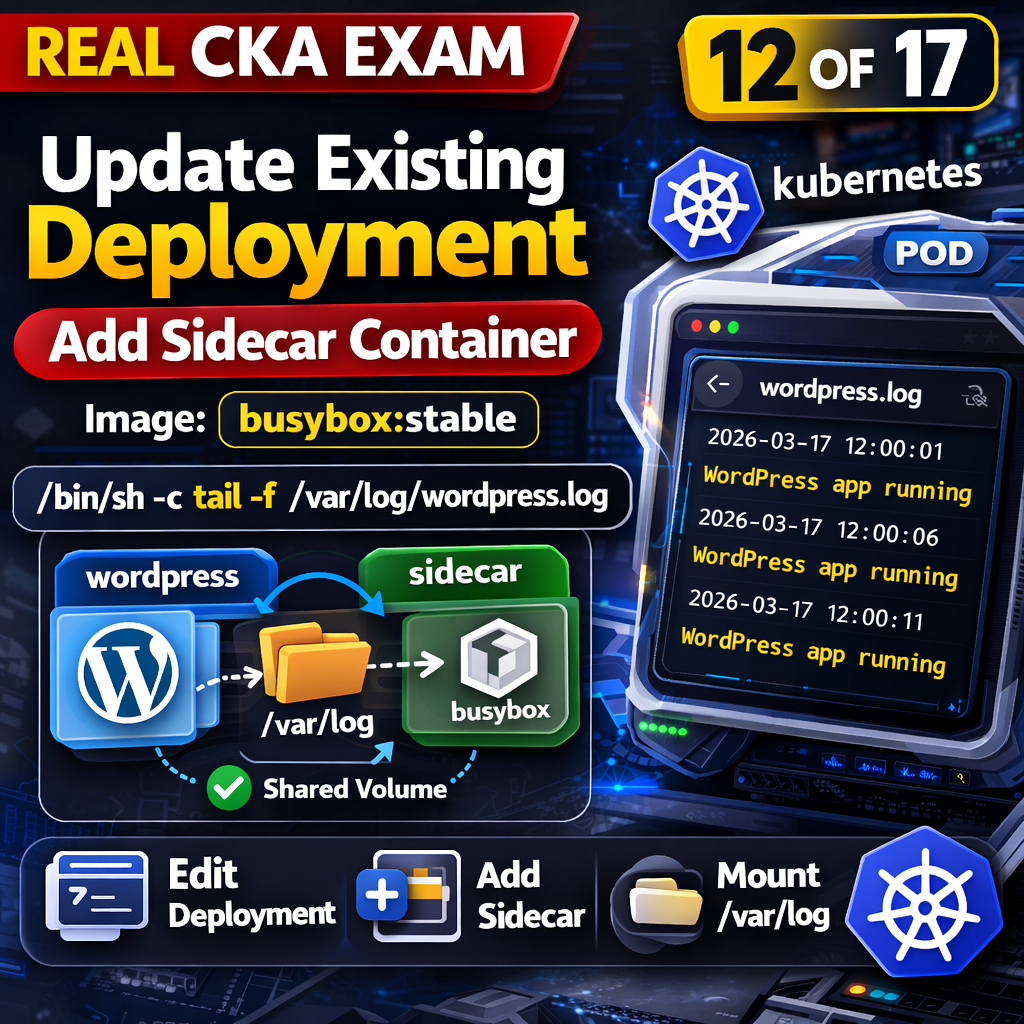
In Kubernetes, applications often need additional supporting functionality such as log processing, monitoring, or data synchronization. Instead of modifying the main application container, Kubernetes allows adding a sidecar container to the same pod. This sidecar runs alongside the main container and shares resources like volumes.
This task focuses on updating an existing deployment to include a sidecar container that reads logs from a shared volume.
You can also consider enrolling in the full course where I solve all 17 questions in detail:
https://www.udemy.com/course/cka-2026-latest-exam-17-real-exam-questions-with-solutions/
Previous Questions in the CKA Series
👉 Question 1 of 17 — Create a Horizontal Pod Autoscaler (HPA) Read the full article
👉 Question 2 of 17 — Install ArgoCD Using Helm Without Installing CRDs Read the full article here
Question
Update the existing deployment by adding a sidecar container using the image:
busybox:stableThe sidecar container must run the following command:
/bin/sh -c tail -f /var/log/wordpress.logUse a shared volume mounted at /var/log so that the file wordpress.log is accessible to both containers.
Solution
Deployment (Before Adding Sidecar)
apiVersion: apps/v1
kind: Deployment
metadata:
  name: wordpress-deploy
spec:
  replicas: 1
  selector:
    matchLabels:
      app: wordpress
  template:
    metadata:
      labels:
        app: wordpress
    spec:
      containers:
      - name: wordpress
        image: wordpress
Solution
Edit the existing deployment:
kubectl edit deployment wordpressUpdate the pod template to include:
spec:
  template:
    spec:
      containers:
      - name: main-container
        image: <existing-image>
        volumeMounts:
        - name: log-volume
          mountPath: /var/log
      - name: sidecar-container
        image: busybox:stable
        command: ["/bin/sh", "-c", "tail -f /var/log/wordpress.log"]
        volumeMounts:
        - name: log-volume
          mountPath: /var/log
      volumes:
      - name: log-volume
        emptyDir: {}
Save and exit.
Verify
kubectl get podsCheck pod containers:
kubectl get pod -l app=wordpress -o jsonpath='{.items[0].spec.containers[*].name}'Deployment (After Adding Sidecar)
apiVersion: apps/v1
kind: Deployment
metadata:
  name: wordpress-deploy
spec:
  replicas: 1
  selector:
    matchLabels:
      app: wordpress
  template:
    metadata:
      labels:
        app: wordpress
    spec:
      containers:
      - name: wordpress
        image: wordpress
        volumeMounts:
        - name: log-volume
          mountPath: /var/log
       - name: sidecar
        image: busybox:stable
        command: ["/bin/sh", "-c", "tail -f /var/log/wordpress.log"]
        volumeMounts:
        - name: log-volume
          mountPath: /var/log
      volumes:
      - name: log-volume
        emptyDir: {}
Check Logs from Sidecar
kubectl logs -l app=wordpress -c sidecarSample Logs Output
This is what you should actually see:
Mon Mar 17 12:00:01 UTC 2026 - WordPress app running
Mon Mar 17 12:00:06 UTC 2026 - WordPress app running
Mon Mar 17 12:00:11 UTC 2026 - WordPress app running
Mon Mar 17 12:00:16 UTC 2026 - WordPress app running
What’s Actually Happening
- Main container writes logs →
/var/log/wordpress.log - Volume (
emptyDir) stores the file - Sidecar container reads same file in real-time
Two containers. One file. Shared state.
Document for reference:
Conclusion
The deployment now includes a sidecar that continuously streams logs from a shared volume. The main container generates logs, and the sidecar consumes them in real time, demonstrating how multiple containers in a pod can cooperate without modifying each other.
And that’s the part most people miss: sidecars are not magic — they’re just co-located processes sharing storage and lifecycle.
메타데이터
- post_id
- 0271cde5710d
- slug
- real-cka-exam-question-12-of-17-adding-a-sidecar-container-to-an-existing-deployment-0271cde5710d
- url
- https://medium.com/@tradingcontentdrive/real-cka-exam-question-12-of-17-adding-a-sidecar-container-to-an-existing-deployment-0271cde5710d
- canonical_url
- https://medium.com/@tradingcontentdrive/real-cka-exam-question-12-of-17-adding-a-sidecar-container-to-an-existing-deployment-0271cde5710d
- author_url
- https://medium.com/@tradingcontentdrive
- status
- ok
- fetched_at
- 2026-06-22 05:41:33