Modern Rust Tooling That Boosted My Productivity as an Experienced Developer
Insights from Cargo, Clippy, Rust Analyzer, and benchmarking workflows
Modern Rust Tooling That Boosted My Productivity as an Experienced Developer
Insights from Cargo, Clippy, Rust Analyzer, and benchmarking workflows
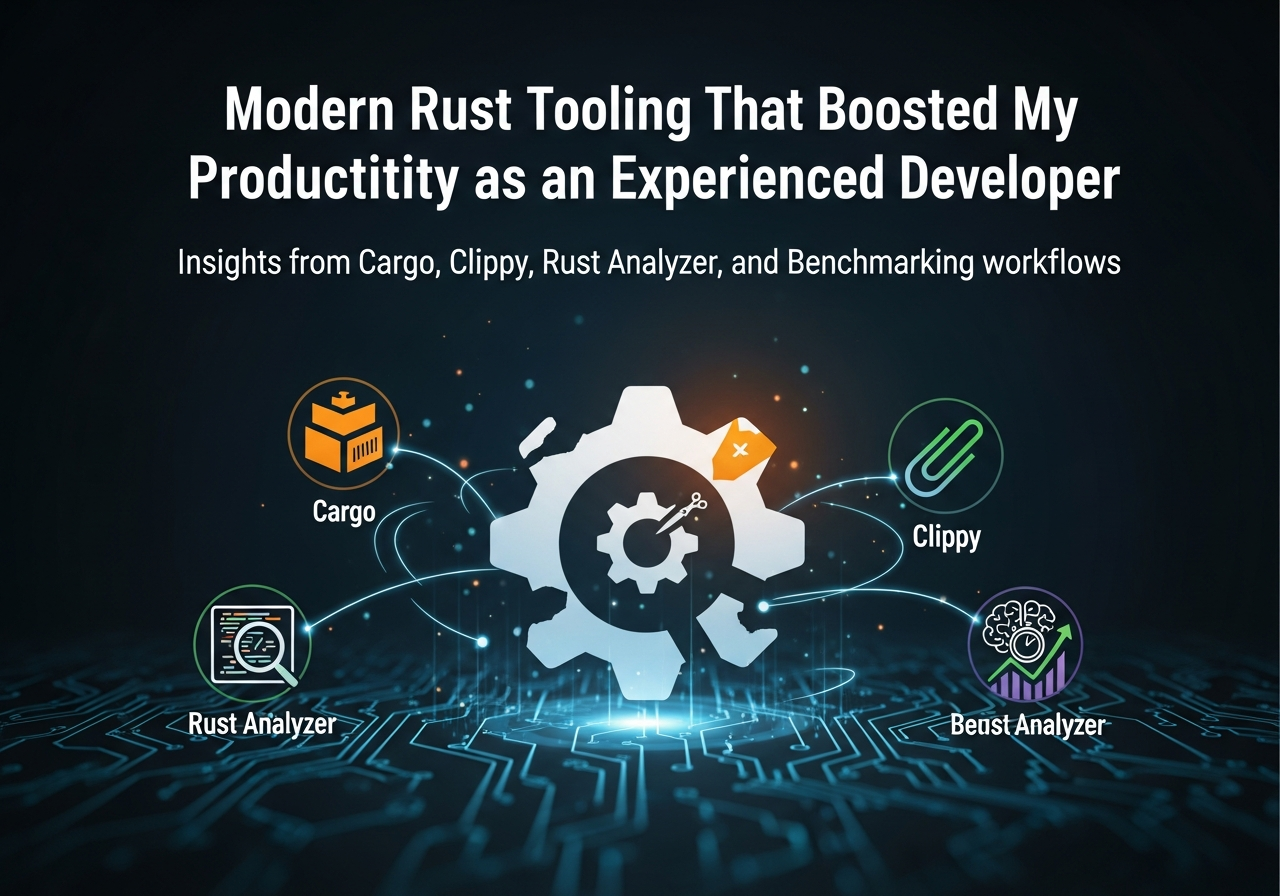
Google AI studio by Author
1. Productivity in Rust Is Mostly About Feedback Loops
When people talk about Rust productivity, they usually frame it as a tradeoff: safety versus speed. That hasn’t matched my experience after a few years of real-world Rust.
What actually determines productivity in Rust is feedback latency. How fast can I:
- Understand what the compiler wants
- Validate a refactor didn’t break behavior
- Catch performance regressions early
- Navigate a large codebase without losing context
Modern Rust tooling dramatically shortened those loops for me. Not by hiding complexity, but by making it visible at the right time.
2. Cargo as a Workflow Engine, Not Just a Build Tool
Cargo stopped being “the thing that runs cargo build” once I leaned into workspaces and task composition.
A real project layout:
[workspace]
members = [
    "core",
    "api",
    "storage",
    "cli"
]
This unlocked two critical workflows:
- Refactoring across crates with confidence
- Isolating compile times by dependency boundaries
I also rely heavily on custom Cargo aliases:
[alias]
t = "test --workspace"
c = "clippy --workspace --all-targets"
b = "bench --workspace"
This sounds trivial, but muscle memory matters. Reducing friction between intent and execution compounds daily.
Cargo isn’t just a build system — it’s the backbone of how Rust projects stay organized as they scale.
3. Clippy as an Architectural Reviewer, Not a Linter
I don’t run Clippy to make code “cleaner.” I run it to surface design mistakes early.
A common example:
pub fn process(data: Vec<u8>) {
    for x in data.iter() {
        handle(x);
    }
}
Clippy flags unnecessary ownership:
warning: this function takes ownership of a collection but does not consume itThe fix is architectural, not stylistic:
pub fn process(data: &[u8]) {
    for x in data {
        handle(x);
    }
}
That change ripples outward: fewer clones, clearer APIs, better composability.
Over time, Clippy nudged my codebase toward:
- Explicit ownership boundaries
- Smaller allocation surfaces
- Clearer lifetimes without annotations
I treat Clippy warnings as design feedback, not noise.
4. Rust Analyzer Made Large Codebases Navigable Again
Before Rust Analyzer matured, large Rust codebases were exhausting. You could understand code, but not move through it efficiently.
Now, I rely on it for:
- Instant type inference at cursor
- Jumping through trait implementations
- Tracking async call chains
- Understanding lifetime propagation
Example: hovering over a return type like this:
pub async fn fetch(&self, id: Id) -> Result<Option<Item>, Error>Rust Analyzer shows:
- Where
Errororiginates - Which
Resultconversions apply - Whether the future is
Send
That eliminates mental bookkeeping. Instead of holding the type system in my head, I interrogate it on demand.
This matters most when refactoring async-heavy code, where the difference between Send and non-Send futures decides whether your system scales.
5. Compile Errors Became Debugging Sessions, Not Roadblocks
One shift that surprised me was how my relationship with compiler errors changed.
Instead of fighting them, I started using them as structured debugging tools.
Example error:
error[E0507]: cannot move out of `self.conn` which is behind a mutable referenceThe naive fix is cloning. The correct fix is redesigning ownership:
pub fn execute(&mut self) {
    let conn = &mut self.conn;
    conn.send();
}
Modern error messages, combined with Rust Analyzer hints, made these fixes faster and more deliberate.
The compiler stopped being adversarial. It became a reviewer that never gets tired and never misses edge cases.
6. Built-in Benchmarking Changed How I Optimize
Before Rust, I rarely benchmarked early. It was too much setup.
With Criterion and Cargo integration, that changed:
[dev-dependencies]
criterion = "0.5"
use criterion::{criterion_group, criterion_main, Criterion};
fn bench_parse(c: &mut Criterion) {
c.bench_function("parse_event", |b| {
b.iter(|| parse_event(TEST_DATA))
});
}
criterion_group!(benches, bench_parse);
criterion_main!(benches);Running:
cargo benchmade performance regression detection routine instead of exceptional.
More importantly, benchmarking early stopped me from “optimizing by intuition.” Rust makes low-level control tempting. Benchmarks kept me honest.
7. Profiling Integrated Cleanly with Tooling
Once benchmarks flagged an issue, profiling followed naturally.
My typical flow:
cargo benchto confirm regressionperforcargo flamegraphto inspect hotspots- Targeted refactor
- Re-benchmark
Example flamegraph invocation:
cargo flamegraph --bench parseThis exposed real problems:
- Unexpected allocations in hot paths
- Iterator chains that weren’t as cheap as assumed
- Lock contention hiding inside “safe” abstractions
Rust’s tooling made performance analysis part of normal development, not a late-stage panic.
8. Formatting and Lints Reduced Team Friction
rustfmt deserves credit for something subtle: it removed entire categories of discussion.
cargo fmt --allThat’s it. No debates about style. No diff noise. No bikeshedding.
Combined with shared Clippy settings in CI:
cargo clippy -- -D warningsThis enforced a consistent quality bar without human enforcement.
For teams, this mattered more than individual productivity. Code reviews focused on behavior and design, not formatting or trivial mistakes.
9. Tooling Changed How I Design Rust Systems
The cumulative effect of modern Rust tooling wasn’t faster typing. It was better decisions.
Because:
- Cargo encouraged modular design
- Clippy punished sloppy ownership
- Rust Analyzer reduced cognitive load
- Benchmarks exposed intuition failures
I started designing APIs that were:
- Harder to misuse
- Easier to refactor
- Predictable under load
- Explicit about costs
That’s not accidental. Rust’s tools don’t just support the language — they reinforce its philosophy.
At this point, my productivity gains don’t come from knowing more syntax. They come from trusting the tooling to surface mistakes early, cheaply, and precisely.
That’s the difference between writing Rust and shipping Rust at scale.
메타데이터
- post_id
- 03345c12ed57
- slug
- modern-rust-tooling-that-boosted-my-productivity-as-an-experienced-developer-03345c12ed57
- url
- https://medium.com/rustaceans/modern-rust-tooling-that-boosted-my-productivity-as-an-experienced-developer-03345c12ed57
- canonical_url
- https://medium.com/rustaceans/modern-rust-tooling-that-boosted-my-productivity-as-an-experienced-developer-03345c12ed57
- author_url
- https://medium.com/@michaelpreston515
- status
- ok
- fetched_at
- 2026-07-13 16:16:37