Logitech Extend and the Question Everyone Asks
“Does It Charge the Laptop?”
Logitech Extend and the Question Everyone Asks
“Does It Charge the Laptop?”
One of the most common questions I get when discussing Logitech Extend is surprisingly simple:
“Does it charge the PC?”
And honestly, that question makes perfect sense.
When people see a USB-C-based BYOD solution sitting on a conference table, they naturally assume it behaves a bit like a docking station. Plug in one cable, share content, connect peripherals, and charge the laptop at the same time.
The short answer is:
Yes — Extend can provide laptop charging up to 100W.
But there’s an important detail people sometimes miss.
Extend Does Not Generate Power on Its Own
This is the key concept.
Extend supports USB-C power pass-through, not internal power generation.
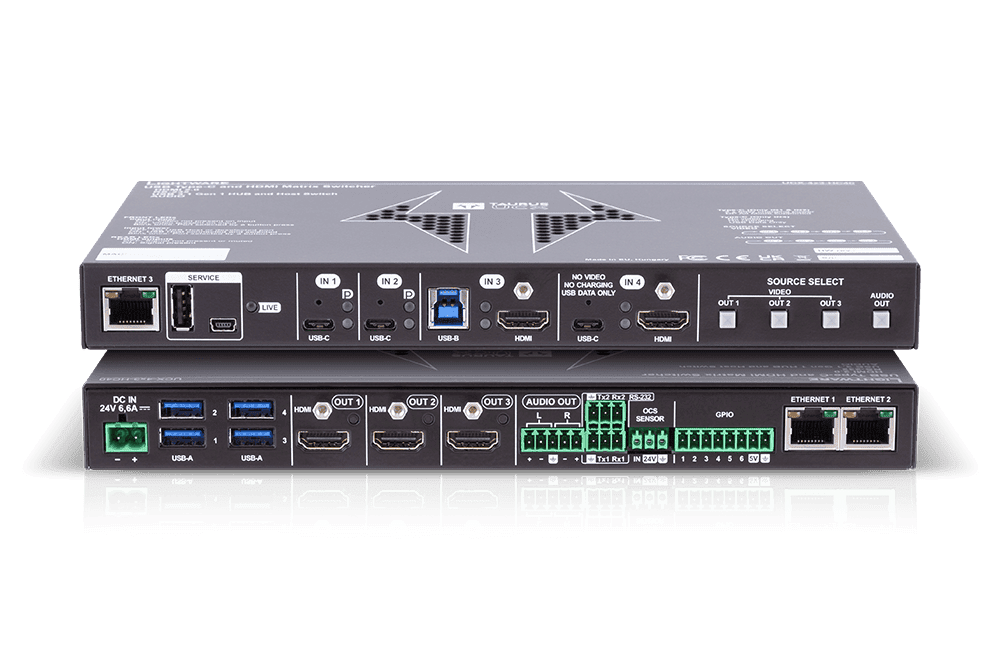
That means the Extend TX unit can pass power through to the connected laptop, but it requires an external USB-C power supply connected to the system first.
In other words:
- Extend itself is not the charger
- Extend passes power from an external charger to the user’s laptop
- If no charger is connected, Extend still works perfectly for BYOD connectivity and content sharing — just without charging
That distinction matters when designing rooms and setting customer expectations.
How the Power Delivery Works
The setup is actually pretty straightforward.
To enable charging:
- Connect a USB-C power adapter to the USB-C power input on the Extend TX box
- Plug that power adapter into AC power
- Users connecting through the Extend USB-C cable can then receive charging power
Once configured, Extend can provide:
P = 100W
…to the connected laptop or mobile device.
That’s enough for most business laptops, including many high-performance ultrabooks and enterprise notebooks.
USB-C Power Requirements Matter
Not every USB-C charger is created equal.
The external power supply used with Extend needs to support:
- USB-C Power Delivery (PD) Revision 3.0 or higher
- Up to 100W delivery capability
If someone plugs in a higher-wattage USB-C charger, Extend intelligently caps delivery at 100W.
So no, you’re not going to accidentally push 140W or 240W through the system just because a newer charger supports it.
The platform negotiates safely within spec.
Logitech’s Optional 100W Power Supply
For customers who want a validated option, Logitech offers an optional 100W USB-C power adapter specifically intended for this scenario.
Regional part numbers include:

This is optional hardware, not a required component of Extend itself.
Important Design Conversation for Integrators
This is where AV and IT teams need to think practically.
There are really two deployment philosophies:
Option 1: BYOD Connectivity Only
In this scenario:
- Extend is used strictly for room connectivity
- Users connect with one cable
- The room peripherals become available
- Content sharing works
- No charging is provided
This is perfectly valid and often completely acceptable in shorter meeting spaces or huddle rooms.

Option 2: Full “Docking Experience”
Here:
- An external USB-C PD power supply is added
- Users get charging plus room connectivity through a single cable
- The experience feels more like a traditional dock

This is usually the cleaner executive-room experience people expect when they hear “single-cable meeting room.”
The Bigger Lesson: USB-C Assumptions Can Be Dangerous
One of the challenges with modern conferencing gear is that USB-C has trained users to assume every device behaves the same way.
But USB-C is just a connector type.
Behind that connector could be:
- USB data only
- Video only
- Charging only
- Full docking functionality
- Thunderbolt
- USB4
- Power pass-through
- Or some combination of the above
That’s why understanding the difference between native charging and power pass-through matters when specifying conference room solutions.
Final Thoughts
The good news is that Extend absolutely can support up to 100W laptop charging.
The important clarification is simply this:
The charging capability depends on adding an external USB-C PD power supply.
Without it, Extend still functions normally for BYOD conferencing and room connectivity.
With it, you get a much more seamless one-cable experience that many users expect in modern meeting spaces.
And honestly, that flexibility is probably the right design choice. Not every room needs charging, but the rooms that do can support it cleanly without forcing unnecessary hardware into every deployment.
Related Article:
What is the Difference Between Logitech Swytch and Extend?
메타데이터
- post_id
- 04486a88bcf2
- slug
- logitech-extend-and-the-question-everyone-asks-04486a88bcf2
- url
- https://medium.com/logitech-design-guide/logitech-extend-and-the-question-everyone-asks-04486a88bcf2
- canonical_url
- https://medium.com/logitech-design-guide/logitech-extend-and-the-question-everyone-asks-04486a88bcf2
- author_url
- https://medium.com/@mair-andrew
- status
- ok
- fetched_at
- 2026-06-16 19:09:56