What Happens If You Don’t Upgrade from Windows 10 Pro?
Windows 10 Pro has been a reliable operating system for many users, providing robust features for both personal and professional use…
What Happens If You Don’t Upgrade from Windows 10 Pro?
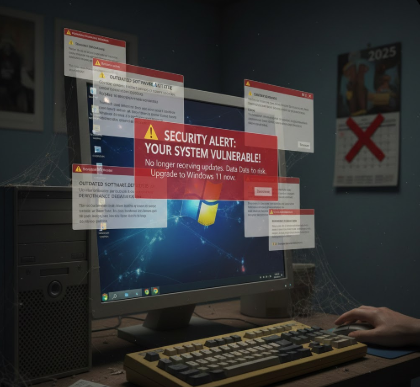
What Happens If You Don’t Upgrade from Windows 10 Pro?
Windows 10 Pro has been a reliable operating system for many users, providing robust features for both personal and professional use. However, with the continuous evolution of technology and software, many users wonder about the consequences of not upgrading their Windows 10 Pro system. In this post, we’ll explore the risks and implications of sticking with an older version and why upgrading is crucial.
1. Security Risks
One of the most significant concerns when not upgrading Windows 10 Pro is security. Microsoft regularly releases security updates and patches that address vulnerabilities. By not upgrading, your system misses out on these critical updates, making it more susceptible to malware, ransomware, and cyberattacks.
Hackers often target outdated operating systems because they know that these systems have unpatched vulnerabilities. For businesses, this can mean compromised sensitive data and potential financial losses. For individual users, outdated systems increase the risk of personal data theft.
2. Software Compatibility Issues
Another key concern is software compatibility. Modern software and applications are designed to work with the latest operating systems. If you continue using an outdated Windows 10 Pro version, you may find that some apps no longer function correctly, or you cannot install them at all.
This is especially relevant for professional software used in graphic design, video editing, programming, and office productivity. Many software developers eventually stop supporting older OS versions, meaning you could lose access to essential tools for work or personal use.
3. Lack of Technical Support
Microsoft provides support for its operating systems for a limited time. Once Windows 10 Pro reaches the end of its support lifecycle, you will no longer receive official technical support. This means that if your system encounters critical issues, you will have to troubleshoot them yourself or hire a professional, which can be costly and time-consuming.
Without updates, your OS may also start to show performance problems, bugs, and glitches that were previously fixed in newer updates.
4. Performance and Stability Concerns
Upgrading is not just about features; it’s also about performance. Newer Windows versions are optimized for better speed, memory usage, and stability. Staying on an older Windows 10 Pro build can result in slower boot times, frequent crashes, and reduced system efficiency.
Additionally, as hardware evolves, older Windows 10 Pro versions might not fully leverage the latest processors, SSDs, and graphics cards, limiting your computer’s potential.
5. Missing Out on New Features
Each Windows upgrade comes with new features, improved user interfaces, and enhanced tools that make computing easier and more productive. By not upgrading, you miss out on these innovations, which can affect productivity and the overall user experience.
For instance, features like enhanced security protocols, improved virtual desktops, and AI-powered tools are only available on newer versions of Windows, providing better usability and convenience.
6. Compliance Risks
For businesses, not upgrading Windows 10 Pro can also mean falling out of compliance with industry standards and regulations. Many compliance frameworks require systems to be up-to-date with security patches and supported software. Non-compliance can lead to fines, penalties, and legal issues.
Visit Our Website: TomCDKey.com
Conclusion
In conclusion, while Windows 10 Pro has been a reliable and powerful operating system, not upgrading can pose serious risks. Security vulnerabilities, software incompatibility, lack of support, performance issues, missing features, and compliance risks are all significant factors to consider. Upgrading ensures that your system remains secure, efficient, and compatible with modern software and hardware.
If you’re looking for an official and reliable way to upgrade or activate Windows 10 Pro, TomCDKey provides genuine product keys that ensure a smooth and safe experience. Don’t wait until your system is outdated — upgrade today and enjoy peace of mind with a secure and efficient operating system.
FAQs
Q1: Can I continue using Windows 10 Pro without upgrading? A1: Yes, you can continue using it, but it is not recommended due to security risks, lack of updates, and potential software incompatibility.
Q2: Will my existing applications work after upgrading from Windows 10 Pro? A2: Most modern applications will work fine, but it’s always good to check software compatibility before upgrading.
Q3: How often does Microsoft release updates for Windows 10 Pro? A3: Microsoft releases monthly updates, including security patches, performance improvements, and bug fixes.
Q4: Can I buy a Windows 10 Pro key from TomCDKey? A4: Yes, TomCDKey offers genuine Windows 10 Pro product keys that allow you to activate and upgrade your system safely.
Q5: What happens when Windows 10 Pro reaches end-of-support? A5: After end-of-support, Microsoft stops releasing security updates, which increases vulnerability to cyberattacks and software issues.
메타데이터
- post_id
- 047dabe953d1
- slug
- what-happens-if-you-dont-upgrade-from-windows-10-pro-047dabe953d1
- url
- https://medium.com/@n6lkro7syl/what-happens-if-you-dont-upgrade-from-windows-10-pro-047dabe953d1
- canonical_url
- https://medium.com/@n6lkro7syl/what-happens-if-you-dont-upgrade-from-windows-10-pro-047dabe953d1
- author_url
- https://medium.com/@n6lkro7syl
- status
- ok
- fetched_at
- 2026-07-17 22:31:47