From Script to Stage: A Dramatic Look at VTK’s 3D Visualization Process
1. VTK Geometries (e.g., vtkLine, vtkSphere, vtkTriangle) → Novel
From Script to Stage: A Dramatic Look at VTK’s 3D Visualization Process
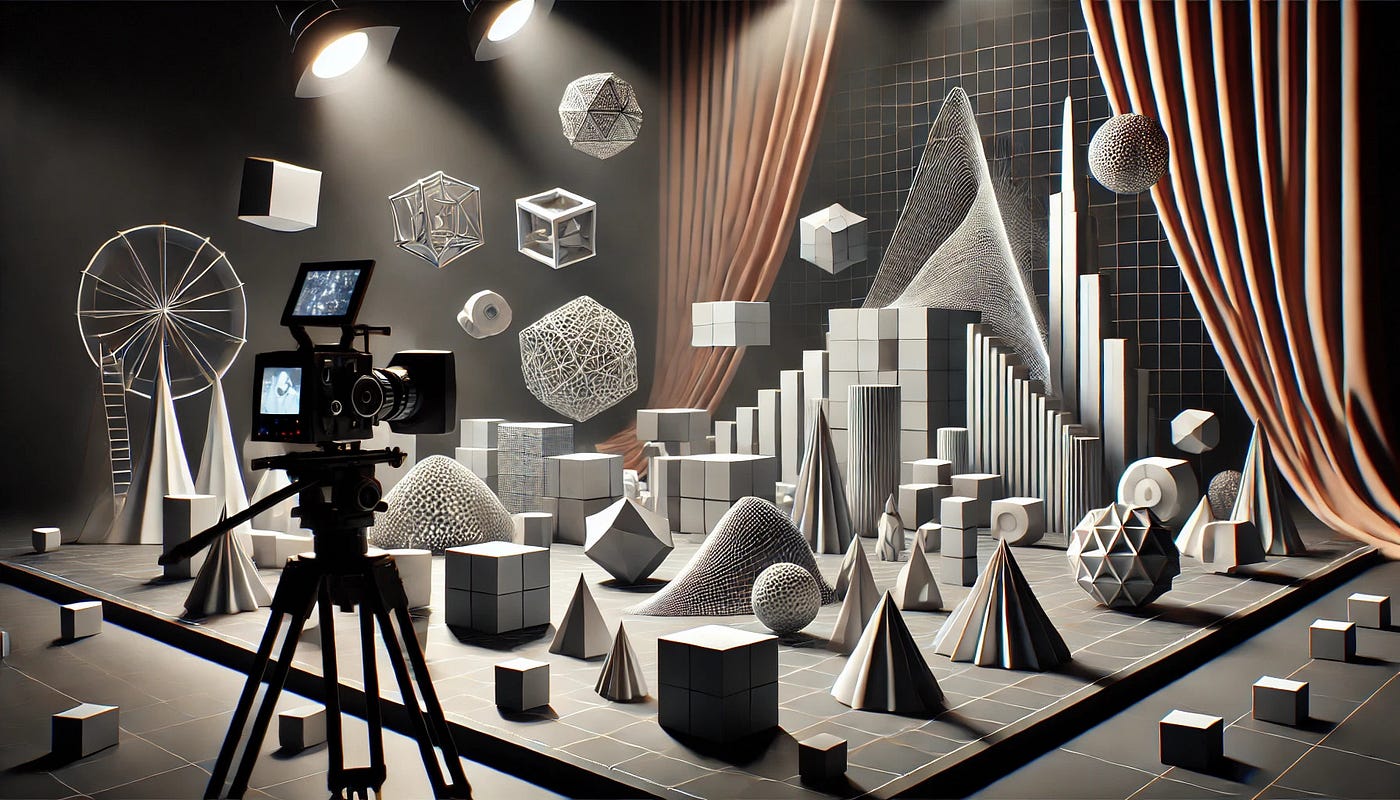
The VTK Show
1. VTK Geometries (e.g., vtkLine, vtkSphere, vtkTriangle) → Novel
- Description: Geometries are the raw forms that represent the basic shapes and structures in VTK. They are like the core story elements of a novel — raw, unrefined, and fundamental. Just like the novel defines the storyline and characters, geometries define the structure of points, lines, and surfaces in 3D space.
- Code Example:
// Define three points to create a triangle
vtkNew<vtkPoints> points;
points->InsertNextPoint(0.0, 0.0, 0.0);  // Point 0
points->InsertNextPoint(1.0, 0.0, 0.0);  // Point 1
points->InsertNextPoint(0.0, 1.0, 0.0);  // Point 2

// Create a triangle using the points
vtkNew<vtkTriangle> triangle;
triangle->GetPointIds()->SetId(0, 0);
triangle->GetPointIds()->SetId(1, 1);
triangle->GetPointIds()->SetId(2, 2);
Here, the vtkPoints define the key locations (the "characters" in our analogy), and the vtkTriangle defines a basic geometric element (like an early draft of a scene or plot point).
2. vtkPolyData → Script
- Description: PolyData is an organized structure that holds the geometries (points, lines, polygons) together along with other attributes like color or texture. It’s analogous to a script that structures the raw ideas (novel) into a working format that can be interpreted by actors, directors, and designers. The script defines how the story unfolds in a structured manner.
- Code Example:
// Organize the triangle and points into vtkPolyData (the script)
vtkNew<vtkPolyData> polyData;
polyData->SetPoints(points); // Points are like characters or objects in the script
polyData->SetPolys(triangle); // Define the connectivity (how the points form a triangle)
The vtkPolyData now takes those raw points and the triangle shape and organizes them in a way that they can be processed further, like how a script organizes the story's structure and dialogues.
3. vtkMapper → Drapery and Costumes
- Description: A mapper transforms the structured data (from
vtkPolyData) into something that can be visually represented by the computer. It applies shaders, transformations, or texture coordinates, just like drapery and costumes transform the script into a performance. The mapper brings the geometry to life by defining how it should appear in a 3D scene. - Code Example:
vtkNew<vtkPolyDataMapper> mapper;
mapper->SetInputData(polyData); // Attach the structured data to the mapper

// Apply a color or material to the geometry to bring it to life
vtkNew<vtkActor> actor;
actor->SetMapper(mapper);
In the analogy, just as the costumes and drapery enhance the actor’s appearance and match the script’s intent, the vtkMapper enhances the visual properties of the geometry (e.g., color, texture, and lighting).
4. vtkActor → Stage Instructions
- Description: An actor in VTK is an object that combines the geometry (via a mapper) with transformations such as position, rotation, and scale. It’s like stage instructions that tell the actors how to behave on stage — where to stand, how to move, and what to do. The actor in VTK is essentially the “performer” in the 3D scene.
- Code Example:
vtkNew<vtkActor> actor;
actor->SetMapper(mapper); // Attach the mapper to the actor
actor->SetPosition(0.0, 0.0, 0.0); // Position the actor on the stage (3D space)
Here, the vtkActor takes the mapped geometry and places it at a specific location in the 3D scene, just like stage directions determine where actors will be positioned and how they should move.
5. vtkRenderer → Actual Stage
- Description: The renderer is responsible for taking the actor(s) and displaying them on the screen. It takes care of aspects like lighting, camera setup, and how the entire scene is rendered, similar to the actual stage where everything comes to life. The renderer produces the final output — the “show” that the audience (or in this case, the viewer) will see.
- Code Example:
vtkNew<vtkRenderer> renderer;
renderer->AddActor(actor); // Add the actor to the stage (renderer)

// Set up the camera to view the scene
vtkNew<vtkCamera> camera;
camera->SetPosition(5.0, 5.0, 5.0);
camera->SetFocalPoint(0.0, 0.0, 0.0);
renderer->SetActiveCamera(camera);

// Now render the scene
vtkNew<vtkRenderWindow> renderWindow;
renderWindow->AddRenderer(renderer);
renderWindow->Render(); // Render the stage show
The renderer is analogous to the actual stage, where all the actors (geometries) perform their parts under proper lighting and from the viewer’s perspective, producing the final scene.
Final Flow (From Novel to Stage):
- Novel → Geometry: The story (novel) is the foundation, and the geometries (e.g.,
vtkLine,vtkTriangle,vtkSphere) are the basic building blocks. - Script → vtkPolyData: The novel (raw idea) is transformed into a script, which organizes the geometries (via
vtkPolyData), adding structure and clarity. - Drapery and Costumes → vtkMapper: The script comes to life with costumes and set design (via
vtkMapper), defining how the geometries are visually represented. - Stage Instructions → vtkActor: The actors follow the stage instructions (via
vtkActor), adding behavior (movement, position) to the geometry. - Actual Stage → vtkRenderer: The actors perform their roles on the actual stage (via
vtkRenderer), producing the final rendered scene for the viewer to see.
This analogy helps in understanding how VTK components work together to produce a 3D visualization, starting from raw data and going all the way to the rendered output.
메타데이터
- post_id
- 04efbf0dbc6f
- slug
- from-script-to-stage-a-dramatic-look-at-vtks-3d-visualization-process-04efbf0dbc6f
- url
- https://medium.com/@avinashketkar/from-script-to-stage-a-dramatic-look-at-vtks-3d-visualization-process-04efbf0dbc6f
- canonical_url
- https://medium.com/@avinashketkar/from-script-to-stage-a-dramatic-look-at-vtks-3d-visualization-process-04efbf0dbc6f
- author_url
- https://medium.com/@avinashketkar
- status
- ok
- fetched_at
- 2026-06-14 11:28:49