PixAI Releases New Anime Model That Handles More Complex Image Edits
PixAI’s new Edit Pro model has a smarter prompt understanding, stronger text-in-image processing, and multi-image understanding.
PixAI Releases New Anime Model That Handles More Complex Image Edits
PixAI’s new Edit Pro model has a smarter prompt understanding, stronger text-in-image processing, and multi-image understanding.
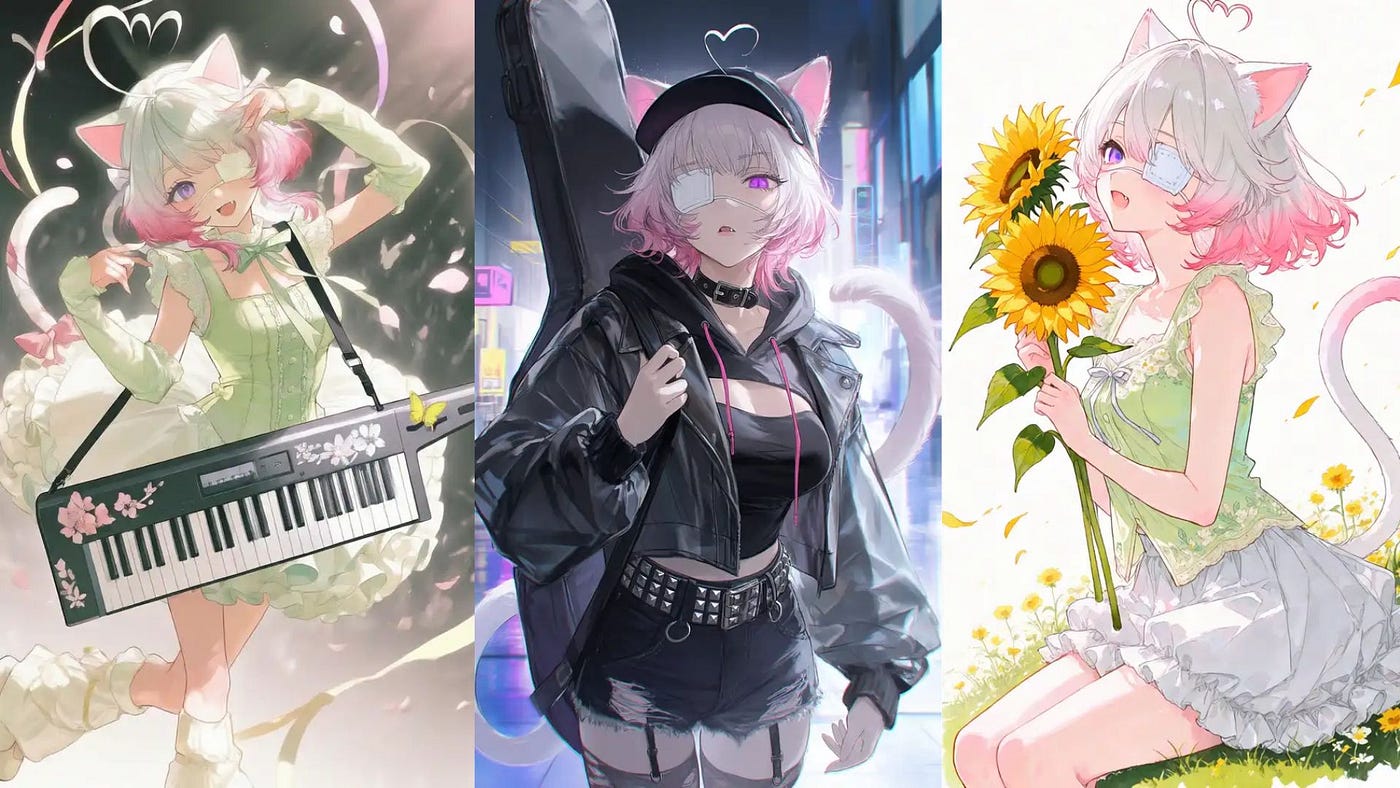
Sample images generated with PixAI’s Edit Pro model
The best AI anime media generator, PixAI, just got a major image editing upgrade. The new edit feature now understands instructions in plain natural language, accurately interprets the relationships between characters, improves text rendering, and delivers better overall image quality.
The new model is called **PixAI Edit Pro**, and it is now available to all users inside the image generator tool.
This new model is designed for more complex editing tasks, including multi-step prompts, character consistency, clean text rendering, and multi-image input support.
In this guide, I’ll get into the details of what’s new in PixAI Edit Pro, how it works, and the best use cases for creators, anime fans, and anyone building character-based image projects.
Let’s get started.
What’s new in PixAI’s Edit Pro?
The biggest update is better prompt understanding.
PixAI Edit Pro is designed to handle longer prompts with multiple steps.
For example, you can ask it to change a character’s clothes, adjust the lighting, replace the background, add a prop, and keep the original art style. The model can process these instructions as separate editing tasks instead of treating the whole prompt as one vague request.
Another important upgrade is text rendering.
PixAI Edit Pro improves this by producing cleaner and more accurate text inside images. This makes it more useful for actual design workflows, not just aesthetic image generation.
This is especially helpful for: Anime posters, Character cards, Comic panels, Magazine covers, Game UI mockups, VTuber stream layouts, Social media graphics.
The third major feature is multi-image understanding.
PixAI Edit Pro supports up to four image inputs. That means you can upload multiple references and use them together in one edit.
For example, you can upload one image for the character, one for the outfit, one for the background, and one for the overall style. Then, you can ask Edit Pro to combine those ideas into a new edited image.
Character consistency also gets better. PixAI says Edit Pro can preserve character features and proportions across outfit changes, scene changes, and pose edits.
Alright, now let’s do some examples.
How it works
PixAI Edit Pro works like a normal image editor, but the instructions are written in natural language.
To get started, head over to PixAI’s image generator dashboard and set the model to Edit Pro v1.
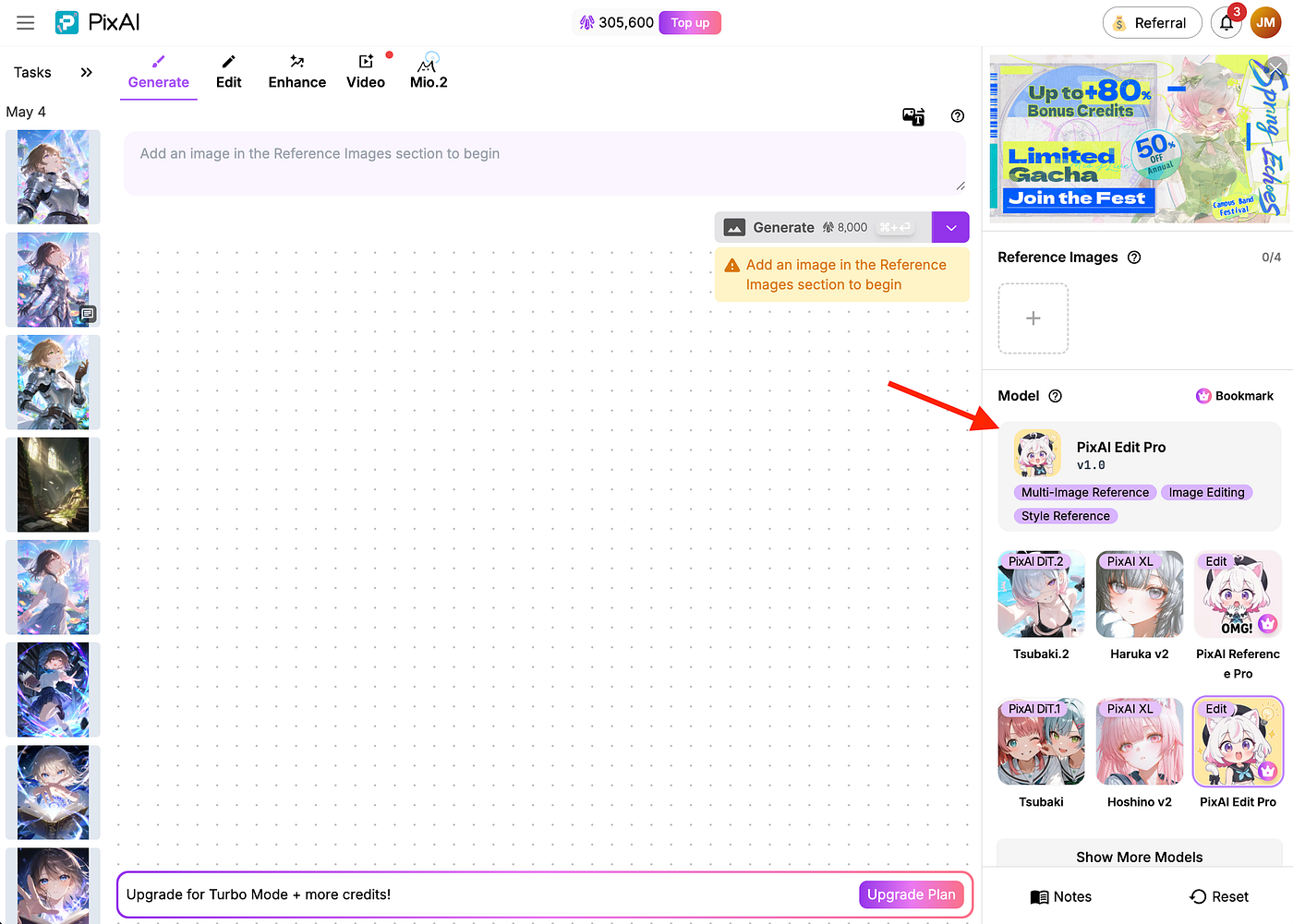
PixAI’s image editor screen. Image by Jim Clyde Monge
In the prompt section, describe the image you want to create in full detail. Do not hold back on the description because we are testing the model’s capability to understand long-form prompts.
Here’s an example:
[Film Format Specifications]

The instant photo is a vertical rectangle (86 mm × 54 mm).
The photo is surrounded by a white border. The top, left, and right borders are narrow,
while the bottom border is wider (approximately twice the height of the top border), faithfully recreating a classic instant photo format.
The image area inside the frame is vertical with a 4:3 aspect ratio.

[Annotation Specifications]

Handwritten doodles and notes appear on the borders, drawn with marker.
The colors and style of the annotations are inferred from the personality of the character.
Top narrow border: a single handwritten line of text inferred from the character’s personality.
Bottom wide border: the creation date of the photo and the character’s smooth handwritten signature reading:
“Mio & Her friend”
Additional cute elements, simple line drawings, or chibi-style decorations appear around the borders, matching the character and background.

[Lighting & Material Realism]

Lighting behaves consistently across the entire scene, including the photo surface, frame, and tabletop.
The photo paper has a slight matte-to-semi-gloss finish with soft specular highlights.
Shadows are soft, natural, and directionally consistent, including contact shadows where the photo or frame touches the tabletop.
The instant film shows gentle aging characteristics, such as faint texture in the whites and subtle tonal irregularities.

[Texture and Background]

The instant photo is placed inside an acrylic photo frame with realistic thickness, transparency, and light refraction.
PixAI’s image editor screen. Image by Jim Clyde Monge
Upload the characters to the reference image section. Take note that you can add up to four characters to the scene. You can also adjust parameters like the Resolution, Aspect ratio, and the Quality of the output image. Once all the parameters are set, click on the generate button and wait for the final image to be rendered on the screen.
Here are some of the examples:
PixAI’s sample images generated with Edit Pro model. Image by Jim Clyde Monge
You can go to PixAI’s Explore page and set the model to Edit Pro to see a bunch of sample photos generated by the community. Here are some of my favorite images:
PixAI’s sample images generated with Edit Pro model. Image by Jim Clyde Monge
From these examples, you can see how capable the model is in generating complex poses, multi-frame scenes, and wide-angle environment shots. This also shows the capability of the model to render legible texts that blend seamlessly with the background.
Speaking of text rendering, it is now super easy to create character cards or manga-style pages with detailed texts written on them. Check out the examples below:
PixAI’s sample text rendering images. Image by Jim Clyde Monge
With the ability to upload multiple characters into the scene, it is now possible to create a multi-page manga in minutes! How cool is that?
The main benefit is control.
Instead of starting from zero each time, you can build from an existing image and refine it. You can keep the character, preserve the style, adjust the scene, and add new elements without completely losing the original image.
Best Use Cases for Edit Pro
Character cards
PixAI Edit Pro is useful for creating game-style character cards.
You can create a card for an original character with a name, stats, skills, labels, and profile details. Since the model has better text rendering, those details have a better chance of staying readable.
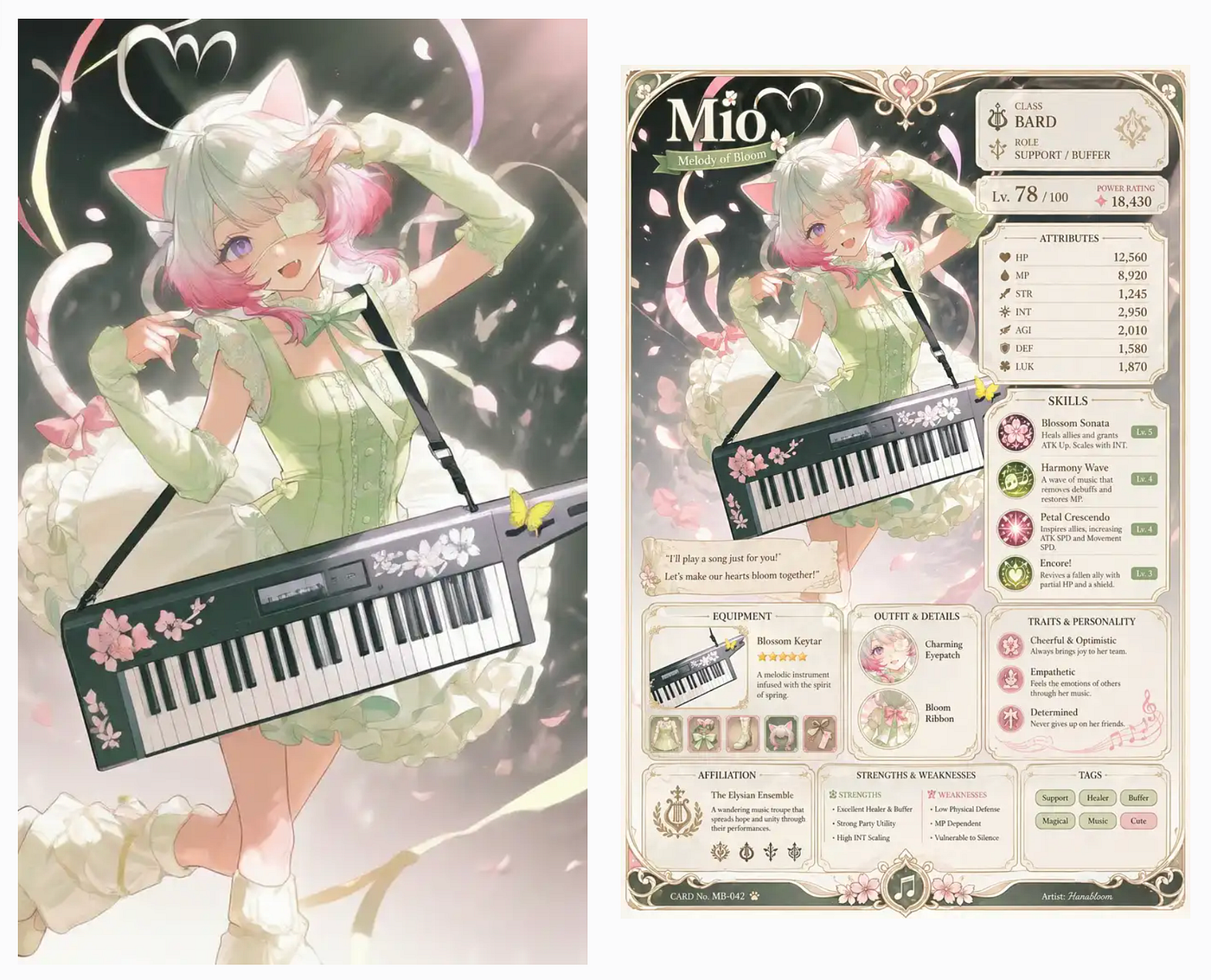
Character cards example output
This is a good use case for OC creators, RPG concepts, collectible card ideas, and anime-style character showcases.
Anime posters
Posters need strong composition, readable titles, and consistent style.
Edit Pro can help turn a regular character image into a poster with better lighting, background details, and text elements. This can be useful for fan art, event graphics, social posts, game concepts, and promotional images.
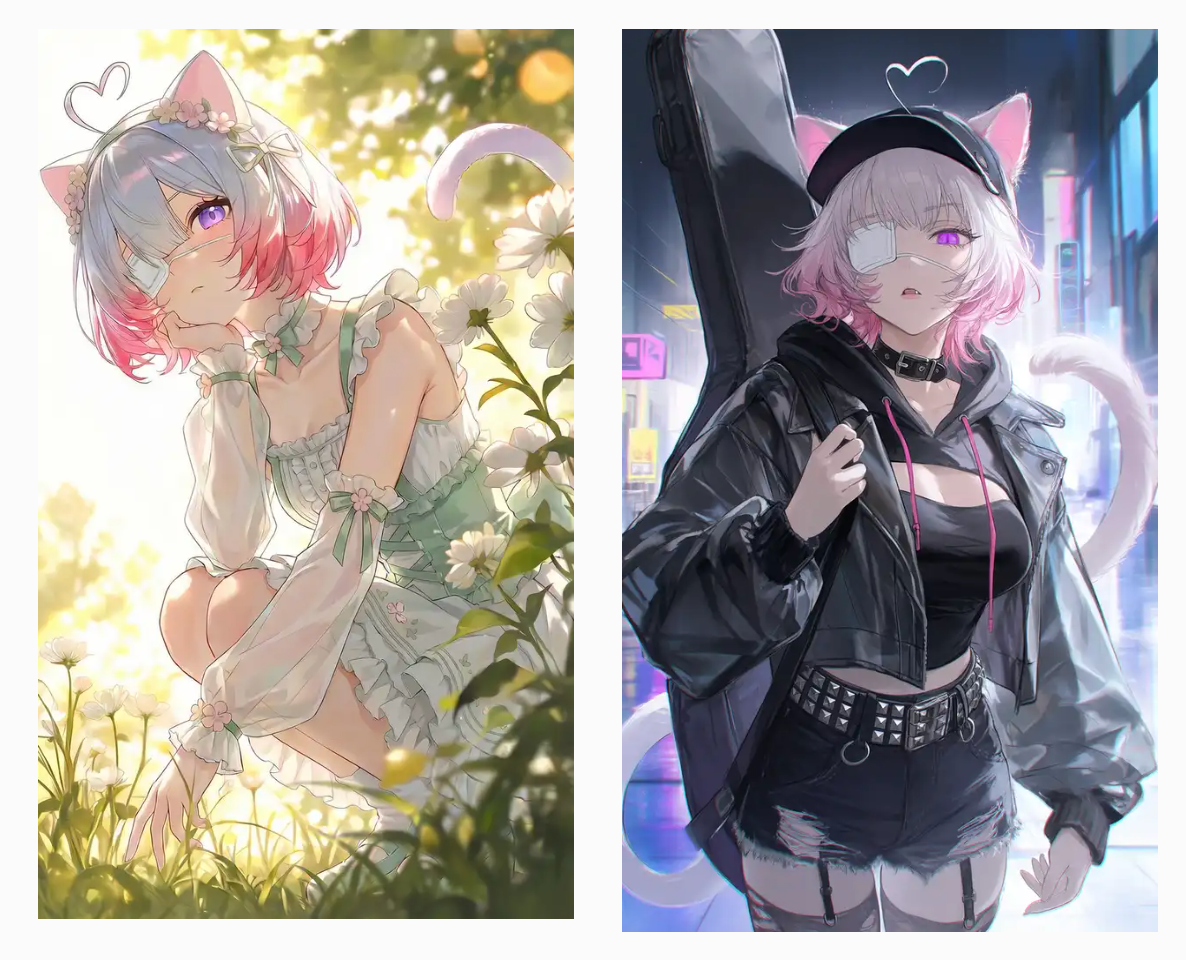
Anime posters example output image
The improved text rendering matters here because a poster with broken text is not very usable.
Game world mockups
Another good use case is placing characters into game-style scenes.
You can upload a character image and a background reference, then ask Edit Pro to place the character inside that world. You can also add UI elements to make the result look like a game screenshot.
Game world mockups example output
This is useful for indie developers, visual novel creators, RPG concept artists, and writers who want to quickly test how a character might look in a specific world.
Magazine layouts
PixAI also highlights editorial-style layouts as one of Edit Pro’s use cases.
This includes magazine covers, spreads, headlines, pull quotes, and text-heavy designs. Most AI image tools are weak at this because layout and text require more precision.
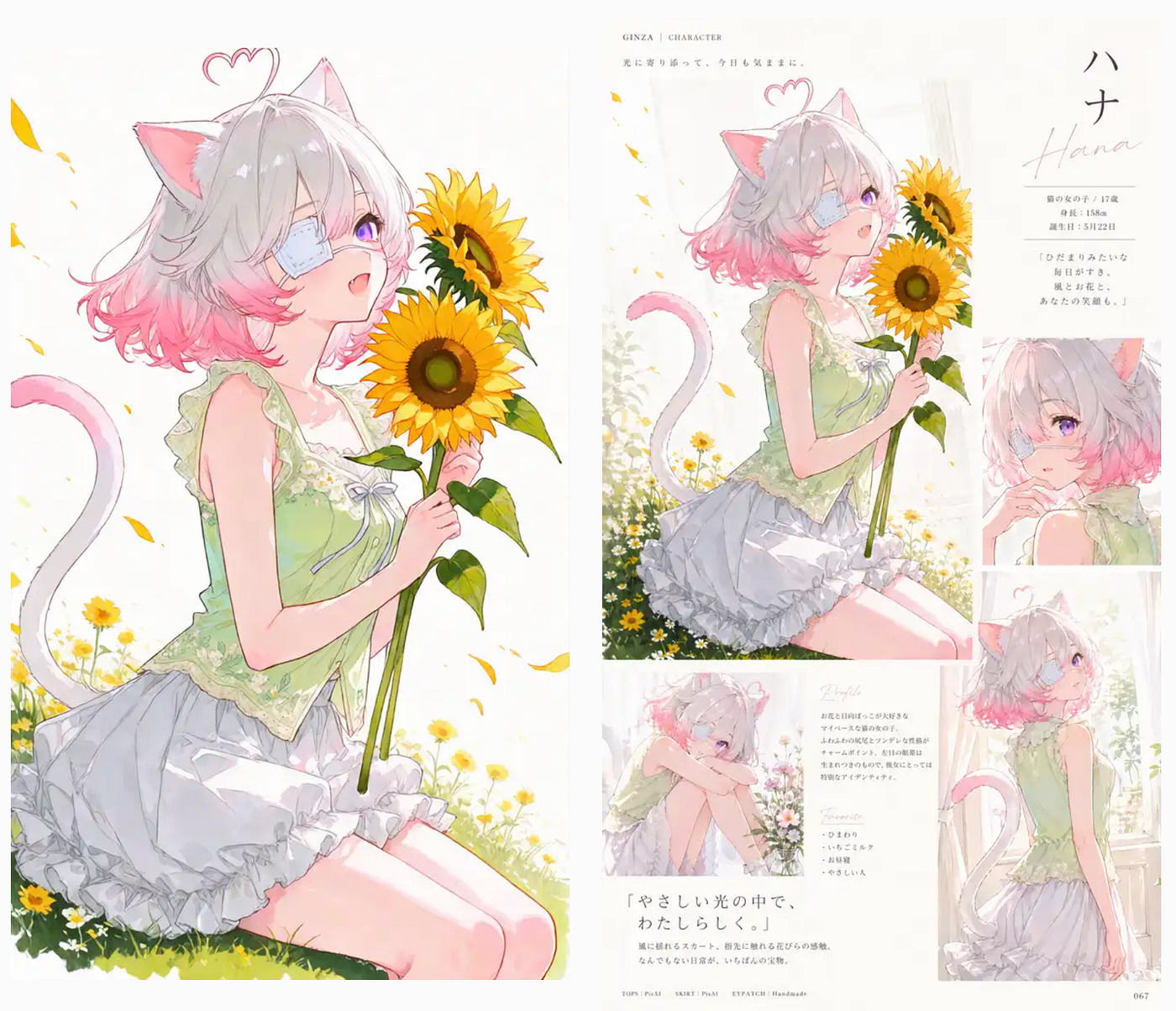
Magazine layouts sample output
Edit Pro’s improved text handling makes this kind of output more practical.
It will not replace professional layout software, but it can help generate quick concepts and stylized drafts.
Character standee mockups
Edit Pro can also create realistic standee mockups.
This is useful if you want to imagine how an anime character would look as a physical display in a store, convention booth, or merch setup.
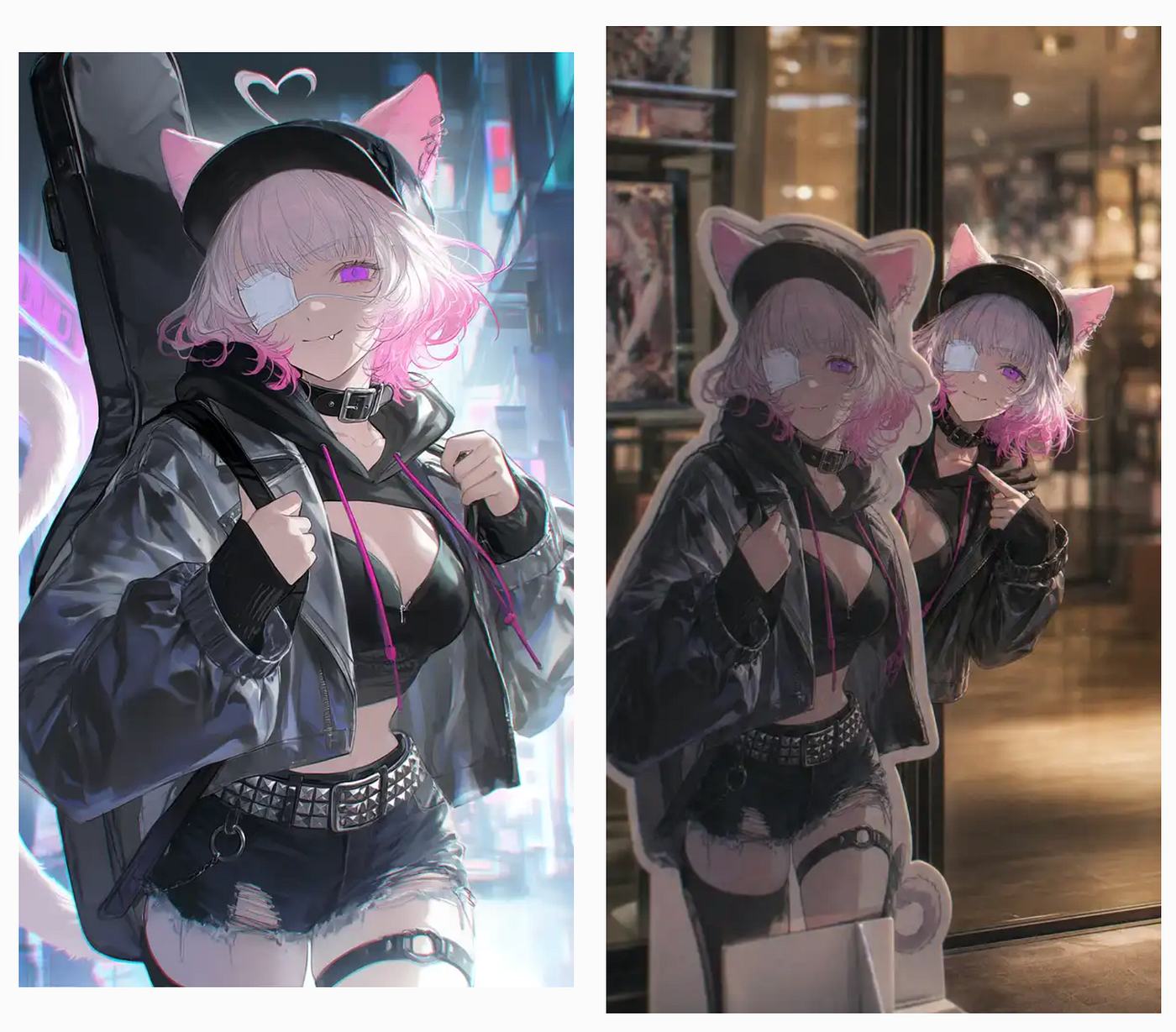
Character standee mockups sample output
For artists and small creators, this can help test product ideas before making real merchandise.
VTuber stream screenshots
VTubers can use Edit Pro to create stream screenshot mockups.
These can include the character, stream layout, chat box, panels, and other interface elements. Since UI graphics often rely on readable text, this is another area where Edit Pro’s text improvements are useful.
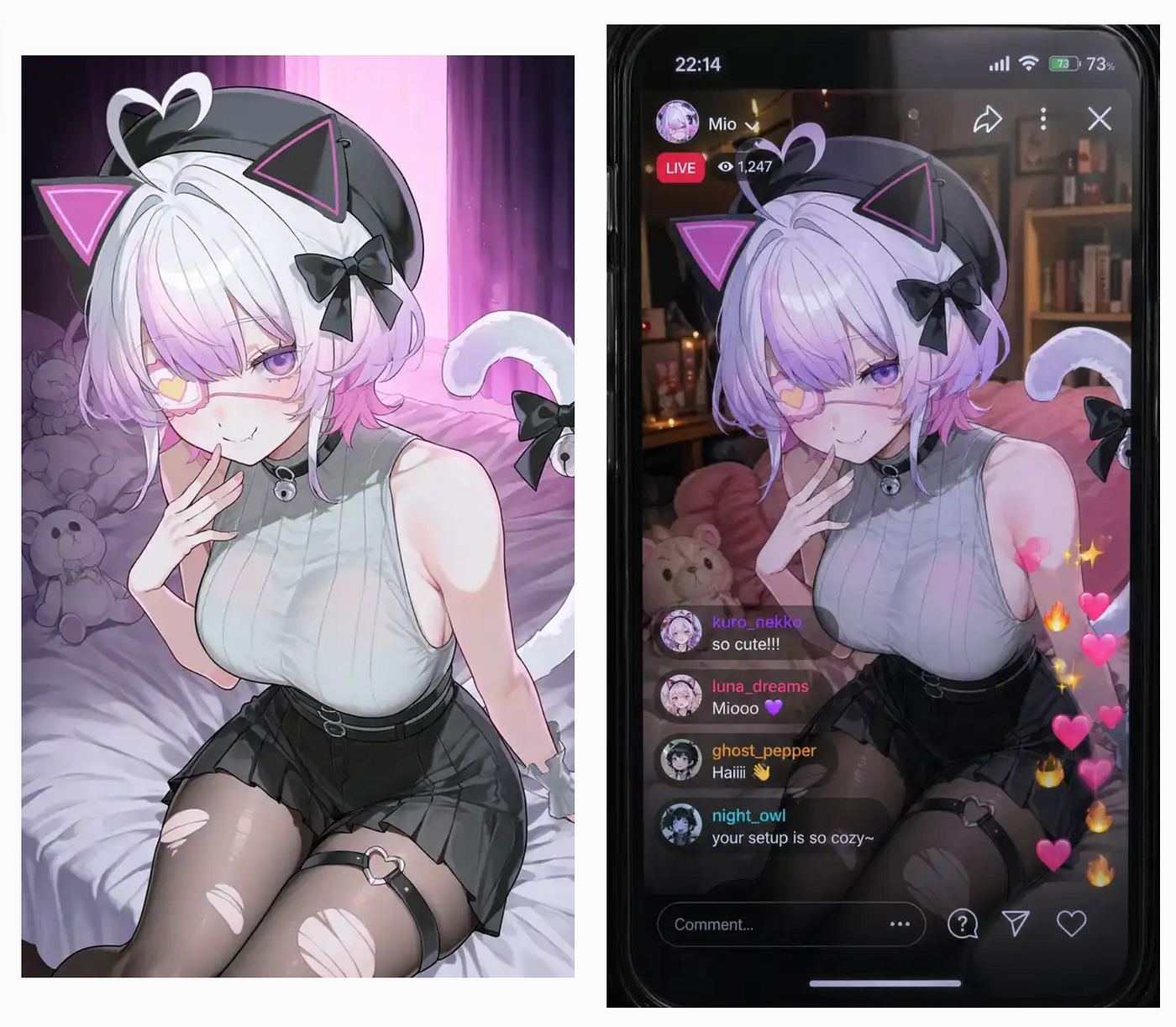
VTuber stream screenshots sample output
It can help with stream announcements, channel branding, promotional posts, and concept images.
Final Thoughts
That’s it. I’ve just shown you what PixAI Edit Pro is and what makes it different from a basic AI image editor. The main upgrades are better prompt understanding, multi-step editing, cleaner text rendering, multi-image input, stronger character consistency, and better style preservation.
What I like about this new model is how well it understands natural prompts. You do not need to write an extremely detailed instruction just to get a useful result. The backend model, GPT-Image 2, is powerful enough to understand the idea even when the prompt is simple. That makes the editing process feel faster and less annoying.
I appreciate platforms like PixAI for making anime-themed image creation easier to access. Not everyone wants to install local models, build complicated workflows, or learn advanced editing tools. Some people just want to create characters, posters, mockups, and fun anime images without spending hours setting things up.
Let me know what you think about PixAI’s Edit Pro model. I’d also love to know what projects you want to build with it. Let me know in the comments!

This story is published on Generative AI. Connect with us on LinkedIn and follow Zeniteq to stay in the loop with the latest AI stories.
Subscribe to our newsletter and YouTube channel to stay updated with the latest news and updates on generative AI. Let’s shape the future of AI together!

메타데이터
- post_id
- 053e6b4372c0
- slug
- pixai-releases-new-anime-model-that-handles-more-complex-image-edits-053e6b4372c0
- url
- https://generativeai.pub/pixai-releases-new-anime-model-that-handles-more-complex-image-edits-053e6b4372c0
- canonical_url
- https://generativeai.pub/pixai-releases-new-anime-model-that-handles-more-complex-image-edits-053e6b4372c0
- author_url
- https://medium.com/@jimclydemonge
- status
- ok
- fetched_at
- 2026-06-28 10:39:35