Why The Linux Terminal Isn't Going Anywhere
Practical, quick, automation-friendly until our voices do the job and sudo becomes obsolete.
Why The Linux Terminal Isn't Going Anywhere
Practical, quick, automation-friendly until our voices do the job and sudo becomes obsolete.
Photo by Gabriel Heinzer on Unsplash
===READ FOR FREE HERE=== When you open the terminal for the first time and you’re greeted by what looks like a blinking cursor waiting for commands you’ve never learned with no colorful icons, start menu or inviting buttons for you to click and Just a black window the experience is scary.
It's easy to understand why so many newcomers immediately close it.
After all, modern computers have graphical interfaces for almost everything. We can browse the web, edit videos, manage files, and even build software without ever touching a command line.
So why does the terminal still exist?
Better yet, why do experienced Linux users seem to love it so much?
The answer has surprisingly little to do with nostalgia.
Long before desktop environments became the standard, computers were controlled almost entirely through text. There were no overlapping windows, no desktop icons, and certainly no touchscreens this at the time, was definitely a thing of the future. HELLO WORLD!
If you wanted a computer to do something, you told it exactly what to do one command at a time. When Linux was created in 1991, this style of interaction was still deeply rooted in computing culture. As graphical interfaces became more popular, Linux adopted them as well.
GNOME. KDE Plasma. XFCE. Cinnamon.
Today, Linux offers some of the most polished desktop environments available. Yet the terminal never disappeared or at least, hasn’t yet.
Precision Over Convenience
Imagine you need to rename a thousand files using a graphical file manager, that could cost you quite a long time. While on the terminal, it can be done with a single command.
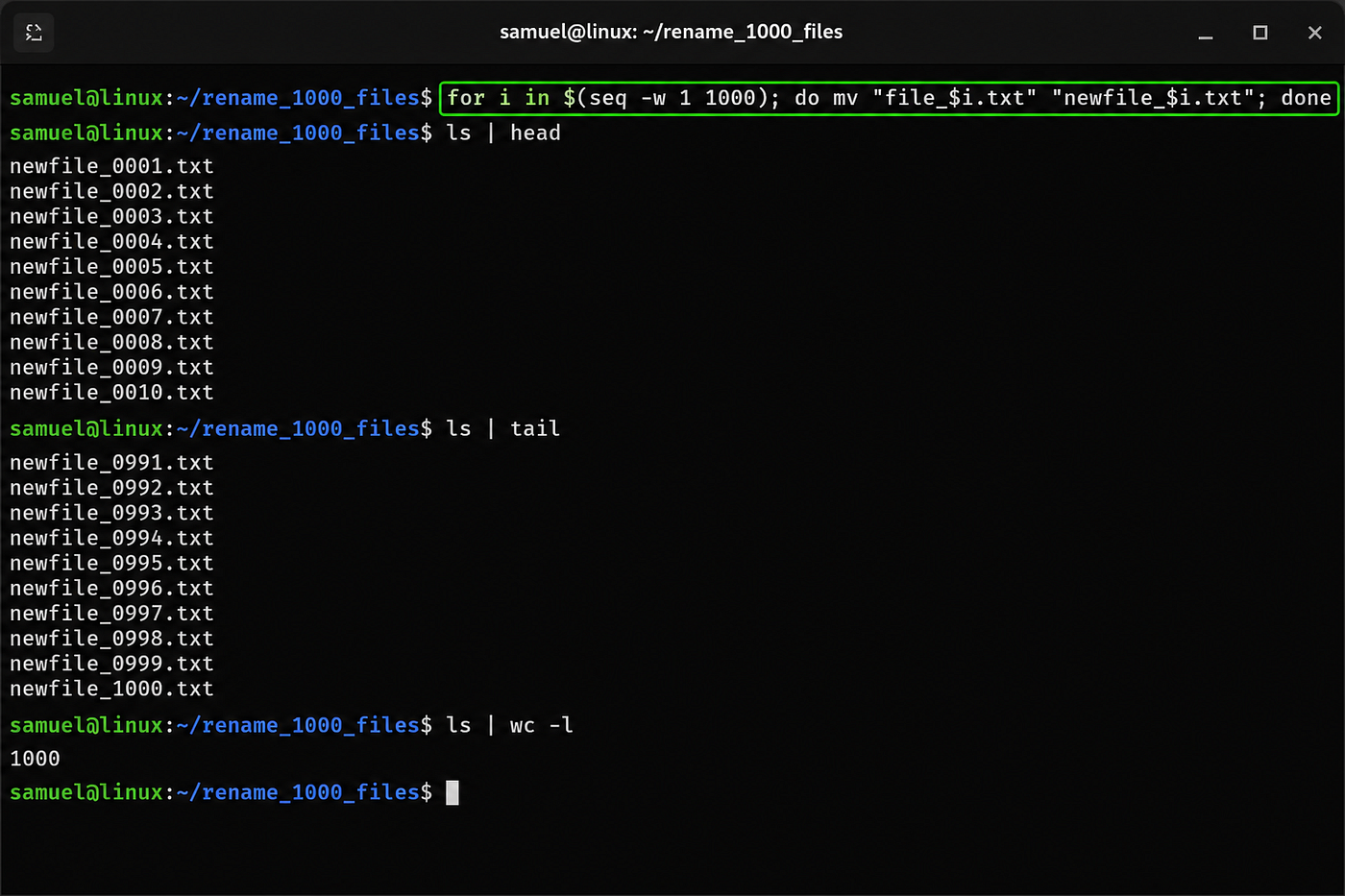
Need to search through thousands of log files? Monitor system resources?Automate backups? Connect securely to another computer? The terminal excels at tasks that would be slow, repetitive, or impossible through graphical interfaces alone.
It isn't necessarily easier.
It’s more precise. Instead of clicking through menus, you describe exactly what you want. The computer simply obeys.
Automation brings change
Perhaps the terminal’s greatest strength isn’t speed but automation.
Once you’ve written a command or a script, you can run it again tomorrow, next month or on a hundred different computers without clicking a single button. Think about, that’s amazing!
This ability transforms repetitive work into something almost effortless.
System administrators manage entire fleets of servers this way, developers automate software builds. Researchers process enormous datasets and businesses schedule maintenance tasks that happen while everyone is asleep. The terminal isn’t just about typing commands it’s about teaching computers to do the boring work for us.
The Language of Linux
There’s another reason the terminal remains so important and the reason is that it provides a common language. Whether you're using Ubuntu, Fedora, Debian, Arch Linux, or countless other distributions, many terminal commands work exactly the same way.
That consistency makes documentation easier, tutorials become universal and skills transfer between systems.
Learn how to navigate directories on one Linux distribution, and you’ve learned a skill that applies almost everywhere while graphical interfaces change commands often remain familiar for decades.
Does Every Linux User Need It?
No. This may surprise some longtime Linux enthusiasts, but it's true. Many people use Linux every day without opening a terminal.
Modern desktop environments allow users to browse files, install software, connect printers, and manage settings through graphical tools. For casual users, that’s often enough. The terminal isn't mandatory.
It’s optional. The difference is that once people discover what it can do, many choose to keep using it. Not because they're forced to but because it's often the fastest tool available.
The Misunderstood Reputation
Unfortunately, the terminal has developed an image problem. Movies portray command lines as something only hackers use, beginners often associate it with complexity. Experienced users sometimes make matters worse by assuming everyone should already know terminal commands. In reality, the terminal is simply another way of interacting with a computer.
No more mysterious than a calculator nor more dangerous than a spreadsheet. Like any tool, it becomes less intimidating the more you use it.
AI Won't Kill the Terminal
With artificial intelligence becoming part of everyday computing, some people wonder whether command lines will finally disappear. Ironically, AI may make the terminal even more accessible. Instead of memorizing commands, users can describe what they want in plain language and let AI translate those instructions into terminal commands.
The interface may change. The underlying power remains. Rather than replacing the terminal, AI may simply become another way of speaking its language.
Final Thoughts
The Linux terminal has survived enormous changes in computing. It outlived floppy disks, dial-up internet, CRT monitors, optical drives and COVID-19 😂. What on earth is graphical user interface? Not because Linux users are unwilling to change. But because the terminal continues to solve problems remarkably well.
Graphical interfaces make computers approachable while the terminal makes them powerful. And perhaps that’s why, after all these years the blinking cursor still refuses to disappear.
*Enjoyed this read? I enjoyed putting this together, one word after the other. Do you mind buying me a Ko-fi ☕?*
메타데이터
- post_id
- 05c609c24ac5
- slug
- why-the-linux-terminal-isnt-going-anywhere-05c609c24ac5
- url
- https://medium.com/linux-for-everyone/why-the-linux-terminal-isnt-going-anywhere-05c609c24ac5
- canonical_url
- https://medium.com/linux-for-everyone/why-the-linux-terminal-isnt-going-anywhere-05c609c24ac5
- author_url
- https://medium.com/@samwritessecurity
- status
- ok
- fetched_at
- 2026-07-09 03:40:04


