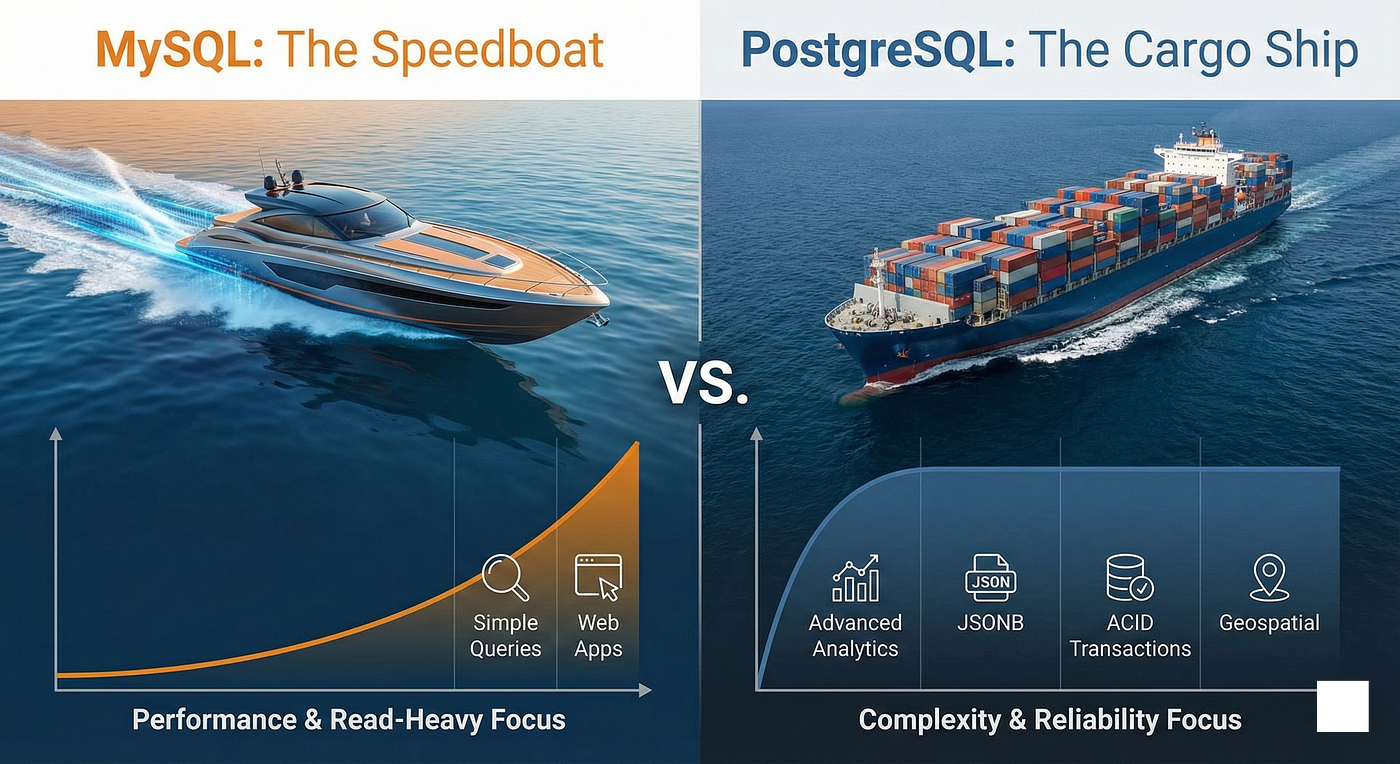
MySQL vs. PostgreSQL: The Speedboat vs. The Cargo Ship
Stop choosing a database just because you saw it in a tutorial. Here is the deep architectural difference (ACID, MVCC, and JSONB). — By…
MySQL vs. PostgreSQL: The Speedboat vs. The Cargo Ship
Stop choosing a database just because you saw it in a tutorial. Here is the deep architectural difference (ACID, MVCC, and JSONB). — By Sharad Bharadwaj
I still remember the first time I crashed a production database.
I was building a dashboard for a client. It started small — just a few users. I chose MySQL because it was famous, and I knew how to install it. “It’s a database,” I thought. “They all just store data, right?”
Six months later, the client called me in a panic. Their reporting page was taking 40 seconds to load. The CPU was hitting 100%. Why? Because I was trying to force a race car to act like a heavy-duty truck.
That day, I learned a painful lesson: MySQL and PostgreSQL are not just “flavors” of SQL. They are completely different engines built for different missions.
Here is the deep dive into why they are different, beyond just syntax.
1. The Core Architecture (The Philosophy)
This is the fundamental design choice that dictates everything else.
MySQL (InnoDB): The “Clustered Index” (Speed) MySQL is built for Read-Heavy workloads.
- The Architecture: It uses a “Clustered Index.” This means the actual data lives inside the Primary Key B-Tree.
- The Benefit: Looking up a user by ID is unbelievably fast because the data is right there in the index. You don’t have to jump to another location on the disk.
- The Vibe: It’s a speedboat. Optimized to do one thing (Primary Key lookups) extremely fast.
PostgreSQL: The “Heap” (Reliability) Postgres is built for Complexity & Reliability.
- The Architecture: It uses a “Heap” structure. The data lives in a big, unordered pile (the heap), and the index just holds a pointer to where the data is.
- The Benefit: This makes “Secondary Indexes” (searching by email, date, or status) much faster and more flexible because they all point directly to the data.
- The Vibe: It’s a cargo ship. It separates the map (index) from the cargo (data) so it can handle complex routing better.
2. ACID & The “Oops” Factor (Transactional DDL — Data Definition Language)
This is a specific feature that saved my life once, and it’s why I often prefer Postgres for startups that change fast.
MySQL: DDL is NOT Transactional
- The Scenario: You start a transaction to update your database structure. You create 5 tables. On the 6th table, your script crashes. You try to rollback.
- The Result: Too bad. The first 5 tables still exist. You are now in a “corrupted” half-state. You have to manually clean up the mess.
PostgreSQL: DDL IS Transactional
- The Scenario: Same crash happens. You type
ROLLBACK. - The Result: It is as if nothing ever happened. The tables vanish.
- Why it matters: This is a lifesaver for running migrations in production. If a deployment fails, your database isn’t left broken.
3. JSON vs. JSONB (The “NoSQL” Killer)
Architects are flocking to Postgres today mostly for this one feature.
MySQL (The Blob Approach): MySQL stores JSON as an optimised binary format, but it’s essentially just a blob.
- The Problem: If you want to update one field inside a large user profile, MySQL often has to rewrite the entire object. It’s inefficient for heavy editing.
PostgreSQL (The Binary Approach): Postgres uses a special type called JSONB (“B” for Binary).
- Decomposition: It breaks the JSON down into native database structures.
- Indexing (The Secret Weapon): You can put a GIN Index (Generalised Inverted Index) on it.
- The Impact: This allows you to query
{ "tags": ["AI", "ML"] }faster than MongoDB can. If you need heavy JSON querying, Postgres is the only choice.
4. The “Update” Problem (MVCC)
This is the hidden architectural trade-off that usually bites you in production. It explains why a system works perfectly in testing but chokes when you scale to 100,000 concurrent users.
It comes down to how the database handles traffic when I’m trying to read a row at the exact same moment you are trying to update it.
MySQL (InnoDB): The “Undo Log” Strategy Think of MySQL like a strict accountant using a physical ledger. When you update a row, MySQL wipes out the old data and overwrites it with the new data in the exact same spot on the hard drive (“Update-in-Place”).
- The Trick: Before it overwrites the data, it quickly scribbles the old value onto a temporary scratchpad called the Undo Log.
- The Architect’s View: This keeps your main table clean and compact. The penalty? If you need to “Rollback” a massive transaction, MySQL has to painstakingly reconstruct the state from that messy scratchpad. It favours Storage Efficiency over Rollback Speed.
PostgreSQL: The “Bloat” Factor Think of Postgres like an accountant who is forbidden from using an eraser. When you update a row, Postgres never touches the old data. Instead, it writes a brand new copy of the row right next to the old one (“Copy-on-Write”).
- The Trick: Now you have two versions of the row sitting there. The old one is dead, but it takes up space until a janitor process called VACUUM comes by to sweep it up.
- The Architect’s View: This is called “Write Amplification.” If you have a super-write-heavy app (like updating a GPS location every second), Postgres can choke because it spends all its CPU creating new row versions and vacuuming up the old ones.
- Real-World Context: This is the exact reason Uber famously migrated away from Postgres to MySQL in 2016. They were updating trip data so fast that Postgres couldn’t vacuum the dead rows quickly enough, and their storage exploded.
5. Indexing: The Secret Tools
MySQL: Mostly relies on B-Tree indexes. Great for =, >, <. Weak for text search or arrays.
PostgreSQL: It’s a toolbox.
- GIN (Generalised Inverted Index): Perfect for JSONB and Full-Text Search.
- GiST (Generalised Search Tree): The industry standard for Geo-Spatial data (PostGIS).
- The Verdict: If you are building Uber (Maps) or a Search Engine, standard MySQL indexes won’t cut it. You need Postgres.
Visualizing The Choice
I use this mental map to decide. Notice how Postgres excels when complexity increases.
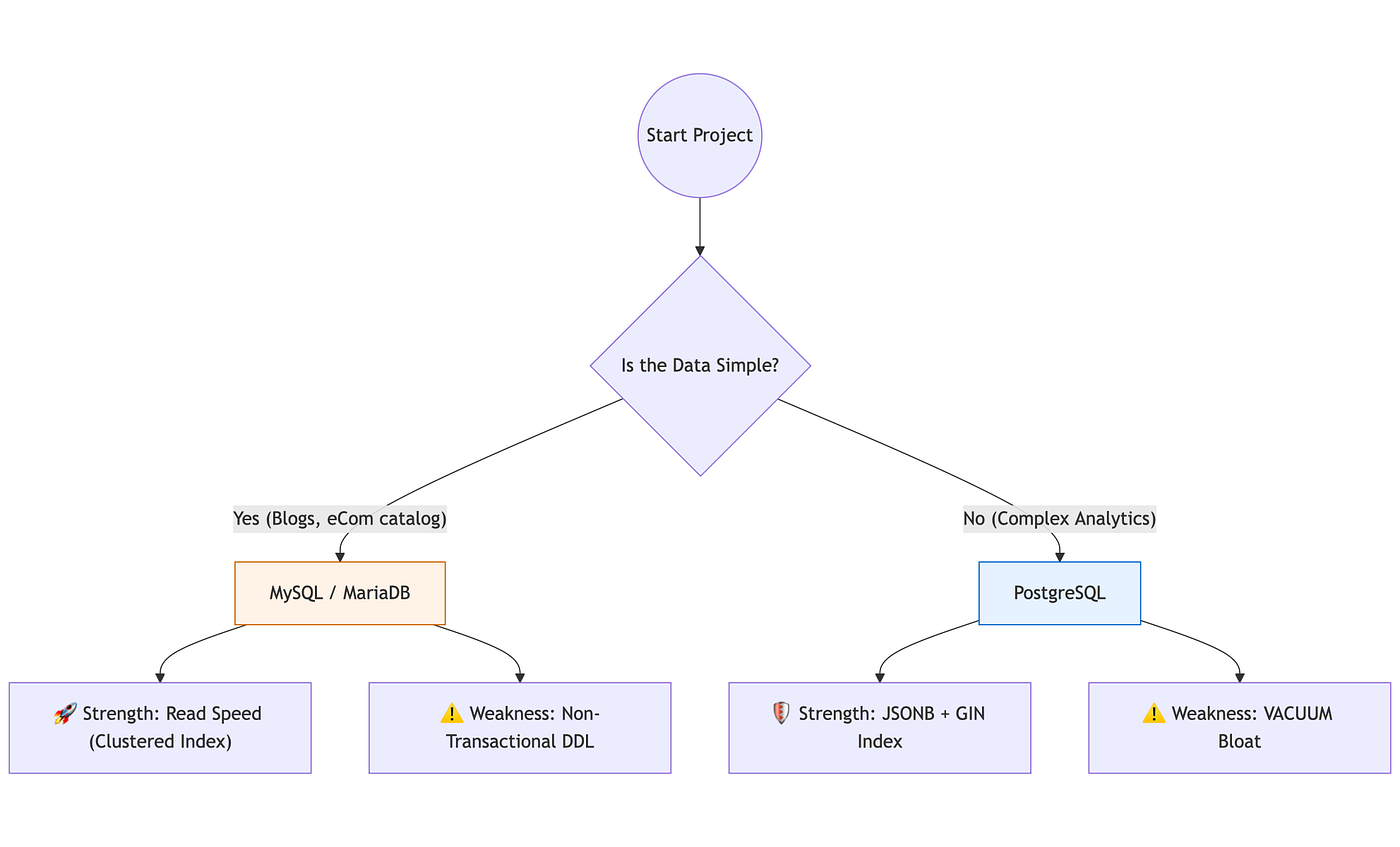
Graph — By Author
The Architect’s Verdict
Choose MySQL if:
- You have a Read-Heavy workload (80% reads / 20% writes).
- You have simple queries (lookup by ID).
- You are using a standard framework like Laravel, WordPress, or a simple SaaS. It is easier to operate.
Choose PostgreSQL if:
- You need Complex Analytics or heavy JSON querying.
- You need Geospatial features (PostGIS).
- You need Strict Reliability (Transactional DDL) for schema changes.
Advice from the Trenches: Don’t just list “MySQL” and “Postgres” on your resume. Understand why you picked one. If an interviewer asks, “Why Postgres?”, tell them: “I chose it for the GIN indexing on JSONB columns, because our reporting dashboard needed to query document data without a full table scan.” That is how you get hired.
I write about System Design, Architecture, and the hard lessons I’ve learned in the IT industry. Follow me so you don’t miss the next deep dive.
메타데이터
- post_id
- 06689623fec2
- slug
- mysql-vs-postgresql-the-speedboat-vs-the-cargo-ship-06689623fec2
- url
- https://medium.com/@isharadbharadwaj/mysql-vs-postgresql-the-speedboat-vs-the-cargo-ship-06689623fec2
- canonical_url
- https://medium.com/@isharadbharadwaj/mysql-vs-postgresql-the-speedboat-vs-the-cargo-ship-06689623fec2
- author_url
- https://medium.com/@isharadbharadwaj
- status
- ok
- fetched_at
- 2026-06-09 15:37:30