Does Canva Have a Halftone Effect? (Yes — Here’s How to Do It in 2 Minutes)
Short answer: Yes, Canva can create a halftone effect — and you don’t need Photoshop.
Does Canva Have a Halftone Effect? (Yes — Here’s How to Do It in 2 Minutes)
Short answer: Yes, Canva can create a halftone effect — and you don’t need Photoshop.
Does Canva Have a Halftone Effect?
If you’ve ever wanted to give your images a retro comic-book, pop-art, or vintage newspaper look, the halftone effect is a classic choice. Until recently, most people assumed you needed Illustrator or Photoshop to pull it off.
But as CG Ian shows in his excellent video tutorial, Canva handles halftone beautifully through a simple app integration called Screen.
Let me walk you through exactly how it works.
What Is the Halftone Effect?
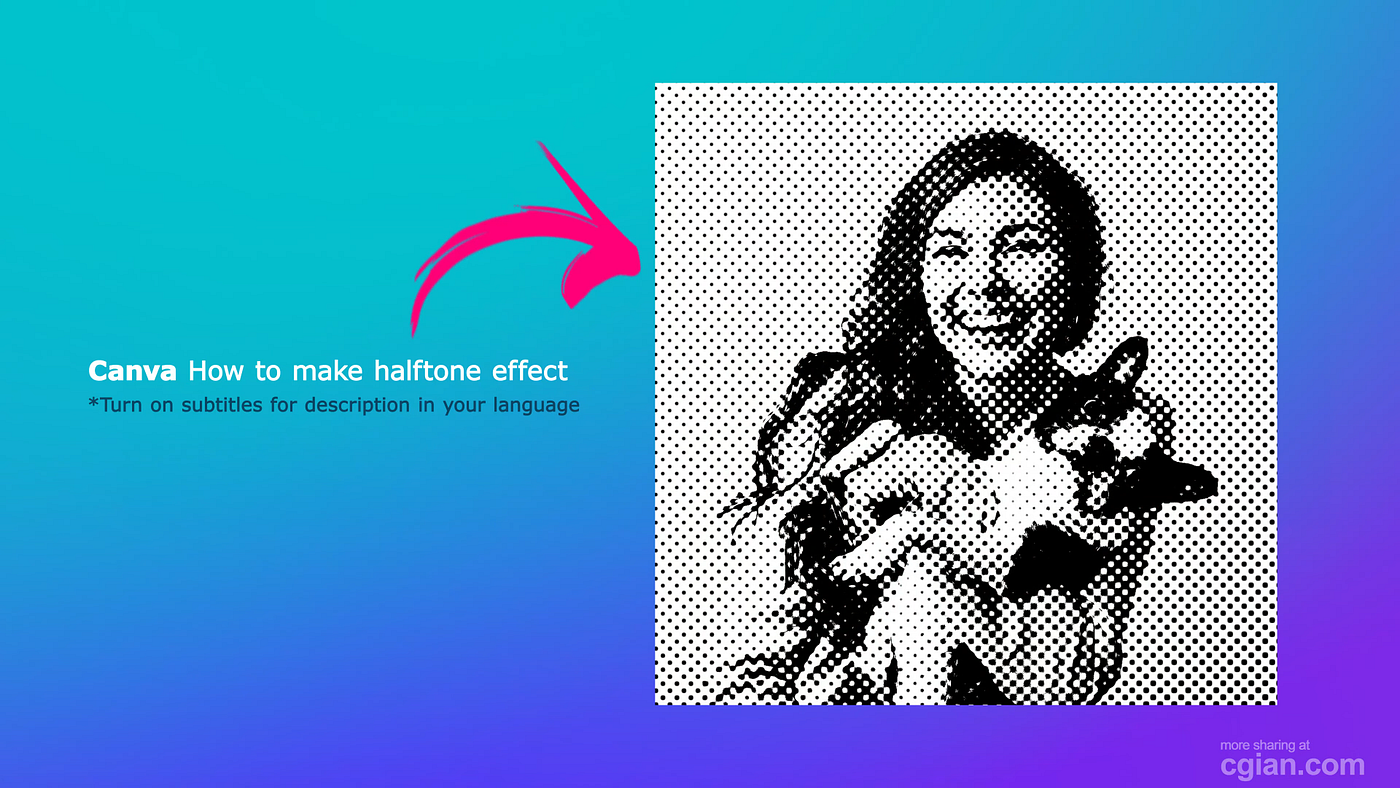
Halftone is a printing technique that simulates continuous tones (like gradients or shadows) using tiny dots of varying size and spacing. Think old comic strips, Roy Lichtenstein paintings, or retro concert posters.
When applied to a photo, it instantly feels graphic, gritty, or nostalgic — perfect for:
- Social media graphics
- T-shirt / merch mockups
- Album covers
- Poster designs
- Branding with a vintage twist
And now, Canva users can achieve it in under two minutes.
Step-by-Step: How to Apply the Halftone Effect in Canva
CG Ian breaks the process into three simple phases. Here’s the gist:
1. Upload Your Image to Canva
Open Canva (any template works — a presentation or custom size). Upload your photo from your computer or a connected app like Google Drive or Dropbox. Drag the image onto your design page.
2. Find the “Screen” App
Click on your image to select it. In the top toolbar, click “Apps” (or “Edit Image” depending on your view). Search for “Screen” — it’s a free plugin.
3. Choose and Adjust the Halftone Effect
Inside the Screen app, select the Halftone option. You’ll see sliders to adjust:
- Amount — intensity of the effect
- Scale — size of the halftone dots
Play around until you like the look, then hit Save.
That’s it. No layers, no blending modes, no confusion.
Key Things to Know
- 🎯 It’s beginner-friendly — You don’t need design experience.
- 🎯 Fully adjustable — Change dot size and effect strength in real time.
- 🎯 Works on any image — Photos, illustrations, or even solid shapes.
- 🎯 Repeatable — Apply the effect to multiple images in the same project.
- 🎯 Fast — The entire workflow takes about 90 seconds.
FAQs (From Real Canva Users)
Does the Screen app cost money? The video doesn’t specify, but Canva’s app library includes both free and paid options. Many users report the basic halftone effect is free with a standard Canva account.
Can I use this on Canva mobile? Yes — the Screen app works on Canva’s mobile app, though the interface looks slightly different.
What if I don’t see the Screen app? Make sure your Canva app is updated. You can also search “Screen” directly in the Apps tab.
Final Thoughts
So, does Canva have a halftone effect? Absolutely — and it’s easier than most people realize.
You no longer need expensive software or complex workflows. With Canva’s free Screen app, anyone can create retro, punchy, artistic images in just a few clicks.
If you’re a visual learner, watch CG Ian’s full tutorial (linked below). He walks through every click and slider — no fluff, just results.
Next step for you: Try the halftone effect on a photo today. Then experiment with different images and scales. You might be surprised how much personality a few dots can add.
Original Post by CG Ian https://cglogs.com/does-canva-have-halftone-effect/
메타데이터
- post_id
- 06cf47496e2a
- slug
- does-canva-have-a-halftone-effect-yes-heres-how-to-do-it-in-2-minutes-06cf47496e2a
- url
- https://medium.com/@cg.artist.ian/does-canva-have-a-halftone-effect-yes-heres-how-to-do-it-in-2-minutes-06cf47496e2a
- canonical_url
- https://medium.com/@cg.artist.ian/does-canva-have-a-halftone-effect-yes-heres-how-to-do-it-in-2-minutes-06cf47496e2a
- author_url
- https://medium.com/@cg.artist.ian
- status
- ok
- fetched_at
- 2026-06-09 15:37:30