Monthly Bill Cut Assistant Premium Review — A Smarter Way to Keep Track of Monthly Bills
Introduction
Monthly Bill Cut Assistant Premium Review — A Smarter Way to Keep Track of Monthly Bills
Introduction
Keeping up with monthly bills isn’t fun for anyone. Most of us forget about some subscriptions, lose track of old payments, or just end up spending more than we expect. Those little charges might not feel like much, but after a while, they can quietly throw your whole budget off balance.
Take a look at the way things are now — families pay for streaming services, internet, phone plans, software, insurance, and utilities, all at once. It adds up fast, and if you’re not careful, money slips through the cracks before you realize it.
That’s where Monthly Bill Cut Assistant Premium steps in.
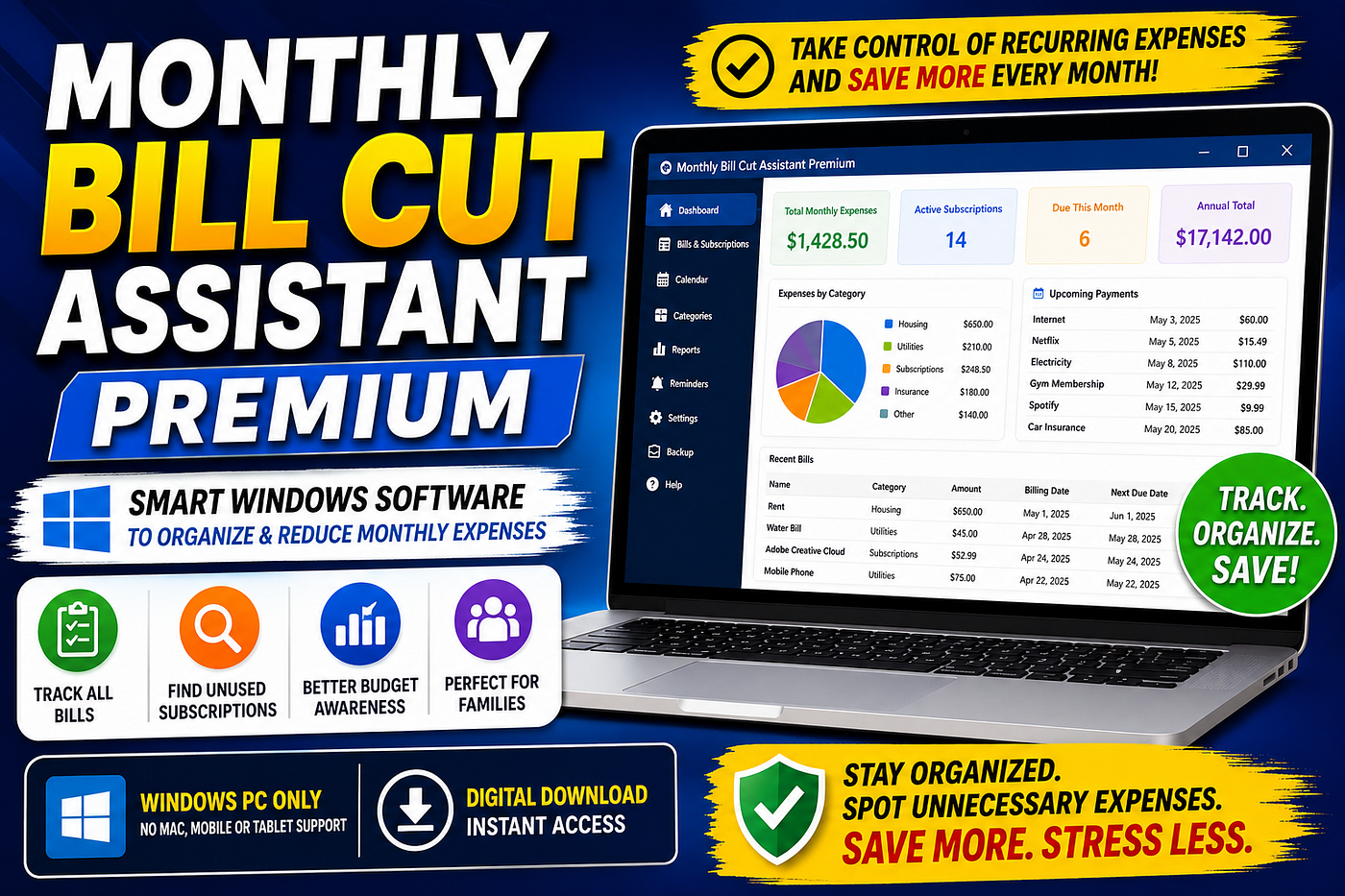
This Windows software helps you get all your recurring monthly expenses in one easy-to-read place. It’s made for people who want to actually see where their money goes every month — without needing advanced finance skills.
The big draw: simplicity. Forget the complicated banking software. With this program, you’ll see your subscriptions, contracts, and monthly bills at a glance, no fuss.
Now, let’s dive in. Here’s everything you should know: key features, pros and cons, and who really gets the most out of using this tool.
**What is Monthly Bill Cut Assistant Premium?**
Monthly Bill Cut Assistant Premium is expense organization software built for Windows PCs. It’s for anyone — especially households — who want a clear view of all their recurring costs.
You can log everything:
- Monthly bills
- Household expenses
- Memberships and subscriptions
- Streaming services
- Utility payments
- Insurance
- Any regular contract or payment
All the recurring stuff, in one system.
Most people spend way more than they think on these things. The average family juggles multiple subscription services (streaming, software, cloud storage, online games…), and that list just keeps growing. In the chaos, it’s easy to lose track.
The software lets you pull every recurring bill into one dashboard, so you can spot the extras you forgot about or find stuff you never use. Suddenly, it’s obvious where you’re overspending.
A couple quick things to know: this is a Windows-only program. No Mac version. No app for your phone or tablet.
Also, don’t expect financial advice or money-back guarantees. What you get is pure organization — a simple assistant to help you actually see your recurring bills and make sense of them.
Key Features & Benefits
- Crystal-Clear Bill Tracking
This software’s main strength is how it organizes your recurring bills, plain and simple.
You type in the amount, due date, company, what kind of subscription it is, how long it lasts — you get the picture. Now everything’s all together, instead of hiding across half your emails and bank statements.
It’s quick. It’s easier. No more sifting through a mess just to see where your money’s going.
- Finds Subscriptions You Forgot
If you’re like most people, you’re still paying for services you barely use.
Surveys show lots of us forget about old subscriptions after a few months. These phantom charges add up until suddenly, you’ve lost a chunk of cash.
With Monthly Bill Cut Assistant Premium, you’ll see every active recurring charge side-by-side — whether it’s a random digital magazine, a forgotten cloud account, or two streaming services doing the same job.
Here’s a quick example:
- $15 a month you don’t notice equals $180 gone each year.
- Find two of those? That’s $350+ wasted.
Spotting just one or two unused subscriptions makes a real difference.
- Simple Enough for Anyone
A lot of budget tools are overwhelming, especially if you’re not into personal finance.
This isn’t that. The layout is straightforward and you don’t need a lesson to get started. Anybody — from a student to a retiree — can use it easily. No jargon, no complicated setup.
If you hate complicated spreadsheets or budgeting apps, you’ll appreciate this one.
- Makes You More Budget-Aware
Once everything is in front of you, it’s a lot harder to overspend.
You’ll see which categories hit your wallet the hardest, spot subscriptions you’re not even using, and just get a better sense of where your money disappears each month.
Now, it won’t magically make you save money, but it does make you rethink some habits. Often, that’s enough to make real change.
- Instant Digital Download
No waiting days for shipping. No hunting for an installation CD. You buy it, download, install, and you’re up and running on your PC.
- Really Built for Households
Unlike most tools geared toward businesses or advanced users, this is made for families, couples, students — real people handling everyday expenses.
It’s not trying to do everything at once. It’s focused on the real problem: keeping your bills and subscriptions organized.
Pros and Cons
Pros
- Super easy to use. You don’t need a finance degree.
- Everything is in one spot — easy to review.
- Makes sense of all those little recurring charges.
- Great for families and households managing shared expenses.
- Quick access with digital download.
- Stays focused on what matters: subscription and expense organization.
Cons
- Runs on Windows only — won’t work on Macs or mobile devices.
- No phone app, so everything’s PC-based.
- Kind of basic — if you want investment tracking or advanced accounting, look elsewhere.
- Doesn’t promise you’ll save money — just helps you get organized.
- You’ll need to fill in your bills and subscriptions yourself the first time.
Who Should Use It?
Monthly Bill Cut Assistant Premium is best for people who want more order, without complicated budgeting tools.
- Families with a pile of recurring bills (utilities, streaming, school payments, insurance… you know the drill).
- Anyone juggling a bunch of subscriptions (Netflix, Office, online storage, games, and the rest).
- Folks who want to cut back waste, see what’s really eating their budget, and maybe cancel a few sneaky extras.
- Beginners who find budgeting apps way too confusing.
- Windows PC owners who do most budgeting on a computer.
Conclusion
Monthly Bill Cut Assistant Premium is a refreshingly simple way to get your monthly recurring bills under control.
With subscriptions and regular payments adding up faster than ever, it’s pretty easy to lose money without noticing. This software gives you a structure — a spot to actually see every bill you’re paying, all together.
You won’t get miracle financial results or legal advice. Still, for everyday people, especially families managing money from a PC, it’s a straight-to-the-point tool that makes monthly expenses feel less chaotic.
If you want better awareness, fewer surprises, and more control over your recurring bills, give it a look. For Windows users, it’s a smart addition to your financial routine.
메타데이터
- post_id
- 07581e2fc876
- slug
- monthly-bill-cut-assistant-premium-review-a-smarter-way-to-keep-track-of-monthly-bills-07581e2fc876
- url
- https://medium.com/@ummesalmasharmin2015/monthly-bill-cut-assistant-premium-review-a-smarter-way-to-keep-track-of-monthly-bills-07581e2fc876
- canonical_url
- https://medium.com/@ummesalmasharmin2015/monthly-bill-cut-assistant-premium-review-a-smarter-way-to-keep-track-of-monthly-bills-07581e2fc876
- author_url
- https://medium.com/@ummesalmasharmin2015
- status
- ok
- fetched_at
- 2026-06-09 15:37:30