How to Extract a Single Page from a PDF (Free & Without Paying for Adobe)
Need to extract one page from a PDF? Stop paying for Adobe! Use QuickToools to safely extract PDF pages for free. 100% private…
How to Extract a Single Page from a PDF (Free & Without Paying for Adobe)
Need to extract one page from a PDF? Stop paying for Adobe! Use QuickToools to safely extract PDF pages for free. 100% private, browser-based, and no signup required.
We’ve all been there. You receive a massive, 100-page employee handbook or a 50-page legal contract. Your boss or your lawyer only needs you to sign Page 42.
Just one page. That’s it.
But when you go to save that single page, you realize your computer wants to keep the whole 20MB file together like it’s glued. Suddenly, a five-second task turns into a tech headache.
The “Solution” That Usually Fails
Most people try one of three things, and they all kind of suck:
- The Blurry Screenshot: You zoom in, take a screenshot, and send a grainy, unprofessional JPEG. It looks messy and is impossible to search or edit.
- The Adobe Paywall: You open Acrobat, click “Organize Pages,” and get hit with a “Start Your Free Trial” pop-up. No one wants to give their credit card info just to move one page.
- The Sketchy Website: You Google “Free PDF Splitter” and find a site filled with flashing “Download” buttons. For the privacy-conscious, uploading sensitive documents to a random server is a total deal-breaker.
The Problem in a Nutshell
You shouldn’t need a $20/month subscription just to pull one page out of a PDF — and you definitely shouldn’t have to upload a sensitive document to a stranger’s server to do it. There’s a better way.
Why We Built QuickToools
As a developer, I was tired of seeing people forced to choose between expensive subscriptions or “free” tools that compromise their data. That’s why we created the Extract PDF Pages tool here at QuickToools.
We built it to be the tool we wanted to use ourselves:
- 100% Free & Unlimited: No “pro” versions, no hidden fees, and no daily limits. Use it as much as you need.
- No Accounts, No Paywalls: You don’t need to sign up or log in. Just get your work done and move on with your day.
- True Privacy (Client-Side Processing): This is for the security freaks (like us!). Your document never leaves your browser. Unlike other sites that upload your file to their server, our tool processes the PDF right on your own computer. It’s faster, and your private data stays exactly where it belongs: with you.
Not familiar with why client-side processing matters so much? We wrote a deep-dive on exactly that — The Hidden Danger of Free PDF Converters (And How Client-Side Tech Fixes It).
How to Extract Your Page in 3 Easy Steps
Step 1: Select Your File
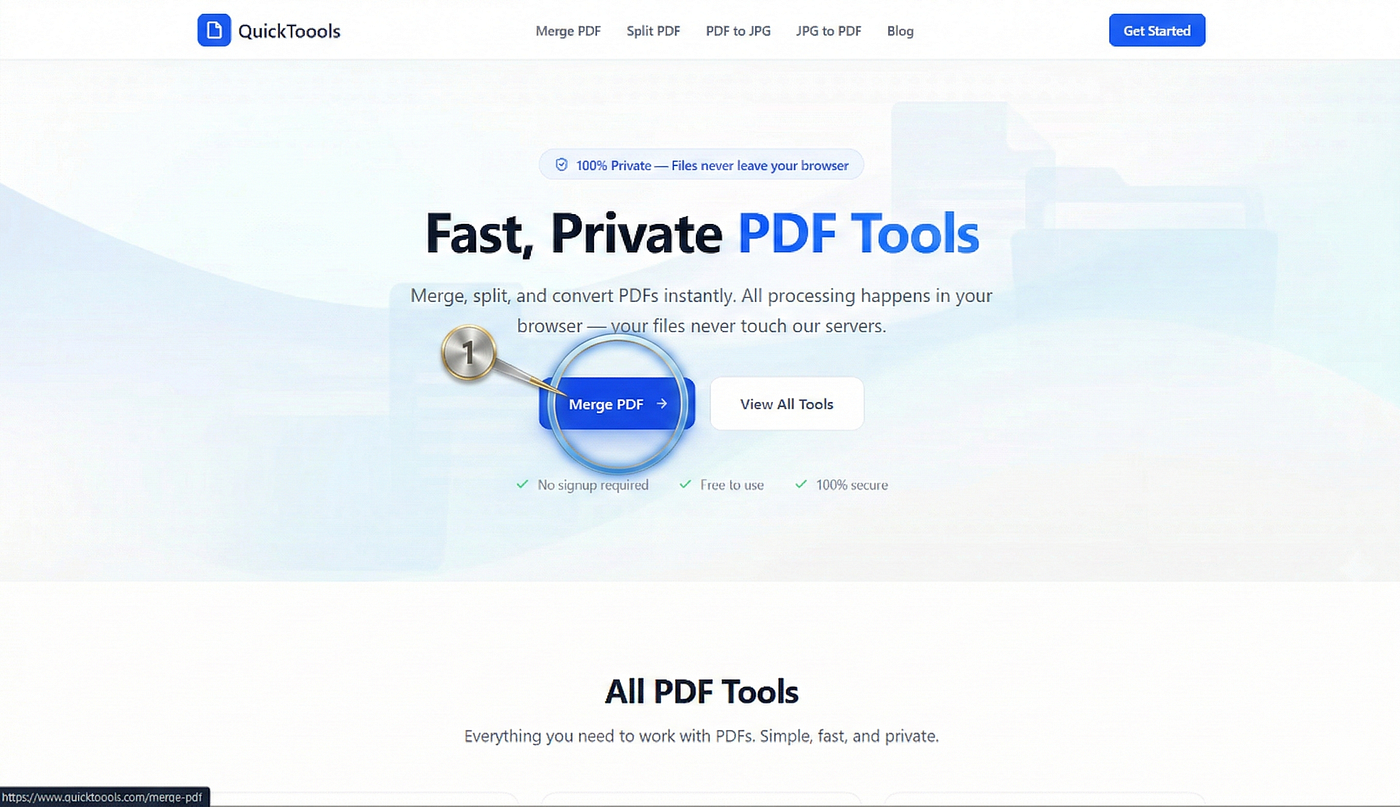
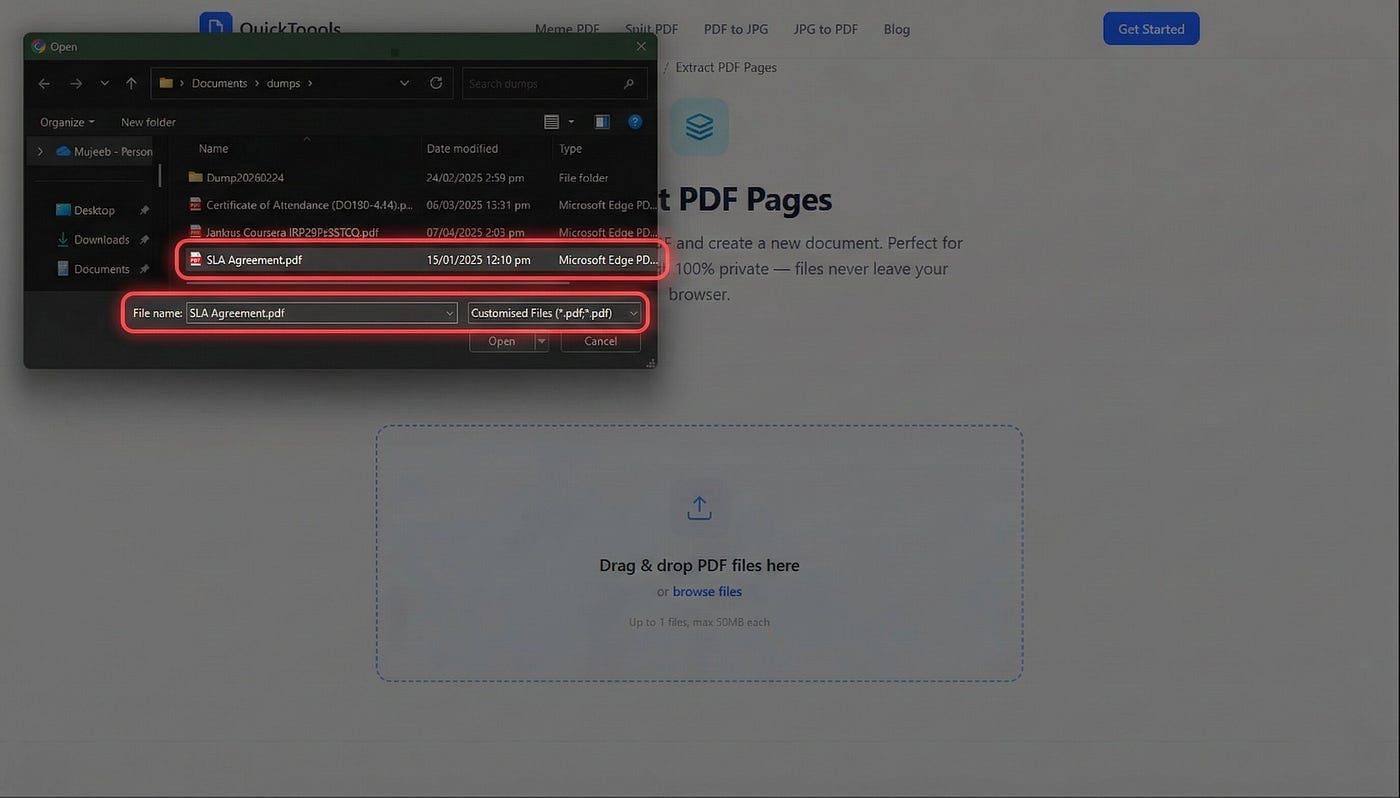
Head over to our Extract PDF Pages tool. You can click the “Select Files” button or simply drag and drop your PDF directly into the workspace.
Step 2: Choose Your Pages
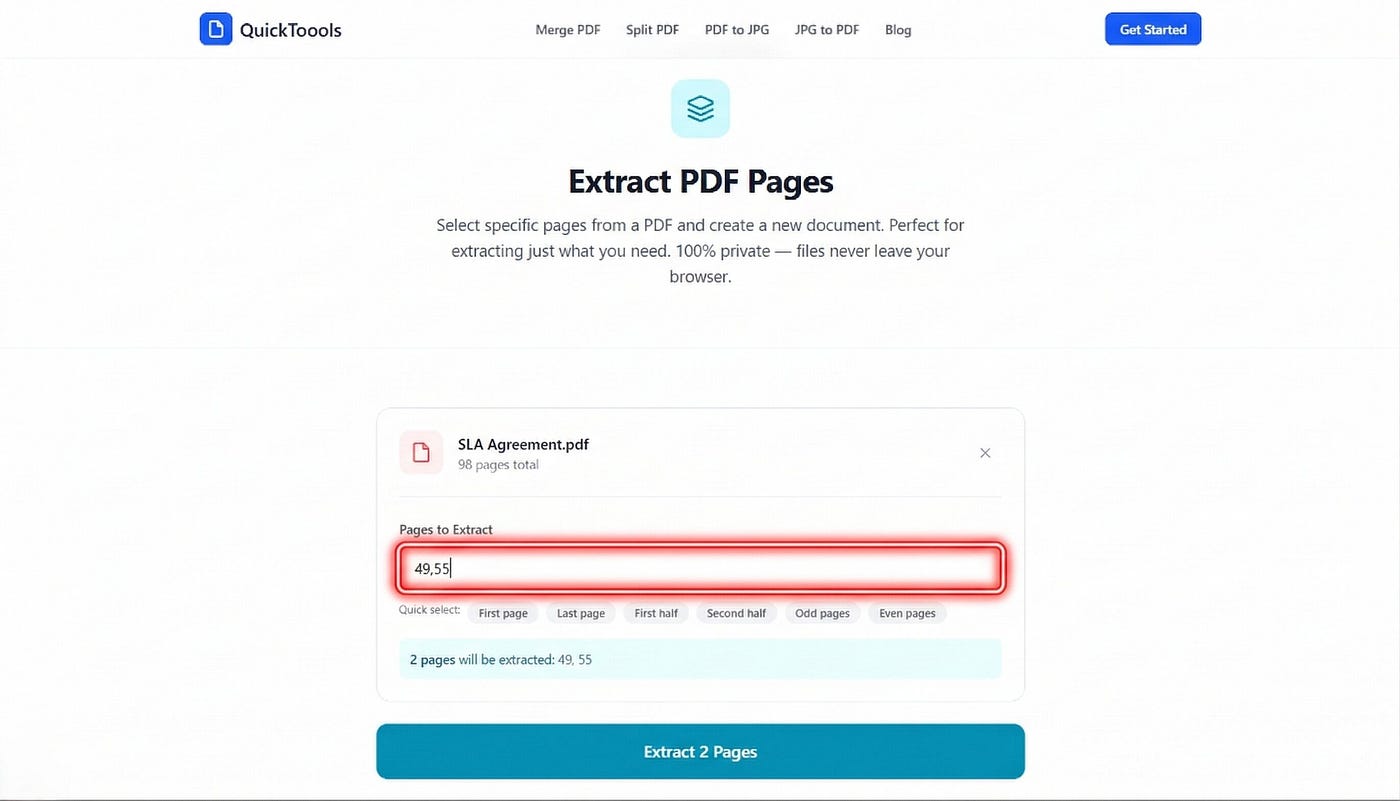
Once the file loads, Simply type the page number into the selection box. You can even select multiple non-consecutive pages if you need to create a custom mini-doc.
Step 3: Extract and Download
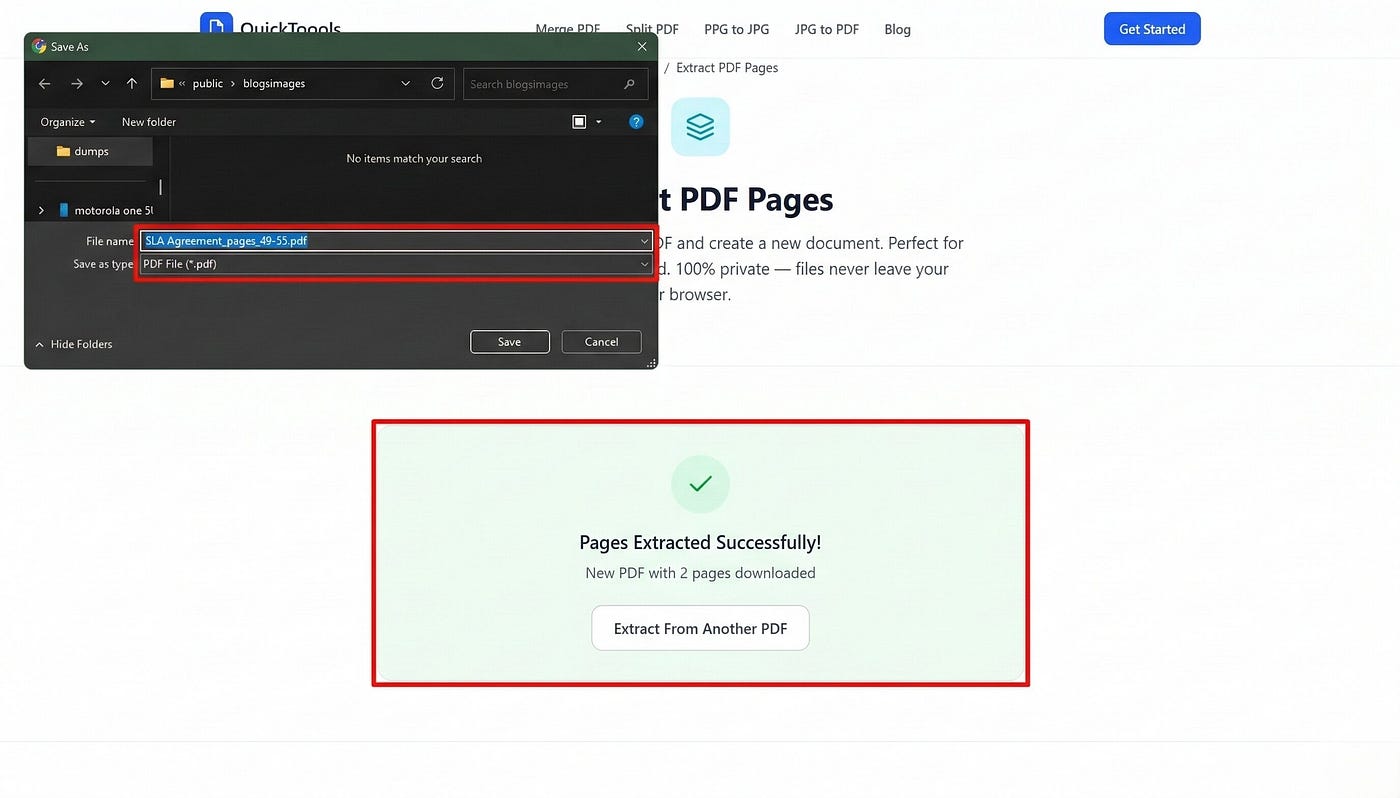
Click the “Extract Pages” button. Because the processing happens in your browser, it’s nearly instant. Hit “Download,” and you’ll have a high-quality PDF containing only the pages you chose.
Stop Fighting Your Files
You don’t need a $20/month subscription to manage your documents, and you definitely shouldn’t have to risk your privacy on sketchy servers. Whether you’re a student, a professional, or just someone who values their data security, we’ve got you covered.
And if you ever need to do more than just extract pages — like combining multiple PDFs, splitting a document into separate files, or converting between images and PDFs — QuickToools has you covered there too. Check out the full suite of free tools.
Ready to slim down that PDF?
No signup. No upload. No cost. Just results.
Try the Extract Tool right now →
Originally published at https://www.quicktoools.com on March 5, 2026.
메타데이터
- post_id
- 07dcfd2c54ca
- slug
- how-to-extract-a-single-page-from-a-pdf-free-without-paying-for-adobe-07dcfd2c54ca
- url
- https://medium.com/@nyaxistech/how-to-extract-a-single-page-from-a-pdf-free-without-paying-for-adobe-07dcfd2c54ca
- canonical_url
- https://medium.com/@nyaxistech/how-to-extract-a-single-page-from-a-pdf-free-without-paying-for-adobe-07dcfd2c54ca
- author_url
- https://medium.com/@nyaxistech
- status
- ok
- fetched_at
- 2026-08-17 23:29:27