Search Console Audit That Saves a Dead Site
A site can look normal and still go “dead” in search. Pages may stay indexed. The design may look fine. The server may stay stable. Search…
Search Console Audit That Saves a Dead Site
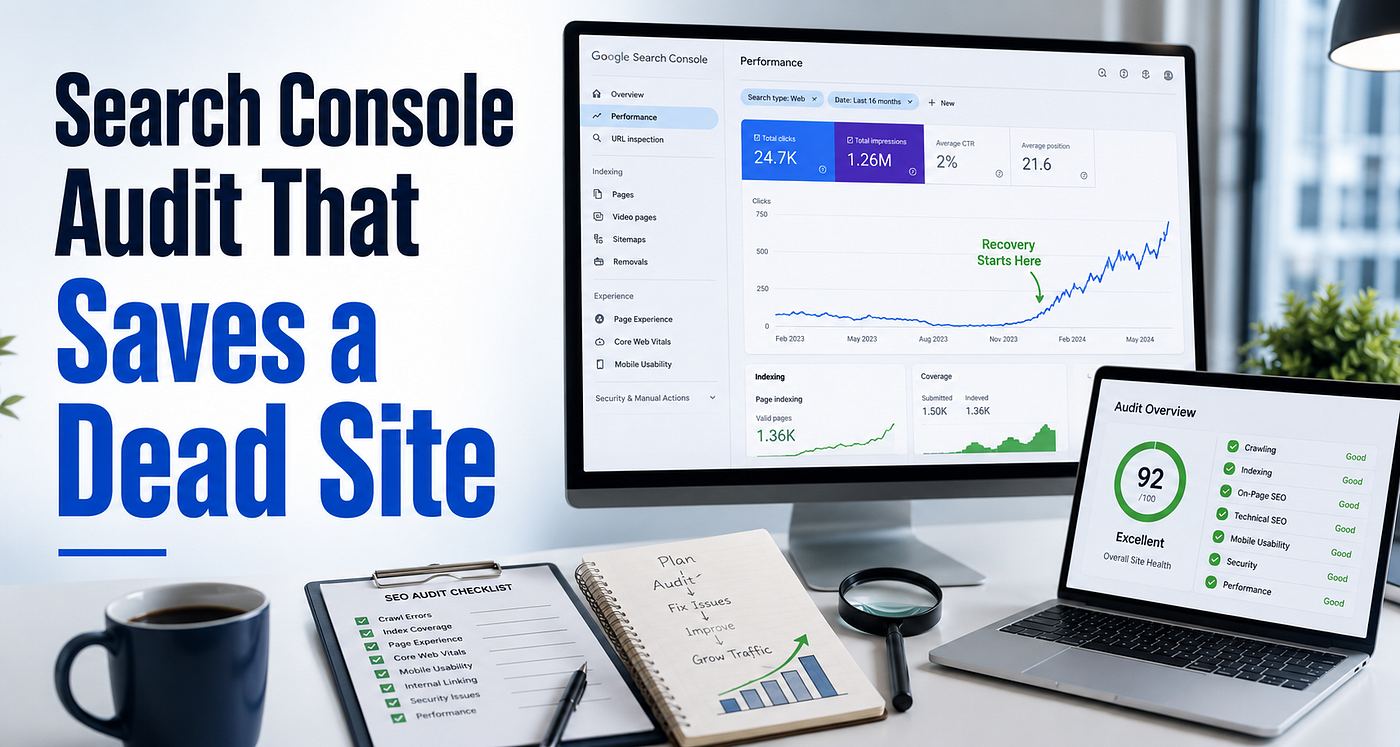
A site can look normal and still go “dead” in search. Pages may stay indexed. The design may look fine. The server may stay stable. Search traffic still drops to near zero. Impressions fall across most keywords. New posts publish, yet nothing moves.
Search Console can explain this drop and Most Bloggers open it, check clicks, then start random fixes. That wastes weeks. A good audit treats Search Console like a dashboard. It shows where trust breaks, where crawl slows, and which pages trigger the decline.
This section gives a practical audit flow that I use when a site gets hit in core or **spam updates**, or when it shows sandbox-type behavior. Each step has a clear purpose and a clear outcome.
Stop random changes first
A dead site creates panic and people rewrite everything. Admins delete pages without a plan and add thousands of internal links also publish dozens of new posts. This chaos hides the real cause. It can also damage the few pages that still carry trust.
Pause new content in the categories that lost the most traffic. Choose a small set of pages that used to bring clicks. Use these pages as your audit sample. Keep a simple change log. Write the date and the exact edits you make. Search Console trends make sense when the site stays stable during the audit.
You can also read my full recovery story here: **How Danish Rasheed and His Team Recovered Dead Sites After Google Updates**.
Build a traffic timeline inside Search Console
Open Search Console and go to Performance. Set the date range to 16 months if you have enough data. Turn on clicks, impressions, CTR, and average position. Look at the graph and find the first point where the decline starts. Note that date. Look at the next two to four weeks and see how the drop behaves.
A drop that happens in waves often points to content quality issues across topic clusters. A sharp drop across many pages can point to trust issues, link risk, heavy duplication, or a site-wide quality hit.
Write two dates in your notes. Write the first date the decline starts. Write the first date the site looks flat. This timeline becomes your reference point when you compare fixes later.
Focus on pages first, not queries
Most people start with queries. That rarely shows the real damage. Start with pages.
Go to Performance, then Pages. Compare the last 28 days with the previous 28 days. Sort the list by clicks difference. This gives you the URLs that lost real traffic, not just impressions.
Open the top losing pages and review them like a user and check if the page still matches search intent. Check if the page answers the main question fast. Check if the page feels thin compared to current top results. Check if ads, layout, or clutter reduce readability. Check if the site has many pages that repeat the same angle.
This step tells you if the drop comes from page quality, not from technical problems. In real recoveries, sites often die page-first, then site-wide. Fix the pages that bleed traffic first. These pages act like trust anchors. They also give the fastest feedback in Search Console.
Check index signals to see if Google still wants the site
Open Indexing, then Pages. This report shows if Google still trusts your content enough to index and serve it.
Look closely at these areas.
Crawled, currently not indexed often means Google crawled the page and decided it did not deserve index. This can happen due to low value, duplication, weak intent match, or soft spam signals. Open examples and read the pages. Most times, the issue becomes obvious fast.
Discovered, currently not indexed can mean Google found the URL but delayed crawl. This can happen when the site produces too many low-value URLs, has weak internal links, or carries low overall trust. This bucket grows fast on sites with thin tag pages or low-quality auto pages.
If this bucket grows, your site sends weak quality signals. Google also explains crawl and indexing behavior in its **Search Central documentation**.
Duplicate pages often come from tags, parameters, categories, or repeated post angles. Duplicates split signals and confuse Google. They also reduce site quality in bulk.
Soft 404 often hits thin pages that look empty or useless. Deal sites and expired pages trigger this a lot. Google treats these pages as low value even if the server returns a 200 status.
If these buckets grow quickly, your site sends weak quality signals. Recovery becomes slow until you reduce noise.
Use URL Inspection to confirm the problem on real examples
Pick three page types and pick one page that used to rank and now lost traffic. Pick one new page that never gained impressions. Pick one category or tag page that stays indexed but provides little value.
Open URL Inspection for each URL and check last crawl date. Old crawl dates can mean Google lost interest. Check index status. If the page stays crawled but not indexed, you need value improvements, consolidation, or removal from crawl paths. Check canonical. If Google chooses a different canonical, your site may have duplication or internal signals that point away from the page. Check the crawled view if available and confirm Google sees the main content.
A common real-world issue appears here. Pages look fine to the editor, but Google sees a weaker version due to scripts, lazy load, blocked assets, or layout issues. URL Inspection helps confirm what Google actually processes.
Clean the sitemap so it represents trusted URLs only
Open Sitemaps. A sitemap should not list everything your CMS creates. It should list pages you want Google to trust.
Many dead sites submit weak URLs in the sitemap. Tag pages with no purpose. Author pages with one line. Thin category pages with no intro. Search result pages. Expired deal pages.
Remove low-value URLs from your sitemap. Keep only strong pages and real categories. Resubmit the clean sitemap after your first round of fixes. This improves crawl focus and reduces wasted discovery.
Review internal paths like a user would
Search Console will not show your internal link structure clearly in one screen, but you can still audit it in a practical way.
Open a top losing page and scroll it. Look for internal links that guide a reader to the next step. Many dead sites fail here. Posts sit alone with no connections. Internal links repeat the same few pages. Category pages act like empty lists.
Fix internal links with control. Add a small number of relevant links inside the body where they fit naturally. Link to one strong category or hub page when it helps navigation. Add a related block only if it improves the reading path.
Internal links should look human. Spam-style internal links can create new quality issues.
Use search appearance signals as a secondary check
Open Performance and look at search appearance if your account shows it. A drop in rich results can point to structured data issues. A loss of sitelinks can signal brand trust decline. A loss of FAQ style results can also happen when Google changes how it displays results.
Do not chase rich features first. Fix page value and site clarity first. Rich results return when the page earns trust again.
Detect cannibalization and fix it with consolidation
Cannibalization happens when multiple pages target the same intent. Google rotates pages or drops them all because none stands out as the best match.
Open Performance, then Queries. Click a query that used to bring clicks. Open the Pages tab. If you see many URLs competing for one query, you have cannibalization.
Fix it with a clear decision. Choose one best URL as the main page. Merge useful parts from weaker pages into that main page. Redirect or noindex weaker pages, based on what makes sense. A dead site often has many “almost same” posts. Consolidation reduces noise and rebuilds authority.
Work in clusters, not across the whole site
A site-wide overhaul feels productive, but it fails in practice. Pick one topic cluster where you used to rank. Fix it fully. Move to the next cluster only after you see recovery signals.
Build one hub page or strong category page with a clear intro. Keep 8 to 20 supporting posts that cover real subtopics. Connect them with clean internal links. Remove duplicates and thin pages that repeat the same intent. Cluster rebuilds often trigger the first real recovery wave.
Recognize spam-type signals without panic moves
Search Console will not always confirm a spam update hit. You infer it from patterns.
These patterns often appear together. A wide drop across many pages. Pages stay indexed but rankings vanish across the board. New posts gain no impressions. Crawled but not indexed pages rise. Titles and angles repeat across the site. The backlink profile shows irrelevant placements or risky anchor patterns.
If you suspect off-site risk, slow down link activity. Stop risky anchors. Avoid fast link volume. Focus on content upgrades, consolidation, and internal structure first. Strong pages attract safer links later.
Recovery order that works in real projects
Start with the pages that lost the most clicks. I follow the same audit flow with client projects at **GrowLinko**. Improve the top section first. Make the intent clear. Add missing sections that top pages in the SERP already cover. Remove filler. Add simple examples. Improve formatting.
Next, consolidate duplicates and remove thin pages from crawl paths. Reduce noise and clean the sitemap.
Then rebuild internal links inside one cluster so Google can see topical structure again.
Publish fewer new posts during this phase. Publish only posts that support the rebuilt cluster and fill real gaps.
Add links only after you see indexing and impressions start to improve. Use relevant placements and natural anchors. Link work becomes safer once the site sends stronger on-page signals.
Search Console often shows early recovery as better crawl frequency, stable index counts, and rising impressions before clicks. Clicks usually follow later. Trust moves in steps.
Cautions that save months
Avoid massive title changes across the site in one day. Avoid footer-wide site links that point to the same pages. Avoid publishing 30 posts in a week after a drop. Avoid redirecting everything to the homepage. Remove expired pages that add no value.
Dead sites recover faster when the site becomes simpler, cleaner, and more focused.
Check progress after your first wave of fixes
Give the site 10 to 21 days after the first round of changes and then check the fixed pages in Search Console. Look for more impressions. Check if crawl dates update. Check if queries return. Check if crawled but not indexed starts to fall. Check if index counts stabilize.
If you see progress, continue with the next cluster. If nothing moves, reassess. Deeper duplication, weak topical authority, or off-site risk may still block trust.
메타데이터
- post_id
- 082a7c02a49d
- slug
- search-console-audit-that-saves-a-dead-site-082a7c02a49d
- url
- https://medium.com/@idanishrasheed/search-console-audit-that-saves-a-dead-site-082a7c02a49d
- canonical_url
- https://medium.com/@idanishrasheed/search-console-audit-that-saves-a-dead-site-082a7c02a49d
- author_url
- https://medium.com/@idanishrasheed
- status
- ok
- fetched_at
- 2026-06-09 15:37:30




