Stop Blaming Your Prompts: Why Your Folder Structure is Breaking Your AI Workflow
I used to think my prompts were the problem. I’d ask an AI coding assistant to update a React component, and it would spit out completely…
Stop Blaming Your Prompts: Why Your Folder Structure is Breaking Your AI Workflow
I used to think my prompts were the problem. I’d ask an AI coding assistant to update a React component, and it would spit out completely irrelevant code. I’d tweak the prompt, add more context, and try again. Same mediocre result.
It turns out, the problem wasn’t the prompt. It was my workspace.
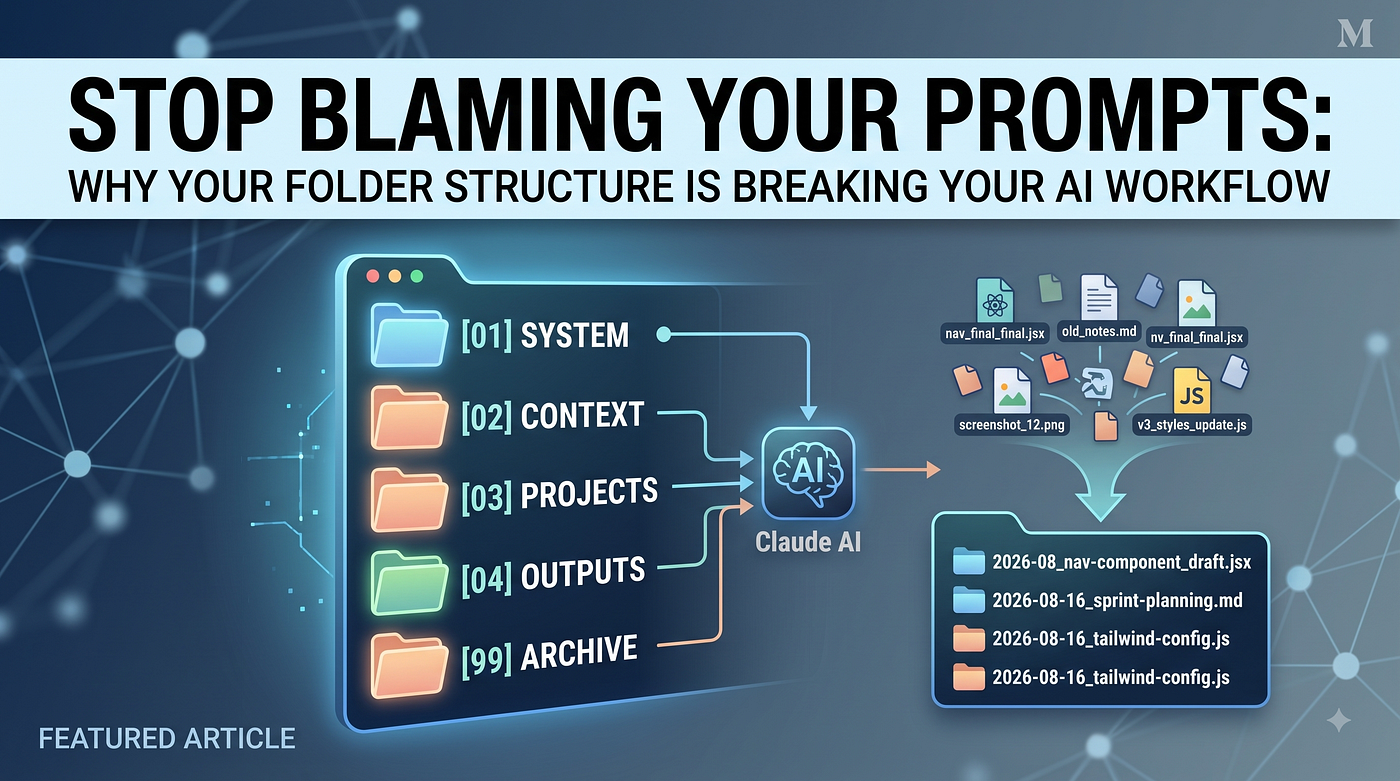
If you are dumping files named index_final.js, index_v2_REAL.js, and old_styles.css into a single directory, your AI is flying blind. Claude (and similar agents) try to read your environment to understand the context. When it sees a chaotic file system, it gets confused. It might read an outdated Tailwind configuration, ignore your actual active draft, or spend tokens analyzing obsolete screenshots instead of writing the code you need.
A clean, predictable file system changes everything. When an AI knows exactly where your rules live, where your active code is, and where the old junk is hidden, the output improves dramatically — without you changing a single word of your prompt.
Here is the straightforward, five-folder system I use to keep my AI workflows (and my own sanity) intact.
- Understand That Your Folder IS Your Prompt When you use an AI coding assistant, your text prompt is only half the equation. The other half is the environment the AI can see.
If your workspace is a mess, you are essentially feeding the model “messy context.” Instead of executing your command, the AI wastes compute power trying to decipher your digital hoarding habits. A well-structured folder acts as a map, telling the AI exactly what matters right now and what should be ignored.
- The 5-Folder Architecture You don’t need a deeply nested, overly complex taxonomy. You just need a structure that an AI can scan in milliseconds. Here is the foundation:
Plaintext YOUR-WORKSPACE/ ├── [01] system/ ├── [02] context/ ├── [03] projects/ ├── [04] outputs/ └── [99] archive/ Adding numerical prefixes is crucial. It forces the folders into a specific order, creating a logical hierarchy that the AI can instantly parse. Notice that archive/ is numbered [99] — this ensures the noise is always pushed to the very bottom, out of sight but still searchable if needed.
[01] system/: This is where you put non-negotiable rules. (e.g., your .cursorrules or CLAUDE.md files that dictate formatting or architectural choices).
[02] context/: Stable, reusable reference material. Think of API documentation, database schemas, or global brand guidelines.
[03] projects/: Your active, ongoing work.
[04] outputs/: Completed, finalized assets ready for deployment.
[99] archive/: Old files, deprecated code, and discarded drafts. Do not delete them; just hide them here.
- Name Files Like a Machine Reads Them File names are preemptive context. Before the AI even opens a file, the title should explain exactly what is inside.
Stop using names like nav_update.jsx or notes.md. Instead, use a naming convention that answers three things: When? What? and What Status?
Here is a practical example for a front-end developer:
Bad: styles_new.css
Good: 2026–08_tailwind-config_draft.js
You don’t always need a full timestamp. Match the date format to the lifecycle of the file:
Yearly (2026): For long-term documents (e.g., 2026_API-architecture.md)
Year + Month (2026–08): For recurring tasks (e.g., 2026–08_sprint-planning.md)
Full Date (2026–08–16): For highly specific, active files (e.g., 2026–08–16_framer-motion-navbar_v1.jsx)
- Structuring Active Projects vs. Static Context Not every folder behaves the same way.
The [03] projects/ folder should be structured as a workflow. Numbering the sub-folders here tells the AI exactly what stage the project is in:
Plaintext [03] projects/ └── react-dashboard-rebuild/ ├── 00_REQUIREMENTS.md ├── 01_ASSETS/ ├── 02_COMPONENTS/ ├── 03_DOCKER_CONFIG/ └── 04_TESTS/ This tells the AI: Read the requirements first, check the assets, write the components, then configure the container.
Conversely, the [02] context/ folder is a library, not a workflow. There is no reading order here. It holds reusable knowledge that doesn’t need to be copied into every new project folder:
Plaintext [02] context/ ├── k8s-deployment-guide.md ├── UI-component-library.md └── global-state-architecture.md When you start a new task, you simply tell the AI: “Reference the k8s deployment guide in the context folder to set up the new project.”
The Golden Rules of AI File Management You don’t need to memorize the exact folder tree. Just remember these core principles:
Markdown for rules: Use .md files for instructions; AI models parse them perfectly.
Numbers for order: Use prefixes (01, 02) to force a logical reading path.
Names for meaning: A filename should explain its contents before it’s opened.
Archive for noise: If it isn’t active, move it to [99] archive/ so the AI stops reading it.
One final piece of advice: Do not spend tonight reorganizing your entire hard drive. That is a recipe for procrastination. Start with the single repository or project folder where you use AI the most. Add the five numbered folders, rename your active files, and dump the old stuff into the archive.
Give your AI fewer reasons to guess, and watch your output quality skyrocket.
메타데이터
- post_id
- 08acd9b565e9
- slug
- stop-blaming-your-prompts-why-your-folder-structure-is-breaking-your-ai-workflow-08acd9b565e9
- url
- https://medium.com/@bhanushaliharsh1/stop-blaming-your-prompts-why-your-folder-structure-is-breaking-your-ai-workflow-08acd9b565e9
- canonical_url
- https://medium.com/@bhanushaliharsh1/stop-blaming-your-prompts-why-your-folder-structure-is-breaking-your-ai-workflow-08acd9b565e9
- author_url
- https://medium.com/@bhanushaliharsh1
- status
- ok
- fetched_at
- 2026-08-17 05:24:26



