10 AI-Powered Note-Taking and Editing Tools: A Simple Guide for Everyone
Discover 10 AI-powered note taking and editing tools. Learn what they do, their basic features, who they are suitable for, and their prices…
10 AI-Powered Note-Taking and Editing Tools: A Simple Guide for Everyone

10 AI-Powered Note-Taking and Editing Tools
Discover 10 AI-powered note taking and editing tools. Learn what they do, their basic features, who they are suitable for, and their prices with a simple guide for everyone.
At the point where our journey, which starts with scribbling on paper and reaches the ‘Note Taking’ stop, AI-powered note taking and editing tools; make it easier to capture ideas, organize thoughts, streamline workflow, and ultimately manage information. Whether you are a student, a professional, or just someone who likes to stay organized, there is a tool that will meet your needs.

Notion
## 1. Notion
Notion is an all-in-one workspace where you can take notes, manage tasks, and create databases. Think of it as a digital Swiss Army knife with AI to help you write and organize better.
Key Features:
-
Customizable Pages: Create notes, lists, or tables the way you want.
-
AI Writing Assistance: Suggests text, summarizes notes, or even translates them.
-
Team Collaboration: Share and edit notes with others in real time.
-
Templates: Provides 30,000+ templates for meetings, projects, or journals.
Who’s Good For: Students, teams, and anyone who wants a flexible tool for notes and planning.
Price: Free for basic use (limited features). Paid plans start at $10 per person per month.

Roam Search
## 2. Roam Research
Roam Research is a note-taking app that connects your ideas like the web. It uses AI to help you connect thoughts and find patterns.
Key Features:
-
Two-Way Connections: Link notes so related ideas automatically pop up.
-
Network Thinking: View your notes as a map of connections.
-
AI Suggestions: Helps you summarize or create new ideas from your notes.
-
Daily Notes: Start each day with a new page that links to past ideas.
Who’s Good For: Researchers, writers, and thinkers who love to explore how ideas connect.
Price: $15 per month for Pro.
Obsidian
## 3. Obsidian
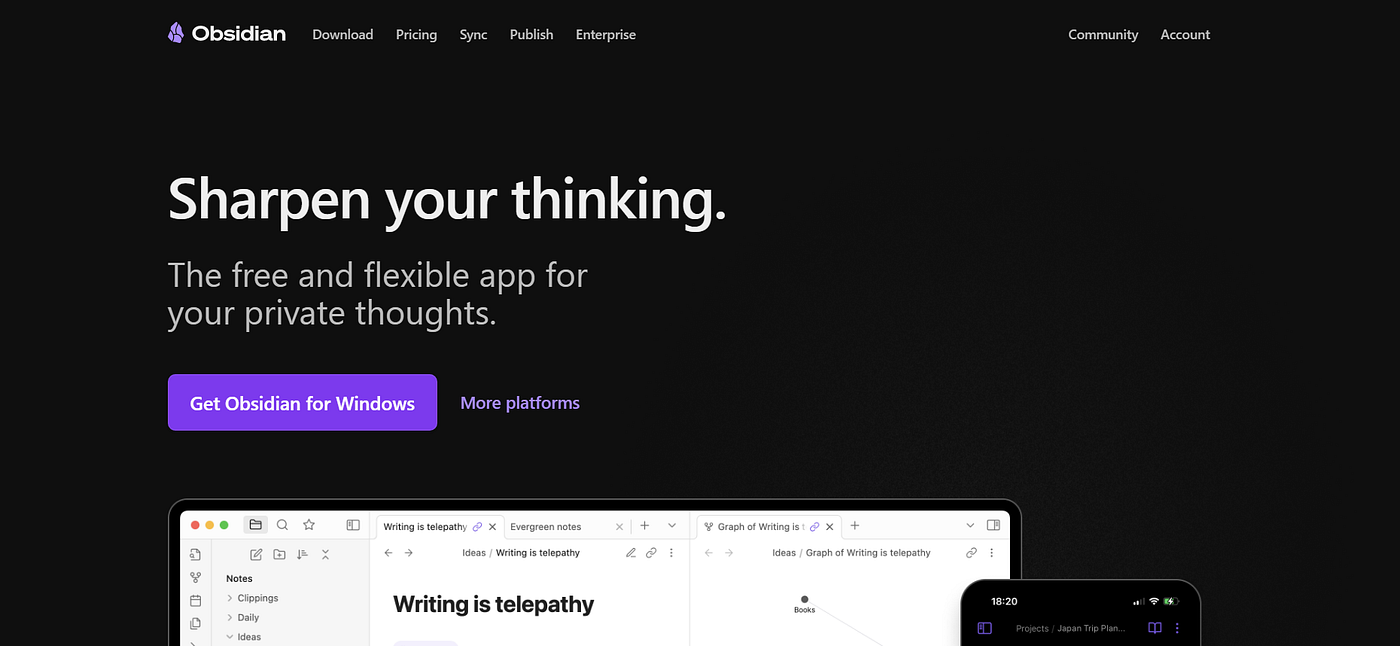
Obsidian is a note-taking tool that turns your notes into a personal database. Powered by AI plugins, it stores everything on your device.
Key Features:
-
Graph View: See your notes as a visual network of connections.
-
Markdown Support: Write notes in a simple, universal format.
-
AI Plugins: Plugins for summarizing or content creation.
-
Offline Access: Works without the internet because notes stay on your device.
Who’s Good For: Businesses, students, and anyone who wants a customizable, customizable note system. Ideal if you like to customize tools.
Price: Free for basic use. Add-ons like Sync cost $4 per month.

Mem
## 4. Mem
Mem is a simple, AI-powered note-taking app that organizes your thoughts for you. It’s designed to save you time and make things easier.
Key Features:
-
Smart Search: Finds notes even if you can’t remember the exact words.
-
Auto-Organize: Groups related notes together without manual tagging.
-
Real-Time Collaboration: Share and edit with others instantly.
-
AI Chat: Ask questions about your notes like a personal assistant.
Who’s Good For: Busy professionals, teams, or anyone with messy notes who wants a hassle-free system.
Price: Free to try by downloading to your device.

Evernote
## 5. Evernote
Evernote is a classic note-taking app with AI upgrades. It’s great for capturing anything from text to web pages and keeping them searchable.
Key Features:
-
Web Clipper: Save articles or pages from the web.
-
AI Search: Find text in notes, images, or even handwriting.
-
Note Cleanup: AI suggests ways to organize messy notes.
-
Sync Across Devices: Access notes from your phone, laptop, or tablet.
Who’s Good For: People who take a lot of notes (students, writers, or professionals) and need a reliable, familiar tool.
Price: Limited free. Check out the website for paid plans:

Craft
## 6. Craft
Craft is a beautiful note-taking and editing app with AI that makes your notes look beautiful and work smarter. It’s like a polished notebook for digital ideas.
Key Features:
-
Stunning Design: Create notes with visuals, videos, and stylish layouts.
-
AI Assist: Helps you write, summarize, or rephrase text.
-
Collaborate: Work on notes with others in real time.
-
Block System: Move notes for flexibility organize into pieces.
Who’s Good For: Creative people, designers, or teams who want notes to look good and function well.
Price: Free with basic features. Paid plans start at $7.99/month.

Tana
## 7. Tana
Tana is a powerful, customizable note-taking app with AI to help you structure your ideas.
Key Features:
-
Flexible Structure: Create notes as lists, tables, or grids.
-
AI Insights: Suggest links or summaries for your notes.
-
Task Integration: Easily turn notes into to-dos.
-
Two-Way Links: Connect ideas across your notes.
Who’s Good For: Advanced users, programmers, or anyone who likes a highly customizable tool. Not for beginners.
Price: $8/month for Plus, $14/month for Pro.

Microsoft OneNote
## 8. Microsoft OneNote
OneNote is Microsoft’s free note-taking app, and now it comes with AI via Copilot. It’s like a digital notebook for all your ideas.
Key Features:
-
AI Copilot: Generates notes, summaries, or plans for you.
-
Freeform Notes: Write, draw, or add images anywhere on the page.
-
Team Sync: Works with Microsoft Teams for collaboration.
-
Cross-Platform: Use on any device with a Microsoft account.
Who’s Good For: Microsoft users, students, or teams who want a free, versatile tool connected to Office.
Price: Free with a Microsoft account. Additional features are paid with Microsoft 365.

Apple Notes
## 9. Apple Notes
Apple Notes is the built-in app for iPhone, iPad, and Mac users, and now comes with Apple Intelligence’s AI support. It’s simple and seamless.
Key Features:
-
AI Summaries: Automatically condenses your notes.
-
Real-Time Transcription: Converts voice notes to text.
-
iCloud Sync: Access notes across all Apple devices.
-
Proofreading: AI checks spelling and grammar for you.
Who’s Good For: Apple fans who want an easy, free notes tool that works on their devices.
Price: Free with any Apple device.

LogSeq
## 10. LogSeq
LogSeq is an open-source note-taking app. Similar to Obsidian, but with an outline style.
Key Features:
-
Outline Format: Organize notes into indented lists.
-
Two-Way Links: Connect ideas between notes.
-
AI Plugins: Plugins for summarizing or composing text.
-
Local Storage: Keeps your notes private on your device.
Who’s Good For: Privacy enthusiasts, researchers, or anyone who likes to outline their thoughts. Great for tech-savvy users.
Price: Free (open source).
Which Tool is Right for You?
-
Simple and Free: Choose Apple Notes (Apple users) or Microsoft OneNote (Microsoft users).
-
Organized and Flexible: Choose Notion or Craft if you love customization and beauty.
-
Deep thinkers: Choose Roam Research, Obsidian, or LogSeq to connect ideas.
-
Busy and Practical: Choose Mem or Evernote for fast, smart organization.
-
Advanced users: Choose Tana if you want something more advanced.
🔔 Pro tip: When choosing the perfect tool for your needs, consider factors beyond price: the interface that best suits your way of thinking, the AI capabilities that are most relevant to your workflow, cross-platform usability, and the specific information management challenges you’re trying to solve. Many of these platforms offer free trials or basic plans that let you try before committing to a paid subscription.
메타데이터
- post_id
- 08fbfff83a0a
- slug
- 10-ai-powered-note-taking-and-editing-tools-a-simple-guide-for-everyone-08fbfff83a0a
- url
- https://medium.com/@DNedy/10-ai-powered-note-taking-and-editing-tools-a-simple-guide-for-everyone-08fbfff83a0a
- canonical_url
- https://medium.com/@DNedy/10-ai-powered-note-taking-and-editing-tools-a-simple-guide-for-everyone-08fbfff83a0a
- author_url
- https://medium.com/@DNedy
- status
- ok
- fetched_at
- 2026-08-16 14:59:41





