Services vs. AlarmManager vs. WorkManager: Picking the Right Tool for Android Background Work
Start Architecting: How to Avoid ‘Battery Drain’ and System Kills by Choosing the Right Execution Strategy.
Services vs. AlarmManager vs. WorkManager: Picking the Right Tool for Android Background Work
Start Architecting: How to Avoid ‘Battery Drain’ and System Kills by Choosing the Right Execution Strategy.
In the early days of Android development, background execution was relatively unrestricted. Applications could start long-running services with minimal limitations, often consuming CPU resources and draining battery without much intervention from the operating system. As Android evolved, however, the platform shifted its priorities toward two fundamental goals: delivering a great user experience and preserving battery life.
The introduction of features such as Doze Mode, App Standby Buckets, and the background execution limits introduced in Android 8.0 (API 26) fundamentally changed how developers approach background work. Today, choosing how a task runs in the background is no longer an implementation detail — it’s a critical architectural decision.
Selecting the wrong mechanism can result in excessive battery consumption, system-terminated processes, missed executions, and ultimately a poor user experience. In this article, we’ll explore the three core building blocks of Android background processing: Services, AlarmManager, and WorkManager, and provide a practical framework for determining when and why to use each one in production applications.
The Landscape of Android Background Execution
Before exploring the individual APIs, it’s important to understand the constraints imposed by modern Android. Background execution is no longer an unlimited resource. When an app is not in the foreground, the system assumes it should minimize its use of CPU, memory, and battery in order to prioritize the overall device experience.
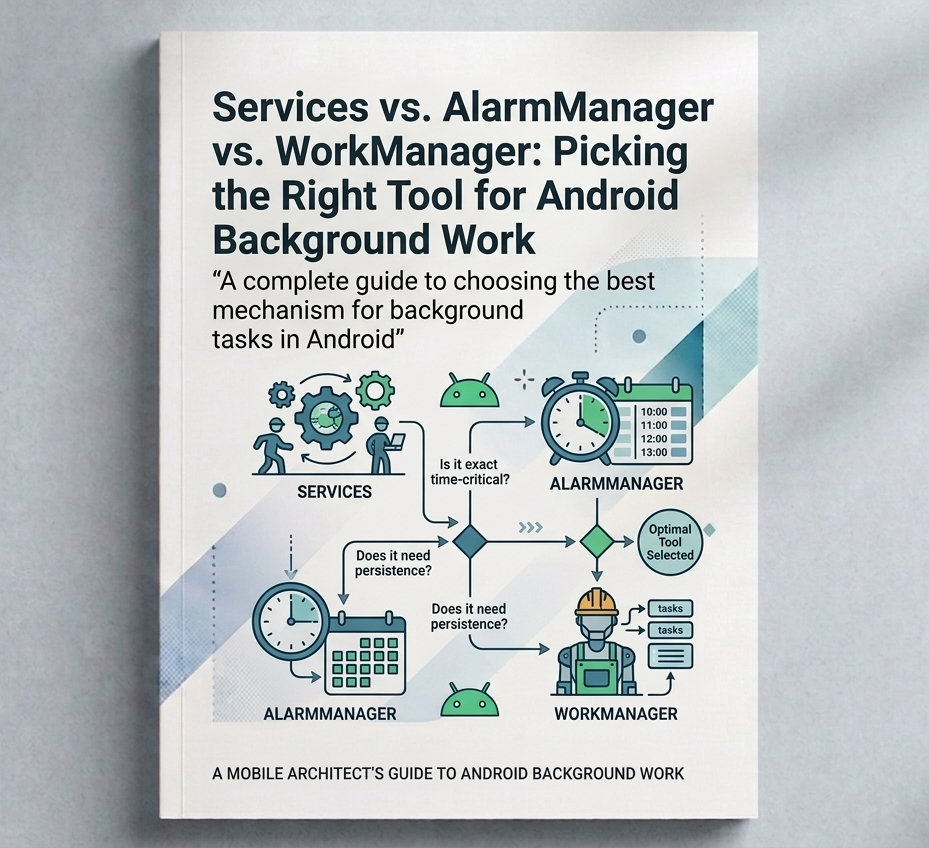
To support different background processing needs while preserving system health, Android provides several APIs, each designed for specific scenarios. Choosing the right one largely depends on two key considerations:
- Persistence: Should the task continue or be rescheduled if the app process is killed, the app is closed, or the device restarts?
- Immediacy: Does the work need to execute immediately, or can it be deferred until certain conditions, such as network availability, charging state, or idle mode are satisfied?
Understanding these two dimensions is the foundation for selecting the appropriate background execution mechanism and building reliable, battery-efficient Android applications.
Services: The Long-Running Worker
A Service is an Android component designed to perform operations that need to continue independently of an Activity lifecycle. However, one of the most common misconceptions is that a Service automatically runs on a background thread. It doesn’t.
By default, a Service executes on the application’s main thread. Any CPU-intensive work or blocking I/O performed directly inside a service can freeze the UI and eventually trigger an ANR error. For this reason, long-running work should always be delegated to a background mechanism such as Kotlin Coroutines, Executors, or other asynchronous APIs.
Foreground Services: The Only Supported Long-Running Service Model
In modern Android, the practical use of Service is almost entirely limited to Foreground Services (FGS). A Foreground Service is intended for tasks that are long-running, immediate, and clearly visible to the user. It must display a persistent notification informing the user that work is in progress.
Because the user is actively aware of the operation, the system gives these services higher priority and is less likely to terminate them.
Common use cases include:
- Music playback
- Navigation and turn-by-turn directions
- Workout and fitness tracking
- Active phone calls
- Screen recording
When Should You Use a Foreground Service?
Use a Foreground Service only when the work is:
- Immediate: it must start right away.
- Long-running: it may continue for an extended period.
- User-visible: the user expects the operation to continue.
class MusicService : Service() {

    override fun onCreate() {
        super.onCreate()

        val notification = NotificationCompat.Builder(this, CHANNEL_ID)
            .setContentTitle("Playing music")
            .setContentText("Your playlist is currently playing")
            .setSmallIcon(R.drawable.ic_music)
            .build()

        startForeground(NOTIFICATION_ID, notification)
    }

    override fun onStartCommand(
        intent: Intent?,
        flags: Int,
        startId: Int
    ): Int {
        // Start playing music or another long-running task here
        return START_STICKY
    }

    override fun onBind(intent: Intent?): IBinder? = null

    companion object {
        private const val NOTIFICATION_ID = 1
        private const val CHANNEL_ID = "music_channel"
    }
}

val intent = Intent(this, MusicService::class.java)
ContextCompat.startForegroundService(this, intent)
What Happened to Background Services?
Starting with Android 8.0 (API 26), applications can no longer freely start services while running in the background. The system imposes strict execution limits and may reject the request or throw an exception.
As a result, traditional background services should no longer be considered a viable solution for new development. Work that does not require immediate user awareness should instead be delegated to APIs such as WorkManager.
AlarmManager: The System Scheduler
AlarmManager is Android’s API for scheduling work to occur at a specific point in time. Unlike Service or WorkManager, it does not execute the work itself. Instead, it acts as a trigger, delivering a PendingIntent, typically to a BroadcastReceiver, Activity, or, in modern applications, a BroadcastReceiver that enqueues a WorkManager task when the scheduled time is reached.
This distinction is important: AlarmManager is about timing, not execution.
Types of Alarms
Exact Alarms: Designed for user-facing events that must occur at a precise moment, even if the device is idle. Common examples include:
- Alarm clocks
- Calendar reminders
- Medication notifications
Because exact alarms can wake the device and negatively impact battery life, Android strictly regulates their usage. Starting with Android 12 (API 31), apps generally need the SCHEDULE_EXACT_ALARM permission to schedule them.
<uses-permission android:name="android.permission.SCHEDULE_EXACT_ALARM" />val alarmManager = getSystemService(AlarmManager::class.java)
val intent = Intent(this, AlarmReceiver::class.java)
val pendingIntent = PendingIntent.getBroadcast(
this,
0,
intent,
PendingIntent.FLAG_IMMUTABLE or PendingIntent.FLAG_UPDATE_CURRENT
)
alarmManager.setExactAndAllowWhileIdle(
AlarmManager.RTC_WAKEUP,
triggerTimeMillis, // example 7:00 AM
pendingIntent
)Inexact Alarms: Allow the system to adjust the execution time slightly in order to batch multiple alarms together and reduce battery consumption.
These alarms are appropriate when precise timing is not critical, such as:
- Periodic analytics uploads
- Cache cleanup
- Non-urgent data synchronization
val alarmManager = getSystemService(AlarmManager::class.java)

val intent = Intent(this, SyncReceiver::class.java)
val pendingIntent = PendingIntent.getBroadcast(
    this,
    0,
    intent,
    PendingIntent.FLAG_IMMUTABLE or PendingIntent.FLAG_UPDATE_CURRENT
)

alarmManager.setInexactRepeating(
    AlarmManager.ELAPSED_REALTIME_WAKEUP,
    SystemClock.elapsedRealtime() + 15.minutes.inWholeMilliseconds,
    AlarmManager.INTERVAL_FIFTEEN_MINUTES,
    pendingIntent
)
When Should You Use AlarmManager?
Use AlarmManager when timing is the most important requirement. If the user expects something to happen at an exact moment, such as a morning alarm, a calendar reminder, or a medication notification, AlarmManager is the appropriate tool.
If the work can be deferred, retried, or executed under specific conditions such as network availability or charging state, WorkManager is usually a better choice.
WorkManager: The Modern Standard for Background Work
For most background processing scenarios, WorkManager should be your default choice. It is designed for deferrable work that must eventually complete, even if the user leaves the app or the device restarts.
Under the hood, WorkManager uses the appropriate system APIs to provide reliable execution across all Android versions. Work requests are persisted internally, allowing them to survive process death and be automatically rescheduled when necessary.
Another major benefit is support for execution constraints. For example, a task can wait until the device has network connectivity or is charging before it runs. WorkManager also supports chaining multiple tasks together and expedited work requests for tasks that should start as soon as possible.
A common example is uploading a photo to a server. The upload can be delayed for a few minutes, but it should complete even if the app is closed:
class UploadWorker(
    context: Context,
    params: WorkerParameters
) : CoroutineWorker(context, params) {

    override suspend fun doWork(): Result {
        return try {
            uploadPhoto()
            Result.success()
        } catch (e: Exception) {
            Result.retry()
        }
    }
}

val request = OneTimeWorkRequestBuilder<UploadWorker>()
    .setConstraints(
        Constraints.Builder()
            .setRequiredNetworkType(NetworkType.CONNECTED)
            .build()
    )
    .build()

WorkManager.getInstance(context).enqueue(request)
The key idea is simple: if the work doesn’t need to happen at an exact time but must happen eventually, WorkManager is the right tool.
Conclusion
Background execution is one of the areas where Android’s philosophy is most apparent: not every task should run immediately, and not every task deserves unlimited access to system resources. The platform provides different tools because different problems require different solutions.
As developers, our responsibility is to understand those trade-offs and select the API that matches the requirements of the task. A photo upload, a music player, and a morning alarm may all happen in the background, but they have very different expectations around reliability, visibility, and timing.
Choosing the right mechanism not only makes your code more robust, it also leads to apps that feel native to the platform, behave predictably, and respect the user’s battery. And in modern Android development, that’s often the difference between an app that simply works and one that is truly well engineered.
Thanks for reading!
메타데이터
- post_id
- 094c6315d1e9
- slug
- services-vs-alarmmanager-vs-workmanager-picking-the-right-tool-for-android-background-work-094c6315d1e9
- url
- https://medium.com/@aleyvaschz/services-vs-alarmmanager-vs-workmanager-picking-the-right-tool-for-android-background-work-094c6315d1e9
- canonical_url
- https://medium.com/@aleyvaschz/services-vs-alarmmanager-vs-workmanager-picking-the-right-tool-for-android-background-work-094c6315d1e9
- author_url
- https://medium.com/@aleyvaschz
- status
- ok
- fetched_at
- 2026-07-15 07:15:43