🔖ToDo List WebApp using MERN Stack
10. UI Enhancements and Final Touches
🔖ToDo List WebApp using MERN Stack
10. UI Enhancements and Final Touches
In this blog post, we will enhance the user interface of our MERN stack application by implementing notifications using React Toastify. We’ll add notifications for actions such as adding, deleting, updating tasks, and handling login and logout.
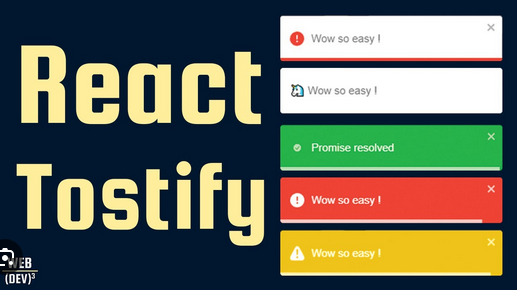
Setting Up React Toastify
First, let’s install React Toastify:
npm install react-toastifyConfiguring React Toastify
In your main application component, configure React Toastify.
Step 1: Configure Toastify in App Component
Add the ToastContainer to your App component to enable toast notifications across the app.
// src/App.js
import React from "react";
import { ToastContainer } from "react-toastify";
import "react-toastify/dist/ReactToastify.css";

function App() {
  return (
    <div className="App">
      <ToastContainer />
      {/* Rest of your app components */}
    </div>
  );
}

export default App;
Adding Toast Notifications
Now, let’s add toast notifications for various actions.
Step 2: Import Toastify in Components
Import Toastify and add toast notifications in the relevant components.
import { toast } from "react-toastify";Step 3: Adding,Deleting Toast Notifications for Various Actions
Adding a Task
const addTask = async (task) => {
  try {
    const response = await axios.post("/api/tasks", task);
    if (response.status === 201) {
      dispatch(taskActions.addTask(response.data));
      toast.success("Task added successfully!");
    }
  } catch (error) {
    toast.error("Failed to add task.");
  }
};

const deleteTask = async (taskId) => {
  try {
    const response = await axios.delete(`/api/tasks/${taskId}`);
    if (response.status === 200) {
      dispatch(taskActions.deleteTask(taskId));
      toast.success("Task deleted successfully!");
    }
  } catch (error) {
    toast.error("Failed to delete task.");
  }
};
Logging In/Looing Out
const loginUser = async (userData) => {
  try {
    const response = await axios.post("/api/auth/login", userData);
    if (response.status === 200) {
      dispatch(authActions.login(response.data));
      toast.success("Logged in successfully!");
    }
  } catch (error) {
    toast.error("Login failed.");
  }
};

const logout = () => {
  dispatch(authActions.logout());
  sessionStorage.clear();
  toast.success("Logged out successfully!");
  navigate("/signIn");
};
Final Testing and Debugging
Ensure all features are working correctly and perform thorough testing and debugging.
Testing Checklist
- Task Management:
- Add tasks.
- Update tasks.
- Delete tasks.
- Check if notifications appear correctly for each action.
2. Authentication:
- Register a new user.
- Log in with existing user credentials.
- Log out and check if the session state is cleared.
- Check if notifications appear correctly for login and logout.
3. General UI:
- Verify that the UI is responsive and user-friendly.
- Check for any console errors or warnings.
Conclusion
In this blog post, we enhanced our MERN stack application by implementing notifications using React Toastify. We added toast notifications for various actions such as adding, deleting, updating tasks, and handling login and logout. This improves the user experience by providing immediate feedback for their actions.
메타데이터
- post_id
- 097724e9a0ee
- slug
- todo-list-webapp-using-mern-stack-097724e9a0ee
- url
- https://medium.com/@neerajnarwade22/todo-list-webapp-using-mern-stack-097724e9a0ee
- canonical_url
- https://medium.com/@neerajnarwade22/todo-list-webapp-using-mern-stack-097724e9a0ee
- author_url
- https://medium.com/@neerajnarwade22
- status
- ok
- fetched_at
- 2026-07-22 18:57:33




