Configure custom theme for primevue in Nuxt 3 in styled mode
In the realm of web development, PrimeVue stands out as a powerful toolkit for Vue.js, offering a plethora of UI components and themes…
Configure custom theme for primevue in Nuxt 3 in styled mode
In the realm of web development, PrimeVue stands out as a powerful toolkit for Vue.js, offering a plethora of UI components and themes. However, tailoring these themes to match your project’s aesthetic can be crucial. In this guide, we’ll explore the concise process of configuring custom themes for PrimeVue within a Nuxt 3 environment
Let’s dive in!
- Installing prime vue in Nuxt repo
# Using npm
npm install primevue
npm install --save-dev nuxt-primevue

# Using yarn
yarn add primevue
yarn add --dev nuxt-primevue

# Using pnpm
pnpm add primevue
pnpm add -D nuxt-primevue- Configure nuxt.config.ts to include all primevue components
export default defineNuxtConfig({
    modules: [
        'nuxt-primevue'
    ],
    primevue: {
        components: {
            include: '*',
        },
    },
    css: [

    ]
})- Configure custom theme
You have two options to use the primevue themes
- Use pre-built themes of primevue
- Create your own theme
Both process are pretty much similar so you need to go to this primevue theme releases and download the source code for the primevue version you are using in your nuxt repo.
I am using primevue 3.48.0 so I have download the release in my system
Now open the directory and you’ll see this directory structure
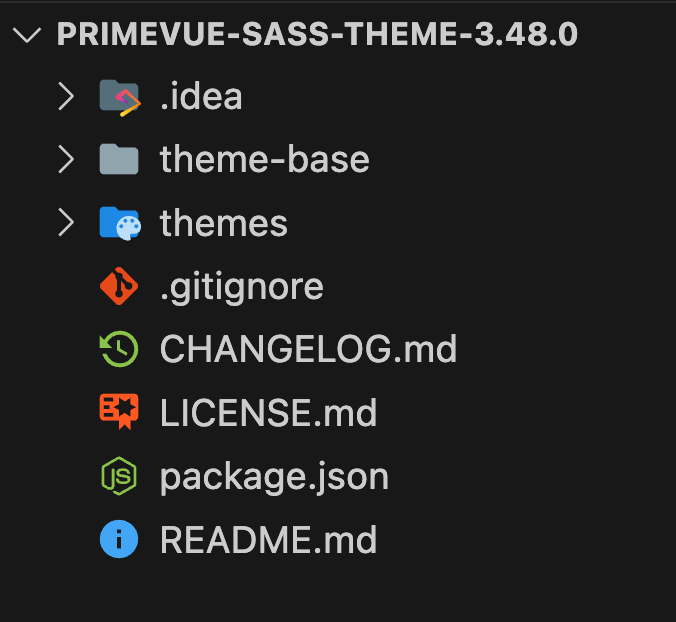
Open the ‘themes’ directory and you’ll see so many pre-built themes and also a ‘mytheme’ directory
I am gonna use a pre-built theme ‘aura-light-green’ as it fits with my designs and will customise the primary color for that for demo in theme.scss file. You can choose any theme you want and customise it’s values.

I have changed the primaryColor sass variable to my custom color in /aura-light/green/theme.scss file
Now there are two ways you can use the custom theme. First is to generate the custom theme manually and use the generated file in your nuxt repo and the other way is to let your nuxt repo build the custom theme automatically.
I am gonna show you the automatic build. For that you need to copy the “theme-base” and “themes” directory in your “assets” directory of nuxt

As you can see I’ve copied only the theme I wanted in my project which is aura-light and have customised the primary color in theme.scss file.
Now the next step is to install “scss” library in your nuxt project
npm install --save-dev sassAfter installing “sass” library you need to open you nuxt.config.ts file and give the path of the theme.scss file you’ve just customised.
css: [
    '~/assets/theme/themes/aura/aura-light/green/theme.scss',
],
Add this css property in you nuxt config object and voila !
Now just run the project and you’ll see the primary color which you’ve selected in all of your primevue components.
메타데이터
- post_id
- 0b32b5c99835
- slug
- configure-custom-theme-for-primevue-in-nuxt-3-in-styled-mode-0b32b5c99835
- url
- https://medium.com/@madhavmishra28/configure-custom-theme-for-primevue-in-nuxt-3-in-styled-mode-0b32b5c99835
- canonical_url
- https://medium.com/@madhavmishra28/configure-custom-theme-for-primevue-in-nuxt-3-in-styled-mode-0b32b5c99835
- author_url
- https://medium.com/@madhavmishra28
- status
- ok
- fetched_at
- 2026-06-09 15:37:30




