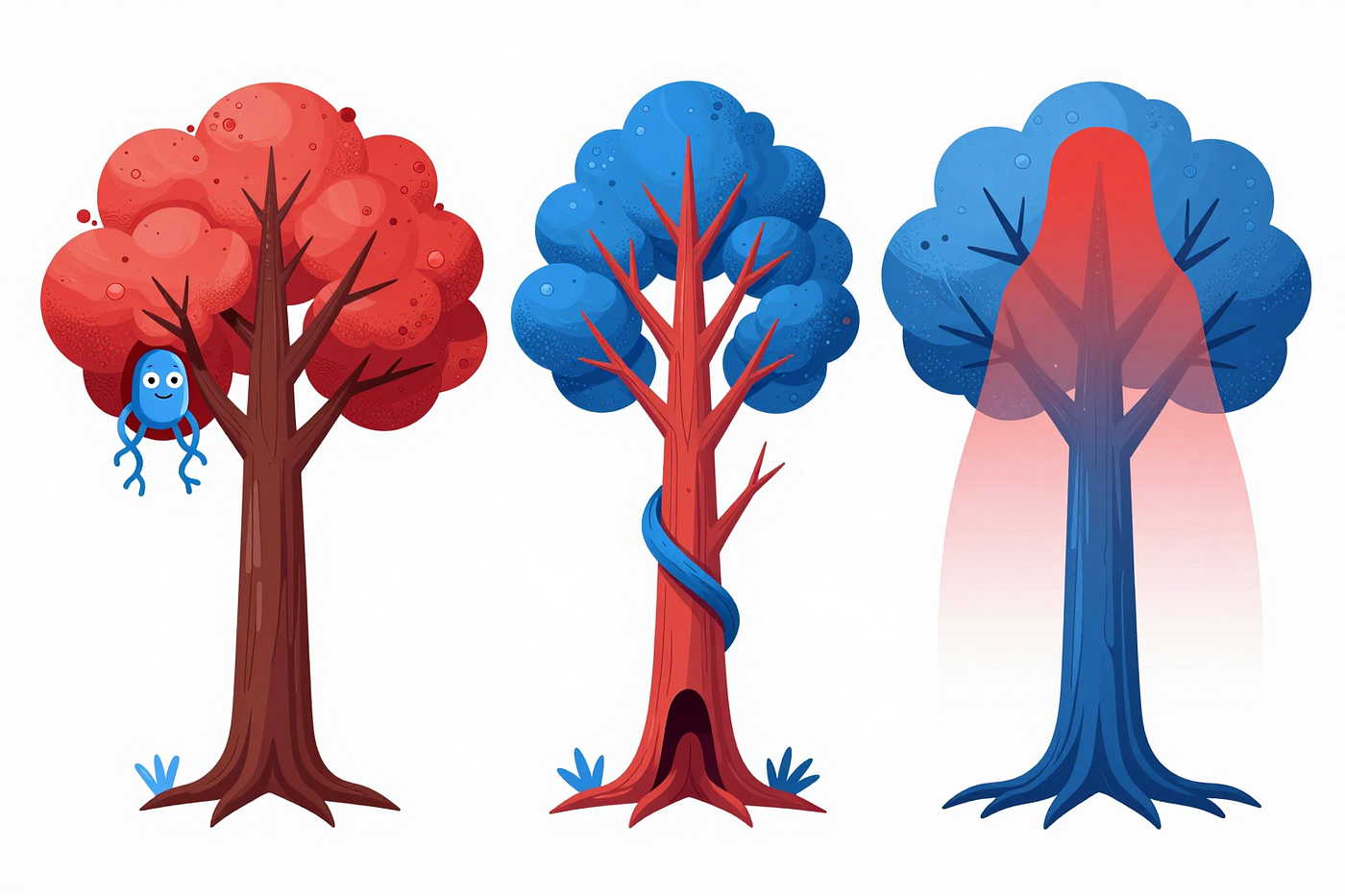
Asking the AI to clean your code is only half an instruction
Why just asking it to clean up isn’t enough and why I built the skill that tells it when to stop.
Asking the AI to clean your code is only half an instruction
Why just asking it to clean up isn’t enough and why I built the skill that tells it when to stop.

I preached it for months: let the AI clean your code, leave it better than you found it. I refined it as I went, wrapping it in a skill, citing the right people, working out when to run it. It works, and it’s become one of the most useful things in my workflow. But somewhere along the way I ran into something I hadn’t accounted for: AI is a machine, and like any program, it did what I asked, not what I wanted.
The change AI has brought to programming over the last few months has been more than remarkable. It has gone from being more of a curiosity to a powerful ally you can hand increasingly relevant tasks to. Even if it isn’t yet powerful enough to handle long, high-quality developments on its own, it has proven to be an excellent companion for code review, and recently I’ve found it’s also an excellent companion for cleaning up code. Now, this isn’t as easy as it sounds, because after testing it, preaching it, and seeing the results, it turns out it’s not as simple as asking it to clean: you have to recognize the tool’s limitations and take measures.
My recommendation over the last few months
I’ve always been a strong advocate of clean code, good design, testing, and the idea that keeping technical debt in check is essential. That’s why one of the things I’ve always recommended is, in short, practicing “always leave the code better than you found it.”
But I’m aware this is hard to follow, so I started trying out a new approach. After some early experiments, I was already saying in a previous article that maybe we’re getting close to the end of legacy code.
The thing is, I had already started trying out new prompts and skills to get the AI to help and act as a companion in cleaning up code.
I knew it was good for reviewing code, but these days it’s an excellent companion for keeping technical debt in check.
The technique I’ve been testing, and the recommendation I’ve been making once I saw how it worked, has been to build a skill or make some tweaks to the prompts to get the AI to help you in the battle against technical debt.
The basis is simple. We’ve known for a while that if you put the AI in the role of an expert, it tends to do better. Furthermore, based on research from Anthropic itself and on how the different nodes activate, I developed the intuition that mentioning certain concepts (or even persons) reinforced the kind of behavior I expected from the AI. So the first step of the skill I recommended was to cite the most relevant figures in clean code to date. That’s why the skill always mentioned figures like Robert C. Martin, Martin Fowler, or even Dave Farley. The idea is to ask the AI to put on these figures’ hats and start looking at the code through their eyes. This way you no longer need to go into so much detail on specific things, and simpler prompts have more effect. There’s no need to explain what to name a function, or how to apply the SOLID principles, it picks that up from what we’ve learned from Robert C. Martin. Or for refactoring, Martin Fowler is a real expert. And from Dave Farley, how software engineering actually works and how to keep systems simple, decoupled where it matters, and highly testable.
AI and TDD
At first my approach revolved around TDD, and that’s because TDD includes the refactor within its three phases:
- Red: write a test until it fails because the code is missing,
- Green: write the code until you make the test pass,
- Refactor: or clean, you refactor to clean up the code.
And the last step is critical. Why? Because adding small incremental changes to the code gradually degrades it. It’s inevitable that you introduce small errors as you make new tests pass, and that gradually complicates new developments, adding technical debt. That’s why you need the refactor, to stop this and keep the code in shape. And all together, it ends up producing very high-quality code.
One thing I knew is that TDD, especially to get it working independently with the idea of continuing into the future, was essential, and in fact, I had talked about this long ago. I was already saying this back in 2022, and inevitably, I’ve put it into practice in many of the projects I’ve been “vibe” building. Especially in the more serious ones where I wanted a continuation, and the experience has always been positive.
Except for one detail.
Where AI fails in TDD
That said, one thing that surprised me is that every time I asked the AI to follow TDD, it forgot the refactor.
Inevitably, when the AI practices TDD it always ends up forgetting the last refactor step. And as a consequence the code keeps picking up more technical debt and more fragility. Until it reaches a point where you’re almost afraid to touch anything, because there will be no going back.
Yes, to avoid this I used git commits to roll back, plus TDD, but without the TDD refactor it sooner or later ended up at a dead end.
So, every time I did “vibe” coding on something I wanted to maintain, I explicitly asked it to do a refactoring and cleaning step on each TDD iteration. This way, on each implementation, besides creating the test and production code, it also kept cleaning them up to keep the code agile.
Except it was still missing one thing, a global view.

Beyond TDD cleanup
The problem with cleanup is that I observed it wasn’t enough to keep cleaning on each TDD iteration, you also had to ask it, every now and then, to do a deeper cleanup.
I first started it as part of the TDD instructions. If I was already telling it to refactor the code as part of each iteration, I added a new rule: every twenty iterations, review the global architecture and clean up the technical debt. I found that when doing the refactoring inside the TDD cycle it tended to limit itself to the handful of things it had just touched, and while the code at a small scale was of good enough quality, at a large scale it started to suffer. And it limited itself again.
Look, this isn’t surprising either. Both the earlier problem of forgetting the refactor stage, and the need to do a refactoring pass every now and then with a higher-level perspective, are common among developers. And the AI has learned from them.
But of course, that solution was for when I did vibe coding, but… what about when I didn’t?
Well, that’s why I extracted the concept into a skill, and started testing it, and then recommending it on larger projects. And more human developments.
The idea was simple: if the code gets hard before you touch it, ask the AI to use the skill to clean the code and do it shoulder to shoulder. And if you’ve been working for many hours and neglected cleanup, then before delivering you can ask it to be a good boy scout and clean up the code.
The technique worked, but…
What if the code is already clean?
A few months ago I talked about Lada Kesseler’s Augmented Coding Patterns and how she put names to patterns for working with the AI, but also to known problems. And this is where Tell Me a Lie especially comes into play: if you ask it for something that doesn’t make sense, it will give you an answer that doesn’t make sense.
So, what do we end up with?
Look at the following code:
function getActiveUsers(users) {
  return users.filter(user => user.isActive);
}

function getUserNames(users) {
  return users.map(user => user.name);
}

function getActiveUserNames(users) {
  return getUserNames(getActiveUsers(users));
}
What do you think will happen if we ask it to clean this up? The code is already clean enough, but we ask it to clean it anyway. It might tell you it’s cleaner, but I don’t think so. My most common experience is that it will look for some excuse and something to clean. A lie to comply with. The most typical case is for it to notice that arrow functions are used inside the functions and say that for consistency everything should be changed to arrow functions. It often mentions that the code is good, but since you asked it to clean, it will try to do so however it can.
Other times it would be more subtle, it might start finding small things that look correct, but that don’t make sense in the whole.
I actually run into this problem often with the code reviewer agent.
One example would be:
class ShoppingCart {
  constructor() {
    this.items = [];
  }

  addItem(item) {
    this.items.push(item);
  }

  removeItem(itemId) {
    this.items = this.items.filter(item => item.id !== itemId);
  }

  getTotal() {
    return this.items.reduce((sum, item) => sum + item.price, 0);
  }
}
In this very example, when I asked it to clean the code, I found that the AI decided that even though the code is clean, something is off with it. And its conclusion is that the item’s price can’t be trusted. So it reasons: if price isn’t defined, getTotal will return NaN and fail; therefore, you need to fix it by making sure price always has a value and putting a zero if it doesn’t.
Obviously, it makes no sense for an item being added not to have a price. Normally this isn’t an expected situation, and if it happens it means there’s a bug somewhere else in the program. In other programming languages like Java it would be the VM itself that could guarantee the price exists, but JavaScript isn’t reliable enough for the AI. Yet, in reality, that’s what we have testing, TDD, and cases to check for, just to overcome the limitations.
And one of the cases that surprised me most was this extreme one, apparently simple and innocent:
function Greeting({ name }) {
  return <h1>Hello, {name}!</h1>;
}
What did the AI do? Add a name = ‘John’ just in case it was empty.
The Scale of Fear
Up to this point everything seems trivial, simple, and things we can easily review. Obviously, there’s also one clear thing: the examples I’ve shown are small and simple, but significant enough to show the type of problem, and the same happens in larger code. But as long as the change is in one place, it’s still manageable.
The problem is what happens when we do the refactor at a large scale.
Earlier, when discussing TDD I mentioned in fact two scales: 1) the small change on each pass, and 2) every now and then a larger refactor at the code level to fix the architecture. Well, this latter scale is where you need to be very careful.
Seeing and correcting a small-scale mistake is trivial, but what happens when it introduces a new pattern, changes half a dozen files, and changes how it’s invoked in another half dozen? Here it gets complicated, because you need to understand why it introduced that change, whether it serves any purpose, how it will affect the new code, and whether it’s really needed. But it’s worse than it seems, because at a small-scale everything it touches fits in our heads easily (our context window), and we can identify without much trouble whether what it did makes sense or not.
And the thing is, the biggest problem is often that it seems to be right. There’s some code that looks duplicated and it starts creating abstractions, patterns, and more, and you think: it’s right. But maybe the solution was as simple as creating a utility, just a couple of methods. Or worse, maybe it was a coincidence that at this point in development the two pieces of code matched and in the future they have to diverge, making this change an obstacle to future maintenance.
And in general, any wrong change in the architecture can create a future technical debt problem.
So here, the urge to please the user, the ability to tell you a lie to satisfy what it interprets as your request, plays a very big role.
Make it stop
This is the key piece that is missing.
In the small examples we see it clearly: the code was already good enough, no refactor was needed. And what we see, the AI can also see, but since we asked it to clean, it did so anyway. The AI didn’t stop.
Here it’s clear that the skill needs a key piece: permission to stop.
If we add to the prompt the possibility that the code is already clean, and that no change is needed at all, the AI won’t need to lie to us. The AI will look, see that it’s clean, and see that we’ve asked it to stop if it’s clean. And it will. And it will do what we asked.
It's the same old problem, the computer always does whatever you write, even when it is not what you wanted.
And the same at higher scales.
It’s not just stopping when the code is clean enough, it’s also stopping when the architecture is good enough. There’s no need to head toward an ideal architecture, and on each review there’s no need to modify everything, it’s just about finding something that’s causing friction and resolving it.
And then, what ends up being curious is that the skill for asking it to clean the code, in order to be effective and keep the code clean, isn’t just a skill that asks for the refactor, but also for not doing it when appropriate.

Thanks for the read. I usually like to write stories to think about how we understand and apply software engineering and to make us think about what we could improve. If you liked the article, don’t forget to clap, comment and share. For more insights and discussions, explore my most successful stories on Medium, or just check out my book where I tackle both code and coder struggles.
Related reads:
[embed]3 Reasons to Fall in Love With Smalltalk Even if you will never use it.drpicox.medium.com
The Skill:
Here I’m attaching a small skill, one I generated with Claude, that you can use. It’s nothing fancy, but it includes many small details I’ve found over time. On one side it talks, as I said, about the important figures, their techniques, SOLID, the smells, and so on, but on the other side it also talks about when to stop and not clean. It carries the principles I think are necessary and I’ve tried to simplify it as much as possible, focusing on what matters.
My suggestion is that you don’t just copy it, adapt it. Put in your project’s conventions, the anti-patterns you know, what you’ve learned works. Make it your own.
I’ve discovered that this skill has made the work much easier, and it has really shown me that the evolution over the last few months has been surprising. The scale is starting to tip, and the AI gets better all the time. It still makes blunders, we still have to review the result very carefully, but it’s undeniably more powerful each time. And even if it can’t write all the code in one go, it can help us nimbly clean up what we’ve done.
---
name: clean-code
description: Review, refactor, and clean up code to make it simpler and safer to change. Use for the refactor step of TDD, a cleanup pass before delivery, tidying a scoped function or module, or reviewing freshly written or AI-generated code for duplication, code smells, SOLID violations, over-engineering (speculative abstraction or "flexibility" for needs that don't yet exist), or tests coupled to implementation rather than behavior.
---

# Clean Code

Review and refactor by reasoning like the people who defined the craft, not by running a checklist. They disagree on details but converge on one thing: **good code manages complexity — it adds exactly enough, and no more.** Kent Beck (small steps; simple design: passes the tests, reveals intent, no duplication, fewest elements; structural changes kept separate from behavioral ones). Ward Cunningham (the simplest thing that could work; debt is fine only if you pay it down). Robert C. Martin (intent-revealing names, one job per unit, SOLID). Martin Fowler (small behavior-preserving refactors; smells are triggers, not verdicts; YAGNI). Dave Farley (hard to test means badly designed; optimize for fast feedback and small, reversible steps).

Read that as a stance, then apply judgment.

## The balance

Two failures, equally bad:

- **Too little** — duplication, dead code, vague names, tangled responsibilities. The mess compounds and every change gets slower.
- **Too much** — abstraction, indirection, or "flexibility" for needs that don't exist yet. Speculative structure is debt too — more code to read, test, and change — and AI tools default to it: they "help" by gold-plating.

Remove what shouldn't be there; add only what the present requirement demands. No concrete need now → no abstraction now.

## When to clean

- **With TDD:** tidy on every red → green → refactor; a deeper pass at each milestone (roughly every 15–20 cycles) — fix what's causing friction, not an ideal.
- **Without TDD:** one cleanup pass before delivery.
- **On request:** one scoped function or module — same discipline, smaller blast radius.

## What to fix

Treat the usual smells as triggers, not verdicts: duplication, long methods or large classes, feature envy, primitive obsession and data clumps, shotgun surgery, leaky boundaries between modules. Name the smell or principle when you act, so the change is easy to review. Before adding any abstraction, ask whether it earns its keep right now; if it serves a single caller, inline it.

## Tests verify behavior, not implementation

The trigger for a test is a new behavior, not a new method or class. Assert the observable result through the public contract — a pass or fail only carries information if the expectation records behavior, not structure. This is what makes refactoring safe: behavior tests stay green when structure moves, while implementation-coupled tests break on every refactor and punish the work they exist to protect. Mock only true boundaries you don't own or can't make deterministic (network, clock, filesystem, external services, randomness); reaching for a mock of your own code usually means you're testing an interaction instead of an outcome. Needing many mocks is a design signal, not a test problem.

AI default to watch: mirroring the implementation in the test — mock everything and assert that method X was called. That is a change-detector, not a behavior test. Rewrite it as: *given this input, assert the result.*

## Guardrails

- Never weaken or delete a test to make it pass — fix the code.
- A refactor preserves behavior. If it forces you to edit assertions, it isn't a refactor; separate the behavioral change. Adding a default or guard for an input that should never occur is a behavior change too — that belongs in a test or the contract, not a silent fallback.
- Don't gold-plate or abstract speculatively; but once a pattern is real (the rule of three), let the structure emerge — design grows from evidence, not up front. Code that merely looks alike isn't duplication; don't merge what will need to diverge.
- The code may already be clean: finding nothing to change is a correct result. Say so and stop — don't manufacture work to obey the request.
- Make the smallest change, on a safety net of tests (write characterization tests first if none exist). Stop when the next improvement is no longer local and clearly worth it.

## Adapt this

Tune to your project: your naming conventions, the smells that bite you most, your cleanup cadence, and a before/after example or two.
메타데이터
- post_id
- 0b5058e302bf
- slug
- asking-the-ai-to-clean-your-code-is-only-half-an-instruction-0b5058e302bf
- url
- https://medium.com/@drpicox/asking-the-ai-to-clean-your-code-is-only-half-an-instruction-0b5058e302bf
- canonical_url
- https://medium.com/@drpicox/asking-the-ai-to-clean-your-code-is-only-half-an-instruction-0b5058e302bf
- author_url
- https://medium.com/@drpicox
- status
- ok
- fetched_at
- 2026-06-13 09:11:36