The Operating System for Your AI Workforce: How Sim Studio Is Redefining Agentic Automation
The Operating System for Your AI Workforce: How Sim Studio Is Redefining Agentic Automation
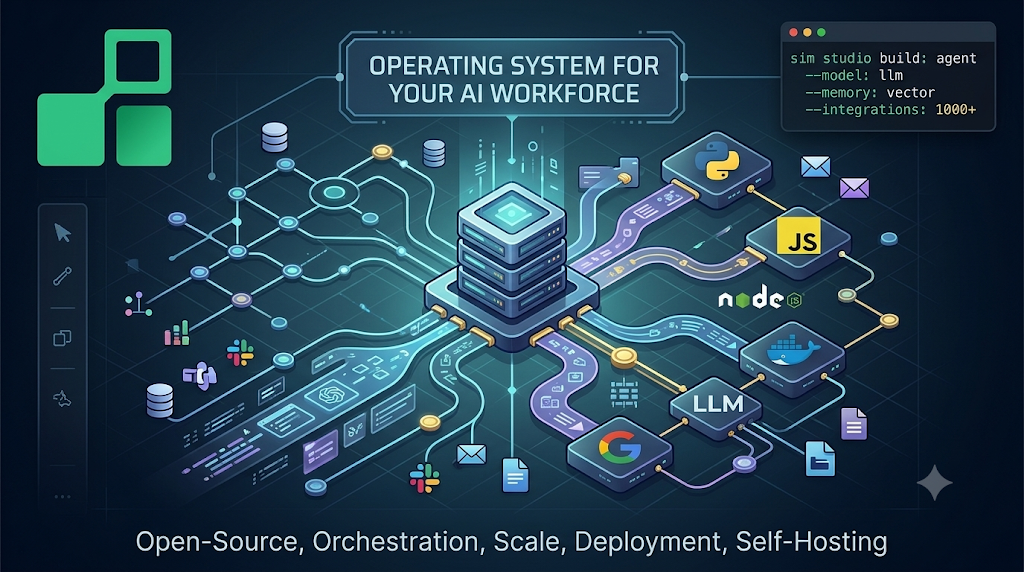
Artificial intelligence is no longer just a collection of individual models answering questions in isolation. The next frontier is agentic AI: systems that plan, execute, remember, and act autonomously across tools, data sources, and communication channels. The challenge, however, has always been infrastructure. Building a reliable agentic system from scratch requires stitching together language models, memory layers, integration endpoints, scheduling engines, and real-time communication pipelines. That complexity has historically been a barrier for most teams.
Sim Studio changes that equation entirely. It is an open-source platform designed to let developers and teams build, orchestrate, and deploy AI agent workflows at scale, without writing glue code for every integration or managing a fragile patchwork of services. With over a thousand integrations, support for leading large language models, a visual canvas for workflow design, and full self-hosting capability, Sim Studio is positioned as the operating system for the modern AI workforce.
What Is Sim Studio?
At its core, Sim Studio is a workflow orchestration platform built specifically for AI agents. Rather than forcing developers to write imperative code to wire together models, tools, and APIs, Sim Studio provides a visual canvas where agents, tools, and processing blocks can be connected graphically and executed instantly.
The platform is fully open-source, which means complete ownership over the stack. Workflows can run on cloud infrastructure via sim.ai, or they can be self-hosted on private servers using local models through Ollama or vLLM. This flexibility makes Sim Studio suitable for enterprises with data privacy requirements, individual developers building personal AI assistants, and everything in between.
A compelling demonstration of the platform’s power is what has been called SimClaw, a reconstruction of the OpenClaw architecture rebuilt almost entirely within a single Sim Studio workflow. That workflow consists of 25 blocks and 29 connections, covers both long-term and short-term memory capabilities, and can be triggered directly through Telegram and Slack. Tasks like planning a day, finding upcoming meetings, and sending emails all happen automatically through this single orchestrated workflow, with no manual wiring required at runtime.
The Visual Workflow Builder
The workflow builder is one of the most immediately accessible features of Sim Studio. Agents, tools, and data blocks are placed on a canvas and connected visually, much like a flowchart. Each node in the graph represents a discrete unit of work, whether that is calling a language model, querying a database, sending a message, retrieving a document, or executing code.
Once the workflow is designed, it runs instantly. There is no compilation step, no infrastructure provisioning, and no separate deployment pipeline for straightforward use cases. The canvas abstracts away the operational complexity and allows the focus to remain on the logic of the agent’s behavior.
This approach also makes workflows inspectable and auditable. Because every connection between nodes is visible, debugging a misbehaving agent means tracing the flow visually rather than hunting through logs. Teams can review, modify, and share workflows as living documents of how their AI systems operate.
Copilot: Building Workflows with Natural Language
Perhaps the most striking capability in Sim Studio is the Copilot feature, which allows entire workflows to be generated from a single natural language prompt. Instead of manually placing nodes and drawing connections, a developer can describe the behavior of an agent in plain English, and Copilot generates the corresponding workflow structure.
Copilot can also fix errors in existing workflows and iterate on flows based on follow-up instructions. This dramatically lowers the barrier to entry for teams that want to experiment with agentic systems without committing significant engineering time upfront.
Copilot is a Sim-managed service. When using a self-hosted instance of Sim Studio, a Copilot API key must be generated from the sim.ai settings panel and configured in the environment:
# Set this in your apps/sim/.env file
COPILOT_API_KEY=your_generated_key_here
This separation ensures that the generative capabilities of Copilot remain available even in fully self-hosted deployments.
Long-Term and Short-Term Memory
One of the most significant technical differentiators of Sim Studio is its built-in support for both long-term and short-term memory in agent workflows. Short-term memory allows an agent to maintain context within a single session or task execution, which is the standard behavior most language model applications support. Long-term memory goes further, persisting information across sessions so that an agent can recall prior interactions, learned preferences, and historical data over time.
This is enabled through integration with vector databases. Sim Studio allows documents to be uploaded to a vector store, where they are chunked, embedded, and indexed. Agents in the workflow can then perform semantic retrieval against this store, answering questions grounded in specific proprietary content rather than relying solely on the language model’s parametric knowledge.
This capability is what makes SimClaw genuinely useful for tasks like personal scheduling. The agent does not just respond to a single prompt; it maintains an evolving model of tasks, meetings, and preferences across days and weeks.
Integrations and LLM Support
Sim Studio connects to over a thousand integrations out of the box, covering communication tools like Slack and Telegram, calendar and email services, databases, code execution environments, and more. This breadth means that most enterprise workflows can be implemented without building custom connectors.
On the language model side, Sim Studio supports all major providers and is also compatible with locally running models through Ollama and vLLM. This is particularly important for teams that cannot send data to external APIs for compliance reasons, or for developers who want to experiment with open-weight models like Llama, Mistral, or Phi without cloud costs.
Getting Started: Deployment Options
Sim Studio offers three main paths to getting up and running, catering to different levels of technical involvement.
Cloud Hosted
The fastest path is through sim.ai, where accounts can be created and workflows can be built immediately without any infrastructure setup.
Self-Hosted via NPM
For developers who want a local instance running quickly with minimal configuration, the NPM package approach works well. Docker must be installed and running, then a single command starts the platform:
npx simstudioThis spins up the application at http://localhost:3000. The port can be customized:
npx simstudio --port 8080To skip pulling the latest Docker images and use what is already cached:
npx simstudio --no-pullSelf-Hosted via Docker Compose
For teams wanting a production-ready deployment with more control, Docker Compose is the recommended approach:
git clone https://github.com/simstudioai/sim.git && cd sim
docker compose -f docker-compose.prod.yml up -d
The application becomes available at http://localhost:3000. This setup also supports local model inference through Ollama and vLLM, detailed in the official Docker self-hosting documentation.
Manual Setup for Full Control
For developers who want maximum control over the stack or need to customize the infrastructure deeply, Sim Studio supports a fully manual setup. The requirements are Bun, Node.js v20 or higher, and PostgreSQL 12 or higher with the pgvector extension installed.
Start by cloning the repository and installing dependencies:
git clone https://github.com/simstudioai/sim.git
cd sim
bun install
bun run prepare
Set up the PostgreSQL database with pgvector using Docker:
docker run --name simstudio-db \
  -e POSTGRES_PASSWORD=your_password \
  -e POSTGRES_DB=simstudio \
  -p 5432:5432 \
  -d pgvector/pgvector:pg17
Configure the environment variables by copying the example files and generating secure keys:
cp apps/sim/.env.example apps/sim/.env
perl -i -pe "s/your_encryption_key/$(openssl rand -hex 32)/" apps/sim/.env
perl -i -pe "s/your_internal_api_secret/$(openssl rand -hex 32)/" apps/sim/.env
perl -i -pe "s/your_api_encryption_key/$(openssl rand -hex 32)/" apps/sim/.env
cp packages/db/.env.example packages/db/.env
Both .env files need the DATABASE_URL set to point at the PostgreSQL instance:
DATABASE_URL="postgresql://postgres:your_password@localhost:5432/simstudio"Run the database migrations:
cd packages/db && bun run db:migrateStart the full development server, which includes both the Next.js application and the realtime socket server:
bun run dev:fullAlternatively, run them in separate terminals for more granular control:
# Terminal 1: Next.js app
bun run dev
# Terminal 2: Realtime socket server
cd apps/sim && bun run dev:sockets
The Technology Stack
Understanding what powers Sim Studio helps in appreciating both its capabilities and its extensibility. The platform is built on a modern, production-grade stack with well-chosen tools at every layer.
The frontend is built with Next.js using the App Router, running on the Bun runtime for fast execution and package management. The UI uses Shadcn components with Tailwind CSS for styling, while the workflow canvas itself is built on ReactFlow, which provides the interactive graph editor at the heart of the product.
State management combines Zustand for synchronous client state with TanStack Query for server state and data fetching. Real-time capabilities are powered by Socket.io, enabling live updates as workflows execute.
On the backend, PostgreSQL with the pgvector extension handles both relational data and vector embeddings, accessed through Drizzle ORM. Authentication is managed by Better Auth, and schema validation uses Zod throughout the codebase for runtime type safety.
The monorepo is managed with Turborepo for efficient builds across packages. Background jobs are handled by Trigger.dev, enabling long-running and scheduled tasks without blocking the main server process. For code execution within workflows, the platform uses E2B for remote execution and isolated-vm for sandboxed in-process execution, providing safe environments for arbitrary code blocks inside agent workflows.
Documentation is built with Fumadocs, and streaming markdown rendering uses Streamdown for a smooth experience when viewing model outputs.
Why Agentic Workflows Matter
The shift from single-turn AI interactions to multi-step agentic workflows represents a fundamental change in what AI systems can accomplish. A language model answering a question is useful. An agent that retrieves context from memory, queries live data, takes action through APIs, and reports results through a messaging platform is transformative.
The bottleneck has historically been the infrastructure required to build and maintain such systems reliably. Every integration needs authentication, error handling, retries, and monitoring. Every memory layer needs a schema, an embedding strategy, and a retrieval mechanism. Coordinating all of this by hand is expensive and fragile.
Sim Studio addresses this by abstracting the infrastructure into a composable, visual platform. Teams can focus on the logic of what their AI workforce should do, rather than the mechanics of how to wire it together. The fact that the entire platform is open-source means there is no vendor lock-in, no opaque pricing model for production workloads, and no ceiling on customization.
The ability to build a complete workflow from a single natural language prompt further accelerates experimentation. Rather than spending days scaffolding a new agent, a team can generate a working prototype in minutes and iterate from there.
Conclusion
Sim Studio represents a meaningful step forward in the practical accessibility of agentic AI. By combining a visual workflow builder, natural language generation via Copilot, long-term memory through vector databases, support for over a thousand integrations, and a fully open-source codebase that can run entirely on local infrastructure, it delivers the building blocks needed to create a genuine AI workforce.
The SimClaw example, 25 blocks, 29 connections, planning, scheduling, communicating autonomously across days, all deployable from a single prompt, is not just a demonstration. It is a blueprint for what becomes possible when the infrastructure friction of agentic AI is removed. For developers, teams, and organizations exploring what AI can do when given real autonomy and real tools, Sim Studio offers one of the most complete and self-sovereign platforms available today.
The repository is available at: https://github.com/simstudioai/sim
메타데이터
- post_id
- 0b704f030d08
- slug
- the-operating-system-for-your-ai-workforce-how-sim-studio-is-redefining-agentic-automation-0b704f030d08
- url
- https://medium.com/open-intelligence/the-operating-system-for-your-ai-workforce-how-sim-studio-is-redefining-agentic-automation-0b704f030d08
- canonical_url
- https://medium.com/open-intelligence/the-operating-system-for-your-ai-workforce-how-sim-studio-is-redefining-agentic-automation-0b704f030d08
- author_url
- https://medium.com/@eng.fadishaar
- status
- ok
- fetched_at
- 2026-07-14 10:09:25