TR-069: The Silent Manager of Your Home Network Devices
Ever wondered how your internet service provider (ISP) can remotely configure your Wi-Fi router, update its firmware, or even troubleshoot…
TR-069: The Silent Manager of Your Home Network Devices
Ever wondered how your internet service provider (ISP) can remotely configure your Wi-Fi router, update its firmware, or even troubleshoot issues without needing to send a technician to your home? The secret often lies in a powerful, yet usually unseen, protocol called TR-069.
TR-069, officially known as the “CPE WAN Management Protocol” (CWMP), is a technical specification published by the Broadband Forum. In essence, it’s a communication protocol that allows an Auto-Configuration Server (ACS) to manage Customer Premises Equipment (CPE) — devices like modems, routers, set-top boxes, and VoIP phones — over a wide area network (WAN). Think of it as a remote control system that ISPs use to maintain and optimize your internet-connected devices.

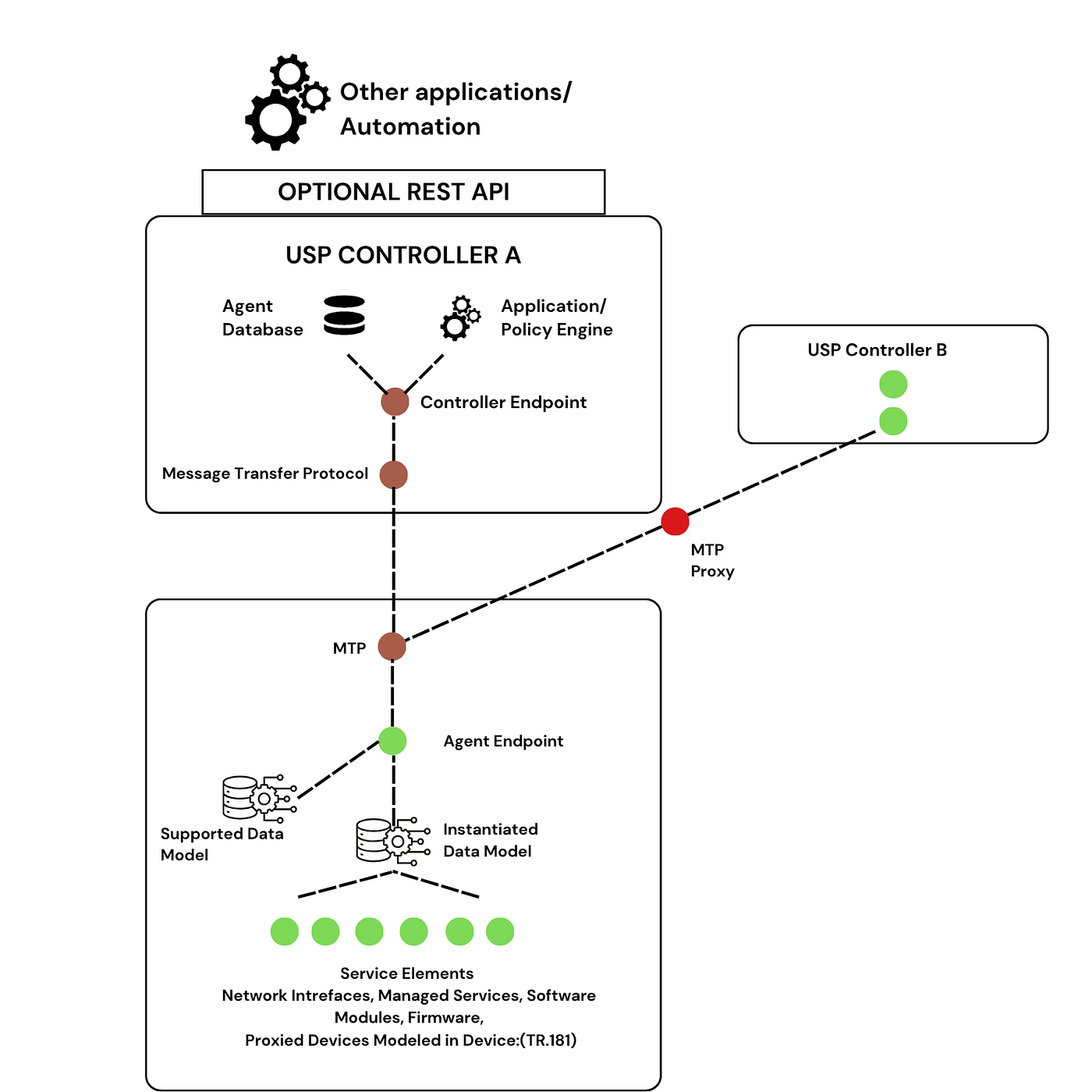
TR-069 Diagram
Delving Deeper: Key Components of TR-069
To truly understand how TR-069 operates, it’s essential to grasp its core components:
- The TR-069 Server: The Central Command Center. At the heart of the TR-069 architecture is the Auto-Configuration Server (ACS), often referred to as the TR-069 server. This is a robust server system maintained by the ISP. Its primary function is to serve as the central point of contact for all managed CPE devices. The ACS is responsible for storing device configurations, managing firmware updates, initiating diagnostic tests, and collecting performance metrics from the customer equipment. It acts as the brain behind the remote management operations.
- TR-069 Data Model: The Language of Device Management the TR-069 Data Model is the structured framework that defines how information is organized and exchanged between the CPE and the ACS. It’s like a standardized dictionary that both sides understand. This model specifies a hierarchical structure of parameters, objects, and services that represent the various functionalities and settings of a CPE device. For instance, the data model defines parameters for Wi-Fi SSID, security keys, port forwarding rules, firmware versions, and diagnostic information. This standardization ensures that different CPE devices from various manufacturers can be managed consistently by the ACS.
The Inner Workings: How TR-069 Facilitates Remote Management
The beauty of TR-069 lies in its sophisticated yet efficient operational flow. Let’s break down how this protocol enables seamless communication:
- Communication between a Device and the ACS: A Two-Way Dialogue. The communication between a CPE device and the ACS is typically initiated by the CPE itself. When a device powers on or connects to the network, it establishes an outbound, encrypted connection (usually via HTTPS) to the pre-configured URL of its ACS. This connection is persistent or periodically re-established, allowing for a continuous dialogue.
Types of Events

0 BOOTSTRAP
This event tells the ACS that the CPE is contacting it either for the first time or because the URL of the ACS has changed. When an ACS receives a BOOTSTRAP event, it will often begin a series of initial configuration steps on the CPE.
1 BOOT
The event is sent by the CPE any time its software has been restarted, usually because of a physical reboot.
2 PERIODIC
The event is sent whenever the CPE’s PeriodicInformInterval expires. This is used to ensure that the CPE contacts the ACS on a regular, planned interval, and is controlled through the device’s data model using the PeriodicInformInterval, PeriodicInformTime, and PeriodicInformEnable parameters.
3 SCHEDULED
The event is based on the specific use of the ScheduleInform RPC.
4 VALUE CHANGE
The event occurs when a parameter that has been marked for Passive or Active Notification changes.
6 CONNECTION REQUEST
The event occurs when an ACS uses the special connection request mechanism to trigger the CPE to begin a TR-069 session.
7 TRANSFER COMPLETE and 10 ANONYMOUS TRANSFER COMPLETE
The event occurs when the CPE has successfully downloaded or uploaded a file that the ACS needs to know about. This is most often because of a use of the Download or Upload RPCs.
The event occurs when a transfer completes that was not requested by the ACS, but that the ACS wishes to know about.
8 DIAGNOSTICS COMPLETE
The event occurs when the CPE has completed one or more diagnostic tests that are defined in, and activated through, the TR-069 data model of the CPE.
9 REQUEST DOWNLOAD
The event occurs when the CPE is establishing a session in which it intends to call the Request Download RPC on the ACS.

11 DU STATE CHANGE COMPLETE, 12 AUTONOMOUS DU STATE CHANGE COMPLETE
The Software Module Management functions enabled by TR-069 are triggered with a Deployment Unit (the technical term for an Application on the CPE) changes its state (for instance, from Installed to Uninstalled).
13 WAKEUP
The event is triggered when a device that has a low-power or “Sleep” mode of operation comes back online.
M or Method Events
In addition to these events are events labeled with “M” for “Method”. These events occur in tandem with other TR-069 events to state explicitly that it was a TR-069 RPC that was the cause of the event. These include:
M Reboot
When paired with the 1 BOOT event, indicates that the device rebooted because the ACS used the Reboot RPC.
M Scheduled Inform
Always occurs whenever the 3 SCHEDULED event occurs.
M Download
Occurs with 7 TRANSFER COMPLETE when a Download triggered by the Download RPC completes, and similarly with “M ScheduleDownload” and M Upload.
M Change DU State
Is paired with the DU STATE CHANGE COMPLETE event when the change was due to the use of the ChangeDUState RPC.
These are all of the standardized TR-069 events. Vendors can define their own using vendor extensions.
Fortifying the Fortress: Ensuring the Security of TR-069
Given that TR-069 allows for remote control of critical network devices, security is paramount. Several mechanisms are in place to safeguard the integrity and confidentiality of TR-069 communications:
- HTTPS/SSL/TLS Encryption: All communications between the CPE and the ACS are typically encrypted using HTTPS, which leverages SSL (Secure Sockets Layer) or TLS (Transport Layer Security). This encryption prevents eavesdropping and ensures that data exchanged (like configuration parameters, passwords, and diagnostic information) remains confidential and cannot be intercepted by unauthorized parties.
- Mutual Authentication: Both the CPE and the ACS can authenticate each other. The CPE verifies the ACS’s identity using digital certificates (ensuring it’s connecting to the legitimate ISP server), and the ACS can authenticate the CPE using various methods, including unique device identifiers and shared secrets. This mutual authentication prevents rogue devices from connecting to the ACS and unauthorized ACS servers from managing CPEs.
- Firewalling and Access Control: ISPs implement strict firewall rules and access control lists on their ACS servers to limit access only to authorized CPE devices and network segments.
- Firmware Integrity Checks: When firmware updates are pushed via TR-069, mechanisms like digital signatures are used to verify the integrity and authenticity of the firmware image, preventing the installation of malicious or corrupted software.
- Secure Coding Practices: Developers of both CPE firmware and ACS software adhere to secure coding practices to minimize vulnerabilities that could be exploited.
- Regular Audits and Updates: ISPs regularly audit their TR-069 deployments and apply security updates to both their ACS infrastructure and CPE firmware to address newly discovered vulnerabilities.
In conclusion,
TR-069 is a cornerstone technology for modern broadband services, enabling ISPs to efficiently manage and troubleshoot millions of customer devices. By understanding its key components, operational flow, and the robust security measures in place, we can appreciate the silent yet critical role it plays in keeping our home networks connected and optimized.
메타데이터
- post_id
- 0b767dae2a00
- slug
- tr-069-the-silent-manager-of-your-home-network-devices-0b767dae2a00
- url
- https://medium.com/@gx-group/tr-069-the-silent-manager-of-your-home-network-devices-0b767dae2a00
- canonical_url
- https://medium.com/@gx-group/tr-069-the-silent-manager-of-your-home-network-devices-0b767dae2a00
- author_url
- https://medium.com/@gx-group
- status
- ok
- fetched_at
- 2026-07-18 14:44:20