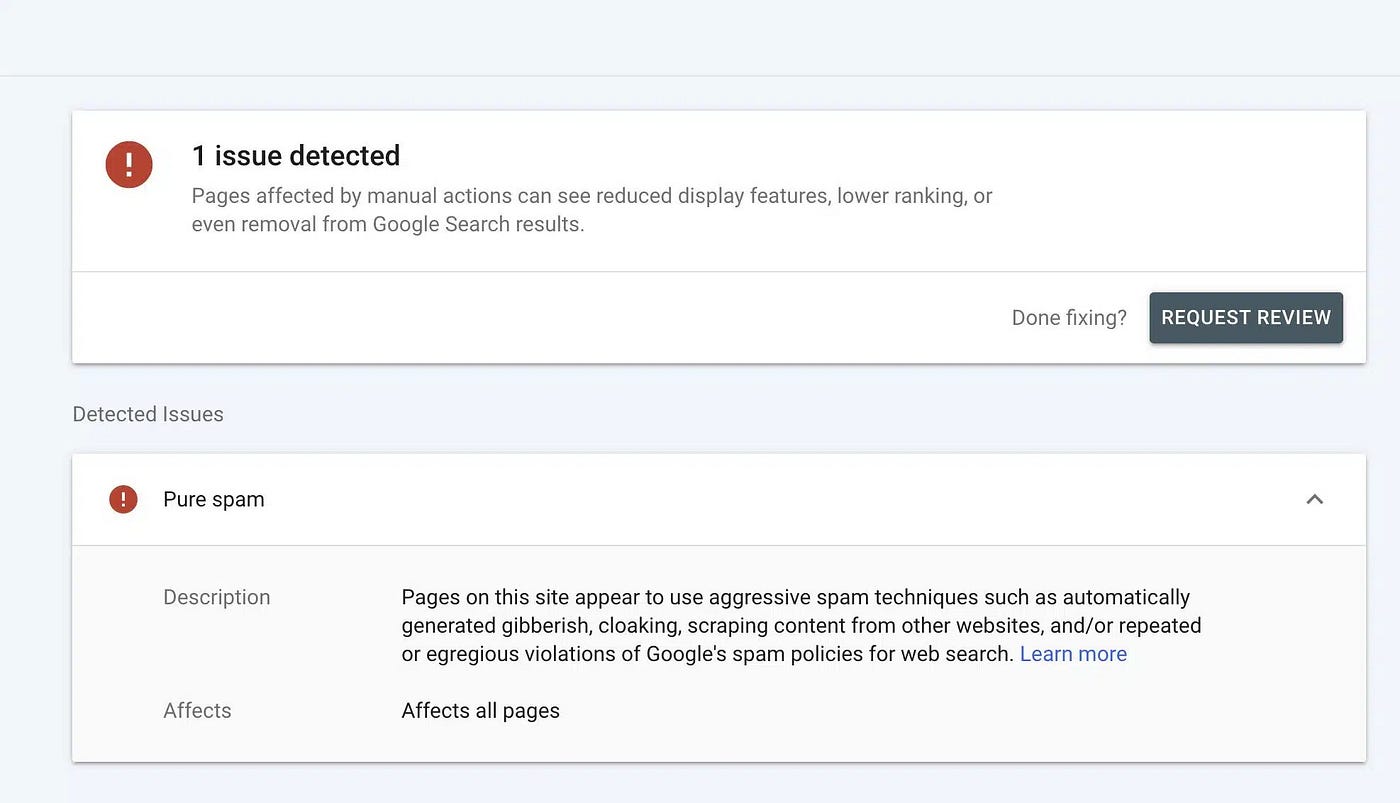
What Are Common On Page SEO Mistakes To Avoid
A practical guide to identifying and fixing on-page SEO errors that hurt your rankings, traffic, and overall search performance.
What Are Common On Page SEO Mistakes To Avoid
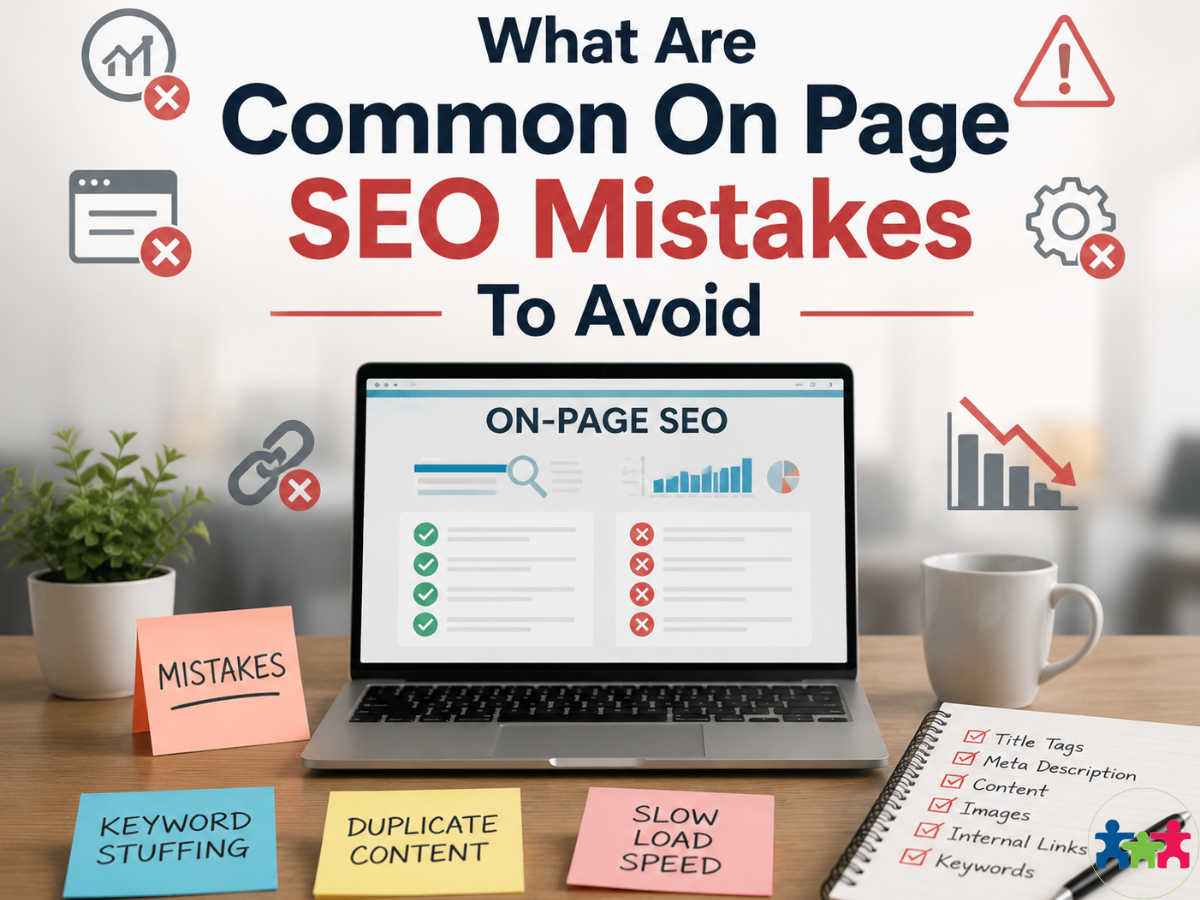
Most websites don’t struggle because of big SEO problems — they struggle because of small on-page mistakes that quietly hold them back. Even well-written content can fail to perform when basic optimization details are overlooked.
These issues often go unnoticed until rankings start dropping or traffic stops growing. Breaking down the most common on-page SEO mistakes makes it easier to spot what’s holding your pages back and fix them before they affect performance.
Critical On Page SEO Mistakes to Avoid
On-page SEO helps your website rank better on search engines. Many sites make common on page SEO mistakes that slow them down. These errors can cause serious website SEO issues. Let’s look at some critical errors to avoid so you can fix SEO mistakes before they hurt your rankings.
Duplicate Content and Its Impact on SEO
How to fix duplicate content issues
Duplicate content issues confuse search engines. They don’t know which page to rank and may lower your position. Here’s how to handle it:
- Find duplicates with tools like Copyscape or Siteliner.
- Use canonical tags to show the correct version of each page.
- Set 301 redirects from duplicate pages to the main one.
Keyword Stuffing and Natural Keyword Usage
How to avoid keyword stuffing and optimize keyword placement
Keyword stuffing means repeating keywords too much in your text. It feels awkward and annoys readers. Search engines may also penalize you for this error. Instead, try this:
- Use specific keywords naturally in sentences that flow well.
- Add long-tail keywords that match what people actually search for.
Under-Optimized Meta Tags: Titles and Descriptions
How to optimize meta tags for better click-through rates
Meta tags affect how many people click your link on search results. Poor meta tags miss chances to attract visitors. To improve them:
- Write title tags with main keywords, keeping them short (under 60 characters).
- Make meta descriptions clear and relevant, around 150–160 characters.
Image Optimization Problems: Alt Text, Size, and Broken Images
How to add descriptive alt text, compress images, and fix broken images
Images help visitors but can cause image SEO problems if ignored. Watch out for these things:
- Give each image descriptive alt text so search engines understand them better.
- Compress images using tools like TinyPNG or ImageOptim; this helps pages load faster.
- Check for broken images regularly and fix or remove any that don’t work.
Avoid these common on page SEO mistakes, and your website will run smoother in search results. If you want help fixing these issues, try working with a good SEO agency like Auckland SEO Agency!
Slow Website Load Speed and Its Effects on User Experience
Slow page load speed often causes visitors to leave your site quickly. This is a common on page SEO mistake. When pages take too long to appear, users get frustrated and bounce away. That means lower engagement and weaker rankings.
Your website load time depends on server performance and image compression. Big images without compression slow down your site a lot. To increase page speed, try compressing images and using browser caching. Fast loading pages keep visitors happy and help search engines crawl your site better.
Google uses site speed as a ranking factor because faster sites give better usability. If you improve your speed, expect more organic traffic and higher conversions since users stay longer.
Poor Crawlability and Site Architecture Challenges
Poor crawlability stops search engines from indexing your pages well. Robots.txt files that block important pages or redirect loops confuse crawlers and hurt SEO.
Managing crawl budget helps search engines focus on your best content instead of wasting time on duplicates or low-quality pages. Sitemap errors also make it hard for crawlers to index properly. A clean XML sitemap guides crawlers through your site smoothly.
Good site architecture improves crawl efficiency and user experience too. Clear navigation paths and simple URL structures let search engines understand your content better, boosting SEO overall.
Lack of Mobile Optimization in a Mobile-First Era
Mobile optimization issues still trip up many sites today. Google favors mobile-first indexing, so having a mobile-friendly design is critical for ranking well.
Responsive web design adjusts layouts automatically for different screen sizes. This avoids separate URLs for desktop and mobile versions, making maintenance easier. Regular mobile usability testing catches problems like tiny fonts or buttons placed too close together that annoy users.
A smooth mobile experience lowers bounce rates from phone users and raises engagement numbers — two things Google looks at when deciding rankings based on mobile usability test results.
If you want to avoid these problems, focus on technical audits that check site speed optimization, fix crawlability issues, and improve responsive design for modern devices.
Ignoring Search Intent and Content Relevance
Ignoring search intent is a common on page SEO mistake. When your content doesn’t match what people want, it won’t rank well or bring visitors to action. You need to figure out if a search is informational, transactional, navigational, or commercial.
Here’s the breakdown:
- Conversational queries want quick answers or simple explanations.
- Informational queries need detailed guides or how-to steps.
- Transactional keywords show someone is ready to buy or act.
- Commercial intent keywords focus on product reviews or comparisons.
- Navigational queries look for a specific website or brand.
Keyword targeting mistakes happen when pages try to rank for the wrong words. That confuses search engines and annoys users. Always check what the user really wants before picking keywords.
Matching search intent helps keep visitors on your site longer and lowers bounce rates. Both things boost your rankings. Hmm, if you want results fast, experts who know this stuff can help create relevant content plans.
Neglecting Local SEO Opportunities
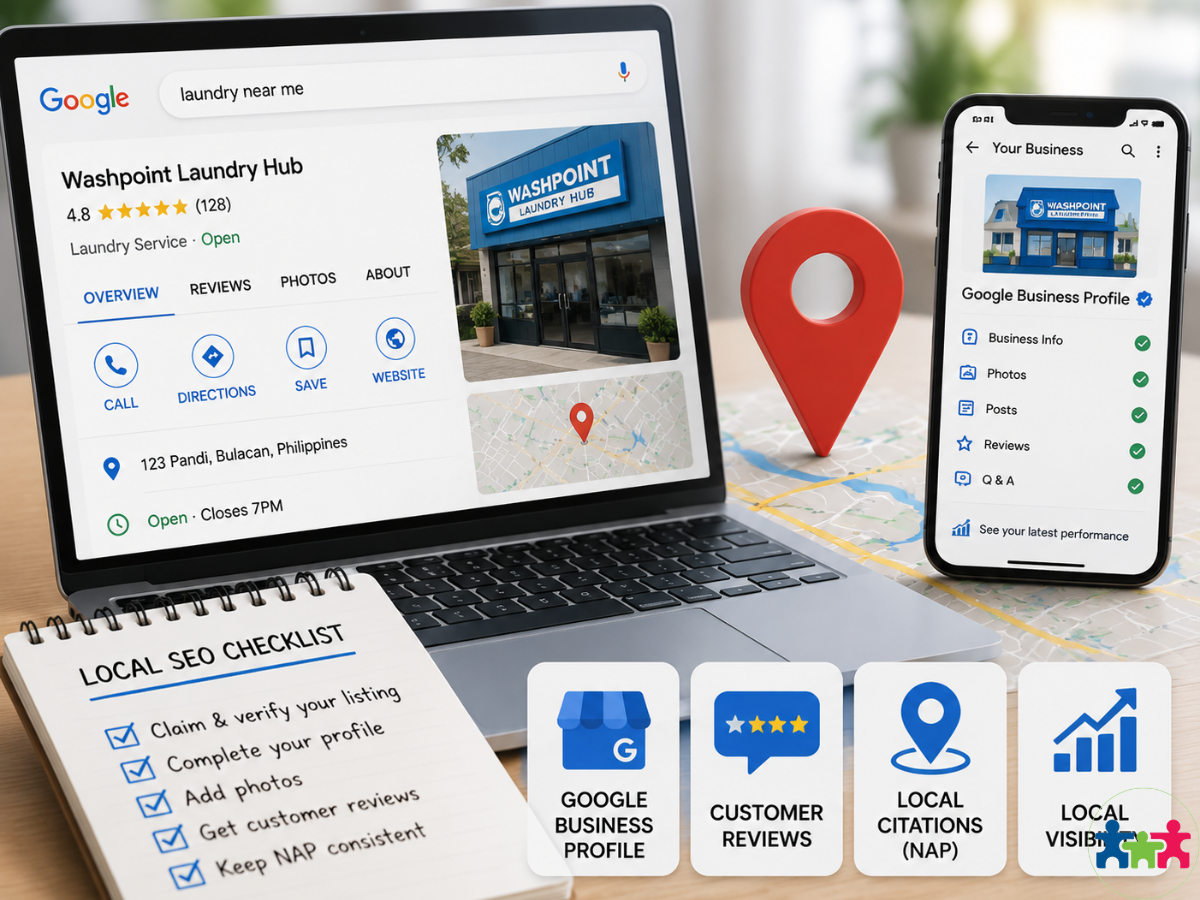
Many businesses make local SEO errors by ignoring local listings and not optimizing their Google Business Profile well. This stops them from getting found by people nearby.
Good Google Business Profile optimization means:
- Accurate phone number, address, and hours
- Fresh photos that show your place or products
- Managing customer reviews carefully
- Keeping NAP (Name, Address, Phone) info consistent everywhere
Skipping local business SEO means missing traffic from customers close by who want to buy now. Local SEO optimization also includes making pages just for your town or neighborhood.
Small fixes to local signals can bump you up in map packs and localized search results. This really helps stores and service providers who depend on local folks.
To avoid mistakes, many hire pros experienced in local digital marketing tactics aimed at real growth in their community.
Low-Quality Content and Its Effect on Rankings
Low-quality SEO content hurts your site’s trust and authority — the main parts of Google’s E-E-A-T framework (Experience, Expertise, Authoritativeness & Trustworthiness). Thin posts with little real info don’t work anymore.
Your content should:
- Show expertise with correct facts and trusted sources
- Share real experience through case studies or tips
- Build authoritativeness over time
Trust signals tied to E-E-A-T include:
- Clear author info
- Cited sources where needed
- Updated details
- Good user reviews
- Secure website setup
- Easy-to-use navigation
Poor writing risks losing rank after Google updates focus more on helpful content than keyword stuffing.
Hiring a skilled team helps follow strict content quality guidelines based on E-E-A-T principles. That way, you get better organic results while building trust online.
Keyword Cannibalization Across Multiple Pages
Keyword cannibalization happens when several pages on your site try to rank for the same keyword or topic. This is a common on page SEO mistake. When this occurs, search engines get confused about which page to show. That lowers your chances of ranking well.
Content duplication also causes trouble. It can lead to SEO penalties and weaken your site’s authority. So, watch out for duplicate content issues to keep your SEO strong.
How to Identify and Resolve Keyword Cannibalization Issues
You can find keyword cannibalization using SEO audit tools like Google Search Console, SEMrush, or Ahrefs. These tools show pages that compete for the same or similar keywords.
Once you spot the problem, fix SEO mistakes by either combining pages into one strong page or giving each page its own unique keyword focus. Follow a clear SEO strategy that assigns keywords per page. This stops conflicts and helps your rankings improve.
- Use audit tools regularly
- Look for overlapping keywords
- Merge similar pages if needed
- Assign distinct keywords to each page
- Keep track with a clear plan
Over-Optimized Anchor Text in Internal Linking
Over-optimized anchor text happens when internal links use the same exact keywords too much. This internal linking mistake looks unnatural and spammy to search engines. It can hurt how credible your site seems.
Instead of stuffing exact-match keywords in every link, try to make anchor text fit smoothly inside sentences. Use it naturally so readers and search engines both get it.
How to Keep Anchor Text Natural and Relevant
To keep internal links effective, use relevant links with varied anchor text that describes the linked page well but doesn’t overuse keywords.
Add simple call-to-action phrases like “learn more” or “find tips” next to descriptive anchors. This helps users understand what they’ll get and supports SEO without sounding forced.
- Use different anchor phrases
- Link only to related content
- Add calls-to-action occasionally
- Avoid repeating exact keywords all the time
Missing or Unoptimized URL Structure
A missing or poorly done URL structure often comes from unclear URL slugs or no canonical tags. This confuses both users and search engines alike. Bad URLs can lower click-through rates and cause duplicate content problems if canonical tags are missing.
How to Create Clean, Descriptive URLs for Better SEO
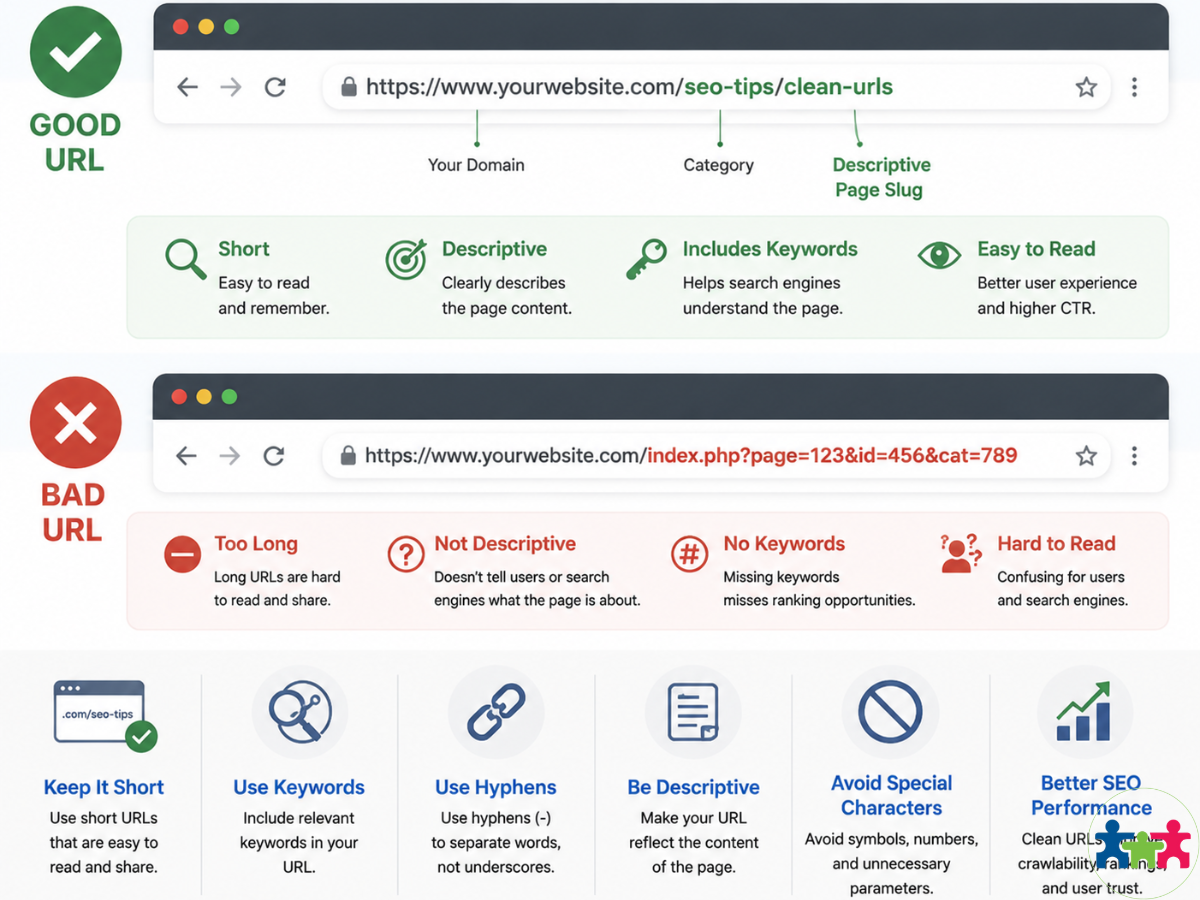
Make URLs clean by using short slugs with main keywords related closely to the page topic — like /seo-mistakes-to-avoid/. Always add canonical tags on pages that have similar versions. These tags tell search engines which version to index first. Clear URL structures help crawlers work better and build trust with visitors.
- Use short, clear URL slugs
- Include main keywords in URLs
- Add canonical tags where needed
- Keep URLs easy to read and understand
For businesses wanting better online results, knowing how these common on-page errors affect ranking is a good first step before hiring an Auckland SEO Agency or any other specialist.
Maintenance and User Engagement Risks
Outdated Content and Its Impact on SEO Performance
Outdated content is a common SEO mistake that hurts your site’s ranking. Over time, info gets old or wrong, causing content decay. Search engines like fresh pages because they give users better value. Doing a content refresh often helps improve website ranking and increase organic traffic.
If you ignore old content, visitors might stop trusting your brand. That drops engagement and conversions. So, check your pages now and then. Update facts, add new info, and cut out what’s obsolete. This shows search engines your site stays active and trustworthy.
Failing to Track SEO Performance and Metrics
Tracking SEO performance helps you see what works and what doesn’t. Without it, you miss important data about user behaviour and keyword rankings. Tools like Google Analytics 4 or Google Search Console give these details.
Using an SEO dashboard or client SEO reporting tool puts all data in one spot. You can watch organic traffic trends, click-through rates (CTR), bounce rates, and conversion paths there. These metrics help you make good choices fast.
If you skip tracking performance, you lose chances to optimize things like keywords or page speed. This hurts your search visibility a lot.
Enhancing User Experience to Reduce Bounce Rates
To cut bounce rates, improve how users experience your site. High bounce rates mean visitors don’t find what they want quickly or face problems using the site.
Try these tips:
- Use a clear internal linking strategy to guide users between pages and keep them longer.
- Add clear call-to-action buttons so visitors know what to do next without guessing.
- Make pages load fast — people leave if it takes too long.
- Ensure your design works well on phones since over half of web traffic comes from mobiles today.
Focusing on these parts boosts user engagement metrics a lot. That means fewer bounces and better chances of turning visits into sales or inquiries when you work with an SEO agency that knows how to fix these issues well.
Common On Page SEO Best Practices to Follow
Avoiding common on page SEO mistakes helps your site rank better. One big mistake is keyword stuffing. It makes content hard to read and hurts your rankings. Use keywords naturally inside good content that matches clear goals.
Optimizing meta tags like title tags and meta descriptions matters a lot. Keep them short and relevant. Include your target keywords so people want to click.
User experience also plays a role. Make sure pages load fast, work well on phones, and are easy to move through. These changes keep visitors engaged and lower bounce rates.
A solid SEO strategy includes technical SEO too. Use clean URL structures, add schema markup, and fix broken links often.
SEO content optimization means giving real value that answers user questions. Build a content strategy that focuses on depth and relevance. Combine this with technical fixes to help boost search rankings effectively.
Here’s a quick list of things to focus on:
- Avoid keyword stuffing; use natural keywords
- Optimize meta tags with relevant keywords
- Improve page speed and mobile friendliness
- Use clear navigation paths
- Implement technical SEO like schema markup
- Fix broken links regularly
- Create useful, detailed content that matches user intent
Upgrading Your SEO Strategy with Auckland SEO Agency
If you want better results, think about hiring an SEO agency. Auckland SEO Agency knows how to deliver guaranteed results.
They offer digital marketing services focused on ROI. That means they work hard to make your investment pay off by driving real growth.
When you work with experts, you get a full plan that uses advanced techniques. Plus, they give clear reports through client dashboards so you can see progress anytime.
This team works on reputation marketing too, helping your business build trust online.
Choosing Auckland SEO Agency means you get people who plan carefully and act clearly. They keep improving your efforts so you stay ahead of competitors.
To sum up their approach:
- Hire SEO agency for proven results
- Focus on ROI-driven digital marketing
- Get transparent progress reports via dashboards
- Use reputation marketing to build trust
- Benefit from ongoing optimization efforts
Working with Auckland SEO Agency can help your site get more traffic and sales over time.
FAQs
What Is Keyword Cannibalization And How Can I Prevent It?
Keyword cannibalization occurs when multiple pages compete for the same keyword. It confuses search engines and lowers rankings. Prevent it by assigning unique keywords per page and merging similar content.
How Do SEO Audit Tools Help Improve Technical Health?
SEO audit tools identify errors like broken links, crawlability issues, and duplicate content. Fixing these improves site structure and search engine indexing.
Why Should I Track SEO Performance Regularly?
Tracking SEO performance reveals what works and what doesn’t. It helps you optimize strategies based on metrics like traffic, bounce rates, and conversions.
How Does Image Compression Affect Page Load Time?
Compressed images load faster, reducing page load time. Faster pages improve user experience and boost search rankings.
What Role Does Robots.Txt Play In Enhancing Crawlability?
Robots.txt controls which pages search engines can crawl. Proper setup prevents blocking important pages and optimizes crawl budget.
How Can Mobile-Friendly Design Impact My SEO?
Mobile-friendly design ensures your site works well on all devices. Google favors responsive sites, improving rankings on mobile-first indexing.
What Is The Importance Of Clear Goals In Building Keyword Plans?
Clear goals focus keyword research and content creation. They help attract relevant traffic that matches user intent and business objectives.
How Do I Enhance User Engagement To Reduce Bounce Rates?
Use clear calls-to-action, fast loading pages, and relevant internal links to guide visitors. Engaged users stay longer, lowering bounce rates.
Why Is Monitoring Metrics Essential For SEO Success?
Monitoring metrics tracks progress toward goals. It identifies issues early so you can adjust tactics to boost visibility and traffic.
Additional SEO Tips for Auckland SEO Agency Clients
- Use semantic SEO techniques to improve content relevance and context understanding.
- Avoid intrusive pop-ups that disrupt mobile usability and annoy visitors.
- Implement tap-friendly buttons to enhance navigation on smartphones.
- Manage redirect loops carefully to avoid crawler confusion.
- Optimize meta description using title tag best practices for better click-through rates.
- Ensure alt attributes are descriptive to aid accessibility and image SEO.
- Build backlink profiles through legitimate link building strategies for authority growth.
- Conduct regular SEO site audits to detect hidden errors early.
- Use client dashboard setup for transparent SEO reporting and ROI tracking.
- Refresh outdated content frequently to maintain freshness and relevance.
- Utilize local business listings with consistent NAP information to boost local SEO presence.
- Employ call-to-action SEO techniques that invite visitors to engage or convert effectively.
- Integrate schema markup to improve search engine understanding of your website’s data.
For more posts about SEO guides visit here.
Get Directions to Auckland SEO Agency
메타데이터
- post_id
- 0b9181e50bc0
- slug
- what-are-common-on-page-seo-mistakes-to-avoid-0b9181e50bc0
- url
- https://medium.com/@aucklandseoagency/what-are-common-on-page-seo-mistakes-to-avoid-0b9181e50bc0
- canonical_url
- https://medium.com/@aucklandseoagency/what-are-common-on-page-seo-mistakes-to-avoid-0b9181e50bc0
- author_url
- https://medium.com/@aucklandseoagency
- status
- ok
- fetched_at
- 2026-07-11 22:42:05