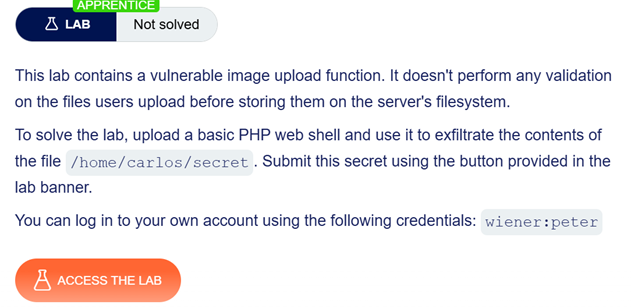
[Easy Explain] Web shell upload via Content-Type restriction bypass (Lab)
Continuing from the previous lab, this time I will be explaining about another file upload vulnerability topic: what if the server did a…
[Easy Explain] Web shell upload via Content-Type restriction bypass (Lab)
Continuing from the previous lab, this time I will be explaining about another file upload vulnerability topic: what if the server did a check on the content type of files the user sent, but trust it on the browser of the client side?
How it Works
In this scenario, user’s browser will create a Content-Type header into HTTP POST Request when the user uploads a file. Let’s say that the server has a Content-Type restriction that only allows image files (Content-Type: image/jpeg) and disallow others. If this is the case, then user could not upload an application, script or other files than the allowed content type. For example, if a user tries to upload a PHP file, the browser will write a header Content-Type: application/x-php that describes what file is being uploaded. Since the server made restrictions, it will disallow the request, failing the execution of the intended file.
If so, we are safe the n— aren’t we?
Not so fast. In this case, the server is trusting the browser on the client side to create the content type header. This creates a vulnerability hole, because that means user can still intercept the request on the way before it reaches the server side.
Portswigger Lab: Web shell upload via Content-Type restriction bypass
In this lab, we’ll explore how client can modify a request and intercept it before it reaches the server — simulating an attack on file upload vulnerability. You’ll be needing a Portswigger account and Burp Suite or otherr intercept tool to be able to complete the lab.

Turn on proxy on your browser or use Chrome browser from Burpsuite. Login to the account using credentials given by the lab (wiener:peter), then try to upload a picture as an avatar.

Check the HTTP history and highlight the POST and GET with the path of /my-account/avatar. Send both to Repeater. After that, open Repeater and first and rename both (I’m renaming the POST one as ‘upload’, GET as ‘show’).

Create a PHP file and replace .jpeg avatar file with the new file we just created. Change the image strings (long red-colored text on the Request body) by inserting the .php file, send it and watch how the server respond.

After getting an output that says we succeeded on uploading the avatar, rename the file on Repeater tab ‘show’. Hit send and get the secret code.

Get the secret code by the server response and submit it to the browser you used to access the lab.

Conclusion:
The “Web Shell Upload via Content-Type Restriction Bypass” vulnerability occurs when a server mistakenly relies solely on the user-provided Content-Type HTTP header to validate uploaded files. Because this header is generated on the client-side, attackers can easily intercept the request using proxy tools and manipulate the value. This could lead to Remote Code Execution, as the server will accept whatever files being sent as long as the Content-Type is written as a file type that’s not being restricted by the server.
메타데이터
- post_id
- 0d9579aee946
- slug
- easy-explain-web-shell-upload-via-content-type-restriction-bypass-lab-0d9579aee946
- url
- https://medium.com/@pieyowny/easy-explain-web-shell-upload-via-content-type-restriction-bypass-lab-0d9579aee946
- canonical_url
- https://medium.com/@pieyowny/easy-explain-web-shell-upload-via-content-type-restriction-bypass-lab-0d9579aee946
- author_url
- https://medium.com/@pieyowny
- status
- ok
- fetched_at
- 2026-06-26 03:39:16