Kafka #4 :Offset & Delivery Semantics Scenarios based interview questions
Que 1: In an order booking system, an orders topic receives confirmed customer orders from a order booking producer service. An analytics…
Kafka #4 :Offset & Delivery Semantics Scenarios based interview questions
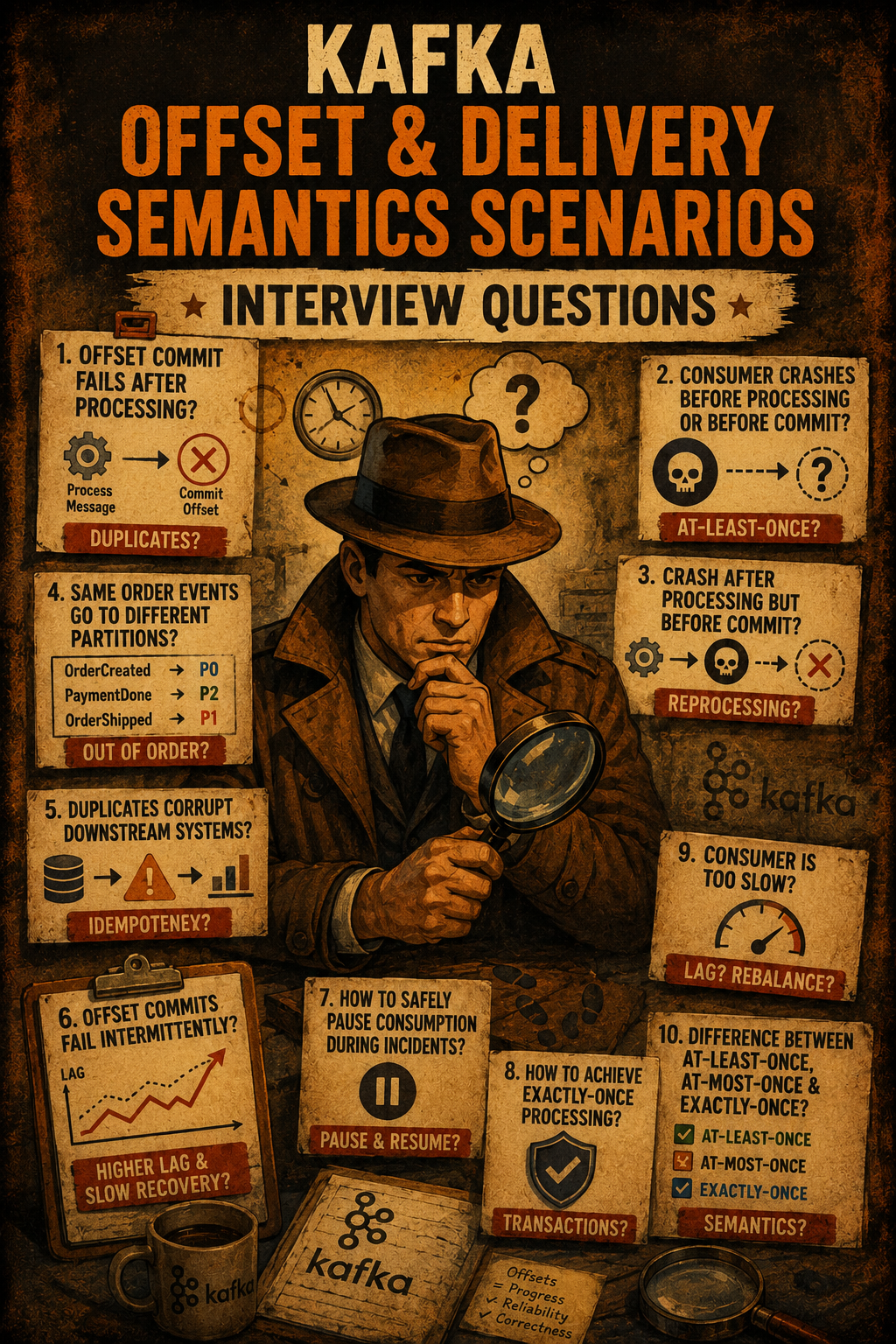
***Que 1: In an order booking system, an orders topic receives confirmed customer orders from a order booking producer service.
An analytics consumer reads those events and stores them in an analytics database for reporting.***
One day, the team notices:
- Kafka offsets for some messages are already committed
- But corresponding rows are missing in the analytics database
How can this happen in Kafka consumer processing?
Answer : This can happen when an analytics consumer commits the Kafka offset even though the order record was never successfully stored in the analytics database.
Common real-world causes
1. Offset committed before processing finishes
Imagine an analytics consumer reading events from Kafka and processing them one by one. A new event arrives, the consumer reads it, and almost immediately commits the Kafka offset. At this point, Kafka believes the event has been fully processed and safely handled.
But the actual database insert is still in progress. Before the write completes, the application crashes — or the database call fails due to a timeout, connection issue, or transaction rollback. The service later recovers and starts consuming again.
Now the problem appears: Kafka does not resend that event because its offset was already committed. From Kafka’s perspective, everything succeeded. But in reality, the analytics record never reached the database. The event is effectively lost — marked as consumed in Kafka but missing from the analytics store.
This situation commonly happens when:
- Auto-commit is enabled
- Offsets are manually committed before processing completes
- Batch offsets are committed before all DB writes succeed
while (true) {
    ConsumerRecords<String, Event> records = consumer.poll(Duration.ofSeconds(1));

    for (ConsumerRecord<String, Event> record : records) {

        // Offset committed too early
        consumer.commitSync();

        // Actual processing happens later
        analyticsRepository.save(record.value()); // may fail
    }
}
The safer flow is:
consume event → process event → write successfully to DB → commit offset
With this approach, offsets are committed only after the data is safely persisted. For stronger guarantees in analytics pipelines, teams often add idempotent writes, retries, deduplication, or transactional/outbox patterns to prevent silent data loss.
2. Asynchronous database write
Imagine an analytics consumer reading events from Kafka and handing database writes to a background thread or async executor. The consumer receives an event, triggers an asynchronous insert operation, and immediately commits the Kafka offset without waiting for the database operation to complete.
From Kafka’s perspective, the event has already been fully processed because the offset was successfully committed. The consumer then continues processing new messages normally.
But the actual database write is still running in the background. Before it completes, the application crashes — or the async operation fails due to a timeout, connection issue, thread pool failure, or transaction rollback.
When the service starts again, Kafka does not resend that event because its offset was already committed earlier. Kafka assumes the message was processed successfully, but the analytics record never reached the database.
The event is now permanently lost from the analytics store even though Kafka marked it as consumed.
Example:
for (record : consumer.poll(...)) {
    asyncDb.insertOrder(record.value()); // async write
    consumer.commitSync();               // offset committed immediately
}
This situation commonly happens when:
- Async or fire-and-forget DB writes are used
- Background worker threads process records independently
- Offsets are committed before async tasks complete
- Futures/promises are not awaited before commit
The safer flow is: consume event → start async processing → wait for DB write completion → commit offset
In reliable analytics pipelines, offset commits should happen only after async processing has fully completed successfully. Teams often combine this with retries, idempotent writes, deduplication, or transactional patterns to avoid silent data loss.
Question 2 : A team implemented Kafka “exactly-once” processing for an order processing system, but they still observe duplicate records in the database and duplicate downstream events.
Why can duplicates still happen even when Kafka exactly-once semantics is enabled?
Answer :
Exactly-once semantics (EOS) means that a message is processed one and only one time, even if failures, retries, crashes, or rebalances happen in the system.
In Kafka terms, it means:
- A message is not lost
- A message is not processed multiple times
- The final result appears exactly once
Kafka exactly-once semantics (EOS) only guarantees that Kafka itself avoids duplicate production and transactional writes within Kafka.
It does not automatically guarantee end-to-end exactly-once processing across: Kafka, Consumer application, Database, External services
Duplicates can still happen if the application or surrounding systems are not designed correctly.
Common reasons for duplicates
1. Producer is not fully idempotent or transactional
If the producer retries sending messages without idempotence enabled, Kafka may receive duplicate events.
Example:
- Producer sends Order #101
- Network timeout occurs before acknowledgment
- Producer retries
- Same order event gets written twice
Safe configuration:
enable.idempotence=true
acks=all
Use Kafka transactions if multiple Kafka writes must be atomic.
2. Consumer processing is not idempotent
Kafka consumers may re-read messages after:
- crashes
- retries
- rebalances
If the database operation is not idempotent, the same event can create duplicate rows.
Example:
- Consumer inserts Order #101 into DB
- Application crashes before offset commit
- Kafka delivers Order #101 again after restart
- Consumer inserts duplicate row
3. Rebalance during processing
During a rebalance, partition ownership can move to another consumer while processing is still ongoing.
Example:
- Consumer A processes Orders
[1001,1002] - Rebalance happens before offset commit
- Partition moves to Consumer B
- Consumer B reprocesses the same messages
If DB writes are not idempotent, duplicates occur.
4. Consumer not using read_committed
Kafka transactions allow a producer to write multiple records atomically. The records become visible to consumers only if the transaction is successfully committed.
But by default, Kafka consumers use:
isolation.level=read_uncommittedWith this setting, consumers can read transactional messages even before the producer transaction is committed. That means the consumer may process records that are later aborted and discarded by Kafka.
Example:
An analytics producer starts a Kafka transaction:
producer.beginTransaction();

producer.send(event1);
producer.send(event2);
Before committing, something fails:
- application crashes
- DB transaction fails
- network issue occurs
So the producer aborts the transaction:
producer.abortTransaction();From Kafka’s perspective:
event1event2
never officially existed because the transaction was aborted.
But if the consumer is using:
isolation.level=read_uncommittedit may still read and process those aborted events before Kafka hides them.
Result:
- analytics DB contains records from an aborted transaction
- downstream systems process invalid/inconsistent data
- duplicate corrections or reconciliation may be needed later
Safe configuration:
isolation.level=read_committedWith read_committed:
- consumers only see successfully committed transactional messages
- aborted transactional records are hidden automatically
- analytics consumers avoid processing invalid events
This setting is essential when:
- producers use Kafka transactions
- exactly-once semantics are required
- financial, analytics, or audit data must remain consistent
5. Kafka transactions do not cover external systems
Kafka’s Exactly-Once Semantics (EOS) guarantees work only inside Kafka itself. Kafka can atomically coordinate:
- producing records to Kafka topics
- consuming offsets from Kafka
- committing Kafka transactions
But Kafka cannot automatically include external systems such as:
- databases
- REST APIs
- email systems
- payment gateways
- third-party services
inside the same atomic transaction.
Example:
An order consumer reads a Kafka event:
OrderCreated(orderId=101)The consumer:
- inserts the order into the database
- commits Kafka offset
database.save(order);
consumer.commitSync();
Problem scenario:
- DB insert succeeds
- application crashes before offset commit
After restart:
- Kafka resends the same event because offset was never committed
- database insert runs again
Now you may get:
- duplicate rows
- duplicate emails
- duplicate payment requests
- inconsistent external state
The opposite can also happen:
- offset committed successfully
- DB write fails afterward
Now Kafka thinks the message was processed, but the database never received the data.
The key point is: Kafka transactions cannot atomically synchronize Kafka and external systems together.
Kafka EOS guarantees:
Kafka → KafkaBut not:
Kafka → Database
Kafka → REST API
Kafka → External Service
This is why distributed systems commonly use patterns such as:
- Transactional Outbox Write business data and an outbox event in the same DB transaction, then publish events separately.
- CDC (Change Data Capture) Tools like Debezium read committed DB changes and safely publish them to Kafka.
- Idempotent Consumers Consumers safely handle duplicate events using unique keys, deduplication tables, or upserts.
These patterns help maintain consistency between Kafka and external systems where true distributed transactions are not possible.
Checklist:

        Producer:
            enable.idempotence=true
            Use transactions if writing to Kafka and DB together.

        Consumer:
            isolation.level=read_committed
            Commit offset only after DB write is successful.
            Use manual offset commit, not auto-commit.

        Processing:
            Ensure DB writes are idempotent (e.g., upsert, deduplication).
            Handle errors and retries carefully.

        System:
            Avoid consumer rebalances during processing
Que 3 : The business team comes to you and says:
“We discovered a bug in our analytics pipeline. We need to replay the last 3 days of Kafka events and rebuild the data. But production systems must not break.”
How to do it?
Answer : At first, this sounds simple:
“Just reset offsets and consume again.”
But replaying Kafka data in production is risky. If done carelessly, you can overload databases, generate duplicate records, flood downstream services, or even impact live traffic.
1. Use a Separate Consumer Group for Replay
When replaying historical Kafka events, never use the production consumer group.
Instead, create a dedicated replay group:
group.id=replay-2026-01-27Why?
Kafka stores offsets per consumer group.
If the production group is reused for replay, offsets move backward and live consumers may reprocess old messages, causing duplicate processing or inconsistent data.
Using a separate replay group keeps replay isolated from production traffic.
Benefits
- Production offsets remain unchanged
- Live consumers continue normally
- Replay can be started, stopped, throttled, or reset independently
- Replay failures or lag do not affect production consumers
- Replay metrics and monitoring stay separate
Example
# Production
group.id=order-service-prod

# Replay
group.id=order-service-replay-2026-01-27
Kafka allows both groups to read the same topic independently because offsets are maintained separately for each consumer group.
2. Start consumption from exactly 3 days ago
Use timestamp-based offset lookup to find the offsets corresponding to the replay window.
Example:
consumer.offsetsForTimes(...)Or using Kafka CLI:
kafka-consumer-groups.sh \
  --bootstrap-server localhost:9092 \
  --group replay-2026-01-27 \
  --topic orders-topic \
  --reset-offsets \
  --by-duration P3D \
  --execute
This ensures only the required historical data is replayed, avoiding unnecessary processing and reducing the replay blast radius on downstream systems.
3. Throttle replay traffic
Replay consumers can easily overwhelm downstream systems such as databases, APIs, caches, or analytics pipelines because they often process large volumes of historical data very quickly.
To avoid this, replay traffic should be throttled using techniques such as:
- lower consumer concurrency
- smaller batch sizes
- rate limiting
- controlled pauses or token-bucket throttling between batches
The goal is to replay data slowly and predictably so production systems remain stable while historical events are being reprocessed.
4. Ensure processing is idempotent
Replay means historical Kafka events will be processed again, so consumers must safely handle duplicates. This is typically done using upserts, unique constraints, event IDs, deduplication tables, or idempotent consumer logic.
For example, instead of blindly inserting the same order multiple times, use an UPSERT:
INSERT INTO orders(order_id, status)
VALUES (101, 'PAID')
ON CONFLICT(order_id)
DO UPDATE SET status='PAID';
This ensures replaying the same event multiple times does not corrupt the final state or create duplicate data.
5. Isolate replay outputs when needed
For high-risk replays, avoid writing replayed data directly into production systems initially. Instead, write results into separate Kafka topics or temporary database tables, validate the replayed data, and merge it into production only after verification.
For example, instead of replaying directly into the orders table:
Kafka Replay Consumer
        ↓
orders_replay_temp
        ↓
Validation
        ↓
Merge into orders
This reduces operational risk and makes rollback or cleanup much easier if replay results are incorrect.
6. Monitor carefully and keep a rollback plan
Replay jobs should be monitored closely because they can place significant load on production systems. Important metrics include consumer lag, throughput, error rates, database load, downstream latency, and CPU or memory pressure.
Replay consumers should also support operational controls such as pause/resume, safe shutdown, offset checkpointing, and rollback or restart capabilities if issues occur.
For example, if database latency suddenly spikes during replay, the replay consumers can be paused or throttled to prevent production impact while investigation is performed.
A replay is essentially a controlled backfill operation, so operational safety is just as important as processing correctness.
Question 4: A consumer accidentally resets offsets to earliest in production. What do you do next?
Imagine it’s 2 AM and suddenly alerts start firing. Database writes spike, duplicate emails are being sent, and analytics numbers are exploding. After investigation, you discover that someone accidentally reset the production consumer group offsets to earliest.
This means Kafka now believes the consumer group has never processed the topic before, so the application starts reprocessing all historical messages again. If not handled quickly, this can create duplicate processing, inconsistent data, and downstream system overload.
1. Stop the consumer immediately
The first step is to stop the consumer application to prevent further duplicate processing and reduce operational impact on downstream systems.
2. Identify the correct recovery point
Next, determine the last successfully processed offset for each partition. This information is typically recovered from:
- application logs
- database audit tables
- monitoring systems
- downstream checkpoints
The goal is to identify the exact point from which processing should safely resume.
3. Reset offsets to the correct value
Once the correct offsets are identified, reset the consumer group offsets using Kafka tools.
Example:
kafka-consumer-groups.sh \
  --bootstrap-server broker:9092 \
  --group my-group \
  --topic my-topic:0,12345 \
  --reset-offsets \
  --execute
Here:
0is the partition12345is the correct offset
This moves the consumer group back to the proper recovery position.
4. Handle all affected partitions
Offsets in Kafka are maintained per partition. So if the topic has 100 partitions, each partition has its own independent offset and recovery position.
Example:
Partition 0  -> offset 12345
Partition 1  -> offset 88771
Partition 2  -> offset 45672
...
Partition 99 -> offset 99812
In real systems, manually resetting offsets for hundreds of partitions is impractical. Teams usually automate recovery using monitoring systems, checkpoint metadata, audit tables, or timestamp-based recovery.
Example:
kafka-consumer-groups.sh \
  --bootstrap-server broker:9092 \
  --group my-group \
  --reset-offsets \
  --to-datetime 2026-05-09T10:15:00.000 \
  --topic my-topic \
  --execute
Kafka automatically calculates the correct offset for each partition based on the timestamp.
5. Restart and monitor carefully
Finally, restart the consumer application and closely monitor:
- consumer lag
- error rates
- DB load
- downstream latency
- duplicate processing indicators
The key idea is to stop the damage quickly, restore offsets to the last known safe position, and resume processing in a controlled manner.
Question 5: Duplicate messages corrupt downstream systems. How do you redesign?
We faced this issue in a real-world online order payment system.
Kafka was publishing PaymentSuccess events whenever a customer completed payment. These events were consumed by multiple downstream services such as:
- Order Service
- Payment Ledger Service
- Notification Service
- Analytics Service
Initially, everything worked fine. But during retries, consumer restarts, or temporary network failures, the same Kafka message was sometimes delivered more than once.
That created serious production issues.
The Order Service updated the same order multiple times, the ledger service created duplicate payment entries, customers received duplicate emails, and analytics dashboards started showing inflated revenue numbers.
For example, a ₹5000 payment event was accidentally processed twice:
Actual Payment   = ₹5000
Analytics Revenue = ₹10000
At first, it looked like Kafka was the problem. But in distributed systems, duplicate delivery is normal. The real problem was that our downstream systems were not designed to safely handle duplicates.
So we redesigned the system to make duplicate processing harmless.
1. Make consumers idempotent (Primary Fix)
The biggest fix was making consumers idempotent.
Each payment event carried a unique paymentEventId:
{
  "paymentEventId": "pay-789",
  "orderId": 101
}
Before processing, consumers checked whether the event had already been handled.
The Order Service stopped blindly inserting duplicate records and instead used UPSERT logic:
INSERT INTO payments(payment_id, order_id, status)
VALUES ('pay-789', 101, 'SUCCESS')
ON CONFLICT(payment_id)
DO NOTHING;
So even if the same Kafka event arrived again, no duplicate payment or order update was created.
Similarly, the Analytics Service tracked processed event IDs so duplicate events would not inflate revenue or order counts.
2. Add transactional boundaries
Next, we fixed partial-processing problems.
Earlier, sometimes the service updated the database successfully but crashed before saving the processed event metadata. After restart, Kafka redelivered the same event and the system processed it again.
We solved this by wrapping both operations inside the same DB transaction:
BEGIN TRANSACTION

1. Update order/payment state
2. Save processed paymentEventId

COMMIT
Now retries became safe because either both operations succeeded together or both failed together.
3. Handle ordering and concurrency properly
We also discovered ordering issues.
Sometimes events arrived in the wrong sequence:
RefundProcessed
before
PaymentCompleted
This happened because related events were processed on different partitions.
To fix this, all events for the same order used:
partition key = orderIdThis ensured all order-related events always went to the same Kafka partition, preserving event order.
4. Add producer-side safety
We also improved reliability on the producer side.
The payment service was configured as an idempotent Kafka producer:
enable.idempotence=true
acks=all
This reduced duplicate Kafka records caused by retries or transient network failures.
5. Add operational guardrails
Finally, we added operational protections around the pipeline.
These included:
- DLQs for bad messages
- retry topics with delay
- duplicate detection alerts
- replay-safe consumers
- monitoring for retry storms
For example, if duplicate payment detection suddenly increased, alerts immediately notified the operations team before downstream systems were impacted.
Question 6 : In an analytics pipeline, Kafka events are successfully processed and written to the analytics database, but Kafka offset commits fail intermittently. What production issues can this create?
1. Duplicates / Reprocessing
Imagine an e-commerce system with:
- an
Order Servicethat publishes order events to Kafka - an
Analytics Servicethat consumes those events and updates business dashboards
A customer places an order:
OrderPlaced(orderId=O-9, amount=5000)The Order Service publishes this event to Kafka.
The Analytics Service consumes the event and successfully updates its analytics database:
- total orders = 101
- revenue = ₹5,00,000
At this point, the business dashboard correctly reflects the new order.
Next, the analytics consumer tries to commit the Kafka offset to mark the event as processed.
But right at that moment:
- the Kafka broker becomes temporarily unavailable,
- the network connection drops,
- or the analytics service crashes before the commit succeeds.
So although the analytics DB update succeeded, the offset commit failed.
From Kafka’s perspective, the event was never acknowledged.
A few seconds later, the analytics service restarts or a rebalance happens.
Kafka now resends:
OrderPlaced(orderId=O-9, amount=5000)because Kafka assumes processing never happened.
The analytics consumer processes the same event again:
- total orders becomes 102
- revenue increases again by ₹5,000
Now dashboards show inflated business metrics even though only one real order was placed.
The actual business event was correct. The problem happened because:
Processing succeeded
BUT
Offset commit failed
So Kafka redelivered the same event, leading to duplicate analytics processing.
2. Higher Lag & Slower Recovery
Imagine an e-commerce platform where the Order Service publishes order events to Kafka and the Analytics Service consumes them to update dashboards and reports.
The analytics consumer is actually processing events successfully. It reads and processes events from offset 100 all the way to offset 200, and the analytics database is updated correctly.
But there is a hidden problem: Kafka offset commits are intermittently failing because of broker issues, network instability, or coordinator timeouts.
So even though processing already reached offset 200, Kafka still believes the consumer is only at offset 100 because that is the last successfully committed offset.
Monitoring dashboards now start showing high consumer lag. Operations teams may think the analytics service is falling behind, even though the events were already processed successfully.
Later, if the analytics service restarts or a rebalance happens, Kafka resumes consumption from offset 100 again. The consumer must now re-read and reprocess offsets 101–200 even though they were already handled earlier.
This causes unnecessary reprocessing, slower recovery, inflated lag metrics, duplicate analytics calculations, and extra load on databases and downstream systems.
The actual processing succeeded. The problem is that Kafka never recorded the consumer’s progress because the offset commits failed.
3. Possible Downstream Side-Effects (if processing is not idempotent)
Imagine an order-processing system where Kafka events trigger real business actions such as sending emails, updating databases, or recording payments.
A customer places an order, and Kafka publishes:
OrderConfirmed(orderId=O-9)A notification consumer processes the message and successfully sends the order confirmation email to the customer.
Right after sending the email, the consumer tries to commit the Kafka offset. But the offset commit fails because of a temporary broker or network issue.
From Kafka’s perspective, the message was never successfully processed because the offset was not committed.
Later, the consumer restarts or a rebalance happens. Kafka redelivers the same message again.
Now the notification service processes the event one more time and sends another confirmation email.
The customer suddenly receives:
- two order confirmation emails,
- duplicate notifications,
- or repeated SMS alerts.
The same issue can happen with databases.
Suppose the message is:
PaymentProcessed(paymentId=P-101)The payment service successfully inserts a payment row into the database, but the offset commit fails afterward.
When Kafka redelivers the message, the consumer inserts the payment again.
Without proper safeguards such as:
- unique constraints,
- idempotency keys,
- upserts,
- or deduplication logic,
the system may create duplicate payment records or inconsistent financial data.
The actual business operation succeeded the first time. The duplicate side-effects happened because Kafka retried the message after the offset commit failed.
4. Rebalance Instability
Imagine an analytics consumer processing order events normally, but intermittent network or broker issues cause offset commit requests to timeout.
The same instability also delays Kafka heartbeats from the consumer. Kafka then assumes the consumer is unhealthy and triggers a rebalance.
Partitions move to another consumer instance, which resumes from the last successfully committed offset — not from the latest processed message.
So if offsets 100–200 were already processed but only offset 100 was committed before the rebalance, the new consumer starts again from offset 100 and reprocesses 101–200.
This leads to duplicate analytics calculations, inflated metrics, extra database load, and unstable consumer group behavior.
In production, this often becomes a chain reaction:
commit failures → heartbeat delays → rebalance → reprocessing → more instability5. Rare Case: Application Stops on Commit Failure
In some systems, offset commit failures are treated as fatal errors.
Imagine an analytics consumer successfully processes events and updates the analytics database, but a temporary broker or network issue causes commitSync() to fail.
Instead of retrying, the application throws a fatal exception and shuts down the consumer container.
Now the analytics service stops consuming new Kafka messages entirely until the application is restarted or recovered.
The good news is that Kafka still safely retains all unprocessed messages, so no data is lost.
But the production impact is:
- analytics dashboards stop updating,
- consumer lag keeps growing,
- real-time reporting becomes stale,
- and recovery may take longer once the service comes back online.
So the data remains safe in Kafka, but the system experiences downtime and delayed processing.
Question 7: During a production incident, how would you temporarily stop Kafka consumers without losing data or creating inconsistencies?
Imagine your analytics platform suddenly starts struggling during a peak traffic event.
The Order Service is publishing thousands of order events per second into Kafka, and the Analytics Service is consuming them to update dashboards and reports.
Suddenly, the downstream analytics database becomes overloaded:
- queries slow down,
- CPU spikes,
- connection pools start timing out,
- and dashboards begin lagging.
At this point, continuing to consume Kafka messages at full speed could make the situation much worse. The consumer may overwhelm the database completely and trigger failures across the system.
So the first thing you decide is:
“Do we need a full stop or a controlled slowdown?”
1. Hard Stop — Stop the Consumer Group
If the incident is severe, you perform a hard stop.
You scale the analytics consumer deployment to zero or stop the service entirely. Now the consumer group stops polling Kafka completely:
- no new messages are processed,
- no offsets are committed,
- Kafka safely retains all incoming events.
This gives downstream systems time to recover without losing data.
2. Soft Stop — Pause Consumption
Sometimes a full shutdown is unnecessary.
Suppose the database is unhealthy but still partially functioning. In that case, instead of stopping the consumer entirely, you perform a soft pause.
The consumer stays alive in the Kafka consumer group and continues sending heartbeats, but it temporarily pauses fetching new records:
consumer.pause(assignedPartitions);In Spring for Apache Kafka, you can pause the listener container.
This avoids unnecessary rebalances while temporarily stopping new message processing.
3️. Backpressure / Degrade Mode
In some incidents, the system does not need a full pause — it just needs less pressure.
Instead of stopping consumption completely, you deliberately slow it down:
- reduce concurrency,
- lower
max.poll.records, - reduce batch sizes,
- add throttling or sleeps.
This allows Kafka consumption to continue while protecting downstream systems from overload.
4️. Protect Downstream Systems
Sometimes the biggest risk is not Kafka itself but the side-effects triggered by consumers.
For example:
- sending emails,
- calling external APIs,
- generating notifications,
- updating downstream services.
During incidents, you may temporarily disable those side-effects or reroute problematic events into a DLQ or holding topic for later processing.
This prevents cascading failures across dependent systems.
The important idea is:
During production incidents, the goal is not just to stop Kafka consumption. The goal is to reduce pressure safely while preserving data and keeping recovery manageable.
Question 8: In a Kafka-based order processing system, events are sometimes consumed out of order. Why can this happen even though Kafka guarantees ordering?
Imagine an e-commerce platform where different services publish events such as:
OrderCreated
PaymentCompleted
OrderShipped
OrderCancelled
The analytics service expects these events to arrive in the correct sequence so dashboards and reports remain accurate.
But one day the team notices strange inconsistencies:
OrderShippedappears beforePaymentCompleted- cancellations appear before order creation
- analytics timelines look incorrect
At first, this seems surprising because Kafka is known for ordered delivery.
But Kafka guarantees ordering only:
within a single partitionOut-of-order events can still happen for several reasons.
1. Same business entity goes to different partitions
Suppose order events are not consistently partitioned using orderId.
Maybe:
- some events use
customerId, - some use nullable keys,
- or some producers send messages without keys.
Now events for the same order may land in different partitions:
OrderCreated   -> P0
PaymentDone    -> P2
OrderShipped   -> P1
Kafka only guarantees ordering inside each partition, not across partitions.
So consumers may observe events in the wrong order.
2. Multiple producers publishing related events
Imagine:
Order ServicepublishesOrderCreatedPayment ServicepublishesPaymentCompleted
These are separate producers running independently.
Kafka cannot guarantee global ordering across multiple producers.
Due to network timing or retries:
PaymentCompletedmay arrive before:
OrderCreatedeven though the real business flow happened correctly.
3. Producer retries without idempotence
Suppose a producer sends:
Event A
Event B
Event A temporarily fails and gets retried while Event B succeeds immediately.
With:
max.in.flight.requests.per.connection > 1Kafka may append:
Event B
Event A
making the order appear incorrect.
This is why idempotent producers are important.
4. Consumer-side parallel processing
Sometimes Kafka delivers records in order, but the consumer processes them concurrently using:
- worker threads,
- async processing,
- reactive pipelines.
Example:
poll -> [100,101,102]Processing:
- 100 takes 5 seconds
- 101 takes 1 second
Now event 101 finishes before 100, so downstream systems observe events out of sequence.
The ordering problem was introduced by the consumer, not Kafka.
5. Rebalances and reprocessing
During consumer restarts or rebalances:
- messages may get reprocessed,
- async tasks may still be running,
- old offsets may replay.
This can make event timelines appear inconsistent or out of order from the application’s perspective.
The important insight is:
Kafka guarantees ordering only within a single partition and only in the order records are appended there.
Once you introduce:
- multiple partitions,
- multiple producers,
- retries,
- async consumers,
- or reprocessing,
observed business ordering can easily break unless the system is designed carefully.
Question 9 : Consumers reprocess messages after scaling down. Is this expected?
Yes — this is expected behavior in Kafka and is a normal consequence of consumer group rebalancing.
Imagine an analytics service running with 4 consumer instances processing order events from Kafka.
During low traffic, the platform scales down from 4 consumers to 2.
As soon as some consumers shut down:
- they leave the consumer group,
- Kafka triggers a rebalance,
- and partitions get reassigned to the remaining consumers.
The important detail is:
Remaining consumers resume from the last committed offset, not from the last processed message.
So suppose a consumer had:
processed offsets 100–120but only committed up to:
offset 110before shutdown.
After rebalance, another consumer starts again from offset 110 and reprocesses:
111–120even though those messages were already processed earlier.
Why this happens during scale-down
- Consumers leave the group Scaling down removes consumer instances from the group.
- Kafka triggers a rebalance Partitions move to the remaining consumers.
- Consumers resume from committed offsets Kafka only tracks committed progress, not in-memory processed records.
- Uncommitted processed messages get replayed If processing succeeded but commit did not happen yet, those records are consumed again.
Common reasons it becomes more visible during scale-down
- In-flight messages during shutdown
- Async processing with delayed commits
- Auto-commit interval not reached yet
- Graceful shutdown not waiting for processing completion
This is why Kafka consumers should always assume:
messages may be processed more than onceand downstream systems should be idempotent or deduplication-aware.
메타데이터
- post_id
- 0dcf5a93d3b0
- slug
- kafka-offset-delivery-semantics-scenarios-based-interview-questions-0dcf5a93d3b0
- url
- https://medium.com/@javalearners/kafka-offset-delivery-semantics-scenarios-based-interview-questions-0dcf5a93d3b0
- canonical_url
- https://medium.com/@javalearners/kafka-offset-delivery-semantics-scenarios-based-interview-questions-0dcf5a93d3b0
- author_url
- https://medium.com/@javalearners
- status
- ok
- fetched_at
- 2026-06-09 15:37:30