How I Use AI in My Code Review and PR Workflow Right Now
Not the idealized version. The actual one.
How I Use AI in My Code Review and PR Workflow Right Now
Not the idealized version. The actual one.
I lead a distributed engineering team at Kaz Software. We ship across multiple projects simultaneously, which means PR queues pile up fast. Two years ago, every review was entirely human. Today, roughly 60% of the first-pass review work is handled by AI before a human engineer ever opens the diff.

This is not a post about what AI could do for your review workflow. This is a walkthrough of what I actually do, the tools I rely on, and where I still refuse to let AI make the call.
The tools in the rotation
Three tools do almost all the work:
GitHub Copilot handles in-editor, inline review and the PR summary layer directly inside GitHub.
Claude Code handles deep architectural review, spec alignment checks, and the pre-commit audit that I run before any significant PR goes up.
Codex CLI handles the command-line tasks: automated diff analysis, generating test scaffolding for uncovered paths, and batch processing when I need to review multiple files with a specific lens.
None of these tools replace each other. They occupy different layers of the workflow.
Stage 1: Before the PR is raised
Most teams treat review as something that happens after a PR is open. I moved the first AI pass to before the PR exists.
When a developer on my team finishes a feature branch, the first step is not opening a pull request. It is running a structured review prompt through Claude Code against the diff.
The prompt I use looks roughly like this:
Review this diff against the feature spec in /docs/specs/[feature].md.
Flag any deviation from the agreed interface contracts.
Identify logic paths that have no test coverage.
List any error handling gaps.
Do not comment on formatting.
That last line matters. Formatting is handled by the linter at the pipeline level. I do not want AI burning tokens or attention on indentation debates.
What Claude Code catches reliably at this stage:
- Interface drift (the implementation quietly diverged from the spec)
- Missing error branches on external API calls
- Functions that grew large enough to violate the single responsibility boundaries we agreed on during design
What it does not catch well here: whether the logic is semantically correct for the business domain. That requires context that lives in people’s heads, not in any spec file.
Stage 2: The PR is open, Copilot takes over
Once the PR is raised on GitHub, GitHub Copilot’s code review feature runs automatically. I have it configured to focus on three things: security patterns, performance regressions, and test coverage gaps.
The Copilot review appears as inline comments on the PR, which integrates cleanly into the normal review flow. My team sees these comments the same way they see human reviewer comments.
Here is where Copilot consistently earns its place:
Catching N+1 patterns and obvious performance issues. Copilot flags these reliably and with enough context that the developer immediately understands the fix. I used to spend a portion of every review on this. Now I almost never have to.
Security pattern recognition. Input validation gaps, direct string interpolation into queries, sensitive data logged without masking. These are the kind of issues that are embarrassing to miss in review and tedious to catch manually when you are reviewing quickly. Copilot is patient and consistent in a way that a tired human reviewer is not.
Surfacing missing test cases. It will comment on a new conditional branch and note that no test covers the false path. This is not always right, but it is right often enough to be worth the noise.
Where Copilot falls short at this stage is in understanding intent. It reviews the code that is there, not the code that should be there based on what the ticket asked for. That gap is significant.
Stage 3: Codex CLI for targeted batch analysis
When I am reviewing a large refactor or a migration PR that touches dozens of files, I run a Codex CLI pass from the terminal before I open the PR myself.
The workflow looks like this:
git diff main...feature/branch > diff.txt
codex "Review this diff for backward compatibility breaks and any public API surface changes. Output a structured list."
The output gives me a prioritized list of areas to scrutinize as a human reviewer. Instead of reading 800 lines of diff top to bottom, I start at the highest-risk areas Codex has identified and work outward.
This is the tool I use when scale is the problem. Single file changes or small PRs do not need this. Large, sprawling PRs benefit enormously from this kind of pre-scan.
I also use Codex CLI to generate the test scaffold for any new module introduced in the PR:
codex "Generate test scaffolding for the following module. Include happy path, boundary conditions, and at least two failure scenarios per public method."The scaffold goes directly to the developer as a suggestion. They fill in the assertions. This saves more time than any other single step in the workflow.
Where I still need a human eye
Here is the honest part.
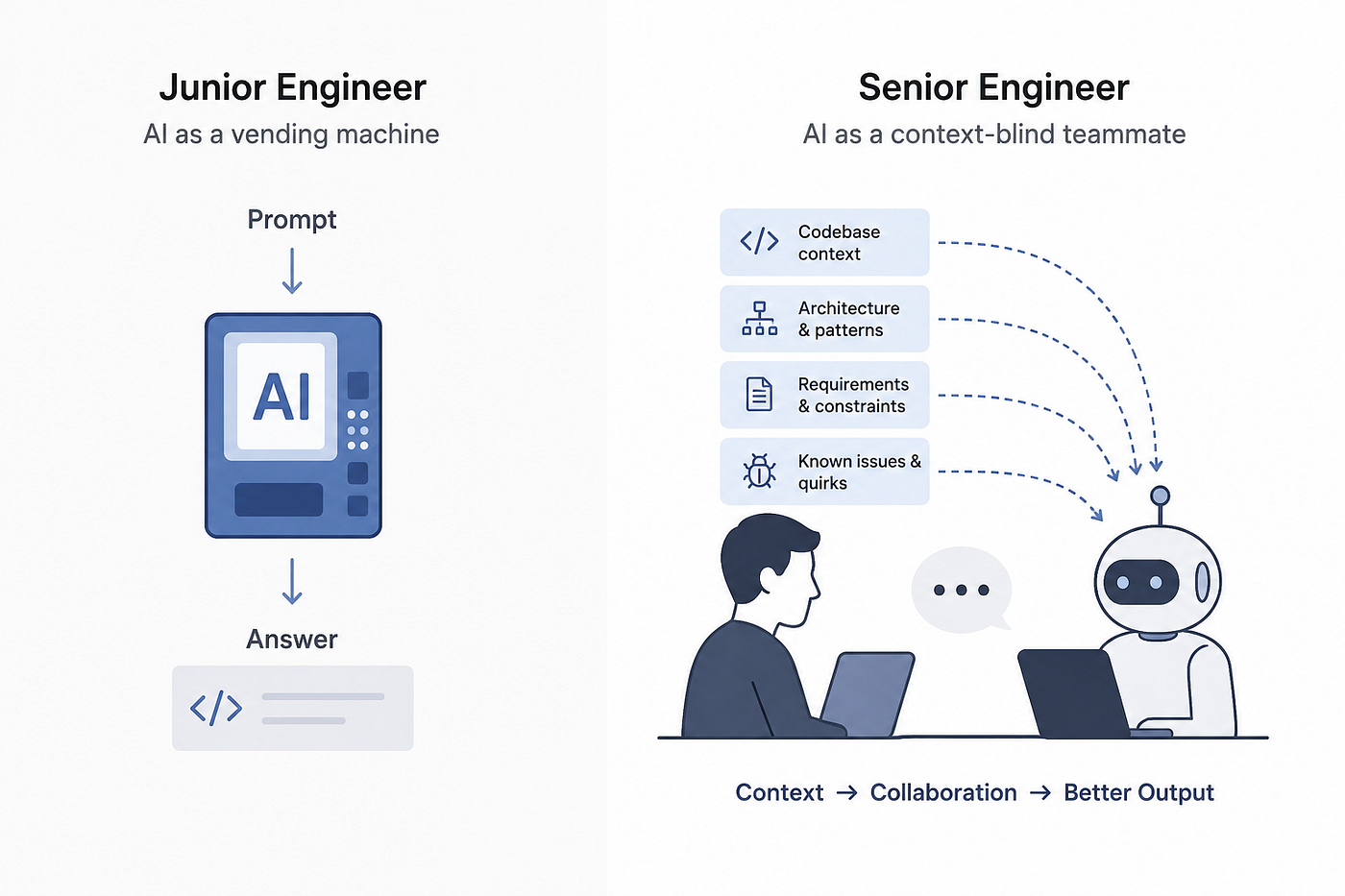
AI does not understand organizational context. It cannot know that we agreed three sprints ago to avoid a particular pattern because of an incident it did not witness. It cannot know that a specific integration partner has undocumented behavior that our workaround is compensating for. It cannot know that the approach in this PR, while technically sound, conflicts with the architectural direction we decided on in a whiteboard session last month.
Business logic correctness is still a human responsibility. AI is very good at telling you the code is well-formed. It is much weaker at telling you the code does the right thing.
I also do not let AI make the final call on anything that touches:
- Auth and permissions logic
- Data deletion or destructive operations
- Any integration with a third-party financial system
For these categories, I require a second human reviewer in addition to the AI pass. The AI review is additive, not substitutive.
There is also a cultural dimension worth naming. My team responds differently to AI comments than to human comments. AI feedback gets dismissed more quickly, especially by senior engineers who have calibrated confidence in their own judgment. Part of my job as team lead is deciding which AI-flagged issues to elevate as human-validated concerns, so the feedback lands with the appropriate weight.
The actual process, end to end
Here is the full sequence, compressed:
- Developer finishes branch. Runs Claude Code pre-PR audit against the spec.
- Developer addresses flagged items or documents why they disagree.
- PR is raised. Copilot review runs automatically and posts inline comments.
- For large PRs, I run a Codex CLI pass and use the output to prioritize my own review.
- I do a focused human review covering business logic, architectural alignment, and the high-risk categories listed above.
- A second human reviewer is required for auth, destructive operations, and financial integrations.
- PR is merged.
The AI layers handle the mechanical, pattern-based work. The human layer handles intent, context, and consequence.
What this costs in time
Before this workflow: I spent 45 to 60 minutes on a medium-complexity PR review. After: I spend 15 to 25 minutes, because the AI pre-pass has already handled the surface-level findings and I am reading a pre-annotated diff rather than a raw one.
For my team, the bigger gain is async coverage. Copilot reviews a PR the moment it opens. Engineers on different time zones get structured feedback without waiting for a human reviewer to come online. That compression in feedback latency has meaningfully improved our cycle time.
The honest take
AI in code review is genuinely useful, and I think it is underused in most teams because it gets positioned as a replacement for human review rather than a filter that makes human review more efficient and targeted.
The teams I have seen struggle with AI review tools are the ones that deployed them without defining the boundary. They either trusted AI too much and started missing real issues, or they dismissed AI feedback entirely and got no value from it.
The boundary I have landed on: AI owns the first pass, the pattern detection, and the consistency checks. Humans own the intent, the context, and the final call.
That division is working well for us. I expect it to keep shifting as the tools improve. But right now, that is the line.
메타데이터
- post_id
- 0f049be1ea31
- slug
- how-i-use-ai-in-my-code-review-and-pr-workflow-right-now-0f049be1ea31
- url
- https://medium.com/@nur369188/how-i-use-ai-in-my-code-review-and-pr-workflow-right-now-0f049be1ea31
- canonical_url
- https://medium.com/@nur369188/how-i-use-ai-in-my-code-review-and-pr-workflow-right-now-0f049be1ea31
- author_url
- https://medium.com/@nur369188
- status
- ok
- fetched_at
- 2026-07-19 01:37:51