Emacs’ built in source control support
If you are using a recent version of Emacs, chances are it came bundled with vc-mode. This is Emacs’ generic interface to multiple source…
Wiki topics:
💻 · Programming
Emacs’ built in source control support
If you are using a recent version of Emacs, chances are it came bundled with vc-mode. This is Emacs’ generic interface to multiple source control systems — including git. While I prefer magit-mode for a lot of my git needs, I find myself turning to the built-in vc-mode for certain common tasks.
- Show the revision history (log) of the currently open file: vc-print-log ( bound to C-x v l)
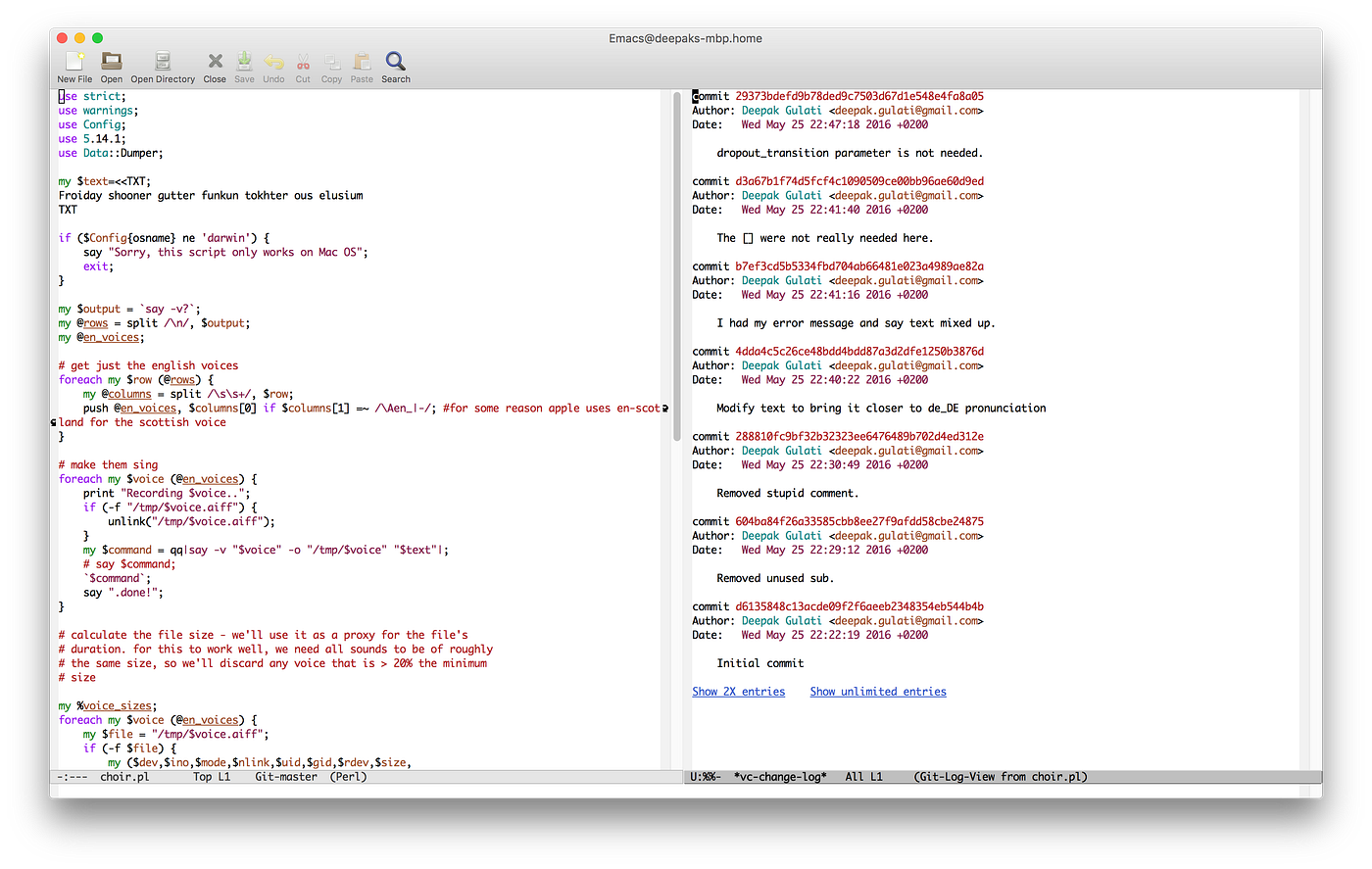
- In the log buffer you can jump between different revisions by pressing n and p keys. You can look at the diff of a revision by pressing d

- Annotate the currently open file: vc-annotate (bound to C-x v g). This is the equivalent of git-blame. In addition to showing you the author and revision of each line, it also color codes each line by age — the newer the line, the warmer the color.

The best part about vc-mode is that it doesn’t have to be explicitly activated. Each time you open a source controlled file, you can use the vc-mode commands on it.
메타데이터
- post_id
- 1024673d89a1
- slug
- emacs-built-in-source-control-support-1024673d89a1
- url
- https://medium.com/@deepak.gulati/emacs-built-in-source-control-support-1024673d89a1
- canonical_url
- https://medium.com/@deepak.gulati/emacs-built-in-source-control-support-1024673d89a1
- author_url
- https://medium.com/@deepak.gulati
- status
- ok
- fetched_at
- 2026-07-30 17:37:34




