Brain Tumor Detector part 3
Tensorflow Dataset
Brain Tumor Detector part 3
Photo by Joel Filipe on Unsplash
Introduction
Create training and test ***Tensorflow Dataset from images in a directory is fairly easily. I am going to use [Tensorflow ](https://www.tensorflow.org/)***as my deep learning framework to create the dataset and build the deep learning model.
Code
Dataset
All processed images are stored under a directory and organized by folders, I need to create the dataset from the directory. Fortunately ***Tensorflow provide a convenient way to do it. [image_dataset_from_directory ](https://www.tensorflow.org/api_docs/python/tf/keras/utils/image_dataset_from_directory)***is a method to create a image dataset from directory and it return a ***Tensorflow Dataset***.
The method required a directory structure to be like this.
main_directory/
...class_a/
......a_image_1.jpg
......a_image_2.jpg
...class_b/
......b_image_1.jpg
......b_image_2.jpg
And my directory is exactly the same.
[embed]
Training dataset is created from Training folder whereas test and validation dataset are created from Testing folder. The parameter validation_split tell the it to splite testing images into 80% test set and 20% validation set.
Validation set is used to validate the model performance after each training iteration.
The value categorical for label_mode paramter tell it to convert label(folder’s name) into ***one-hot encoded*** label.
I also need to convert classes name into integers where each of them mapped to an unique class.
[embed]
Here I create two maps 1. classname to id 2. id to classname
{'glioma': 0, 'meningioma': 1, 'notumor': 2, 'pituitary': 3}
{0: 'glioma', 1: 'meningioma', 2: 'notumor', 3: 'pituitary'}
Now I need to save them as text file so I can load it back later and use it as a reference.
[embed]
glioma 0
meningioma 1
notumor 2
pituitary 3

0 glioma
1 meningioma
2 notumor
3 pituitary
Class weight
Class weight is a technique that can be adopted to deal with problem when dataset is imbalance. It tell the model to put more focus on the minority data in particular class.
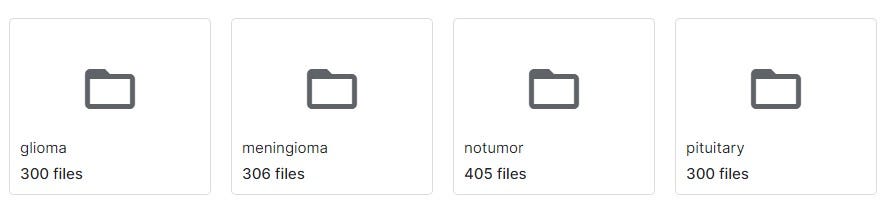
In this case the dataset is close to balance so I don’t need to do class weight. For the sake of learning, I am going to do do it.
[embed]
The method take dataset and return class weight. Line 6 ~ 7 is where I turn ***one-hot encoded label into integer. Line 9 ~ 12 is where I use [compute_class_weight ](https://scikit-learn.org/stable/modules/generated/sklearn.utils.class_weight.compute_class_weight.html)***from Scikit-Learn to calculate class weight.
Finally return class weight as a dictionary.
{0: 1.080999242997729, 1: 1.0664675130694548, 2: 0.8952978056426333, 3: 0.9800960878517502}Visualize image
[embed]
With this code I am able to see preprocessed image randomly

Conclusion
With the method ***image_dataset_from_directory ***from Tensroflow, I can create the image dataset easily.
Next
It is time to create the deep learning model.
**part 4**
메타데이터
- post_id
- 10c2cc2b0e8d
- slug
- brain-tumor-detector-part-3-10c2cc2b0e8d
- url
- https://medium.com/software-dev-explore/brain-tumor-detector-part-3-10c2cc2b0e8d
- canonical_url
- https://medium.com/software-dev-explore/brain-tumor-detector-part-3-10c2cc2b0e8d
- author_url
- https://medium.com/@tomneo2004
- status
- ok
- fetched_at
- 2026-07-08 00:36:00




