Building a Multi-Tenant Role System in Laravel with Dynamic Policies
Practical guide to tenant-scoped roles and policies that respect the active tenant.
Building a Multi-Tenant Role System in Laravel with Dynamic Policies
Practical guide to tenant-scoped roles and policies that respect the active tenant.
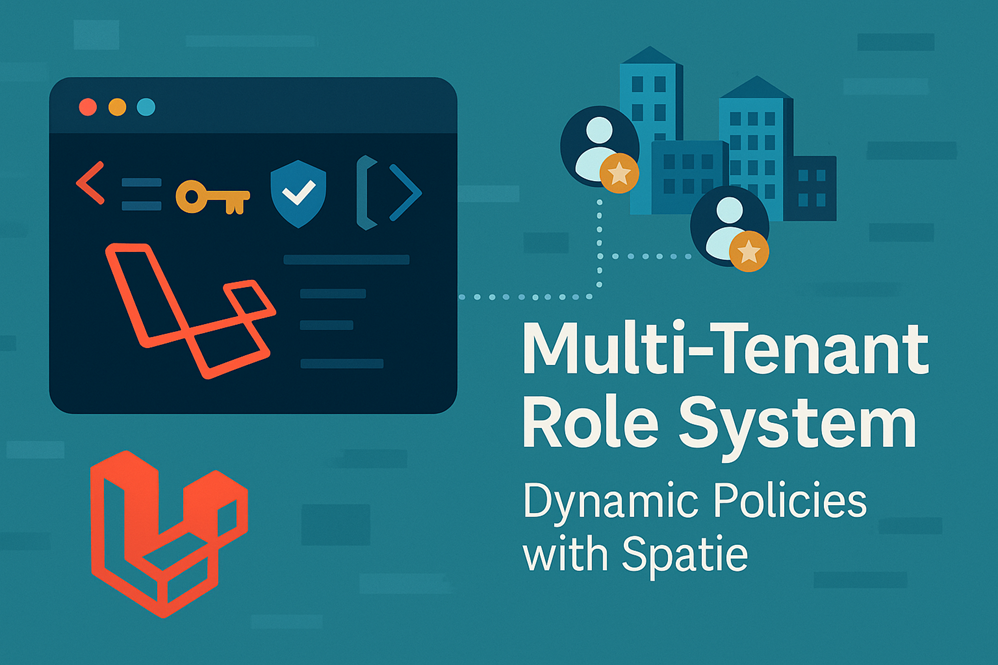
Multi-Tenant Role System in Laravel
This walkthrough shows a pragmatic, production-friendly approach to multi-tenant authorization using **Spatie’s multitenancy package plus [Spatie’s permission package](https://github.com/spatie/laravel-permission)**. You’ll learn how to:
✔ Install both packages. ✔ Scope roles/permissions to a tenant (per-tenant roles) while optionally keeping some global roles. ✔ Seed tenant roles and keep permission caches tenant-aware. ✔ Implement dynamic policies and gate definitions that check permissions in the context of the current tenant.
Not a member on medium.com? Read the full post by Clicking here!
This post assumes a single Laravel application with tenant awareness handled by
spatie/laravel-multitenancy(database or single-db + tenant identifier), and the well-knownspatie/laravel-permissionpackage for roles & permissions.
Why this pattern?
In multi-tenant apps you normally want authorization decisions to respect tenant boundaries: an “admin” of Tenant A shouldn’t be able to manage Tenant B. At the same time some roles/permissions might remain global (e.g., super-admin). The simplest robust approach is to attach a tenant_id (or team_id) to roles/permissions (or to the pivot tables) and make permission checks in the context of the currently active tenant.
Spatie’s multitenancy package gives you reliable tenant switching and hooks; Spatie’s permission package provides the ACL primitives. They don’t wire tenant scoping together out of the box, so we’ll add a small integration layer.
Prereqs
- Laravel (11+ recommended).
spatie/laravel-multitenancyinstalled and configured (you must be able to resolve the “current tenant” for a request).spatie/laravel-permissioninstalled and configured.
1) Install packages
composer require spatie/laravel-multitenancy
composer require spatie/laravel-permission

php artisan vendor:publish --provider="Spatie\Permission\PermissionServiceProvider" --tag="config"
php artisan vendor:publish --provider="Spatie\Multitenancy\MultitenancyServiceProvider" --tag="migrations"

php artisan migrate
Note: Adjust published assets and migrations to your app as needed.
2) Decide how to scope roles/permissions
Two common approaches:
A. Role/permission rows belong to tenants
Add a tenant_id column to roles, permissions and (optionally) pivot tables. Bind your Role/Permission models to a tenant_id global scope so queries are tenant-scoped by default.
B. Use a team/tenant pivot
Keep roles and permissions global, but add tenant_id to the pivot tables (e.g., model_has_roles, model_has_permissions) so assignments are tenant scoped.
Which to pick depends on your data model and whether roles/permissions themselves need to differ between tenants. If tenants should define their own roles (e.g., “Editor (Acme)”), prefer A. If roles are identical across tenants and only assignments differ, B can be simpler. (Community discussion on syncing vs per-tenant roles is common — there’s no one-size-fits-all). GitHub
3) Example: Tenant-scoped Roles (Approach A)
Migration adjustments
Create migrations that add tenant_id to roles and permissions:
// database/migrations/xxxx_add_tenant_to_roles_permissions.php
use Illuminate\Database\Migrations\Migration;
use Illuminate\Database\Schema\Blueprint;
use Illuminate\Support\Facades\Schema;

class AddTenantToRolesPermissions extends Migration
{
    public function up()
    {
        Schema::table('roles', function (Blueprint $table) {
            $table->unsignedBigInteger('tenant_id')->nullable()->index()->after('id');
        });

        Schema::table('permissions', function (Blueprint $table) {
            $table->unsignedBigInteger('tenant_id')->nullable()->index()->after('id');
        });

        // Also consider tenant_id on model_has_roles and model_has_permissions
        Schema::table('model_has_roles', function (Blueprint $table) {
            $table->unsignedBigInteger('tenant_id')->nullable()->index()->after('role_id');
        });
        Schema::table('model_has_permissions', function (Blueprint $table) {
            $table->unsignedBigInteger('tenant_id')->nullable()->index()->after('permission_id');
        });
    }

    public function down()
    {
        Schema::table('model_has_permissions', fn($t) => $t->dropColumn('tenant_id'));
        Schema::table('model_has_roles', fn($t) => $t->dropColumn('tenant_id'));
        Schema::table('permissions', fn($t) => $t->dropColumn('tenant_id'));
        Schema::table('roles', fn($t) => $t->dropColumn('tenant_id'));
    }
}
Note: If you make
tenant_idnon-nullable, you must create entries for global roles withtenant_id = null(or have a separateis_globalflag).
Extend Spatie models
Create custom Role and Permission models so you can add a tenant scope.
// app/Models/Role.php
namespace App\Models;

use Spatie\Permission\Models\Role as SpatieRole;
use Illuminate\Database\Eloquent\Builder;

class Role extends SpatieRole
{
    protected static function booted()
    {
        static::addGlobalScope('tenant', function (Builder $builder) {
            $tenant = tenant(); // from spatie/laravel-multitenancy helper
            if ($tenant) {
                $builder->where('tenant_id', $tenant->id);
            } else {
                // optionally keep global roles (tenant_id NULL)
                $builder->whereNull('tenant_id');
            }
        });

        static::creating(function ($role) {
            $tenant = tenant();
            if ($tenant) {
                $role->tenant_id = $tenant->id;
            }
        });
    }
}
Likewise for Permission. Then, update config/permission.php to use your models:
'models' => [
    'permission' => App\Models\Permission::class,
    'role' => App\Models\Role::class,
],
4) Tenant-aware assignments
When assigning roles/permissions in code, also set tenant_id on the pivot row. You can override the attach logic or use events:
// when assigning a role to a user
$user->assignRole($role); // ensure $role->tenant_id matches tenant()
If using the default Spatie behavior, ensure the model_has_roles record includes the tenant id. You can override HasRoles::assignRole() in a trait wrapper to inject tenant id into the pivot. Example (sketch):
trait TenantHasRoles
{
    public function assignRole(...$roles)
    {
        $roles = collect($roles)->flatten()->map(function ($role) {
            return $this->getStoredRole($role);
        });

        $tenantId = tenant()?->id;

        foreach ($roles as $role) {
            $this->roles()->attach($role->id, ['tenant_id' => $tenantId, 'model_type' => static::class]);
        }

        app(\Spatie\Permission\PermissionRegistrar::class)->forgetCachedPermissions();
        return $this;
    }
}
Note: If you override, make sure to follow Spatie package internals and keep caches in sync.
5) Make permission cache tenant-aware
Spatie caches permissions for performance. In a tenant environment, the cache key must include the tenant id (or null for global). You can customize the cache key in PermissionRegistrar or before registering permissions clear and re-seed per tenant.
Example in a tenancy boot hook:
// in your Tenancy boot task (Spatie multitenancy provides tasks)
use Spatie\Permission\PermissionRegistrar;

app(PermissionRegistrar::class)->setCacheKey('spatie.permission.cache.tenant.' . (tenant()?->id ?? 'global'));
app(PermissionRegistrar::class)->forgetCachedPermissions();
Keeping the registrar cache keyed by tenant ensures permission checks consult correct scopes.
6) Dynamic Policies — AuthServiceProvider & tenant context
Policies can be written as usual, but policy methods need to rely on tenant-aware permission checks.
// app/Providers/AuthServiceProvider.php
public function boot()
{
    $this->registerPolicies();

    Gate::before(function ($user, $ability) {
        // super-admin across tenants
        if ($user->hasRole('super-admin')) {
            return true;
        }
    });

    // define ability -> permission name mapping if you want
    Gate::define('manage-project', function ($user, $project = null) {
        // check permission in tenant context
        return $user->hasPermissionTo('manage projects');
    });
}
Example Policy:
// app/Policies/ProjectPolicy.php
public function update(User $user, Project $project)
{
    // ensure same tenant (if projects are tenant-scoped)
    if ($project->tenant_id !== tenant()->id) {
        return false;
    }

    return $user->hasPermissionTo('edit projects');
}
Important: hasPermissionTo must resolve permissions for the current tenant context — because of the model scopes & tenant-aware caching above, it will check the tenant-scoped permissions.
7) Seeding roles & permissions per tenant
When onboarding a tenant (e.g., during tenant registration), seed default roles & permissions for that tenant:
// TenantOnboardingService.php
public function createDefaultRolesForTenant($tenant)
{
    tenancy()->initialize($tenant, function() use ($tenant) {
        // in the tenant context
        Role::create(['name' => 'admin', 'tenant_id' => $tenant->id]);
        Role::create(['name' => 'user', 'tenant_id' => $tenant->id]);

        Permission::create(['name' => 'create projects', 'tenant_id' => $tenant->id]);
        Permission::create(['name' => 'edit projects', 'tenant_id' => $tenant->id]);
        // assign perm to role using role model (scoped to tenant)
        $admin = Role::where('name', 'admin')->first();
        $admin->givePermissionTo('create projects', 'edit projects');
    });
}
This approach ensures each tenant has its own set of roles & permissions.
8) Global roles & hybrid model
If you need global roles (e.g., super-admin), create them with tenant_id = null. In your Role model global scope, allow whereNull('tenant_id') for the non-tenant case or make an exception for users with super-admin. When checking roles, first check global roles, then tenant roles.
Example Gate before-check (already shown) allows super-admin to bypass tenant checks.
9) Troubleshooting & gotchas
- Cache: Forgetting to incorporate tenant id into Spatie’s permission cache is the most common pitfall — you’ll end up seeing wrong permissions across tenants. Make the cache key tenant-aware.
- Global vs tenant roles: Decide early whether roles/permissions are per-tenant or global — migrating later is painful. There are community threads about syncing fixed roles across tenants; choose seeding or synchronization strategy if roles must be identical. GitHub
- Model scoping: If you use global scopes on Role/Permission models, be careful when running CLI commands (seeders, artisan tinker) — you might need to temporarily disable scopes or initialize a tenant.
- Third-party integrations: Filament, Nova, or other admin UI packages may assume global roles — adapt their user model config to be tenant-aware. (Community examples exist showing adaptations.)
10) Example: Put it all together — request lifecycle
spatie/laravel-multitenancyresolves the tenant for the incoming request (middleware or tenant resolver).- Tenant boot task sets the permission cache key and any tenant-specific service bindings.
- Your controllers/policies call
$user->hasPermissionTo(...)orGate::allows('ability')which resolves against tenant-scoped permissions/roles. - Authorization is enforced per tenant; global
super-adminstill bypasses checks.
Checklist before production
✔ Make permission cache tenant-aware. ✔ Decide global vs tenant scoping policy and document it. ✔ Seed default roles/permissions during tenant onboarding. ✔ Test policy behavior with multi-tenant test cases (tenant A admin cannot affect tenant B). ✔ Audit UI/admin flows for tenancy awareness (role assignment, role management).
Conclusion
The approach above keeps things explicit and predictable: tenant data stays in tenant-scoped rows, caches are keyed by tenant, and policies use the tenant context. Spatie’s two packages provide excellent foundations — the integration layer (migrations, model scopes, cache key, seeding) is where you tune behavior to your product’s needs. For patterns and edge cases the community has many examples (seeding, team/pivot approaches) — pick the model that best matches whether roles themselves must differ across tenants or only assignments should.
➣ Follow me and subscribe to read such articles on Laravel.
메타데이터
- post_id
- 129261d879ec
- slug
- building-a-multi-tenant-role-system-in-laravel-with-dynamic-policies-129261d879ec
- url
- https://medium.com/@ilyaskazi/building-a-multi-tenant-role-system-in-laravel-with-dynamic-policies-129261d879ec
- canonical_url
- https://medium.com/@ilyaskazi/building-a-multi-tenant-role-system-in-laravel-with-dynamic-policies-129261d879ec
- author_url
- https://medium.com/@ilyaskazi
- status
- ok
- fetched_at
- 2026-07-16 18:55:29