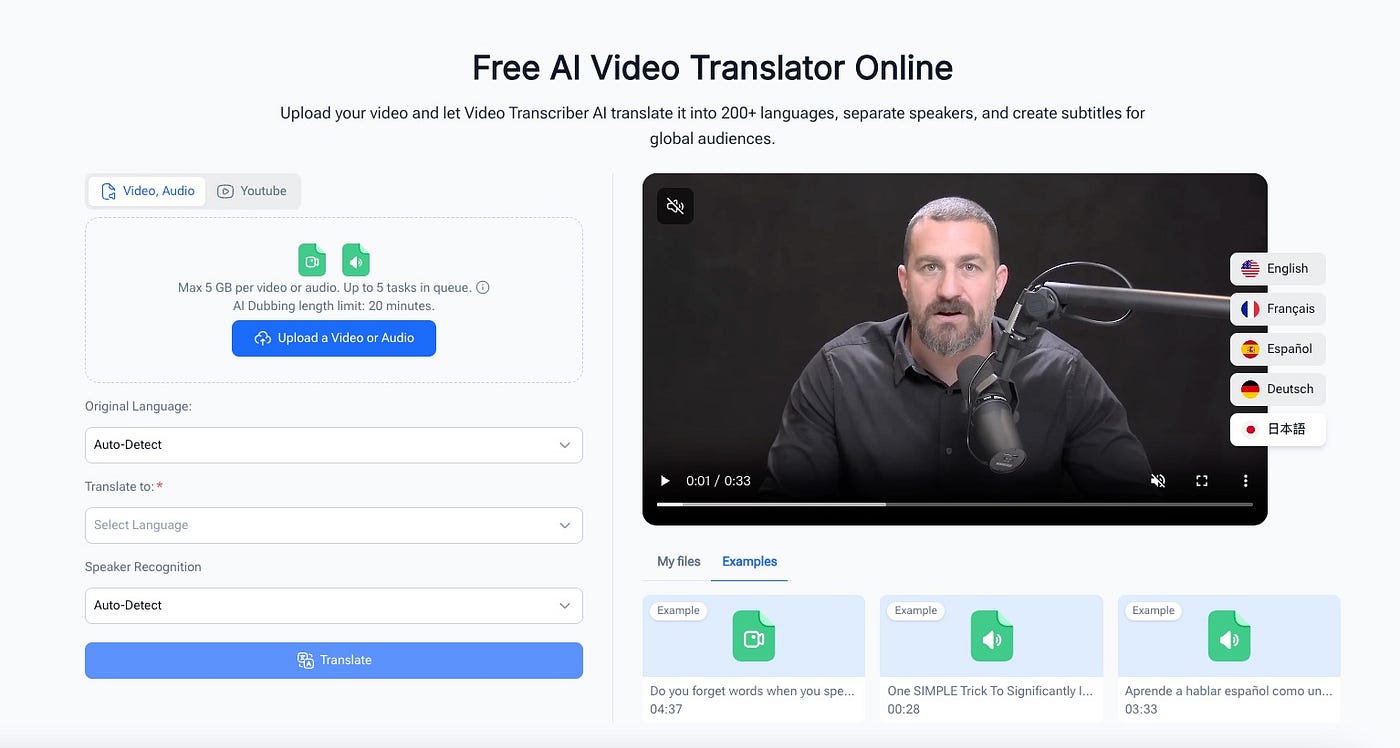
Audio & Video Transcription Guide: Transcribe and Structure Texts Effortlessly
In our daily study, work and life, we frequently accumulate a large number of audio and video files, including online course recordings…
Audio & Video Transcription Guide: Transcribe and Structure Texts Effortlessly
Transcribe Video to Text — Free AI Video & Audio Transcription Tool Online, Unlimited & No Sign-up
In our daily study, work and life, we frequently accumulate a large number of audio and video files, including online course recordings, virtual meeting footage, interview clips and knowledge-sharing videos. While these files carry valuable information, they come with a common drawback: it is impossible to directly archive, review or search for key content. To preserve important details, most people have to replay recordings repeatedly and type manually, which is extremely time-consuming and prone to information omission.
Most mainstream transcription tools have obvious limitations. Many require mandatory registration and are flooded with ads, while others impose strict restrictions on file size and duration, making them unsuitable for long meetings and complete online courses. Some tools only deliver plain text transcription without speaker differentiation, resulting in disorganized content that still requires extensive manual sorting afterward. To solve these common pain points, this guide will introduce a lightweight, no-threshold solution to transcribe audio and video into text and organize structured summaries efficiently.
1. Why Manual Audio & Video Transcription Is Inefficient
Many people still rely on manual note-taking to sort out audio and video content. Though this method seems reliable, it fails to match the efficiency demands of modern study and work. First, it costs enormous time. Transcribing a one-hour recording word for word takes two to three hours of manual work, with constant pauses and repeated playback leading to massive wasted time. Second, key details are easily missed. Human writing speed cannot keep up with speaking speed, so critical knowledge points, meeting decisions and interview details are often lost.
Furthermore, manual sorting struggles with multi-speaker scenarios. It is hard to distinguish different speakers in group discussions, leaving final texts chaotic and uncategorized. Even basic transcription tools only produce unformatted raw text without paragraphs or highlighted key points. Users still need secondary editing and reorganization, which barely improves overall efficiency.
2. Tool Overview: Solve Transcription Pain Points With Zero Threshold
This tutorial uses Video Transcriber AI, a free, lightweight online transcription tool that perfectly fits daily user needs and avoids the flaws of conventional tools. It requires no software download or account registration and can be used directly in any browser. It supports large-file uploads, multiple formats, multi-speaker recognition and multilingual transcription, serving students, office workers, content creators and other users.
Unlike ordinary transcription tools, its core advantage lies in supporting post-transcription structuring. It comes with built-in speaker labeling and timestamp markers. With simple sorting skills, users can generate well-organized, clear text effortlessly, completely solving the common problem of “easy transcription but difficult summarization”.
3. Step-by-Step Tutorial: Transcribe & Structure Content in 3 Steps
3.1 File Upload: Full Format Compatibility With No Preprocessing
Simply access the official website and upload your files via drag-and-drop or manual selection. The tool supports mainstream formats such as MP4 and MOV, as well as Zoom recordings and YouTube video links, eliminating the need for pre-downloading or format conversion. It supports single files up to 1GB, fully compatible with long-duration courses and all-day meeting recordings. The multi-task queue allows batch processing for mass files. Before uploading, you can enable speaker recognition and select your target language according to your needs.
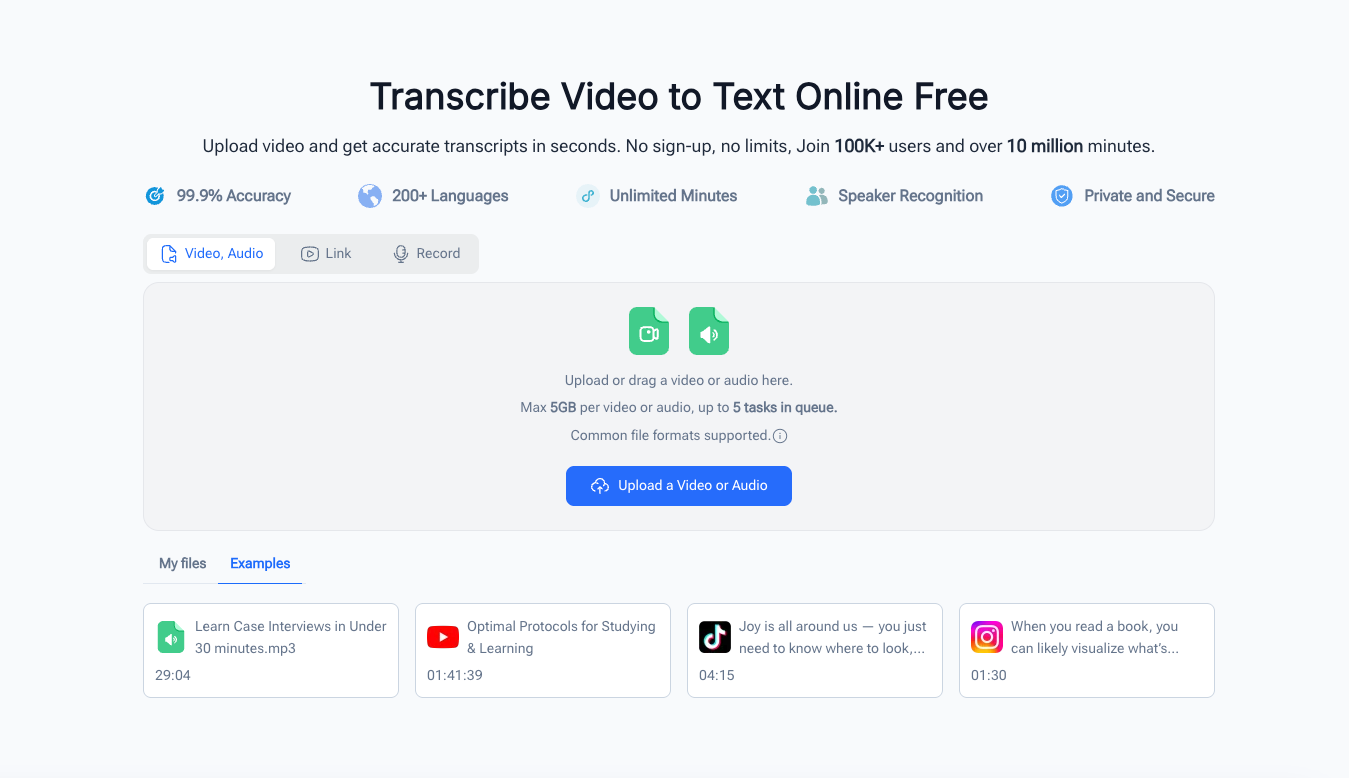
Transcribe Video to Text Online Free
3.2 AI-Powered Transcription: Accurate and Automatic Content Restoration
Once uploaded, the system processes files automatically in the cloud with no manual operation required. The advanced AI model accurately captures voice content, distinguishes multiple speakers and marks each speaker’s remarks with timestamps to restore the complete dialogue process. Multiple accuracy modes are available. You can switch to high-precision mode for audio with background noise to minimize recognition errors and generate complete, well-parsed transcripts.
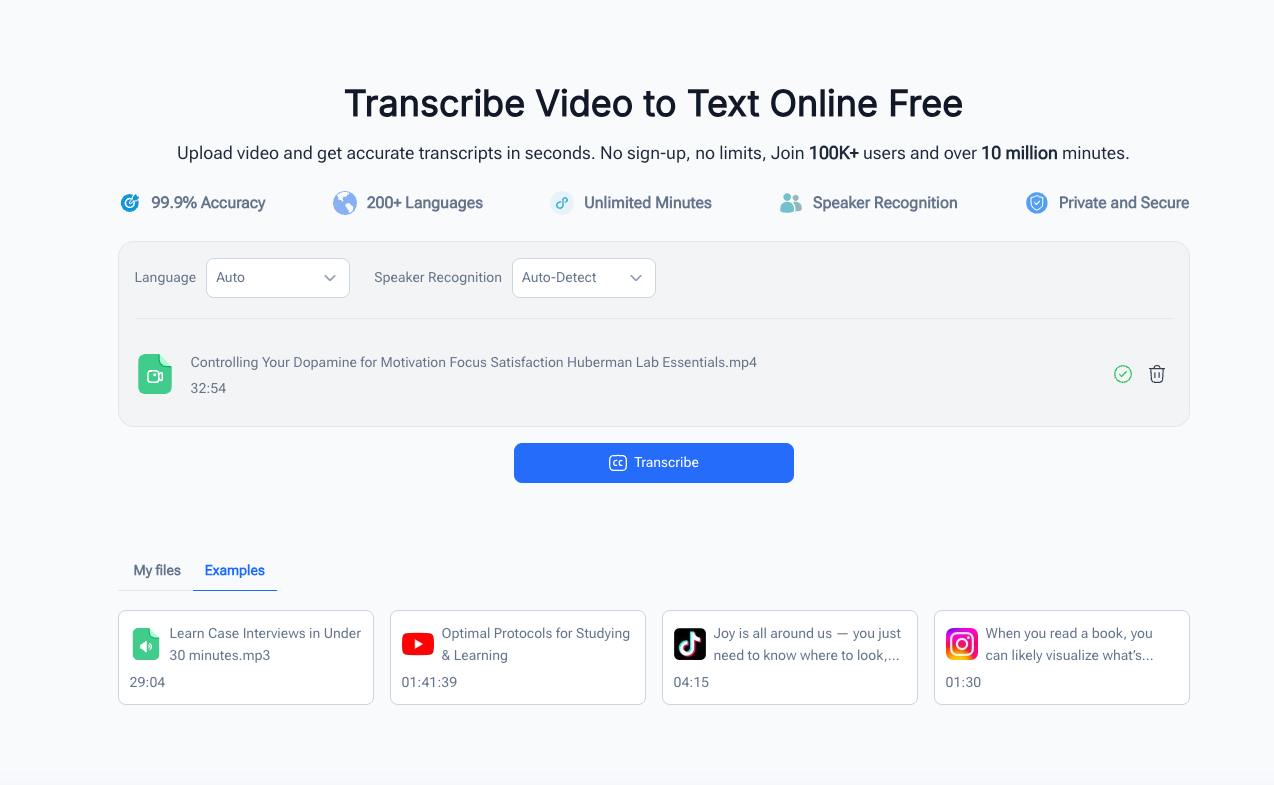
Transcribe Video to Text Online Free
3.3 Export & Summarize: Generate Structured Content Quickly
After transcription, you can copy the full text or download the file directly. Structured sorting is the key step for high-quality output. First, split paragraphs by scenario: divide course content by knowledge points and chapters, and categorize meeting content by topics and discussion sessions. Second, filter valid information by removing redundant fillers, repeated sentences and irrelevant trivial content. Finally, extract core highlights such as meeting decisions, pending tasks, academic key points and interview viewpoints with timestamp references. In just ten minutes, you can convert lengthy recordings into reusable, well-structured documents for archiving and review.
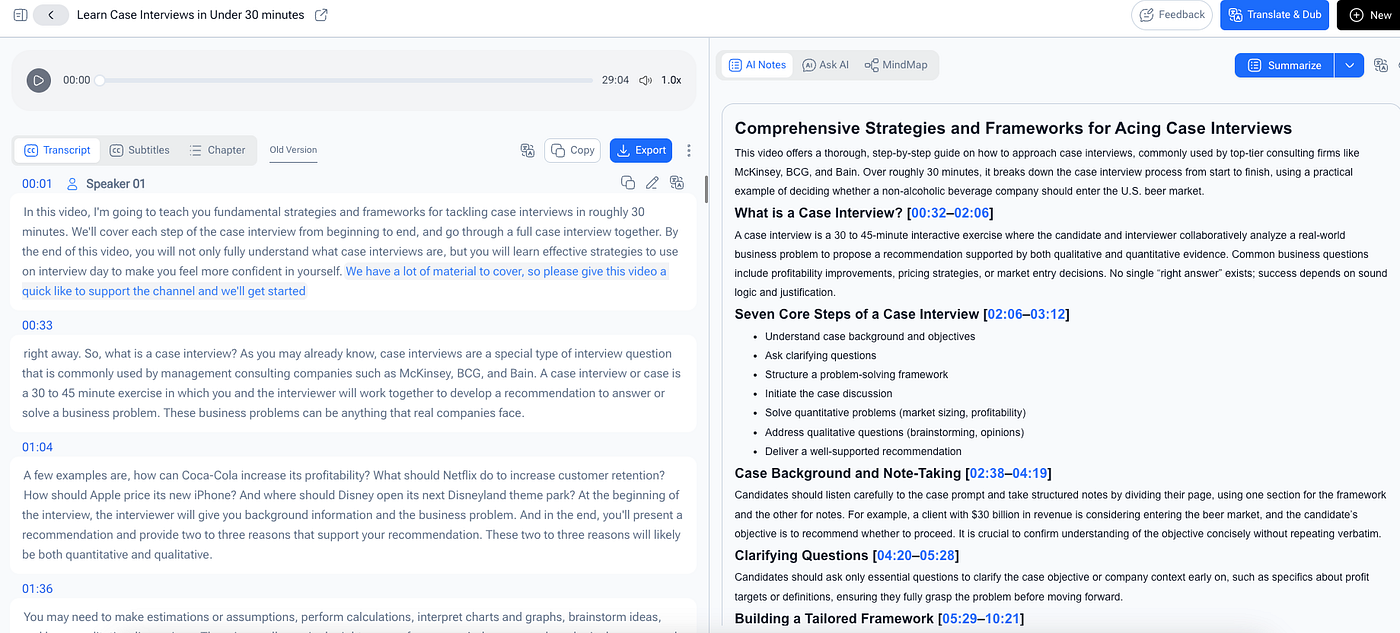
Transcribe Video to Text Online Free
4. Common Application Scenarios
For students, this tool efficiently transcribes online courses and lecture videos, replacing inefficient manual note-taking, retaining complete knowledge points and facilitating after-class review. For office workers, it adapts to online meetings, client interviews and workplace training. It automatically distinguishes speakers and helps generate meeting minutes and work summaries with minimal effort.
In addition, content creators can quickly extract scripts from videos and podcasts for subtitle production and social media posts. Researchers and journalists can organize interviews and press conference recordings efficiently, retaining original accurate information for content creation and data analysis.
5. Conclusion
The core of audio and video sorting is not blind word-for-word transcription, but efficient retention, accurate extraction and structured reuse of information. Replacing tedious manual work with lightweight AI tools greatly saves time and avoids information loss. Mastering this efficient workflow helps users boost productivity in academic review, office work and content creation, turning fragmented audio and video resources into valuable reusable content.
메타데이터
- post_id
- 1349b7eac649
- slug
- audio-video-transcription-guide-transcribe-and-structure-texts-effortlessly-1349b7eac649
- url
- https://medium.com/@eaglenlemarie376/audio-video-transcription-guide-transcribe-and-structure-texts-effortlessly-1349b7eac649
- canonical_url
- https://medium.com/@eaglenlemarie376/audio-video-transcription-guide-transcribe-and-structure-texts-effortlessly-1349b7eac649
- author_url
- https://medium.com/@eaglenlemarie376
- status
- ok
- fetched_at
- 2026-07-26 10:31:45