Marimo Is Replacing Jupyter for Interactive Python Apps
Stop Writing Notebooks. Start Building Reactive Python Applications.
Marimo Is Replacing Jupyter for Interactive Python Apps
Stop Writing Notebooks. Start Building Reactive Python Applications.
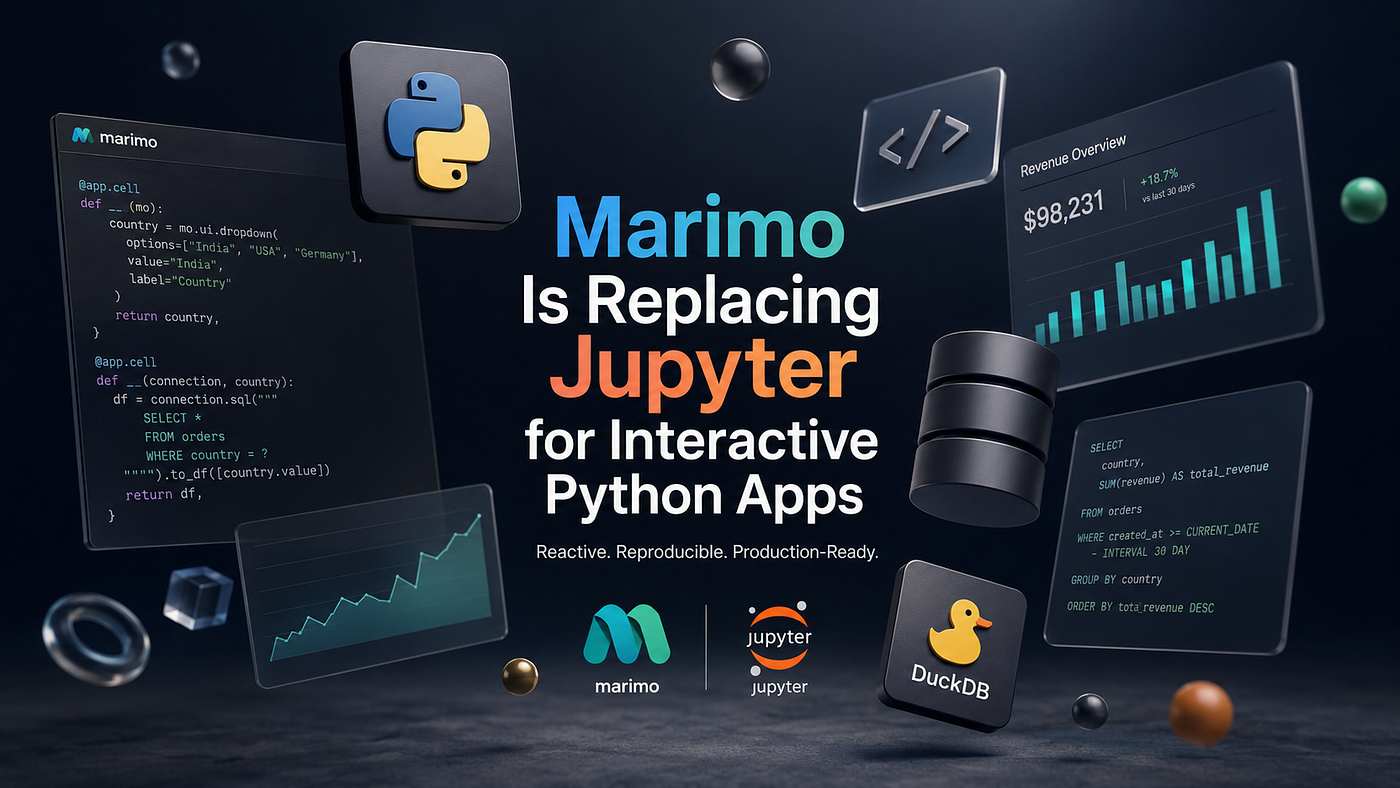
Discover why Marimo is replacing Jupyter for interactive Python applications. Learn production-ready architecture, FastAPI integration, DuckDB workflows, and scalable engineering patterns.
I Didn’t Expect to Replace Jupyter
For years, Jupyter Notebook has been the default answer whenever someone asked,
“How do you explore data in Python?”
It became the Swiss Army knife of data science.
Machine learning prototypes?
Jupyter.
SQL exploration?
Jupyter.
Visualization?
Jupyter.
Feature engineering?
Still Jupyter.
Eventually, many teams started building entire internal products around notebooks.
That’s where things became messy.
Cells had hidden state.
Execution order mattered more than anyone wanted to admit.
Restarting the kernel became part of the debugging strategy.
Merge conflicts were painful.
Sharing notebooks with teammates often felt like shipping a mystery novel where the first three chapters were missing.
None of these problems are new.
We simply accepted them because there wasn’t a better alternative.
Then Marimo arrived.
And instead of making notebooks prettier, it questioned whether notebooks should behave this way at all.
That is a much bigger change than it first appears.
The Biggest Problem Was Never Python
Most engineers assume notebook problems come from Python.
They don’t.
They come from mutable execution state.
Consider this Jupyter example.
users = load_users()

users = users[users.active]
summary = users.groupby("country").count()
Later…
users = users.sample(500)Hours later…
plot(users)What exactly is inside users?
Nobody knows without scrolling through dozens of cells.
The notebook remembers everything.
Humans don’t.
That’s why notebook bugs are often invisible.
A kernel restart magically fixes them because the state disappears.
That’s not debugging.
That’s forgetting.
One lesson I’ve learned after maintaining backend systems for years is this:
Hidden state is technical debt disguised as convenience.
Marimo Thinks Like a Dependency Graph
Instead of executing arbitrary cells, Marimo tracks dependencies between them.
Imagine every variable becoming a node.
CSV
 │
 ▼
DataFrame
 │
 ├─────────────┐
 ▼             ▼
Statistics   Visualization
 │             │
 └──────┬──────┘
        ▼
     Dashboard
Change the CSV.
Everything downstream updates automatically.
No hidden execution order.
No stale variables.
No “Run All” every five minutes.
This is much closer to how frontend frameworks like React work.
Ironically, Python notebooks are finally learning from UI engineering.
A Real Project Structure
Instead of keeping everything inside one notebook, production Marimo applications naturally separate responsibilities.
analytics_app/

├── app.py
├── database.py
├── services/
│   ├── sales.py
│   └── metrics.py
├── repositories/
│   └── orders.py
├── models.py
├── config.py
├── requirements.txt
└── Dockerfile
Notice something?
It looks like a backend project.
That’s exactly why experienced engineers feel comfortable with Marimo.
Business logic doesn’t belong inside UI cells.
Interactive widgets should call services — not contain them.
Creating Your First Reactive Application
Installing Marimo is refreshingly simple.
pip install marimoCreate a new application.
marimo edit app.pyNow instead of writing arbitrary notebook cells, every cell explicitly returns its outputs.
import marimo

app = marimo.App()
Create a data source.
@app.cell
def __():
    import pandas as pd

    sales = pd.read_csv("sales.csv")

    return sales,
Another cell depends on the returned value.
@app.cell
def __(sales):
    total = sales["revenue"].sum()

    return total,
Display it.
@app.cell
def __(mo, total):
    mo.md(f"# Revenue: ${total:,.2f}")
No magic globals.
No implicit execution.
Dependencies remain visible.
That seemingly small design choice completely changes how large notebooks evolve over time.
Interactive Widgets Feel Like Real Applications
Instead of manually editing variables, users interact with widgets.
@app.cell
def __(mo):
    country = mo.ui.dropdown(
        options=["USA", "India", "Germany"],
        value="India",
        label="Country"
    )

    return country,
Filtering automatically reacts.
@app.cell
def __(sales, country):

    filtered = sales[
        sales.country == country.value
    ]

    return filtered,
Visualization updates automatically.
@app.cell
def __(filtered):

    filtered.plot(
        x="date",
        y="revenue"
    )
No callback functions.
No event handlers.
No manual refresh button.
Reactive execution handles everything.
Keeping Business Logic Outside the Notebook
One mistake many engineers make is writing SQL, validation, calculations, and API calls directly inside notebook cells.
That scales poorly.
Instead…
Notebook
     │
     ▼
Service Layer
     │
     ▼
Repository
     │
     ▼
Database
For example:
# services/sales.py

class SalesService:

    def revenue(self, repository):

        orders = repository.completed_orders()

        return sum(
            order.total
            for order in orders
        )
Repository.
# repositories/orders.py

from sqlalchemy import select

class OrderRepository:

    def __init__(self, session):
        self.session = session

    def completed_orders(self):

        return self.session.execute(
            select(Order)
            .where(Order.status == "completed")
        ).scalars().all()
Marimo simply consumes the service.
@app.cell
def __(service):

    revenue = service.revenue()

    return revenue,
This keeps the notebook focused on presentation while business rules remain testable, reusable, and version-controlled.
Connecting Marimo to a FastAPI Backend
One of the biggest shifts is treating Marimo as a client for your backend rather than the backend itself.
Suppose your analytics service already exposes an API.
from fastapi import FastAPI

app = FastAPI()

@app.get("/metrics/revenue")
async def revenue():

    return {
        "today": 98231,
        "growth": 18.7
    }
Marimo consumes it like any frontend.
import httpx

@app.cell
async def __():

    async with httpx.AsyncClient() as client:

        metrics = (
            await client.get(
                "http://localhost:8000/metrics/revenue"
            )
        ).json()

    return metrics,
Display it.
@app.cell
def __(mo, metrics):

    mo.md(
        f"""
# Today's Revenue

${metrics['today']:,}

Growth:

{metrics['growth']}%
"""
    )
This architecture offers a clear separation of concerns:
                    Users
                      │
                      ▼
               Marimo Application
                      │
          HTTP / REST / GraphQL
                      │
                      ▼
                FastAPI Backend
                      │
      ┌───────────────┼───────────────┐
      ▼               ▼               ▼
 PostgreSQL        Redis Cache      Object Storage
Interactive notebooks become thin clients, while authentication, validation, transactions, and business logic remain in dedicated backend services.
Reactive State Without the Headaches
Traditional notebooks often rely on mutable globals:
results = []
results.append(process(data))
results.append(process(other_data))
As execution grows more complex, state becomes increasingly difficult to reason about.
Marimo encourages explicit data flow instead:
@app.cell
def __(sales):

   monthly = (
        sales
        .groupby("month")
        .sum()
    )

    return monthly,
Every downstream computation depends on declared inputs, making changes predictable and eliminating many classes of notebook bugs.
One engineering lesson stands out:
Good architecture isn’t about writing less code. It’s about making incorrect code harder to write.
At this point, Marimo starts to feel less like a notebook and more like a lightweight reactive application framework. In the second half, we’ll push it further by integrating DuckDB for analytical queries, adding asynchronous workflows, background jobs, caching, Docker deployment, production observability, performance tuning, and discussing the scenarios where Marimo is not the right tool.
Going Beyond CSV Files: DuckDB Changes Everything
Reading CSV files is fine for quick experiments.
Production analytics isn’t built on quick experiments.
Once datasets grow into millions of rows, repeatedly loading everything into Pandas becomes painfully inefficient.
This is where Marimo and DuckDB become an incredibly productive combination.
Instead of treating your notebook like a database, let an actual analytical database do the heavy lifting.
import duckdb

connection = duckdb.connect("analytics.db")
Query only the data you need.
@app.cell
def __(connection):

    revenue = connection.sql("""

        SELECT
            country,
            SUM(revenue) AS total_revenue

        FROM orders

        WHERE created_at >= CURRENT_DATE - INTERVAL 30 DAY

        GROUP BY country

        ORDER BY total_revenue DESC

    """).to_df()

    return revenue,
Visualize immediately.
@app.cell
def __(revenue):

    revenue.plot.bar(
        x="country",
        y="total_revenue"
    )
Notice what’s missing.
No ORM.
No temporary DataFrames.
No Python loops.
No unnecessary memory copies.
DuckDB performs the aggregation, and Marimo reacts to the results.
That’s exactly what each tool was designed to do.
Fast analytics rarely come from faster Python. They come from executing less Python.
Parameterized Queries That Stay Reactive
Interactive applications often need filters.
Instead of rebuilding DataFrames repeatedly, let widgets drive SQL.
@app.cell
def __(mo):

    country = mo.ui.dropdown(
        options=[
            "India",
            "USA",
            "Germany",
            "Japan"
        ],
        value="India"
    )

    return country,
Reactive SQL.
@app.cell
def __(connection, country):

    orders = connection.execute(
        """

        SELECT *

        FROM orders

        WHERE country = ?

        """,
        [country.value]
    ).fetch_df()

    return orders,
Changing the dropdown automatically reruns the query.
No callbacks.
No refresh button.
No manual synchronization.
Loading Data from a FastAPI Service
Sometimes your data isn’t stored locally.
Perhaps your company already exposes internal APIs.
@app.cell
async def __():

    import httpx

    async with httpx.AsyncClient() as client:

        response = await client.get(
            "http://localhost:8000/orders"
        )

    return response.json(),
Because Marimo supports asynchronous cells, your UI remains responsive while network requests execute.
This becomes especially valuable when dashboards depend on multiple APIs.
Running Multiple Requests Concurrently
Waiting for three APIs sequentially wastes time.
Instead:
import asyncio
import httpx

@app.cell
async def __():

    async with httpx.AsyncClient() as client:

        revenue, customers, inventory = await asyncio.gather(

            client.get("http://localhost:8000/revenue"),

            client.get("http://localhost:8000/customers"),

            client.get("http://localhost:8000/inventory")

        )

    return (

        revenue.json(),

        customers.json(),

        inventory.json()

    )
Interactive applications should feel instant.
Concurrency often matters more than raw CPU speed.
Caching Expensive Computations
Analytics queries aren’t always cheap.
Repeatedly calculating the same metrics wastes resources.
A lightweight cache dramatically improves responsiveness.
from functools import lru_cache

@lru_cache(maxsize=64)
def monthly_report(year: int):

    return connection.sql(
        f"""

  SELECT *

        FROM monthly_metrics

        WHERE year={year}

        """

    ).to_df()
Then use it directly.
@app.cell
def __():

    report = monthly_report(2026)

    return report,
For distributed deployments, replace the local cache with Redis.
import redis
import pickle

cache = redis.Redis(
    host="redis",
    port=6379
)

key = "dashboard"

cached = cache.get(key)

if cached:    dashboard = pickle.loads(cached)

else:

    dashboard = expensive_query()

    cache.setex(

        key,

        300,

        pickle.dumps(dashboard)

    )
Five minutes of caching can remove thousands of unnecessary database queries.
Authentication Belongs in the Backend
One mistake I’ve seen repeatedly is adding authentication logic inside notebooks.
Don’t.
Authentication belongs in your API.
FastAPI example:
from fastapi import Depends

@app.get("/metrics")

async def metrics(

    user = Depends(get_current_user)

):

    return {

        "revenue": 984321

    }
Marimo simply sends the token.
headers = {

    "Authorization":

    f"Bearer {token}"

}

response = await client.get(

    "/metrics",

    headers=headers

)
Interactive applications should visualize data — not decide who can access it.
Background Jobs Keep Dashboards Responsive
Imagine refreshing sales metrics every hour.
Don’t make users wait.
Use Celery.
from celery import Celery

celery = Celery(

    broker="redis://redis:6379"

)
Background task.
@celery.task

def rebuild_dashboard():

    generate_metrics()

    refresh_cache()
Marimo simply reads cached results.
Users experience instant dashboards while heavy computation happens elsewhere.
A Production Deployment
A minimal Docker image.
FROM python:3.13-slim

WORKDIR /app

COPY . .

RUN pip install -r requirements.txt

EXPOSE 2718

CMD [

"marimo",

"run",

"app.py",

"--host",

"0.0.0.0"

]
Compose everything together.
version: "3.9"

services:

  marimo:

    build: .

    ports:

      - "2718:2718"

    depends_on:

      - api

      - postgres

      - redis

  api:

    build: ./backend

  postgres:

    image: postgres:17
  redis:

    image: redis:8
Production systems are ecosystems.
Marimo is only one piece of the architecture.
Observability Matters Even for Internal Tools
Internal dashboards often become mission-critical.
Treat them accordingly.
Structured logging.
import logging

logger = logging.getLogger(__name__)

logger.info(

    "Dashboard refreshed",

    extra={

        "country": "India"

    }

)
Health endpoint.
@app.get("/health")

async def health():

    return {

        "status": "healthy"

    }
OpenTelemetry instrumentation.
from opentelemetry.instrumentation.fastapi import FastAPIInstrumentor

FastAPIInstrumentor.instrument_app(app)
The best dashboard in the world is useless if nobody knows why it stopped updating.
Performance Tips That Actually Matter
Instead of chasing micro-optimizations, focus on architecture.
✔ Query fewer rows.
✔ Push computation into DuckDB.
✔ Cache expensive analytics.
✔ Use async I/O.
✔ Keep notebooks thin.
✔ Move business rules into services.
✔ Profile before optimizing.
Most “slow Python” problems are actually “too much Python” problems.
Common Mistakes
Treating Marimo Like Jupyter
If every cell contains hundreds of lines of business logic, you’ve simply recreated notebook spaghetti.
Keep cells small.
Delegate work to services.
Mixing SQL and UI
Bad.
@app.cell
def __():

    connection.execute(...)

    connection.execute(...)

    connection.execute(...)

    connection.execute(...)
Better.
sales = analytics_service.monthly_sales()Ignoring Dependency Flow
Reactive execution works because dependencies remain explicit.
Returning unnecessary objects causes avoidable recomputation.
Keep outputs focused.
Building Entire Backends Inside Marimo
Marimo is excellent for interactive applications.
It isn’t designed to replace FastAPI, Django, or Flask.
Use the right tool for each layer.
When You Shouldn’t Use Marimo
Despite the excitement, Marimo isn’t the answer to every problem.
I wouldn’t choose it for:
- Large public-facing web applications
- High-traffic SaaS products
- REST API development
- Traditional CRUD systems
- E-commerce platforms
- Complex authentication systems
- Long-running distributed services
Those belong in frameworks like FastAPI or Django.
Marimo shines when engineers need interactive, reactive Python applications without writing frontend code.
That’s a very different problem.
And it’s solving that problem remarkably well.
Final Thoughts
For over a decade, Jupyter defined what interactive Python looked like.
It lowered the barrier to experimentation and transformed data science.
But software evolves.
As notebooks started becoming internal tools, operational dashboards, analytics platforms, and decision-making systems, the cracks became harder to ignore.
Marimo doesn’t try to compete by adding more notebook features.
Instead, it changes the underlying model.
Explicit dependencies instead of hidden execution order.
Reactive updates instead of manual reruns.
Applications instead of notebooks.
For backend engineers, this feels surprisingly familiar.
The same engineering principles that make reliable APIs — clear boundaries, predictable state, modular architecture, and separation of concerns — also make interactive Python applications easier to build and maintain.
Will Marimo replace Jupyter overnight?
No.
Jupyter’s ecosystem is massive, and many workflows still fit it perfectly.
But for teams building modern internal tools, data applications, and interactive analytics, the momentum is unmistakable.
The future of Python notebooks may not look like notebooks at all.
It may look a lot like applications.
And that’s a change worth paying attention to.
“The best developer tools disappear into the workflow. Marimo doesn’t ask you to think about notebooks it lets you think about your data.”
메타데이터
- post_id
- 151f781da135
- slug
- marimo-is-replacing-jupyter-for-interactive-python-apps-151f781da135
- url
- https://medium.com/@komalbaparmar007/marimo-is-replacing-jupyter-for-interactive-python-apps-151f781da135
- canonical_url
- https://medium.com/@komalbaparmar007/marimo-is-replacing-jupyter-for-interactive-python-apps-151f781da135
- author_url
- https://medium.com/@komalbaparmar007
- status
- ok
- fetched_at
- 2026-07-11 14:44:29