I Built AI-Powered Desktop Systems with .NET
How I engineered cross-platform AI desktop applications using Semantic Kernel, vector memory, streaming inference, and autonomous workflow…
I Built AI-Powered Desktop Systems with .NET MAUI That Felt More Intelligent Than Traditional Software
How I engineered cross-platform AI desktop applications using Semantic Kernel, vector memory, streaming inference, and autonomous workflow orchestration.
For years, desktop applications felt predictable.
You clicked menus.
Opened windows.
Saved files.
Everything followed rigid workflows designed months earlier by developers.
Then AI entered desktop software.
And suddenly applications stopped behaving like static tools.
They started behaving more like intelligent environments.
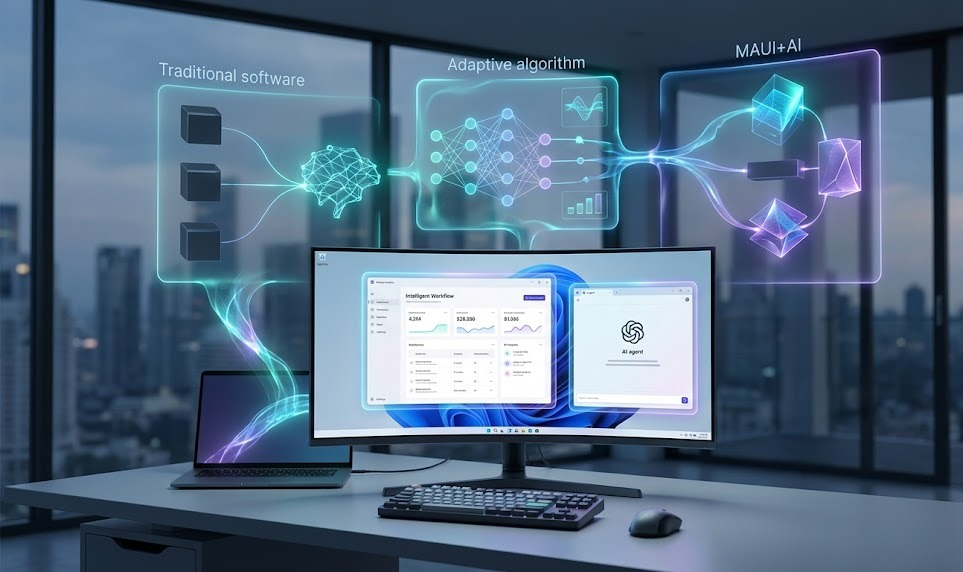
The first AI-powered desktop application I built with .NET MAUI and Semantic Kernel completely changed how I think about software architecture.
The application could:
- understand context
- remember previous interactions
- automate workflows
- generate content
- reason through tasks
- orchestrate external tools
- adapt behavior dynamically
And honestly?
The software stopped feeling like an application.
It started feeling more like a collaborative operating system.
That shift was massive.
Because traditional desktop software waits for instructions.
AI-native desktop systems increasingly anticipate intent.
In this article, I’ll break down how I built AI-powered desktop applications using .NET MAUI, Semantic Kernel, vector memory systems, streaming AI pipelines, local inference workflows, and autonomous desktop orchestration architectures.
Why Traditional Desktop Applications Feel Increasingly Limited
Most desktop software still follows this model:
User Action
      ↓
Event Handler
      ↓
Application Logic
      ↓
UI Response
Which works perfectly for traditional workflows.
AI systems fundamentally change the interaction model.
Because modern AI applications increasingly involve:
- conversational interaction
- memory persistence
- semantic understanding
- autonomous workflows
- contextual reasoning
- adaptive interfaces
- streaming intelligence
The architecture starts evolving into something like this:
User Intent
      ↓
AI Reasoning Layer
      ↓
Workflow Orchestration
      ↓
Dynamic Application Behavior
At that point, desktop engineering starts becoming much closer to intelligent systems design than traditional UI development.
That realization completely changed how I structured desktop applications.
.NET MAUI Made Cross-Platform AI Applications Surprisingly Practical
This was the first major breakthrough.
Historically, cross-platform desktop development often felt painful.
.NET MAUI simplified the process dramatically.
I could suddenly build applications for:
- Windows
- macOS
- Android
- iOS
Using a unified architecture.
The application structure evolved into:
Shared Business Logic
        ↓
MAUI UI Layer
        ↓
Platform Abstractions
        ↓
Cross-Platform Deployment
This became incredibly valuable for AI products where maintaining separate platform-specific interfaces becomes operationally expensive quickly.
Semantic Kernel Completely Changed AI Orchestration
This was easily the biggest architectural breakthrough.
Most AI demos focus entirely on prompts.
Real AI applications require orchestration.
Semantic Kernel made that dramatically easier.
The architecture evolved into:
User Request
      ↓
Semantic Kernel
      ↓
Plugins + Memory + Planning
      ↓
AI Workflow Execution
Instead of simply generating text, the application could now:
- invoke tools
- retrieve memory
- execute workflows
- chain reasoning steps
- coordinate plugins
That changed the application from “chatbot software” into a real intelligent system.
AI Memory Systems Became the Foundation of User Experience
One thing became obvious very quickly:
Stateless AI feels surprisingly shallow.
Persistent memory changes everything.
I started building vector-based memory systems capable of storing:
- conversations
- preferences
- workflows
- semantic context
- task history
The architecture evolved into:
User Interaction
       ↓
Embedding Generation
       ↓
Vector Memory Store
       ↓
Context Retrieval
This dramatically improved personalization.
Especially for productivity-focused desktop applications.
Because the software could now remember behavior over time instead of restarting every interaction from zero.
Streaming AI Responses Made Desktop Software Feel Alive
Traditional AI responses feel slow psychologically.
Streaming responses completely changed that experience.
The architecture evolved into:
LLM Response Stream
        ↓
Reactive UI Updates
        ↓
Incremental Rendering
Here’s a simplified streaming example in C#:
await foreach (
    var token in chatCompletion
        .GetStreamingResponseAsync()
)
{
    Console.Write(token);
}
That small architectural shift dramatically improved responsiveness.
Especially for:
- AI assistants
- copilots
- writing systems
- automation tools
The application started feeling conversational instead of transactional.
AI Plugins Turned the Application Into an Automation Platform
This part became incredibly powerful.
Instead of limiting the AI to text generation, I started building plugin systems allowing the application to interact with external tools.
The architecture evolved into:
AI Reasoning Engine
       ↓
Plugin Invocation
       ↓
External Systems
       ↓
Workflow Completion
The AI could now:
- organize files
- summarize documents
- send emails
- schedule tasks
- automate workflows
- query databases
The desktop application stopped behaving like isolated software.
It started behaving like an intelligent automation layer across the operating system.
Local AI Inference Became Increasingly Important
Cloud AI is powerful.
But desktop applications increasingly need local intelligence for:
- privacy
- latency
- offline functionality
- operational cost reduction
I started experimenting with local inference systems directly inside desktop applications.
The architecture evolved into:
Local Model
      ↓
On-Device Inference
      ↓
Desktop Workflow
This dramatically improved responsiveness.
Especially for productivity-heavy applications.
And honestly?
Running AI locally feels surprisingly empowering operationally.
Event-Driven Architectures Made AI Applications Much More Scalable
Traditional desktop applications are heavily UI-driven.
AI systems require event-driven execution models.
The architecture evolved into:
User Events
      ↓
AI Processing Queue
      ↓
Workflow Execution
      ↓
Reactive Updates
This became critical for:
- long-running workflows
- asynchronous reasoning
- autonomous agents
- background processing
Without event-driven architectures, AI desktop systems quickly become operationally messy.
Observability Became Essential for AI Desktop Applications
This surprised me initially.
AI applications require dramatically deeper telemetry than traditional software.
I started monitoring:
- inference latency
- token generation speed
- plugin execution
- memory retrieval quality
- workflow success rates
- semantic relevance
The observability pipeline evolved into:
Application Events
       ↓
Telemetry Collection
       ↓
AI Evaluation Metrics
       ↓
Optimization Feedback
Without observability, debugging intelligent workflows becomes incredibly difficult.
Especially once applications start behaving autonomously.
AI Agents Changed Desktop Workflow Design Completely
This became one of the biggest shifts overall.
Traditional desktop applications wait for user actions.
AI agents increasingly initiate actions themselves.
The architecture evolved into:
User Goal
      ↓
Planning Agent
      ↓
Task Execution
      ↓
Autonomous Workflow
The software started proactively:
- organizing tasks
- preparing context
- retrieving information
- recommending actions
- automating repetitive work
That fundamentally changed the role of desktop software.
Cross-Platform AI UX Became a Huge Engineering Challenge
One hard lesson:
AI interactions behave differently across platforms.
Desktop workflows differ dramatically from:
- mobile interactions
- touch interfaces
- keyboard-driven systems
- voice-first environments
I started designing adaptive interaction systems capable of changing behavior based on platform context.
That became critical for maintaining good user experience across devices.
AI Is Quietly Transforming Desktop Software Again
For years, most innovation focused heavily on web applications.
AI is shifting attention back toward intelligent desktop systems.
Because desktop environments provide:
- richer workflows
- deeper system access
- better multitasking
- local computation
- persistent context
Combined with AI, desktop applications suddenly become incredibly powerful again.
Especially for productivity-heavy workflows.
What I’d Do Differently If I Rebuilt Everything Today
After building AI-powered desktop systems with .NET MAUI and Semantic Kernel, a few lessons became painfully obvious.
First:
AI applications require orchestration far more than prompt engineering.
Second:
Persistent memory dramatically improves user experience.
Third:
Streaming interactions make software feel substantially more natural.
And finally:
AI-native desktop applications increasingly behave more like intelligent operating systems than traditional software.
One sentence I wrote after debugging an autonomous workflow system late one night:
“The future of desktop software is not applications users operate manually. It’s intelligent environments that continuously collaborate with users in the background.”
That still feels completely accurate.
Final Thoughts
I genuinely believe AI-powered desktop engineering is entering an entirely new era.
Because modern desktop systems increasingly require:
- conversational interfaces
- autonomous workflows
- semantic memory
- local AI inference
- intelligent orchestration
- adaptive user experiences
And technologies like:
- .NET MAUI
- Semantic Kernel
- vector memory systems
- local LLMs
- streaming inference
- AI plugins
- autonomous agents
are making those architectures dramatically easier to build.
The most exciting part?
We’re still early.
Right now, many desktop applications still behave like static productivity tools wrapped in graphical interfaces.
Meanwhile, AI-native desktop systems are quietly becoming the next evolution of personal computing.
메타데이터
- post_id
- 16309f22f4df
- slug
- i-built-ai-powered-desktop-systems-with-net-16309f22f4df
- url
- https://medium.com/c-sharp-programming/i-built-ai-powered-desktop-systems-with-net-16309f22f4df
- canonical_url
- https://medium.com/c-sharp-programming/i-built-ai-powered-desktop-systems-with-net-16309f22f4df
- author_url
- https://medium.com/@maximilianoliver25
- status
- ok
- fetched_at
- 2026-06-14 11:28:49