Pictory AI Review 2026: A Practical Video Repurposing Tool — With Important Limitations
AI video platforms are often grouped into one broad category.
Pictory AI Review 2026: A Practical Video Repurposing Tool — With Important Limitations
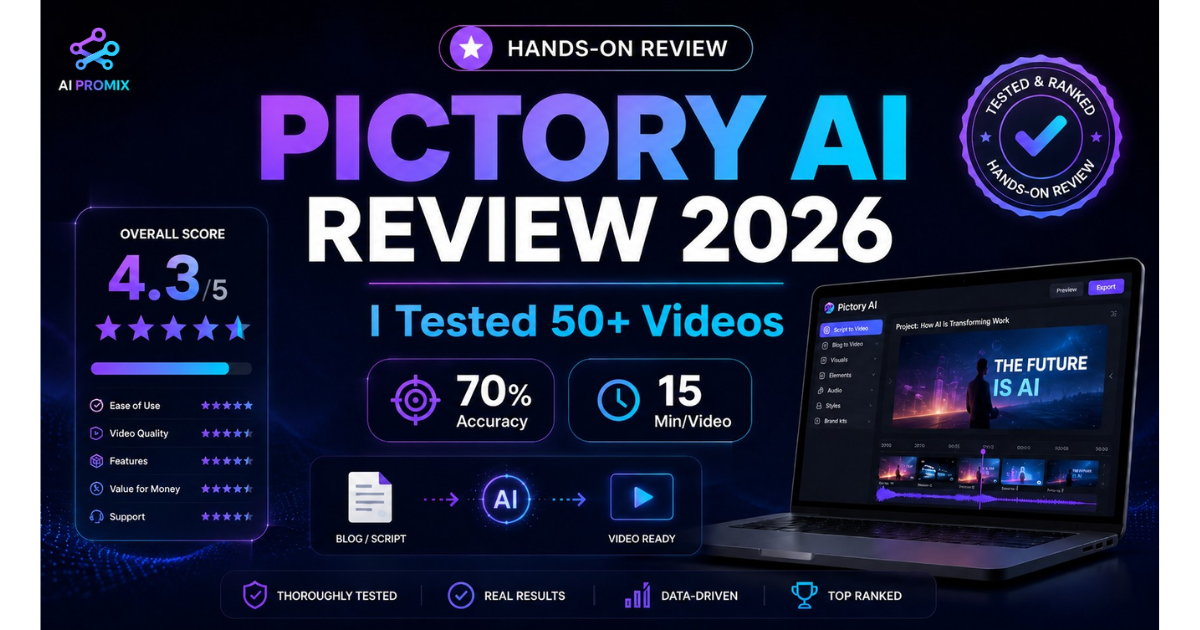
Pictory AI Review 2026
AI video platforms are often grouped into one broad category.
That creates confusion.
A cinematic prompt-to-video generator, a browser-based video editor, and a content repurposing platform may all use artificial intelligence, but they solve very different problems.
Pictory AI belongs primarily in the content-repurposing category.
It takes material you already have — a blog post, script, transcript, webinar, podcast, or recording — and helps convert it into a structured video with scenes, stock footage, captions, voiceover, music, and branding.
That makes it useful for a specific type of creator.
What Pictory Does Well
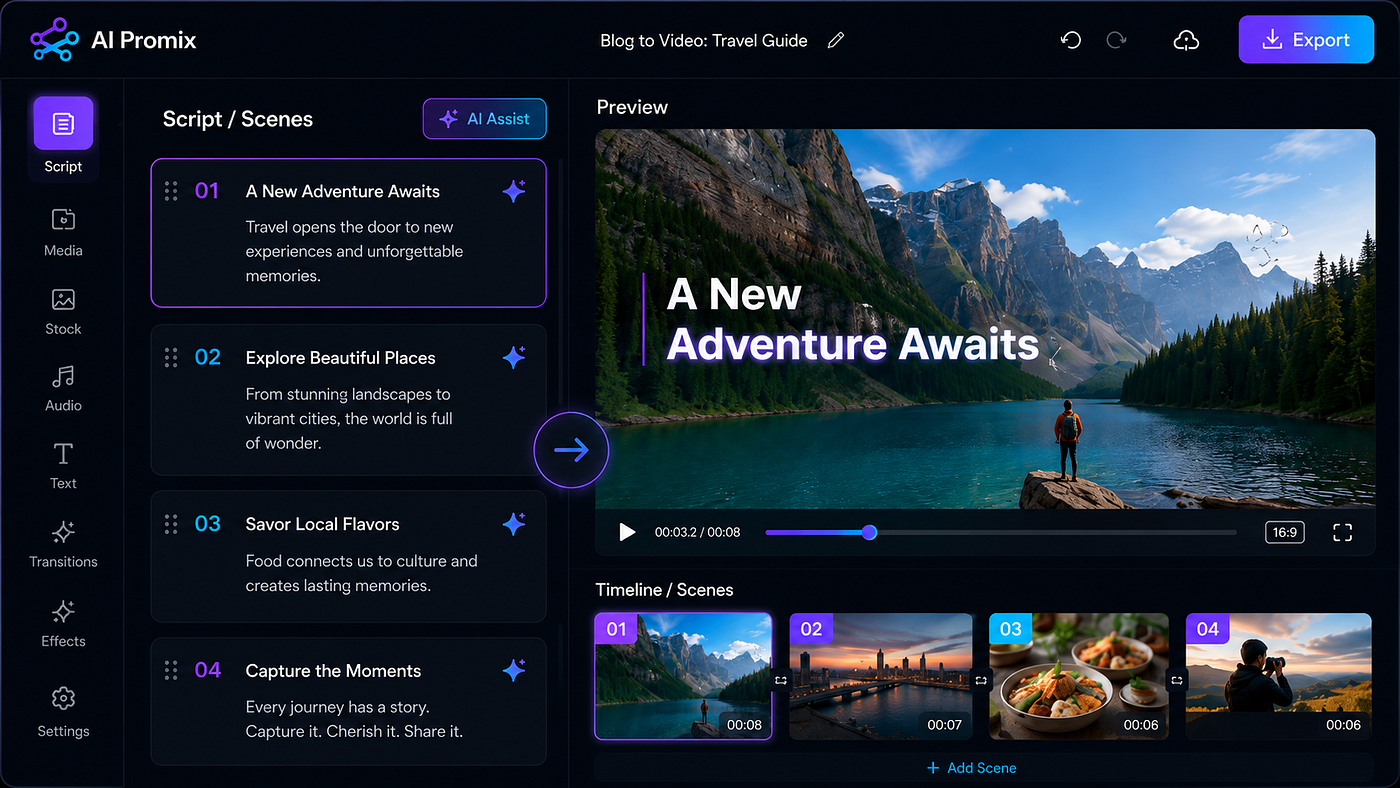
AI video editor with scenic preview
The strongest workflow is URL-to-video.
Paste a live blog URL, and Pictory extracts the article, removes page clutter, identifies the main sections, and creates a scene-by-scene video draft.
This is particularly useful for publishers with an existing library of evergreen articles.
Instead of writing a second video script from scratch, a creator can use the article as the starting point, review the generated storyboard, replace weak clips, and export the result.
The interface also has a low technical barrier.
Creators do not need to learn keyframes, complex timelines, plugins, or professional color-grading tools.
That accessibility makes Pictory attractive to bloggers, marketers, educators, and faceless YouTube creators who value consistency more than granular editing control.
Realistic Output Quality
The platform’s visual matching works best with concrete topics.
Business, marketing, productivity, lifestyle, and wellness content generally provide clear visual concepts. Pictory can match them with offices, people, devices, products, charts, or relevant environments.
Abstract writing creates more problems.
Terms such as “cloud computing,” “strategic alignment,” or “digital transformation” may produce visually literal or generic footage.
This means script quality affects video quality.
A sentence describing a concrete action gives the platform more useful visual information than a sentence built entirely around abstract concepts.
The practical lesson is to write visually.
Use examples, objects, actions, locations, and outcomes wherever possible.
Captions Are a Major Strength
Automatic captioning is one of Pictory’s most useful features.
For clear standard English, the resulting transcript usually requires only a few corrections. Names, technical terminology, fast speech, and strong accents need more attention.
Creators can burn the captions directly into social videos or export them as an SRT file.
This makes the platform useful for LinkedIn clips, YouTube content, educational videos, and other formats where many viewers watch without sound.
Voiceover Quality Is Mixed
The built-in voices are acceptable for straightforward informational videos.
However, longer narration may sound flat and artificial.
This matters because an unnatural voice can weaken retention, even when the visuals and information are strong.
Creators producing public-facing YouTube videos should consider recording their own narration or using a more natural voice service.
Pictory’s ElevenLabs integration offers a noticeable improvement for creators who want an AI voice without the standard robotic rhythm.
The Stock Footage Problem
Pictory relies heavily on large shared stock libraries.
The footage is generally high quality and commercially usable, but it is not unique.
Creators who regularly watch AI-generated videos may recognize the same office scenes, aerial city footage, keyboards, meetings, and coffee cups.
Accepting every default clip can make a channel look generic.
A stronger workflow replaces the most recognizable footage, uploads original assets, uses consistent colors and typography, and creates a repeatable visual identity.
Time Savings
Speed is the clearest reason to consider Pictory.
A traditional five-minute blog-to-video workflow may involve rewriting the article, recording narration, finding footage, editing scenes, adding captions, selecting music, and exporting.
Pictory compresses much of that production into one browser workflow.
The generated version is not always final.
But receiving a mostly usable first cut in minutes can still produce a meaningful return, particularly for creators publishing several videos every month.
Who Should Use Pictory?
Pictory is a strong fit for:
- Bloggers converting articles into YouTube videos
- SEO teams embedding video into high-value pages
- Faceless YouTube creators using script-driven workflows
- Marketing teams repurposing webinars and training content
- Social media managers creating captioned clips
- Agencies converting client content into multiple video assets
Who Should Skip It?
Pictory is not the right fit for:
- Filmmakers requiring cinematic scene generation
- Editors who need detailed timeline control
- Creators producing avatar-led presenter videos
- Comedy or sarcasm-heavy channels
- Brands requiring completely original visual assets
- Occasional users producing only one or two videos per month
These users may find better value in cinematic AI generators, avatar platforms, or professional editing software.
Final Verdict
Pictory AI is not a universal AI video solution.
It is a practical repurposing tool.
Its strongest qualities are speed, accurate captions, easy URL-to-video conversion, and accessibility for non-editors.
Its biggest weaknesses are repeated stock footage, imperfect context matching, uneven voice quality, and slower rendering during busy periods.
For creators who regularly turn written or recorded material into videos, those limitations may be manageable.
For creators who need cinematic originality or precise editing control, they are significant.
The right way to evaluate Pictory is not by asking whether it can replace a professional filmmaker.
Ask whether it can reduce the repetitive production work inside your existing content workflow.
For the right creator, the answer is yes.
Read the complete AI Promix Pictory AI review for the full test data, pricing comparison, alternatives, and buying recommendation. https://www.aipromix.com/2026/06/pictory-ai-review.html
메타데이터
- post_id
- 16c7d6b807c9
- slug
- pictory-ai-review-2026-a-practical-video-repurposing-tool-with-important-limitations-16c7d6b807c9
- url
- https://medium.com/@aiprofessionalmix/pictory-ai-review-2026-a-practical-video-repurposing-tool-with-important-limitations-16c7d6b807c9
- canonical_url
- https://medium.com/@aiprofessionalmix/pictory-ai-review-2026-a-practical-video-repurposing-tool-with-important-limitations-16c7d6b807c9
- author_url
- https://medium.com/@aiprofessionalmix
- status
- ok
- fetched_at
- 2026-06-22 07:15:07