How I Accidentally Broke SSH on a RHEL VM While Preparing Multus (and How I Fixed It)
While preparing my RHEL 9 VM to run KubeVirt VMs with Multus secondary networking, I managed to break my own SSH access. The VM was…
How I Accidentally Broke SSH on a RHEL VM While Preparing Multus (and How I Fixed It)
While preparing my RHEL 9 VM to run KubeVirt VMs with Multus secondary networking, I managed to break my own SSH access. The VM was perfectly fine, Kubernetes was healthy, and yet 192.168.0.102 became unreachable.
This post walks through exactly what went wrong, why it happened, and the precise fix, with screenshots taken during the failure.
Initial State (Everything Working)
- OS: RHEL
- VM IP: 192.168.0.102
- SSH access: ✅ Working
- Primary bridge:
br0 - Physical NIC:
enp6s18 - Kubernetes cluster already running
At this stage, enp6s18 was correctly attached to br0, and br0 was carrying the VM’s management traffic.
The Goal
I wanted to:
- Install Multus
- Create a secondary Linux bridge (
br-secondary) - Use it later for KubeVirt VMs without disturbing the main network
This is a very common requirement in KubeVirt labs.
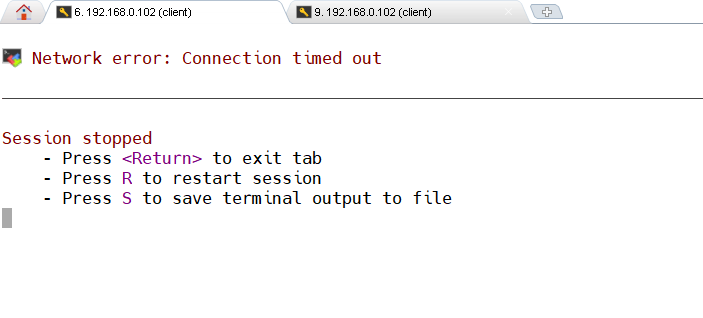
Where Things Went Wrong
While configuring the secondary bridge, I attached the same physical NIC (enp6s18) to br-secondary.
Linux does not allow a NIC to belong to more than one bridge at the same time.
The moment that happened:
br0lost its only uplinkbr0went intoNO-CARRIER / DOWN- The IP
192.168.0.102stayed configured - SSH immediately stopped working
This is the critical detail:
The IP did not disappear — the path to the IP did.
Screenshot Evidence (What the System Was Telling Me)
Screenshot 1: NetworkManager Connections
You can clearly see both bridges present:
br0br-secondary- A bridge-slave connection attached to
br-secondary
This already hints that the physical NIC was moved.
Screenshot 2: Bridge State
ip link show br-secondary showed:
- Interface UP
- But no real traffic path to the outside world
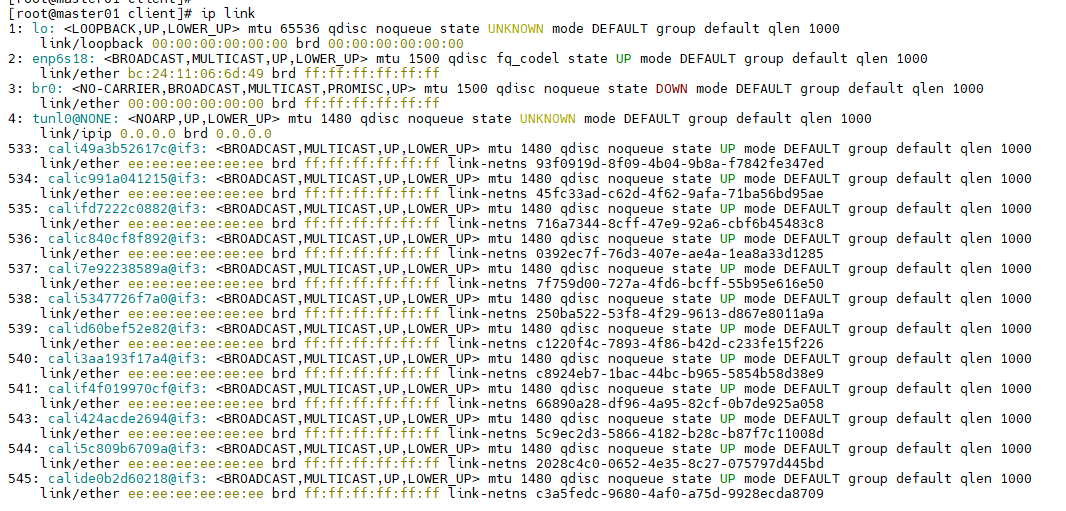
Screenshot 3: Kernel Truth (ip link)
This was the most important output.
Key observations:
- The real NIC name is
**enp6s18**, notens18 enp6s18is master br-secondarybr0is DOWN withNO-CARRIER
This explains everything.
From the kernel’s perspective, the cable was unplugged from br0.
Why Many Commands Failed
Several commands failed or behaved strangely:
nmcli device set ens18 …→ device doesn’t existnomasternot supported in this NM version- Bringing
br0up did nothing
None of these were bugs.
They failed because:
- NetworkManager works on connection profiles
- The NIC was still owned by a bridge-slave profile
- Until that profile was released, the NIC could not move
The Actual Fix (One Command)
The fix was not Kubernetes-related. Not KubeVirt-related. Not Multus-related.
It was pure Linux networking.
I simply detached the NIC from the secondary bridge by shutting down the slave connection:
nmcli connection down br-secondary-slave-enp6s18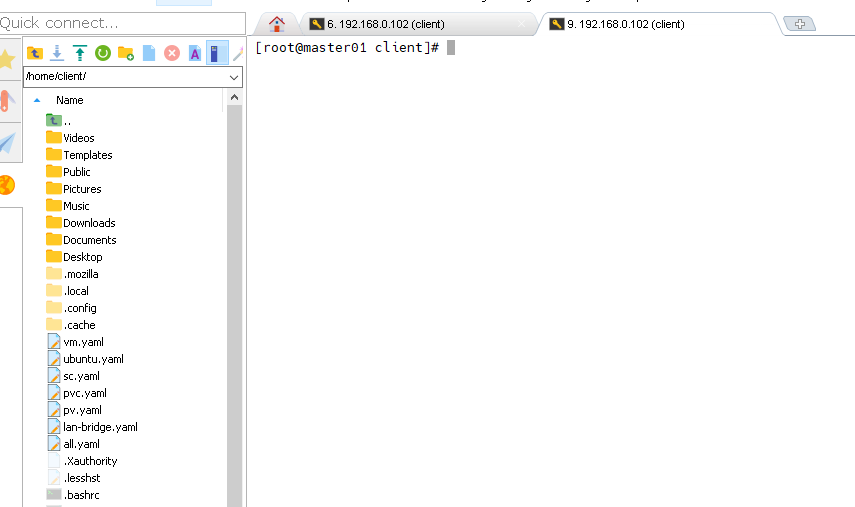
Able to ssh- It is restored after shutting down secondary nic
That single command:
- Freed
enp6s18 - Restored carrier to
br0 - Immediately brought back SSH on 192.168.0.102
No reboot. No IP reconfiguration. No firewall changes.
Why This Happens So Easily
This problem is common because:
- Bridges look “logical”, but behave like physical switches
- Attaching a NIC to a bridge is equivalent to plugging a cable
- Removing it silently disconnects traffic
- NetworkManager errors are often misleading if you don’t check
ip link
The system was never broken — the topology was.
Correct Design Going Forward
Key rules I will now always follow:
- Never touch the primary NIC (
br0) - Management network stays isolated
- Secondary networks must use:
- a second physical NIC, or
- a dummy interface, or
- macvlan, or
- a dedicated bridge with no host dependency
Multus should extend networking, not hijack it.
Conclusion
This issue looked like:
- a Kubernetes failure
- a Multus problem
- or a KubeVirt misconfiguration
In reality, it was a Layer-2 mistake masquerading as a Layer-7 outage.
The IP address was fine. The services were fine. The VM was fine.
The bridge had simply lost its cable.
This experience reinforced a critical lesson:
Linux networking never lies — but it only tells the truth at the kernel layer.
If SSH dies suddenly during network experiments, stop guessing.
Check bridges.
Check masters.
Check ip link.
Most outages aren’t complex. They’re just invisible.
This guide focuses on real-world failures encountered while setting up KubeVirt + Multus on a RHEL-based Kubernetes cluster, especially in home labs and on-prem VMs.
If your SSH suddenly dies, bridges go NO-CARRIER, or Multus behaves like black magic — this guide is for you.
Lab Assumptions
- OS: RHEL / CentOS Stream / Rocky
- Kubernetes cluster already running
- KubeVirt + CDI planned
- Multus required for secondary VM networks
- Management IP must remain reachable (example:
192.168.0.102) - NetworkManager is enabled (default on RHEL)
Failure Pattern 1
“SSH stopped working immediately after creating a bridge”
Symptoms
- SSH to node IP fails
- IP still visible in config
pingfails- Kubernetes still running locally
Root Cause
You attached the primary physical NIC to a new bridge created for Multus.
Linux allows one bridge per NIC. When the NIC moves:
- The original bridge loses its uplink
- Management traffic dies instantly
This is not a Kubernetes problem. This is Layer 2 topology breakage.
How to Diagnose (Always in This Order)
1️⃣ Check kernel-level truth (ignore NetworkManager first)
ip linkLook for:
- Which interface is the real NIC (
enpXsY, notensX) - Which bridge it is attached to (
master brX) - Whether
br0isNO-CARRIER
If the NIC is not under
br0, SSH will not work.
2️⃣ Confirm bridge ownership
bridge linkThis shows which interfaces are enslaved to which bridges.
3️⃣ Check active NM connections (secondary view)
[root@master01 client]# nmcli -f NAME,DEVICE,TYPE connection show --active
NAME          DEVICE        TYPE
ens18         enp6s18       ethernet
br-secondary  br-secondary  bridge
br0           br0           bridge
lo            lo            loopback
This is secondary evidence, not the source of truth.
Recovery Procedure (Safe, Minimal, Proven)
Goal
Restore SSH without changing IP, routes, or Kubernetes state.
Correct Fix
Detach the NIC from the secondary bridge by shutting down the slave connection.
nmcli connection down br-secondary-slave-enp6s18What this does:
- Frees the NIC
- Returns carrier to
br0 - Restores SSH immediately
No reboot. No IP change. No downtime beyond the mistake.
Failure Pattern 2
“nmcli commands fail with weird errors”
Typical Errors
Device not foundCannot set controllerNo suitable device foundnomaster property not known
Why This Happens
- Wrong interface name (
ens18vsenp6s18) - RHEL NetworkManager does not support device-level
nomaster - NM expects connection-level changes, not device hacks
Rule
On RHEL:
Detach bridges via connection profiles, not devices
Failure Pattern 3
“Everything looks UP but nothing works”
Explanation
- Interfaces can be
UP - IP can exist
- Kubernetes can be healthy
But if:
- the bridge has no carrier
- or no slave NIC
Traffic is dead.
Always remember
An IP without a path is just a number.
Correct Multus + KubeVirt Lab Design (Do This Instead)
❌ Never Do This
- Reuse the primary NIC for secondary bridges
- Experiment on
br0 - Mix management and lab traffic
✅ Safe Options for Secondary Networks
Choose one:
- Second physical NIC (best)
- Dummy interface
- macvlan
- Dedicated VLAN
- Isolated bridge not tied to host connectivity
Your management bridge should be boring and untouchable.
KubeVirt-Specific Insight
Many KubeVirt “network issues” are actually:
- Linux bridge mistakes
- NIC misplacement
- NetworkManager profile conflicts
KubeVirt only consumes networking — it does not create it.
If the host network is wrong, KubeVirt will faithfully fail on top of it.
Golden Debug Checklist (Print This)
ip linkbridge link- Identify real NIC
- Identify bridge master
- Restore management bridge first
- Only then touch Multus
If you skip step 1, you will lose hours.
Conclusion
This lab failure teaches a brutal but valuable lesson:
Most KubeVirt networking problems are not Kubernetes problems.
They are:
- Linux problems
- Bridge topology problems
- Human curiosity problems
Kubernetes did not fail. KubeVirt did not fail. Multus did not fail.
The cable was simply unplugged — logically.
If you design your lab with network isolation and discipline, KubeVirt becomes predictable, stable, and boring — which is exactly what good infrastructure should be.
메타데이터
- post_id
- 1788bfdf7288
- slug
- how-i-accidentally-broke-ssh-on-a-rhel-vm-while-preparing-multus-and-how-i-fixed-it-1788bfdf7288
- url
- https://medium.com/@tradingcontentdrive/how-i-accidentally-broke-ssh-on-a-rhel-vm-while-preparing-multus-and-how-i-fixed-it-1788bfdf7288
- canonical_url
- https://medium.com/@tradingcontentdrive/how-i-accidentally-broke-ssh-on-a-rhel-vm-while-preparing-multus-and-how-i-fixed-it-1788bfdf7288
- author_url
- https://medium.com/@tradingcontentdrive
- status
- ok
- fetched_at
- 2026-07-14 04:13:03