FAB ATM Balance Inquiry Guide — Check Salary, Ratibi & Prepaid Card Balance Easily
Learn how to check your FAB ATM balance instantly for Salary, Ratibi, prepaid, and credit cards with this easy step-by-step UAE banking…
FAB ATM Balance Inquiry Guide — Check Salary, Ratibi & Prepaid Card Balance Easily
Learn how to check your FAB ATM balance instantly for Salary, Ratibi, prepaid, and credit cards with this easy step-by-step UAE banking guide.
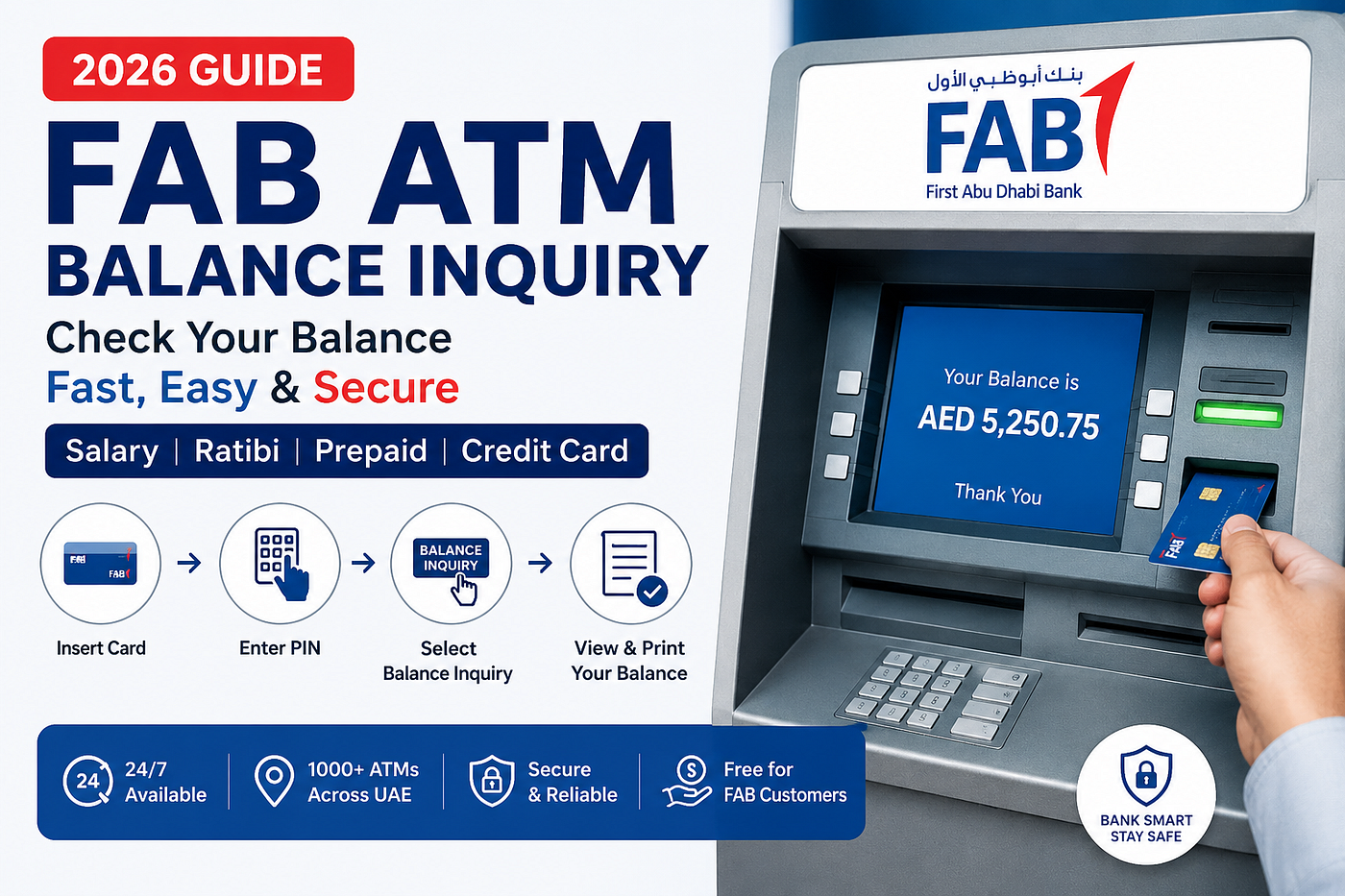
Managing your money should feel simple, especially when you need to quickly check your account balance before shopping, paying bills, or withdrawing cash. For customers of First Abu Dhabi Bank, **checking your balance through a FAB ATM** is still one of the fastest and most reliable methods available in the UAE.
Whether you use a FAB Salary Card, Ratibi Card, prepaid card, or credit card, you can instantly view your available balance at any FAB ATM without needing internet access or mobile banking.
In this complete 2026 guide, we’ll explain how to perform a FAB ATM balance check step by step, supported card types, alternative balance inquiry methods, ATM safety tips, and common issues users may face.
Quick FAB ATM Balance Check
Checking your First Abu Dhabi Bank balance at an ATM usually takes less than a minute. Simply insert your FAB debit, salary, prepaid, or credit card into the ATM, enter your secure 4-digit PIN, and choose the “Balance Inquiry” option to instantly view your available funds.
Step-by-Step Guide
Visit a FAB ATM
Locate a nearby FAB ATM or Cash Deposit Machine available across the UAE.
Insert Your Card
Insert your FAB debit card, salary card, prepaid card, or credit card into the ATM machine.
Enter Your PIN
Carefully enter your secure 4-digit ATM PIN.
Select Your Language
Choose your preferred language, such as English or Arabic.
Choose “Balance Inquiry”
From the ATM menu, tap on “Balance Inquiry” or “Check Balance”.
View or Print Your Balance
Your current balance will appear immediately on the screen. You may also print a mini statement or receipt for your records.
Alternative Ways to Check FAB Balance
If you are unable to access an ATM, you can still **check your FAB balance** through these methods:
FAB Mobile App
Download the **FAB Mobile Banking app** on Android or iPhone and log in securely to monitor your account anytime.
SMS Banking
Registered users can send: BAL XXXX (XXXX = last four digits of your account number) to 2121.
FAB Customer Care
- UAE: 600 52 5500
- International: +971 2 681 1511
Why Many Users Prefer FAB ATM Balance Check
Even though online banking and mobile apps are growing rapidly, many UAE residents still prefer ATM balance inquiries because they are simple, fast, and available 24/7.
Some major advantages include:
- Instant access to account information
- No internet connection required
- Easy for salary and payroll card users
- Free balance inquiry for FAB cardholders
- Available throughout the UAE
- Secure and beginner-friendly process
For workers and expats who may not regularly use mobile banking, ATM balance checking remains one of the easiest ways to manage finances.
How to Check FAB Balance at ATM — Step-by-Step
**Checking your FAB account balance** at an ATM is straightforward. You only need your card and PIN to begin.
Step 1 — Find the Nearest FAB ATM
FAB ATMs are located across malls, supermarkets, metro stations, airports, and commercial areas throughout the UAE.
Popular ATM locations include:
- Abu Dhabi Corniche
- Dubai Mall
- Sharjah City Centre
- Ajman Lulu Hypermarket
You can also use Google Maps or the official FAB branch locator to find a nearby ATM.
Step 2 — Insert Your FAB Card
Insert your FAB card into the ATM machine carefully. The ATM automatically detects whether you are using a salary card, prepaid card, Ratibi card, or credit card.
For chip-enabled cards, ensure the chip faces upward while inserting.
Step 3 — Choose Your Preferred Language
Most FAB ATMs support both English and Arabic. Select the language you are most comfortable using before continuing.
Step 4 — Enter Your ATM PIN Securely
Input your 4-digit PIN carefully while covering the keypad with your hand. This small habit can help protect your banking information from fraud or unauthorized access.
If you forget your PIN or enter it incorrectly multiple times, your card may be temporarily blocked for security reasons.
Step 5 — Select “Balance Inquiry”
After successful login, the ATM screen will display several banking options, including:
- Cash Withdrawal
- Deposit Services
- Mini Statement
- Balance Inquiry
Tap on “Balance Inquiry” to continue.
Step 6 — View or Print Your Balance
Your available balance will immediately appear on the screen. If needed, you can also print a receipt or mini statement for personal records.
Before leaving the ATM, always remember to collect:
- Your card
- Your receipt
- Any cash if withdrawn
FAB Balance Check for Different Card Types
First Abu Dhabi Bank offers multiple banking card options designed for employees, travelers, payroll workers, and general banking customers.
Here’s how balance inquiry works for each card type.
FAB Salary Card Balance Check
The FAB Salary Card is commonly issued by employers to transfer monthly salaries directly to employees.
How to Check Salary Card Balance
- Visit any FAB ATM
- Insert your salary card
- Enter your PIN
- Select “Balance Inquiry”
- View your salary balance instantly
This option is especially helpful for workers who may not use full online banking services but still want quick access to salary updates.
FAB Ratibi Card Balance Inquiry
The **Ratibi Card is a payroll** solution designed for employees without traditional bank accounts. Employers load salaries directly onto the card every month.
Steps to Check Ratibi Card Balance
- Visit a nearby FAB ATM
- Insert your Ratibi card
- Choose your language
- Enter your PIN
- Tap “Balance Inquiry”
Your remaining balance will appear instantly on the screen.
This simple system helps thousands of workers across the UAE manage their salary securely and conveniently.
FAB Prepaid Card Balance Check
FAB Prepaid Card users can also check balances easily through FAB ATMs.
These cards are commonly used for:
- Online shopping
- International travel
- Controlled spending
- Business expenses
How to Check Prepaid Card Balance
- Insert your prepaid card into the ATM
- Enter your secure PIN
- Select “Balance Inquiry”
- View your available funds instantly
**Prepaid cards** are especially useful for travelers who want better control over expenses while abroad.
FAB Credit Card Balance Inquiry
Customers using a FAB Credit Card can also view:
- Available credit limit
- Outstanding balance
- Pending dues
Simply insert your credit card into the ATM and choose the “Credit Card Balance Inquiry” option.
FAB Credit Card Balance Inquiry
Customers using a FAB Credit Card can easily check their available credit limit, outstanding balance, and pending dues through any FAB ATM in the UAE. Simply insert your credit card into the ATM, enter your secure PIN, and select the “Credit Card Balance Inquiry” option from the menu. The system will instantly display your credit information on the screen, helping you manage your spending and payments more conveniently.
FAB also operates one of the largest ATM networks across the UAE, making balance inquiries and banking services easily accessible for residents and expats. Customers can find FAB ATMs in major locations across Abu Dhabi including Corniche and Yas Mall, throughout Dubai in areas like Dubai Mall, Business Bay, and Deira, as well as in Sharjah, Ajman, Ras Al Khaimah, Fujairah, and Umm Al Quwain. With hundreds of ATM locations available 24/7, FAB customers can conveniently access banking services anytime across the country.
Common FAB ATM Balance Check Problems & Solutions
Sometimes users may experience small issues while checking their balance. Thankfully, most problems are easy to solve.
Card Not Reading Properly
If the ATM cannot read your card:
- Clean the card gently
- Reinsert it carefully
- Try another FAB ATM nearby
If the issue continues, visit a FAB branch for assistance.
Incorrect PIN Entered
After several incorrect PIN attempts, your card may become temporarily blocked for security purposes.
You may need to:
- Contact FAB customer support
- Visit the nearest branch
- Reset your PIN with valid identification
Balance Not Showing
If your balance does not appear:
- Ensure your card is activated
- Confirm salary or funds were loaded successfully
- Wait a few minutes if the transaction is still processing
ATM Receipt Not Printing
Sometimes receipt paper may run out. Even if no receipt prints, your balance can still be viewed safely on the screen.
Important ATM Safety Tips
Using ATMs safely is extremely important to protect your money and personal information.
Keep Your PIN Private
Never share your PIN with anyone and always cover the keypad while typing.
Use Well-Lit ATMs
Choose ATMs located inside malls, supermarkets, or secure public areas.
Watch for Suspicious Devices
Before inserting your card, inspect the ATM for unusual attachments or loose parts.
Collect Your Card & Receipt
Many users accidentally leave their cards behind. Always double-check before leaving the ATM.
Monitor Transactions Regularly
Review your banking statements frequently to identify any unusual transactions quickly.
Alternative Ways to Check FAB Balance
Besides ATM services, FAB customers can also access balance information through multiple banking channels.
FAB Mobile Banking App
The mobile app allows users to:
- Check balances
- Transfer money
- Pay bills
- Monitor transactions
Online Banking
Customers with internet banking access can log into their FAB account securely from anywhere.
SMS Banking
SMS banking is helpful for users without smartphones or internet access.
Customer Support
FAB customer service representatives are available to assist with balance inquiries and account-related concerns.
If you have a Topic and want to publish. your content on our platform, feel free to visit our **Write For Us **page.
Final Thoughts
Checking your balance through a FAB ATM remains one of the most convenient banking solutions in the UAE. Whether you use a salary card, Ratibi payroll card, prepaid card, or credit card, the process is simple, secure, and available 24/7.
For many workers, expats, and daily banking users, ATM balance inquiry offers peace of mind and quick access to financial information without relying on internet connectivity or advanced banking apps.
By following proper ATM safety practices and using official FAB banking channels, you can manage your finances confidently and securely anywhere in the UAE.
FAQs
How can I check my FAB ATM balance online?
You can check your First Abu Dhabi Bank balance online by logging into the FAB Mobile App or FAB Internet Banking. After signing in, your available account balance will appear on the dashboard instantly. You can also use SMS banking if you are registered for the service.
How to check balance in ATM step by step?
Checking your ATM balance is very simple:
- Visit the nearest ATM
- Insert your ATM card
- Enter your 4-digit PIN
- Choose your preferred language
- Select “Balance Inquiry” or “Check Balance”
- Your account balance will appear on the screen
You can also print a receipt if needed.
How do I check my account balance at an ATM?
To check your account balance at an ATM, insert your debit, salary, prepaid, or credit card into the machine and enter your PIN securely. Then select the “Balance Inquiry” option from the ATM menu to view your available funds instantly.
How to check ATM balance online?
You can check your ATM or bank account balance online through:
- Mobile banking apps
- Internet banking websites
- SMS banking services
- Official banking customer support
For FAB users, the FAB Mobile App is one of the fastest and safest options.
How to check bank balance without ATM?
If you do not have access to an ATM, you can still check your balance using:
- Mobile banking app
- Internet banking
- SMS banking
- Customer care helpline
- Bank branch visit
Many banks, including First Abu Dhabi Bank, also offer balance inquiry through SMS services.
How to make a balance check?
To make a balance check, simply use any available banking method such as an ATM, mobile app, online banking, or SMS banking. Choose the method most convenient for you, log in securely, and view your current account balance instantly.
What is the fastest way to check FAB balance?
The quickest method is using a FAB ATM. Simply insert your card, enter your PIN, and select “Balance Inquiry”.
Is FAB ATM balance inquiry free?
Yes, FAB customers can check balances at FAB ATMs without additional charges.
Can I check my FAB balance at another bank ATM?
Yes, but some other banks may charge service fees.
How do I check my Ratibi card balance?
You can check your Ratibi card balance at any FAB ATM, through online services, or via supported payroll systems.
What happens if I enter the wrong ATM PIN?
After multiple incorrect attempts, your card may be temporarily blocked for security purposes.
Can I check my FAB balance without internet?
Yes. ATM balance inquiry and SMS banking work without internet access.
How do I contact FAB customer support?
You can contact FAB customer care at:
- 600 52 5500 (within UAE)
- +971 2 681 1511 (internationally)
메타데이터
- post_id
- 17a906dfd1c7
- slug
- fab-atm-balance-inquiry-guide-17a906dfd1c7
- url
- https://medium.com/@techadvisor09/fab-atm-balance-inquiry-guide-17a906dfd1c7
- canonical_url
- https://medium.com/@techadvisor09/fab-atm-balance-inquiry-guide-17a906dfd1c7
- author_url
- https://medium.com/@techadvisor09
- status
- ok
- fetched_at
- 2026-06-10 08:34:46